
Parametric aquarium filters elements
We calculate the final price from your selected file. You review and accept it before payment.
Saved on this device.
Model information
- Source
- Printables
- Category
- Pets
- License
- Creative Commons — Attribution — Noncommercial
This elements were orioginally designed to expand on a small internal filter Pat Mini, with a small container for biological filter medium. By default it only came with a sponge, and attaching a giant container from a larger filter didn’t made sense for a small aquarium.
For some time I’ve used a bought print but never really liked the way it closed - the lid could pop off way too easily. Also there was only cube shape available, while cylindrical would look better with also cylindrical sponge.
This project includes parametric models of:
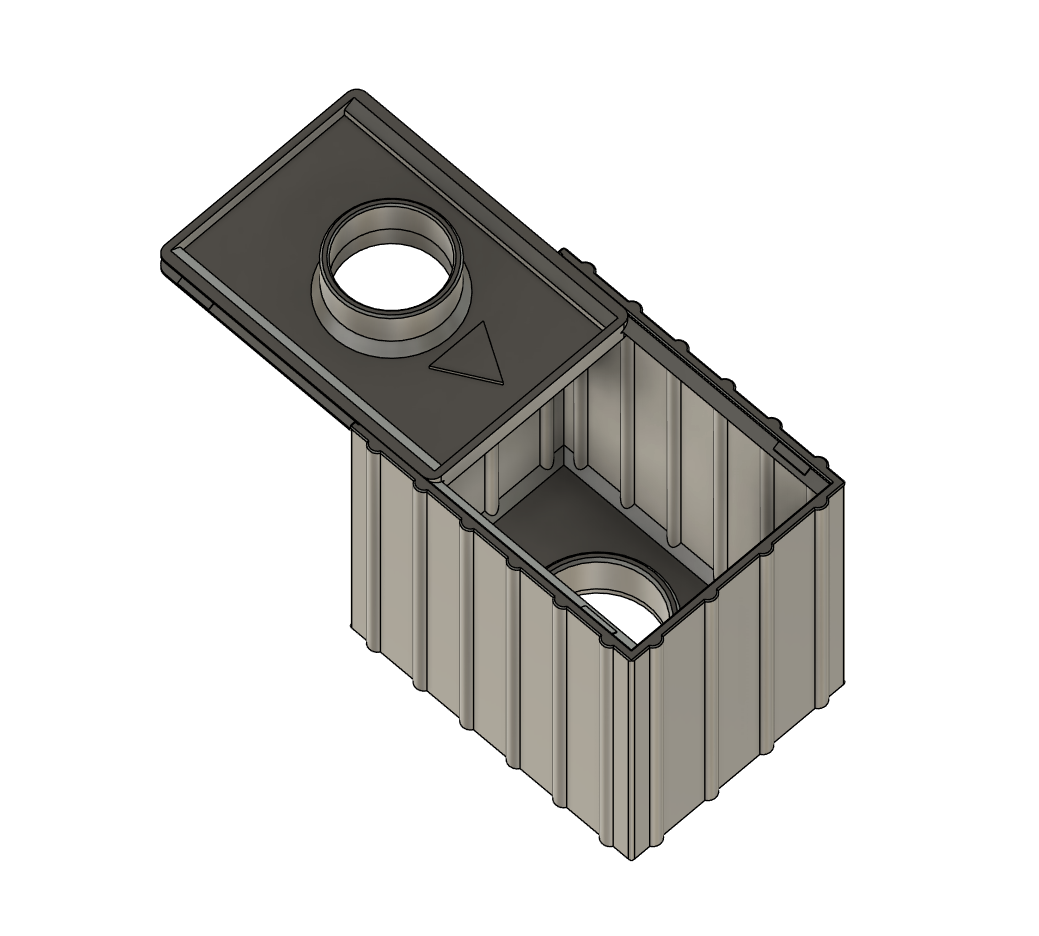
- box filter
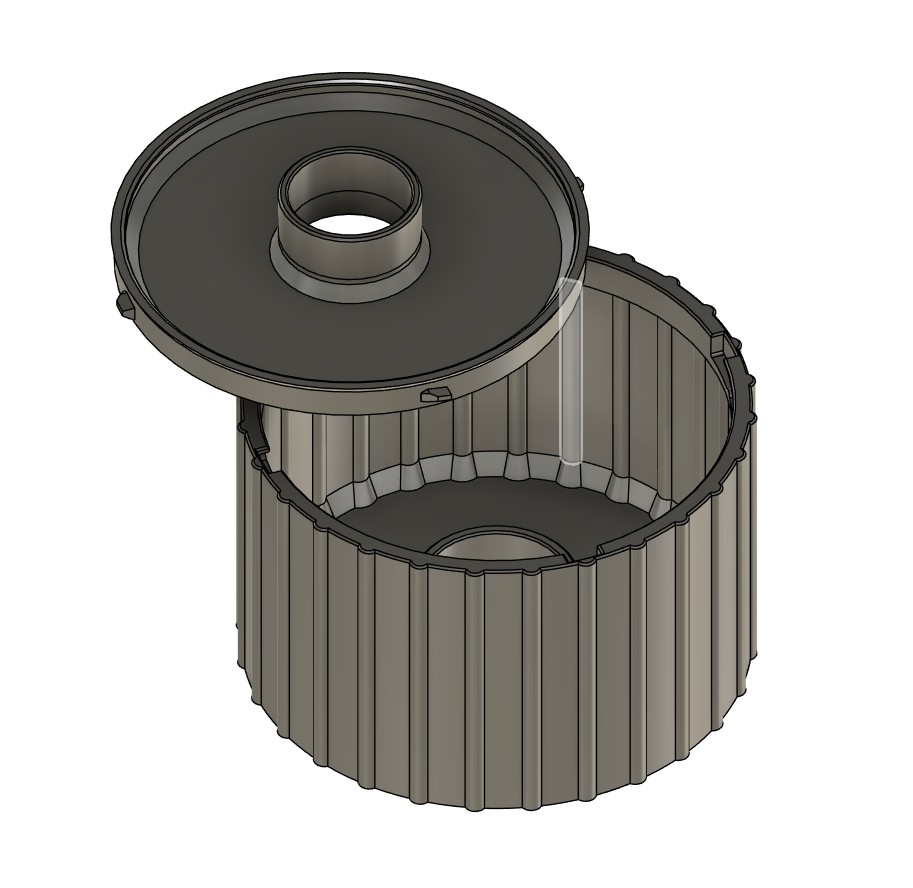
- cylindrical filter
- pipes
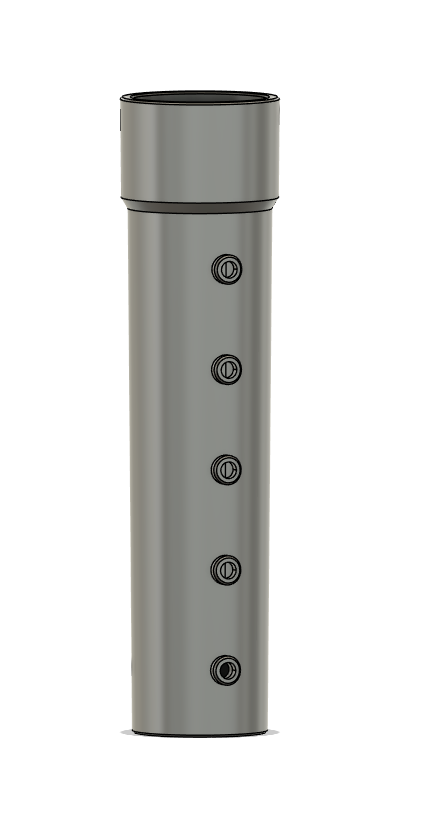
- rain pipes
- to block the water stream on the final pipe use PipeBlock element
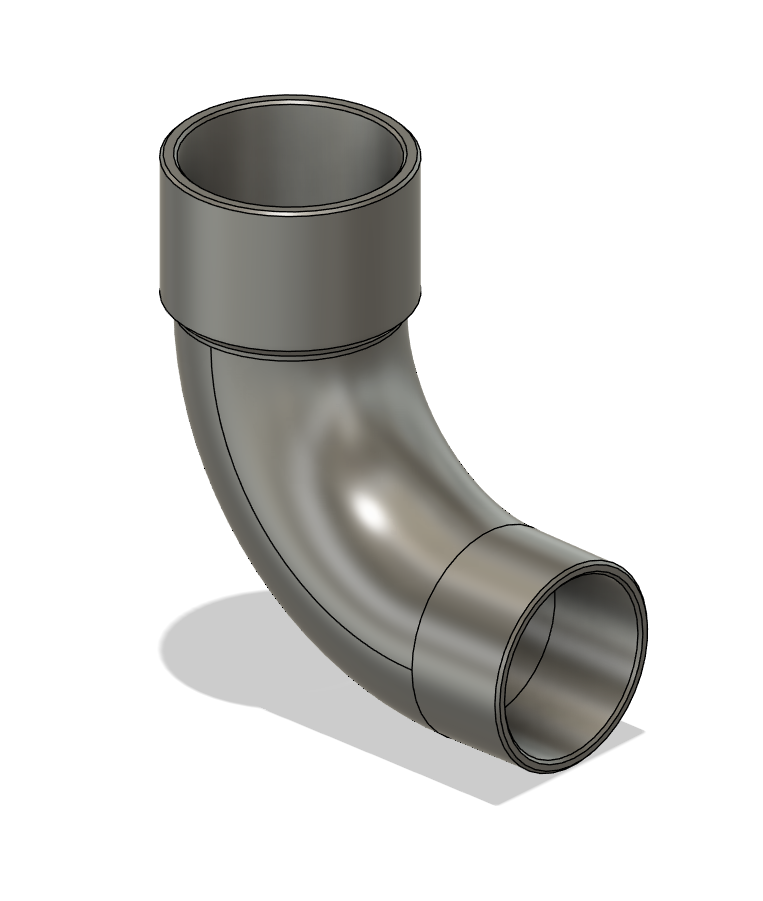
- curved pipe
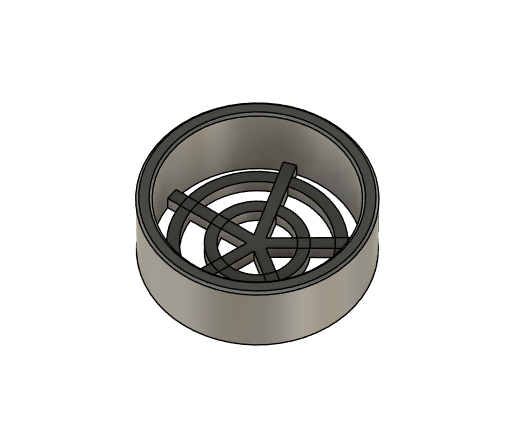
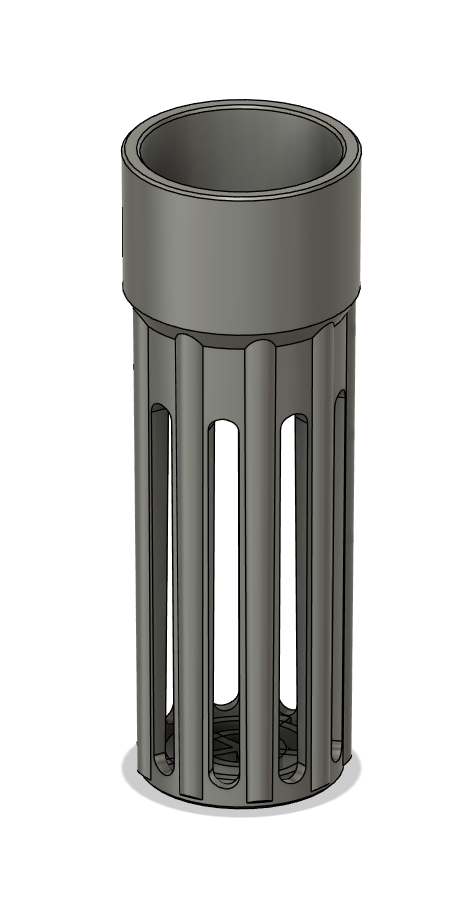
- basket pipe
- can be used to attach a extra sponge below the filter box
- can be used to attach a extra sponge below the filter box
- short basket pipe
- used to close a pipe or filter, so smaller medium won’t fall out (eg. zeolite)
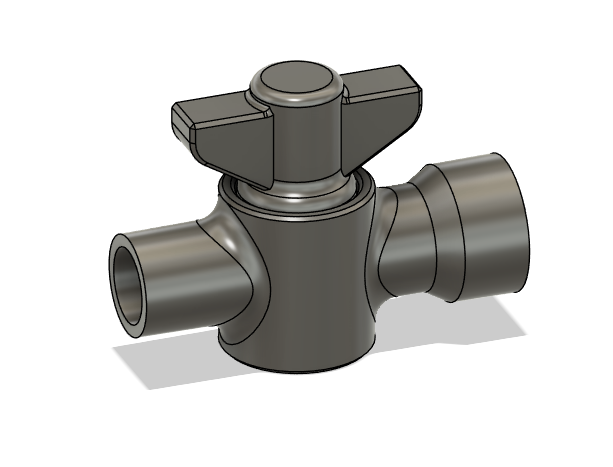
- control valve - very simple attachment meant to regulate water flow
- valve was intended to work with 5v filter pump project, so it likely won't scale well to wider diameters.
- printable in place
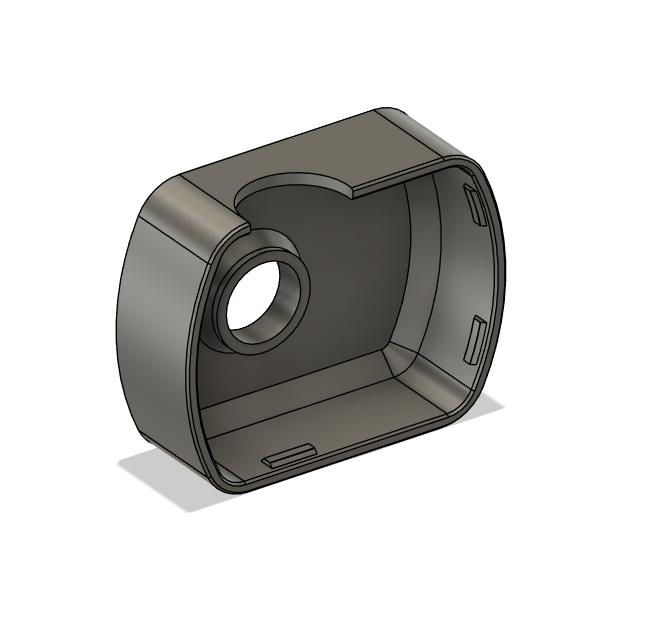
- 5v pump face cover
- it's made to work best with pipe diameter set to ~8mm and will often throw errors when parameters are set too high - which can be ignored.
- it's made to work best with pipe diameter set to ~8mm and will often throw errors when parameters are set too high - which can be ignored.
Parameters
Most objects re use the same variables to calculate their width, depth, diameters. Updating single parameter will affect other models, most cases correctly, but sometimes an unreleated thing we did not meant to scale, nor use, might throw errors - eg. pipe dimension and lengthwill scale correctly, but a curved or rain pipe might brake. Usually it’s because some values are unpredictably small or large. Within range typical for aquariums they should scale fine.
There's quite some parameters spread across different components and honestly their become cumbersome to use. So I've tried applying experimental naming convention - I needed something readable and easy to filter, navigate, reuse values to calculate various measurements. Sadly the parameters window in F360 is pretty horrible in that regard. Filtering is crude, non persistent, converting unit to unitless finicky at best. Thus this approach, loosely inspired by BEM methodology used in web development 😀
Setup parameters
| Name | Description |
|---|---|
| _CeramicMedium__Cube_width_unitless | Width of a ceramic medium cylinder, understood as a cube for easier calcuations. This is unitless, so it can be used to non measurements (eg. quantity of repetition in rectangle/circular patterns) |
| _CeramicMedium__Cube_width_mm | Width of ceramic medium cylinder, as box. This value is used to calculate measurements. |
| _Filter__Wall_thickness_mm | Filters wall thickness. |
| _Pipe__Slope_deg | Adds a slight slope on the pipes, so they can fit eachother better. |
| _Pipe__Wall_thickness_mm | Pipe wall thickness. |
| _PrintTolerance_mm | Additional measurement used in various places (but not as often as it probably should) - adds or removes a little bit from extrusions, offsets and so on, so moving parts can fit eachother better. It’s usefull to tweak it depending on filament type. |
Filter Box parameters
| Name | Description |
|---|---|
| FilterBox_$_width__contains_CeramicMedium | Amount of ceramic cubes that filter box should fit in X axis |
| FilterBox_$_depth__contains_CeramicMedium | Amount of ceramic cubes that filter box should fit in Y axis |
| FilterBox_$_height__contains_CeramicMedium | Amount of ceramic cubes that filter box should fit in Z axis |
| FilterBox__PipeBottom_offsetFromCenter_mm | Moves the Pipe on the lid (filter bottom) on Y axis. |
| FilterBox__PipeTop_offsetFromCenter_mm | Moves the Pipe on the top of the filter on Y axis. |
| FilterBox_width_mm | Calculated filter dimensions in X axis. (this param is reused for Box Lid and rails extrusions) |
| FilterBox_depth_mm | Calculated filter dimensions in Y axis. |
| FilterBox_height_mm | Calculated filter dimensions in Z axis. |
Filter Cylinder parameters
| Name | |
|---|---|
| FilterCylinder_$_diameter__contains_CeramicMedium | Amount of ceramic cubes cylindrical filter will fit in X, Y axis. |
| FilterCylinder_$_height__contains_CeramicMedium | Amount of ceramic cubes that cylindrical filter should fit in Z axis |
| FilterCylinder__PipeBottom_offsetFromCenter_mm | Moves the Pipe on the lid (filter bottom) on Y axis. |
| FilterCylinder__PipeTop_offsetFromCenter_mm | Moves the Pipe on the top of the filter on Y axis. |
| FilterCylinder__Locks_count | Calculated amount of twist locks on the cylinder filter lid / body. It tries to accommodate to the filter diameter. |
| FilterCylinder_diameter_mm | Calculated filter diameter. |
| FilterCylinder_height_mm | Calculated filter height. |
Pipe parameters
(these apply to filters and are automatically calculated in a way they ought to fit eachother)
| Name | Description |
|---|---|
| MainPipe_height_mm | Pipes length (well extrusion “height”). |
| MainPipe__Bottom_diameter_mm | Diameter of the thin part part of the pipe - insertable. (Aquel - 19.5 mm (24.4 mm - top grill; 17.55 mm - bottom grill). 11.85 mm - small pipes) |
| MainPipe__Top_diameter_mm | Diameter of the thick part of the pipe - socket. |
| MainPipe__TopThickPart_height_mm | Height of the socket, thick part of the pipe. |
Various Pipes elements parameters
| Name | Description |
|---|---|
| MainPipe__BasketPipe__BottomGrill__Spokes_count | Amount of basket pipes spokes at the bottom grill. |
| MainPipe__BasketPipe__SideGrill_count | Amount of the side spokes and holes on the basket pipe. |
| MainPipe__ControlValve__Pipe_height_mm | Valve pipe length. |
| MainPipe__ControlValve__Valve_tolerance_mm | Valve tolerance - the offset between valve shell sides and the valve shaft. |
| MainPipe__PipeRain__Holes_count | Calculated amount of holes on rain pipe. Tries to match the count based on pipe length. |
Parameters naming convention
FilterBox__PipeBottom_offsetFromCenter_mm
- FilterBox
- Name of component - PascalCase
- components or important objects are separated with __ (double underscore)
- PipeBottom
- Name of important object / sketch
- offsetFromCenter
- descriptor - camelCase
- it’s either dimension, measurement, value which affects something concrete in the project
- eg. width, height, thickness, diameter, count, tolerance
- descriptors are separated with _ (single underscore)
- descriptor - camelCase
- mm
- unit - lower case
- separated with single underscore like descriptors
- seems redundant in the parameters window, but when creating formulas it’s immediately clear what unit the parameter represents.
_CeramicMedium__Cube_width_unitless
- _
- parameters starting with single underscore denote values that aren’t used directly in the project, but are rather configuration or used to formulate concrete parameters values.
- CeramicMedium
- descriptive name, or component name
- Cube
- important object name, type
- width
- descriptor
- unitless
- unit
FilterBox_$_width__contains_CeramicMedium
- FilterBox
- component name
- $
- similar to parameters starting with _
- used to calculate concrete paramters values.
- separated by singe underscore
- contains
- descriptor
- CeramicMedium
- unit
- but references important object / parameter
- it could be read as:
- FilterBox_$_width__contains_CeramicMedium__Cube_width_unitless
- but it’s cumbersome, way too long, and redundant, as the context is more or less clear.
- it could be read as:
Printing
- use PETG - or any filament that’s food safe and won’t leak anything toxic into the water.
- Be sure to confirm with you preferred manufacture documentation the filament is food safe.
- It’s just my opinion so do as you think is best for your aquariums - the prints might not neccesarly need extra processing, like coating or sealing - as compared to prints inteded to be used with food like cutlery, storage and so on. In this case unsealed layers just create more room for nitrification bactera to grow.
- It worked for me and aquariums are still alive and look fine, but as always caution is advisable.
- The best looking pipes should be printed vertically.
- The horizontal orientation is doable with supports - and they print much faster. BUT each end is a bit malformed, and the tolerance between insert/socket ends of the pipes were made with verticall orientation in mind. So in case of horizontal, make sure to increase the MainPipe__Top_diameter_mm.
- Vertical orientation will create pipes more resistant to compression, like inserting in one another - they will not brake that easily compared to horizontal.
- But it’s completely opposite when it comes to flexibility. Vertical layers will more likely brake when flexed.
- Valve was designed to be printed in place - it should be printed in horizontal position.