
Voron V0 Kirigami Build Plate in ORCASLICER
We calculate the final price from your selected file. You review and accept it before payment.
Saved on this device.

THIS ONE IS JUST FOR FUN
- Rating
- 5 / 5
- Likes
- 29
- Downloads
- 153
- Makes
- 0
- Views
- 597
- Reviews
- 1
Updated at source:
Model information
- Source
- Printables
- Category
- Voron Parts & Upgrades
- License
- GNU General Public License v3.0
How to add THIS to ORCASLICER
This one is mostly for FUN and to Show that SWEET Kirigami build plate setup in your slicer.
First download the STL provided
Open OrcaSlicer
In the Printer section click on the “Printer Settings” button
In the Options window click on the “set” button
In this window you can set the print bed area, a custom graphic to display on your build plate, or change the build plate model.
We are going to change the “Model”
Click “Load” and navigate to where you want to keep the STL.
Click “OK” and your all set!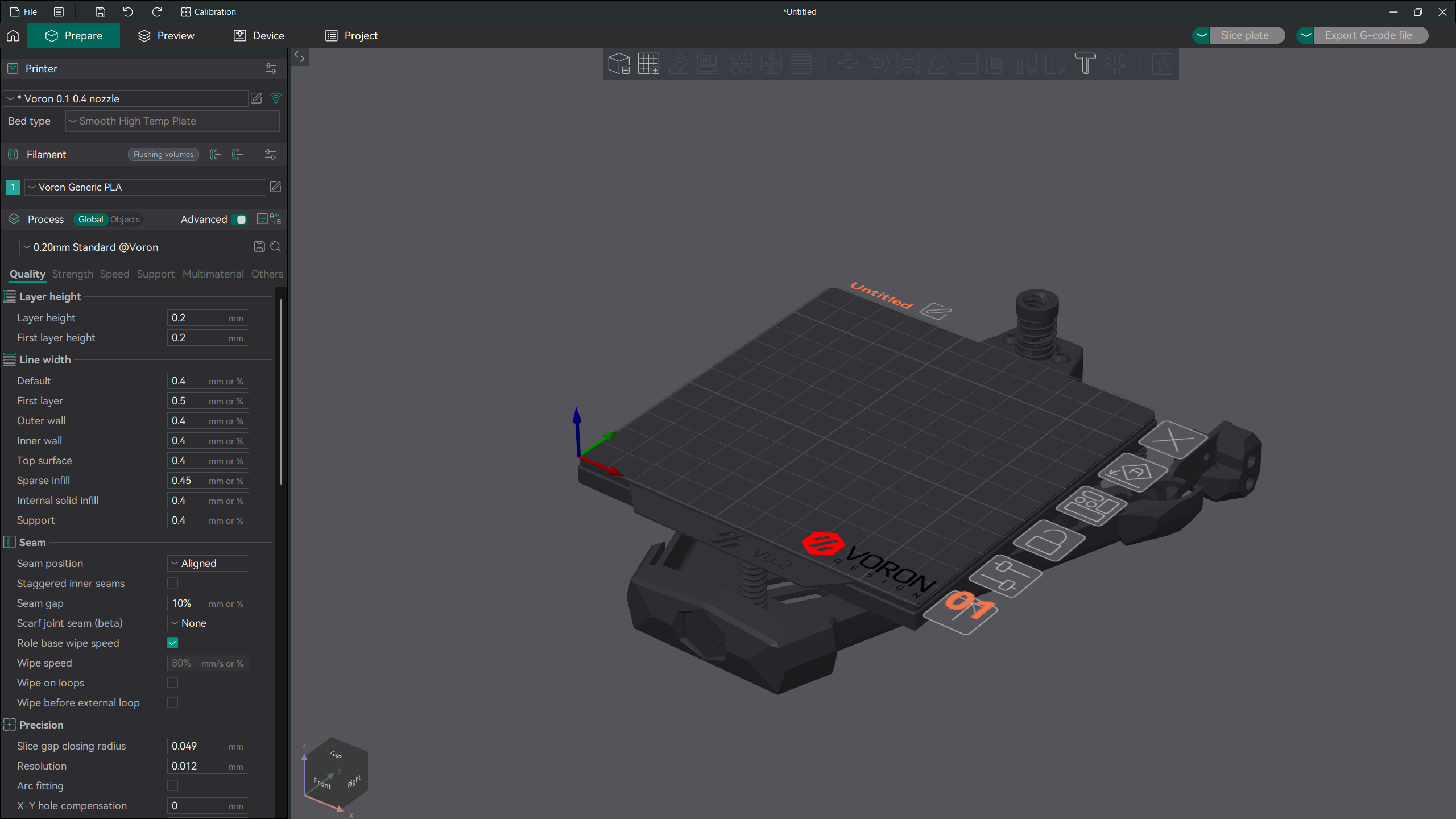
At any point after this if you would rather have the Original Build Plate, Navigate back to where you loaded the model in and click “Remove” and then “OK” and OrcaSlicer will revert back to the Original.
I hope you enjoy this little bit of extra fun!