
1 / 24
Hercules DJControl Mix stand on ball joints
Order a print of this model
We calculate the final price from your selected file. You review and accept it before payment.
Saved on this device.

DJControl mix stand on ball joints with phone holder
- Rating
- 0 / 5
- Likes
- 30
- Downloads
- 34
- Makes
- 0
- Views
- 477
- Reviews
- 0
Updated at source:
Model information
- Source
- Printables
- Category
- Audio
- License
- Creative Commons — Attribution — Noncommercial
Update 12.02.2025:
- reinforced main arm added (phone holder)
Update 26.02.2025:
- Basket holder - thread length increased
Update 27.02.2025:
- Dual-joint variant added. Much more rigid:

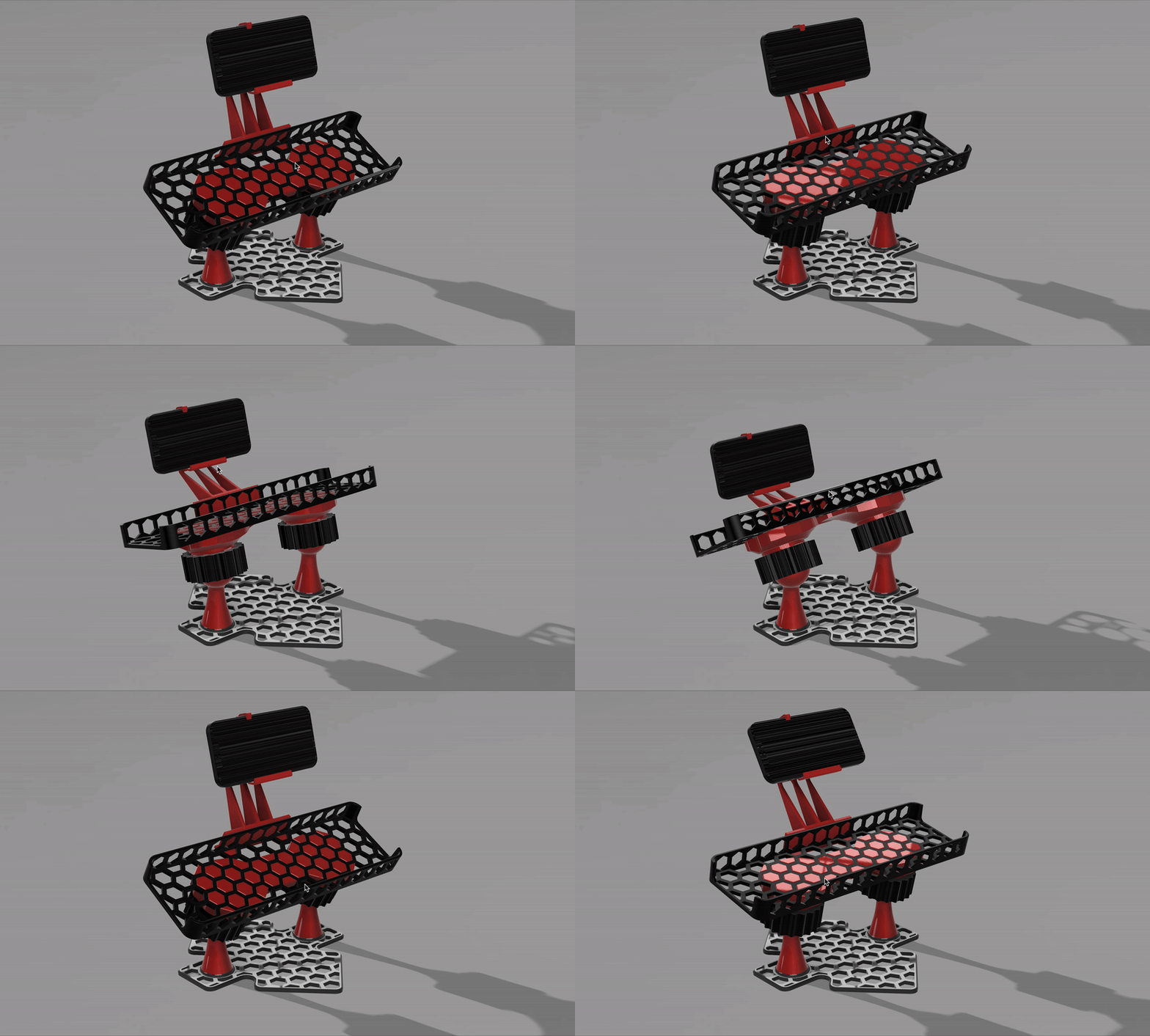
Update 02.03.2025:
- Dual joint base - reuploaded with more rigid one
Model consists from several parts:

- Basket (there is also splited version for regular print beds)
- Basket holder - single or dual joint variants (print without supports and without brim)
- Nut (big)
- Base - single or dual joint variants
- Ball rod
- Main arm (some supports required) - phone holder
- Nut (small) - phone holder
- Holder (some supports required) - phone holder
- Pin - phone holder
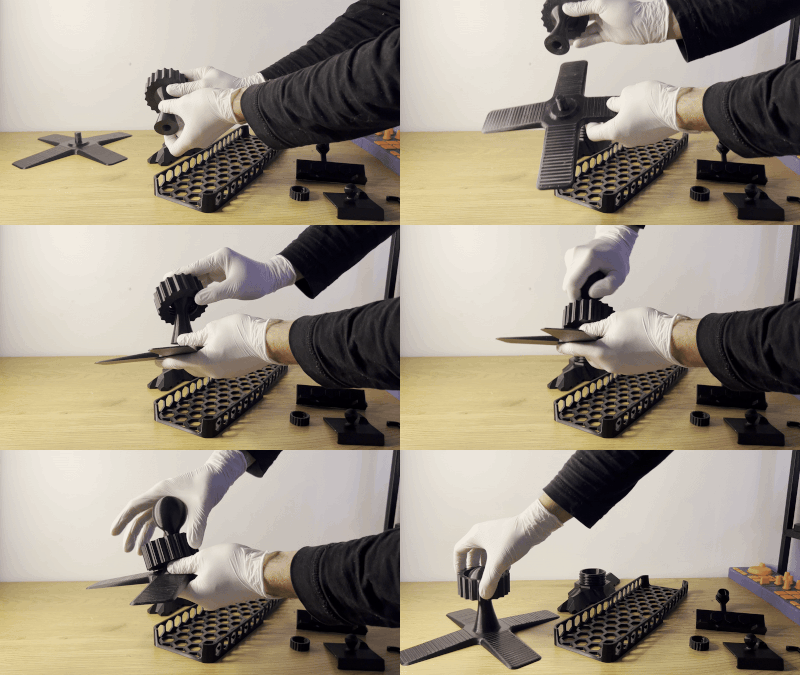
Assembling:
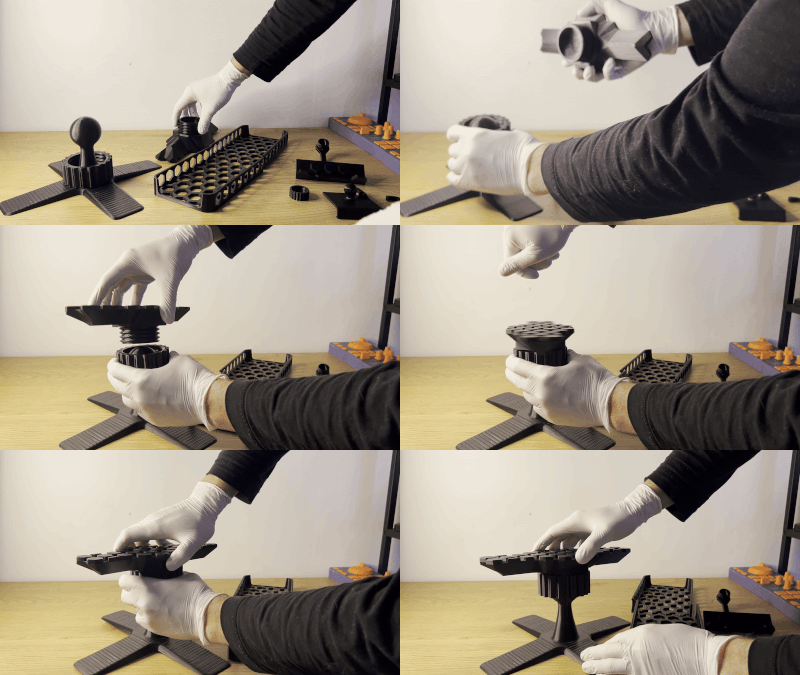
- Put on big nut on ball rod (for dual joint variant - all the same, but 2 times):
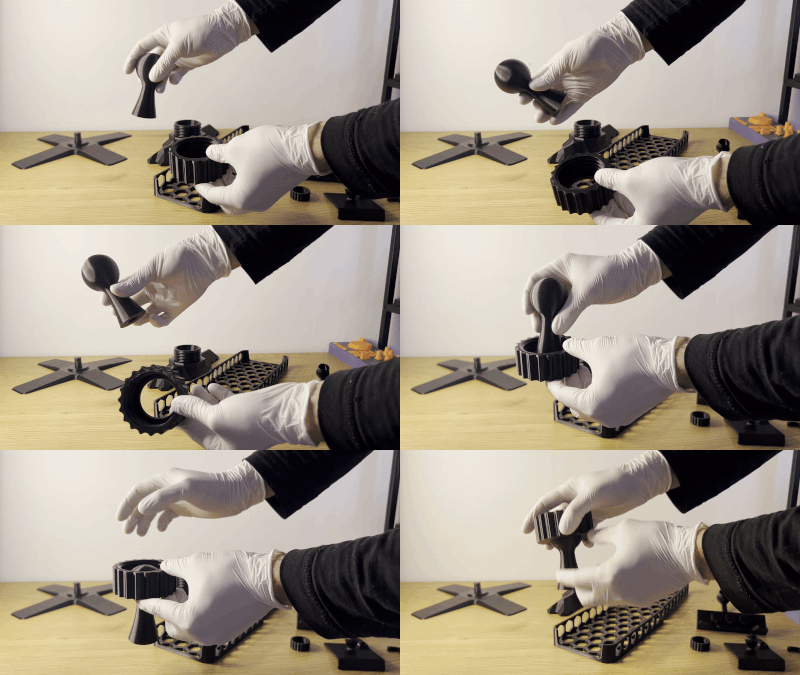
- Screw ball rod into base(for dual joint variant - all the same, but 2 times):
- Connect basket holder with big nut(s):
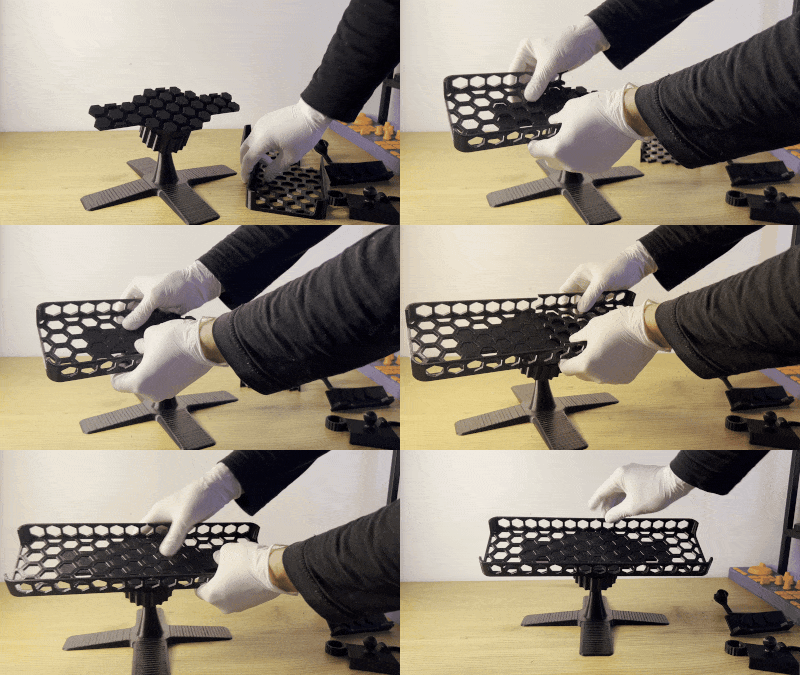
- Connect basket:
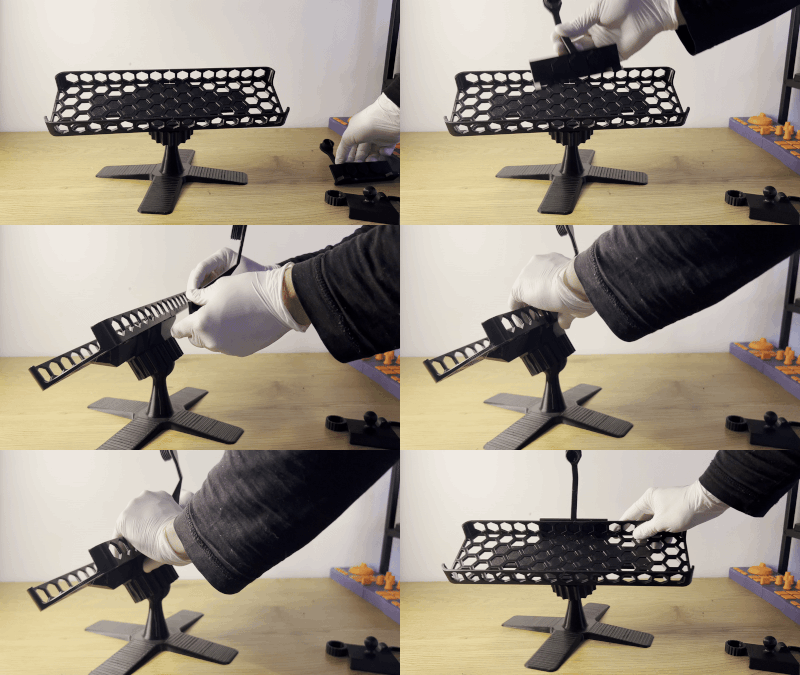
Phone holder:
- Connect main arm to the basket:
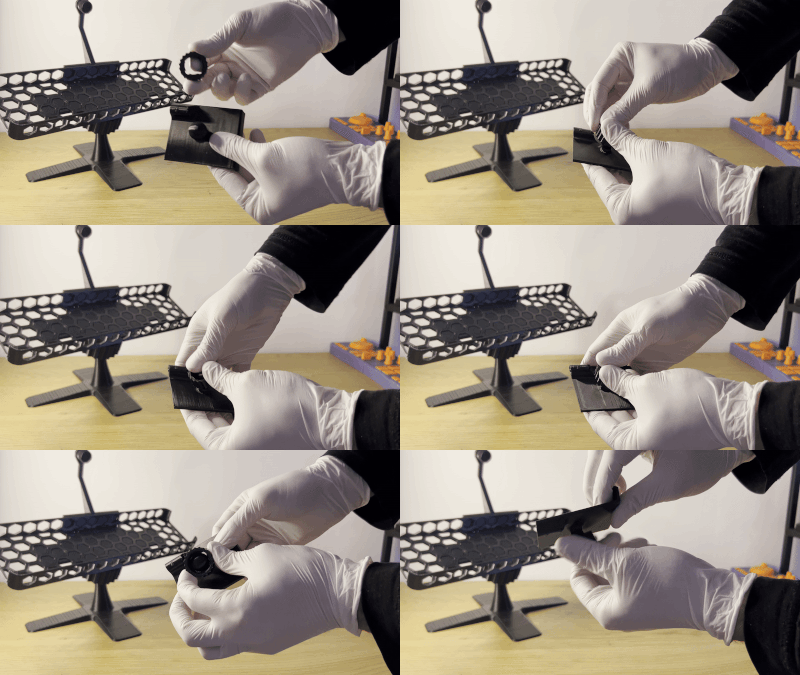
- Press with some power small nut onto ball at the back of holder:
- Connect holder to main arm:
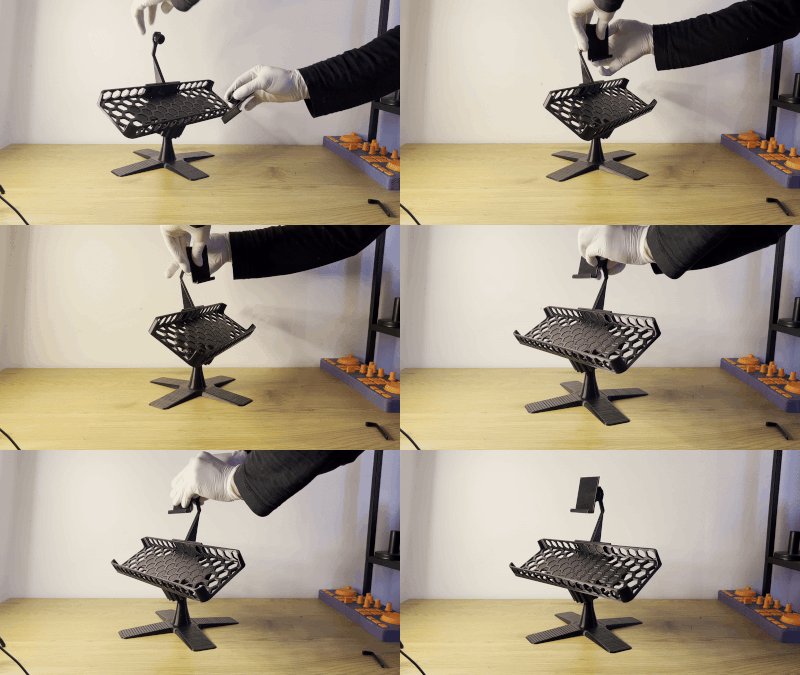
- Fix your phone with pin:
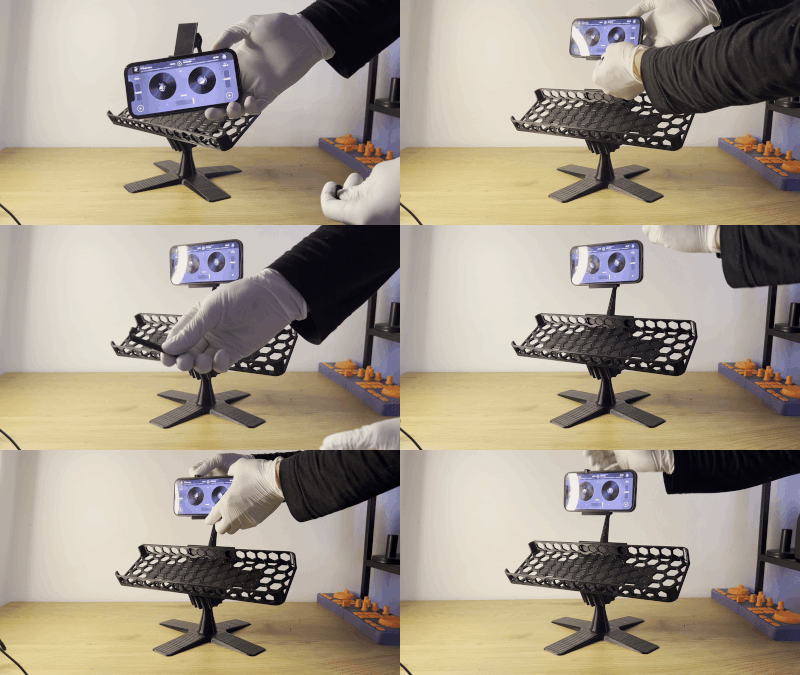
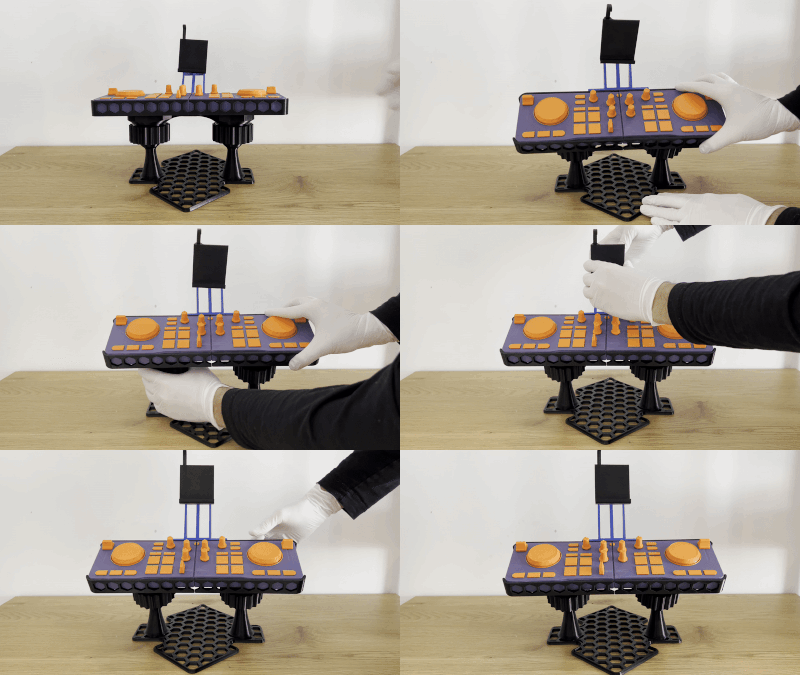
- Install your DJControl Mix controller, adjust stand and phone holder to the needed angle by loosing nuts a bit and then screw them back firmly.
All parts on pictures were printed with black PETG on regular print bed (220 x 220)