
Customizable Locking Hex Hubs for SCX24
We calculate the final price from your selected file. You review and accept it before payment.
Saved on this device.
Model information
- Source
- Printables
- Category
- RC & Robotics
- License
- Creative Commons — Attribution — Share Alike
Fully Customizable Locking Hex Hubs
I was tired of dealing with the tiny pins when changing wheels on my scx24 so I made a hub that eliminates the need for the pins. Instead, it uses a standard M1.4 scx24 screw, either 5mm or 5.5mm in length. Technically, this can be used to make hubs for other crawlers, but as of right now, I only have scx24s to test it on.
How to use:
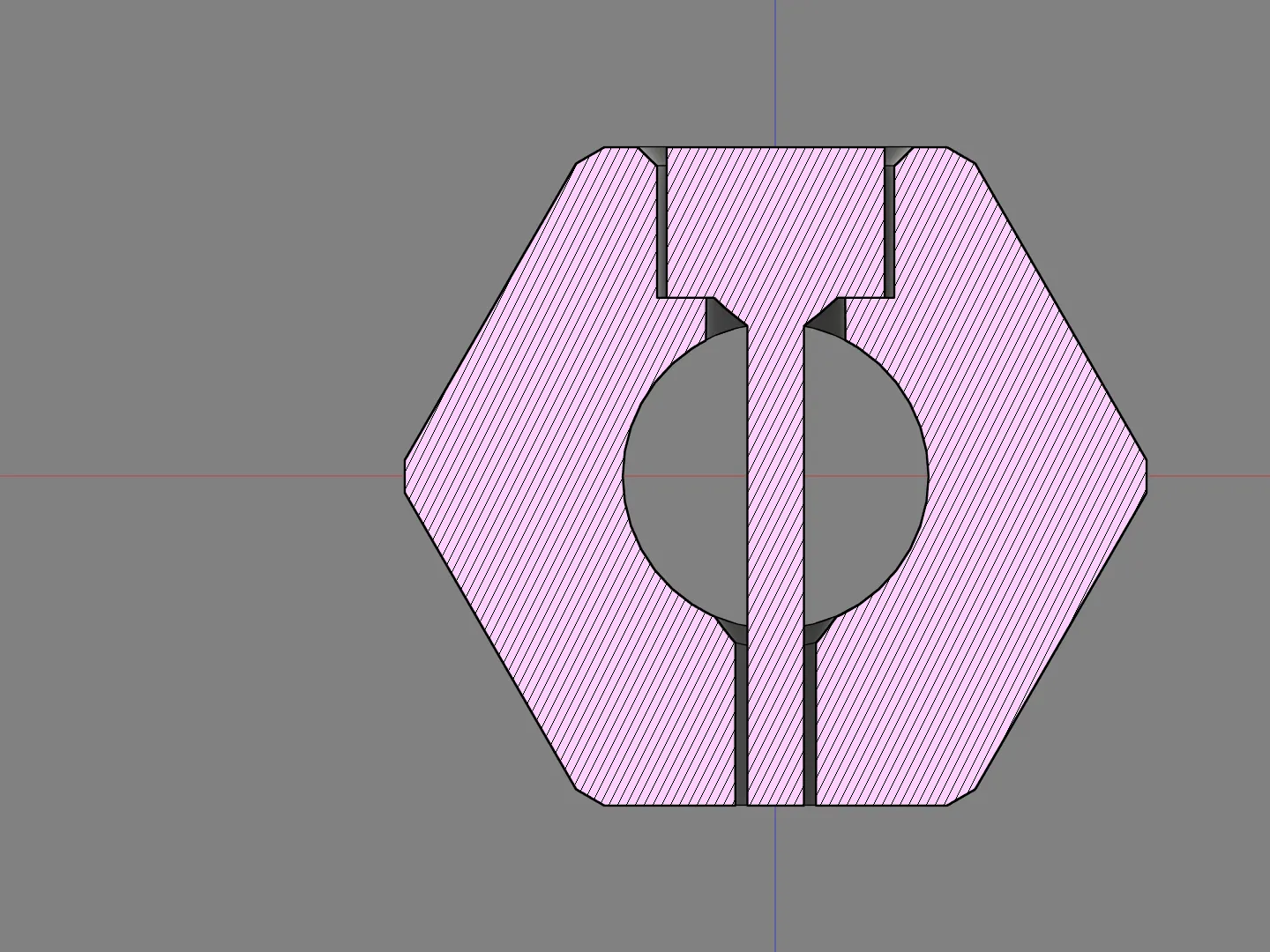
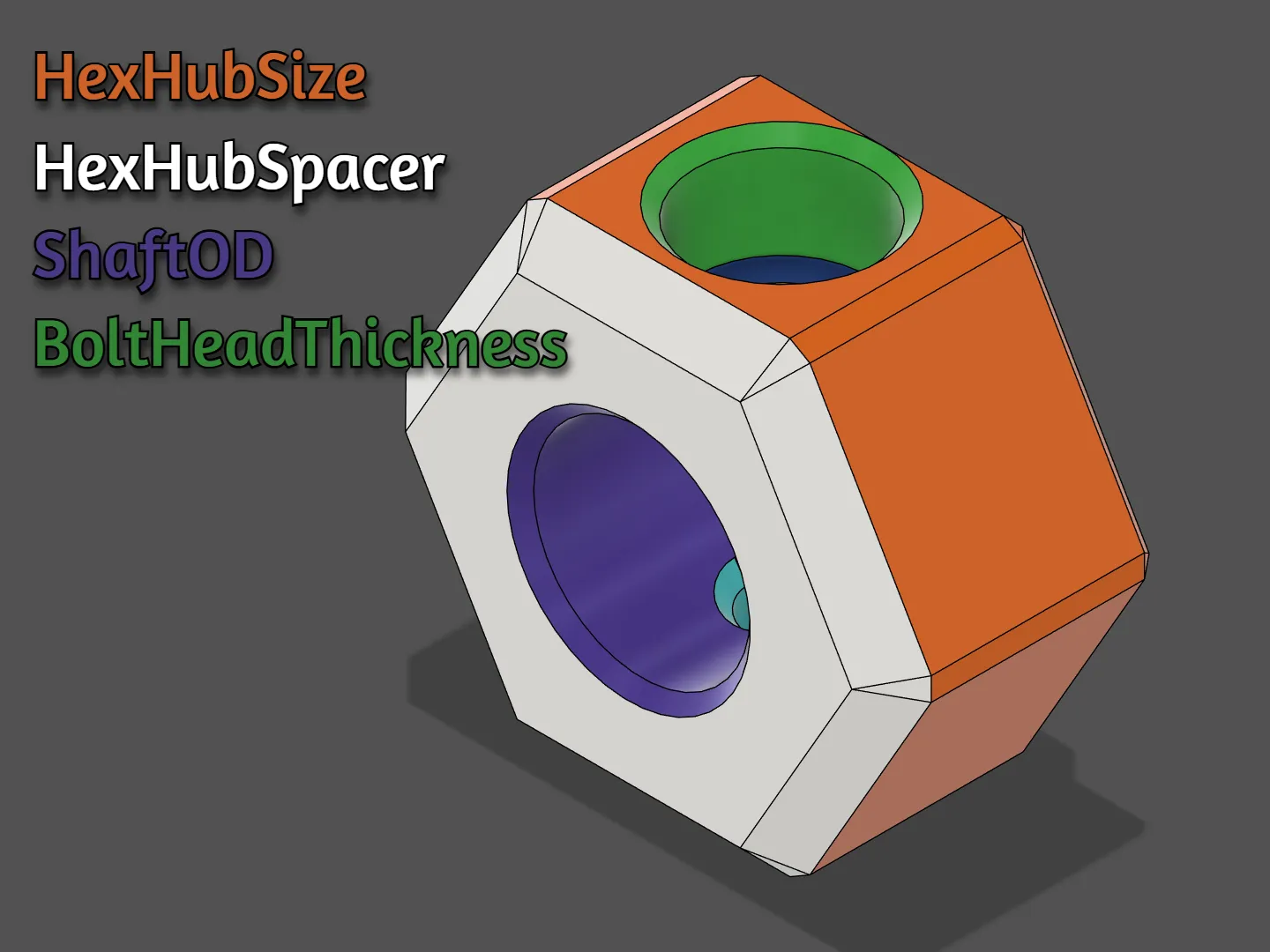
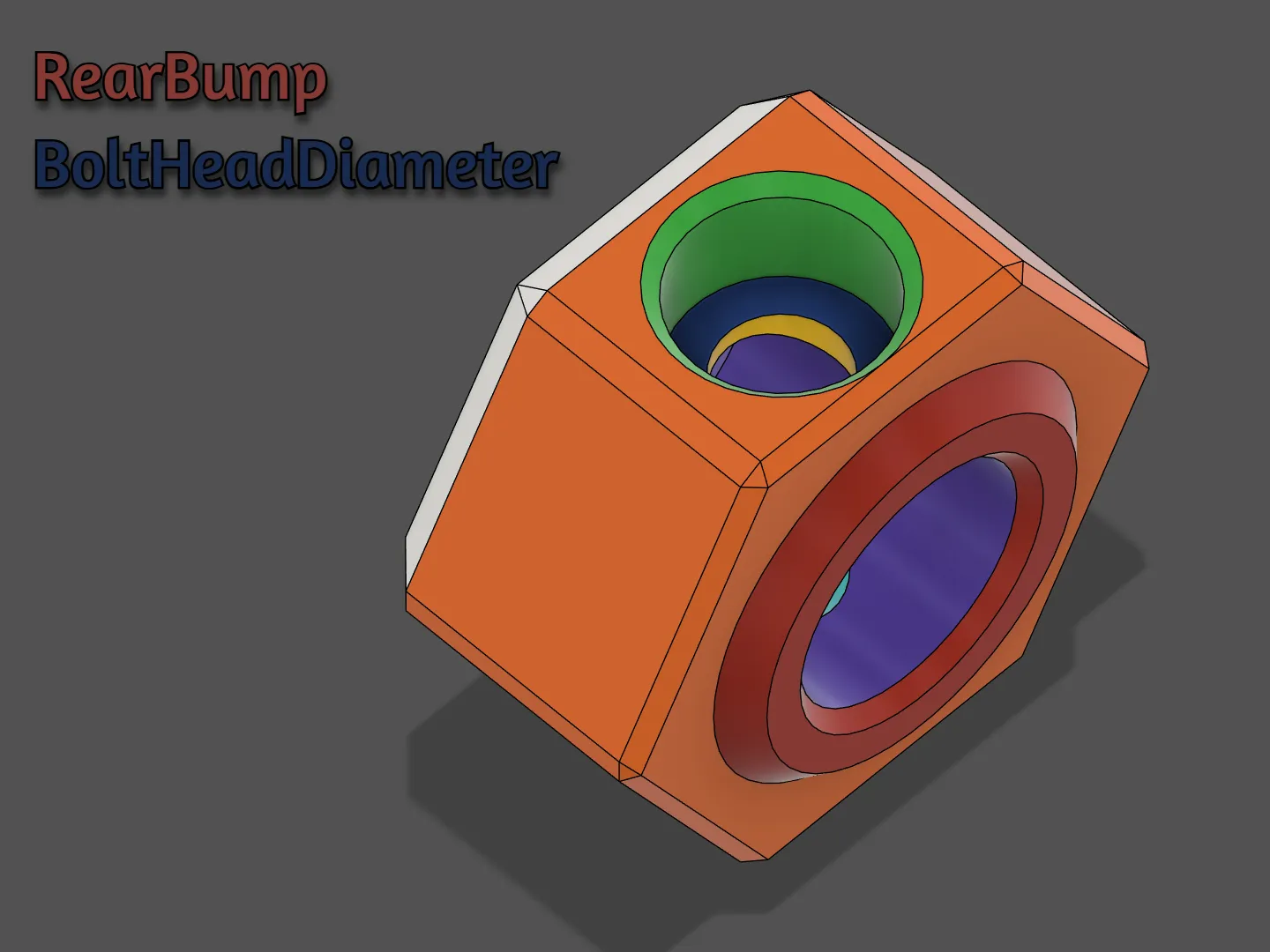
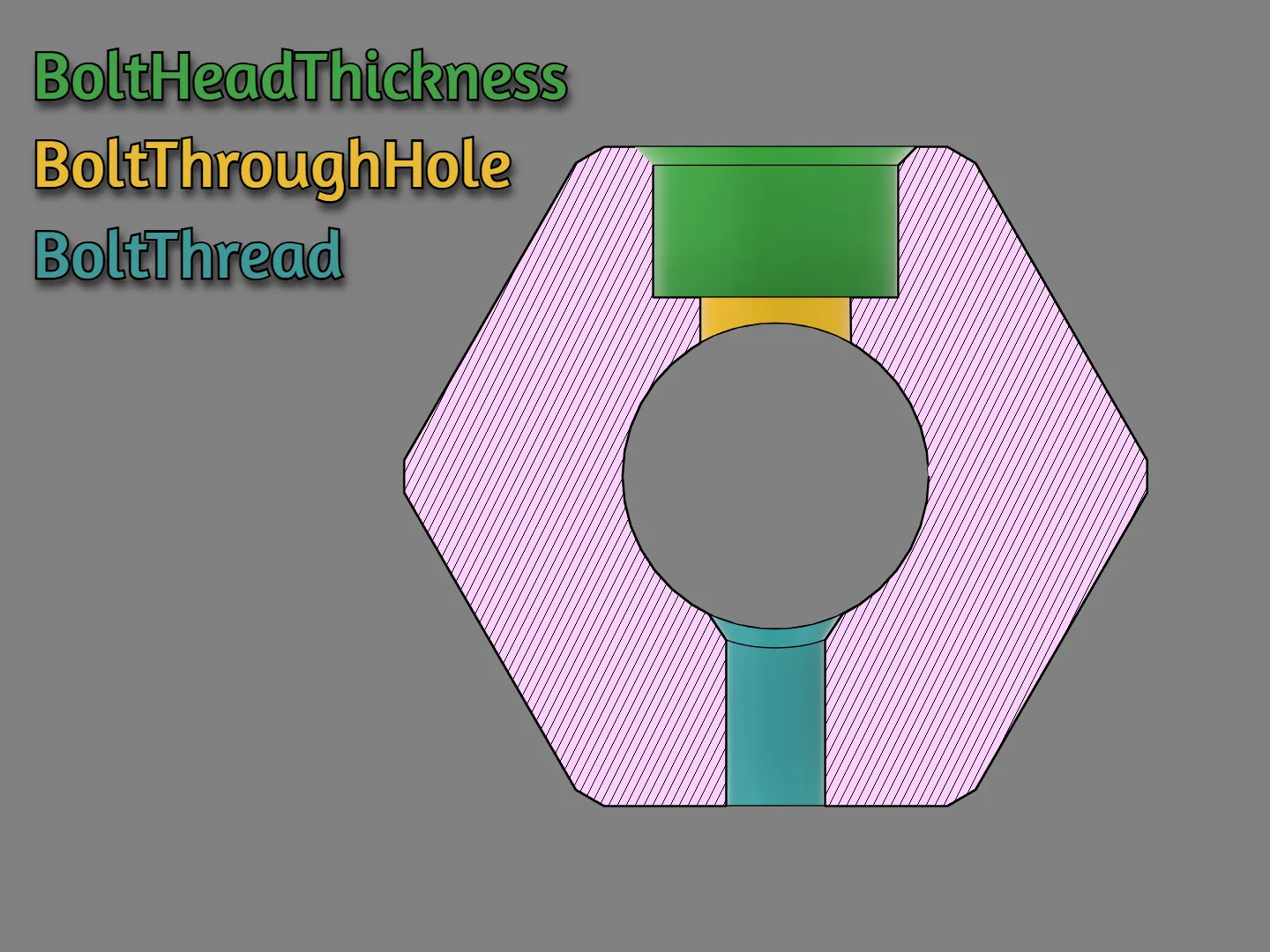
There are 7 parameters that you can adjust. Below are the parameters, along with images detailing what part of the model they change. For the most part, you should only need to change the parameters +/- 0.2mm depending on your printer's tolerance. Idealy you would print this with a 0.2mm nozzle, but a 0.4mm nozzle works just fine. Use a small layer height and Arachne wall generating.
NOTE: In order to customize the hubs you must download and install fusion360. If you do not want to download fusion, check out my makerworld post to access the free web configurator.
HexHubSize - This is the size of the hex hub to fit in the wheel.
ShaftOD - This is the diameter of the axle shaft.
BoltHeadDiameter - The diameter of the bolt's head.
BoltHeadThickness - How thick the bolt head is.
BoltThread - Adjusts the size of the hole the bolt will thread into.
BoltThroughHole - Adjusts the size of the hole the bolt passes through.
HexSpacer - Adjusts how much positive offset you want.
RearBump - Adjusts the thickness of the bump on the rear of the hex hub.
WARNING: It is possible to change the parameters to the point where the model is compromised. For example, if RearBump is set to zero or HexHubSize is set to 2. If the model doesn't look similar to the pictures with chamfered edges, then some parameter is outside the optimal range.
 |  |
 |  |
If you want to support me for free and have a MakerWorld account, give my MakerWorld upload a like / download. Thank you for your support!