Marker holder - Parametric
We calculate the final price from your selected file. You review and accept it before payment.
Saved on this device.

a parametric model for markers
- Rating
- 0 / 5
- Likes
- 49
- Downloads
- 111
- Makes
- 0
- Views
- 515
- Reviews
- 0
Updated at source:
Model information
- Source
- Printables
- Category
- Organizers
- License
- Creative Commons — Attribution — Noncommercial
a parametric Marker holder
Need a specific holder for your markers/pens/other then just tweak it to your liking.
Adjust
- Hole size
- Amount of Rows and columns of holes
- Depth of holes
- Tilt angle
- All other parameters if you're frisky
All the presaved models holes are 22x22mm and the depth is 50mm
Pictures will be added later
How to adjust to you liking
Open Fusion360
- If you don't have Fusion you can get it here: https://www.autodesk.com/products/fusion-360/personal
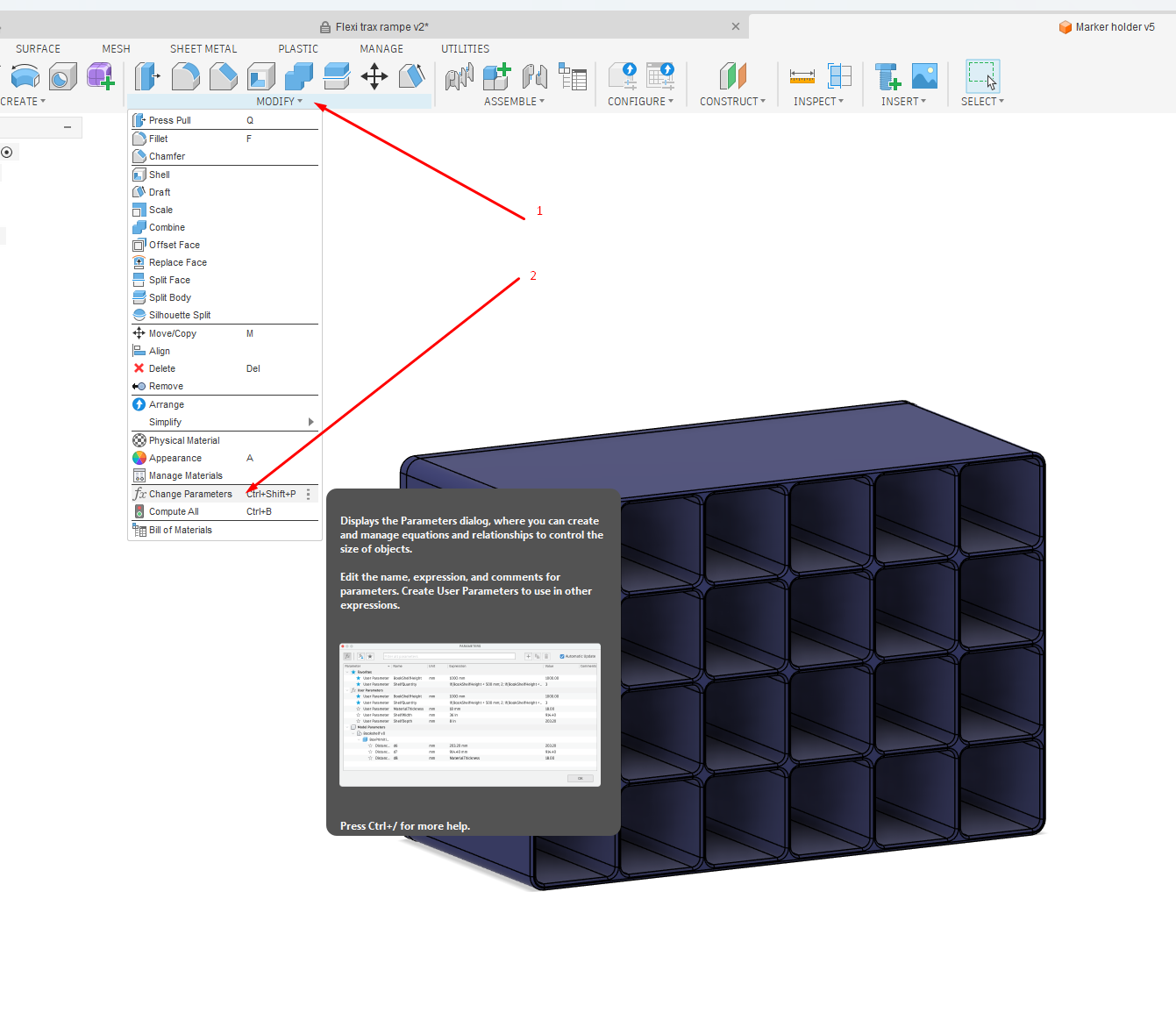
Open the model parameters
- Click on the Modify
- Click on the Change Parameters
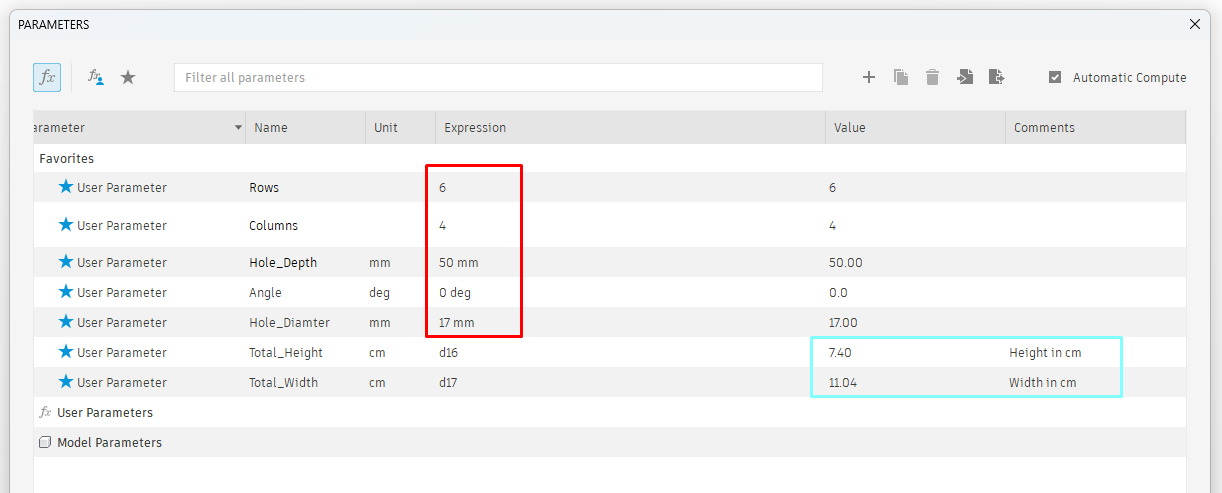
Adjust to make it yours
- Change the numbers in the red square
- In the blue square you can see the width and height of the finished model
- Adjust other parts under "User Parameters" some tweaks here might break the model
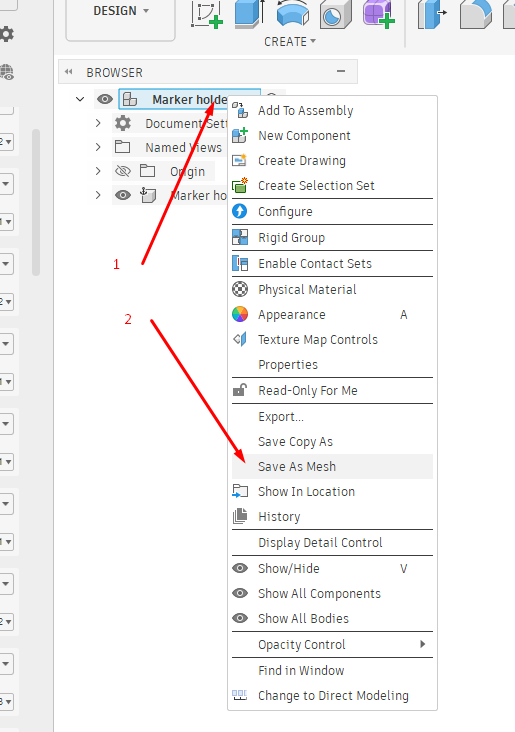
Export the .STL files
(Parameters windows must be closed before you are able to save)
- Right click on the model name
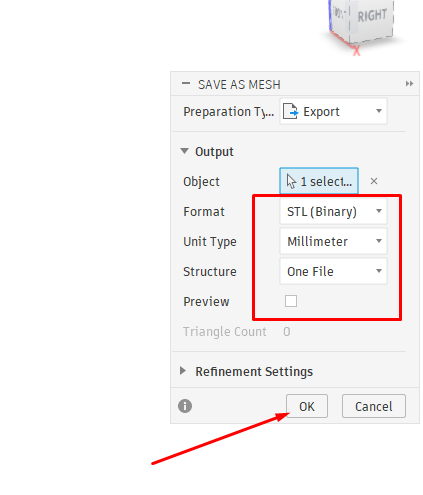
- Click Save as Mesh
File settings
- Check the file format
- Check the unit type
- Set structure to "One file"
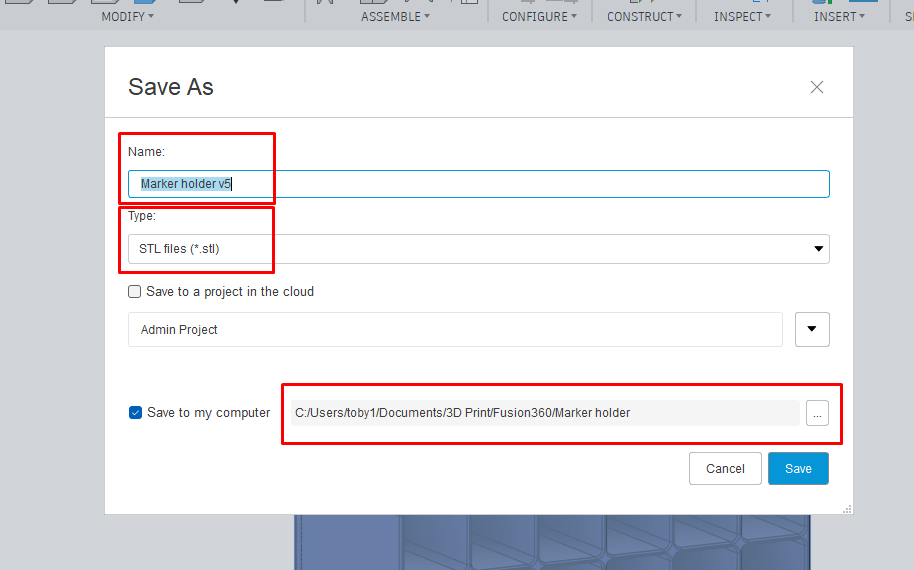
Save the file
- Change the name of the file if wanted
- Check the file type
- Change the save location (open file explore by pressing the three dots)
- Press save