
Qidi Q1 Pro - Electronics compartment quick access panel with cooling duct
We calculate the final price from your selected file. You review and accept it before payment.
Saved on this device.
Model information
- Source
- Printables
- Category
- Other Printer Parts & Upgrades
- License
- Creative Commons — Attribution — Noncommercial — Share Alike
BOM
8015 24V fan
10 x M3 heatset inserts (5mm OD)
10x Ø5x3 mm round neodymium magnets
6 x M3x10 mm screws (such as ISO 7380)
4 x M3x20 mm screws (such as ISO 7380)
Optional:
4 x Rubber Screw Damping Nail
1 x 90x90 mm nylon computer case fan dust filter
Printing
For focused duct use a heat-resistant material. ASA or ABS.
Notes
This is a simplified option for those who do not need a quick-access cover, however, the printable parts are not interchangeable.
When installing a protective grille (or other fan shroud) instead of a nylon filter, use longer screws. 4 mm holes are not required in this case.
Assembly
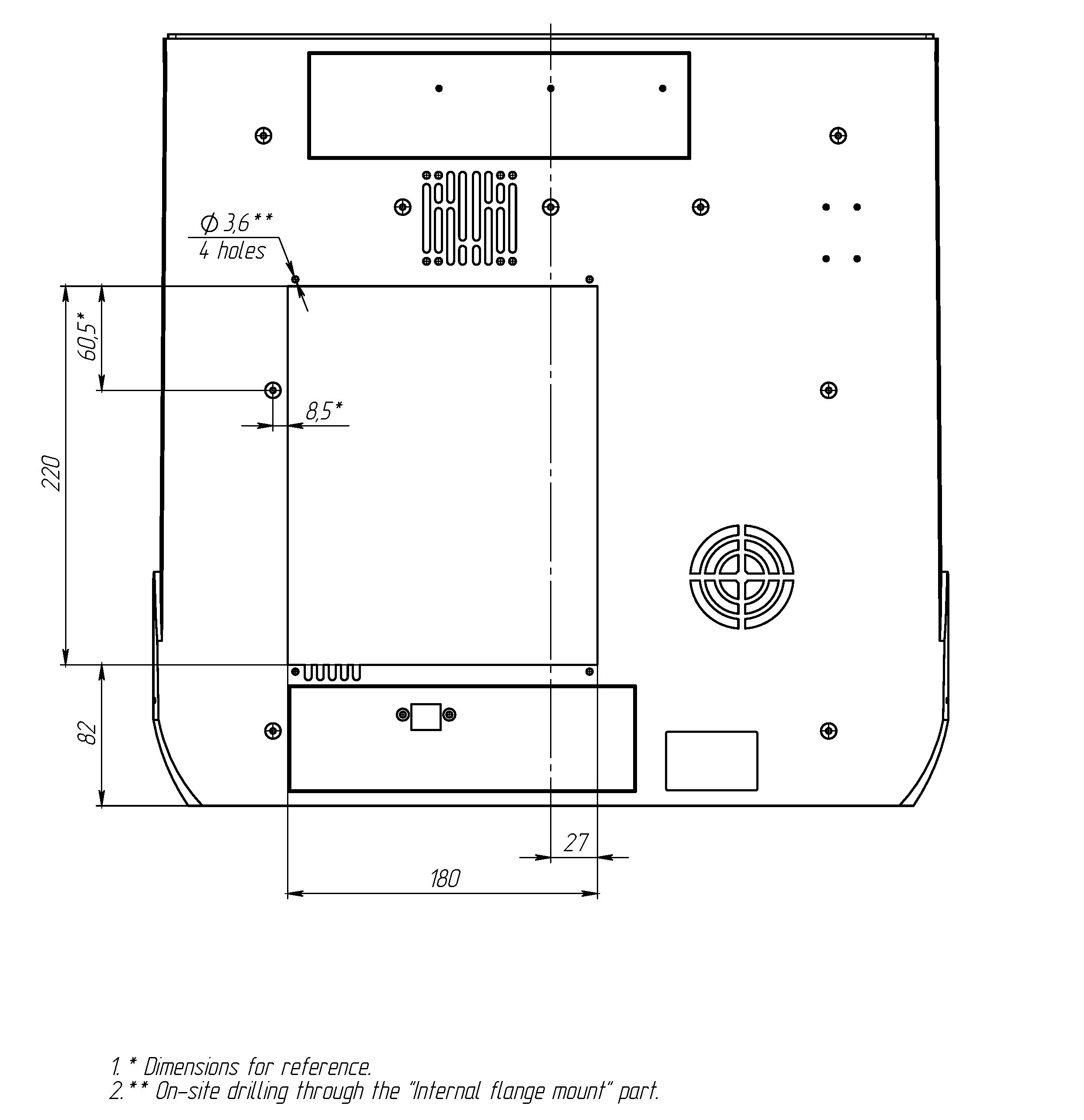
Use the dimensions shown in the figure below or the CAD data from the STEP/Sldprt file to mark the holes.
The panel finishing method is up to you. For the fan hole, you can use a hole saw of similar diameter for metal or plastic. Finish the edges with a deburring tool.
Drill holes in the main rear panel using the flange as a guide.
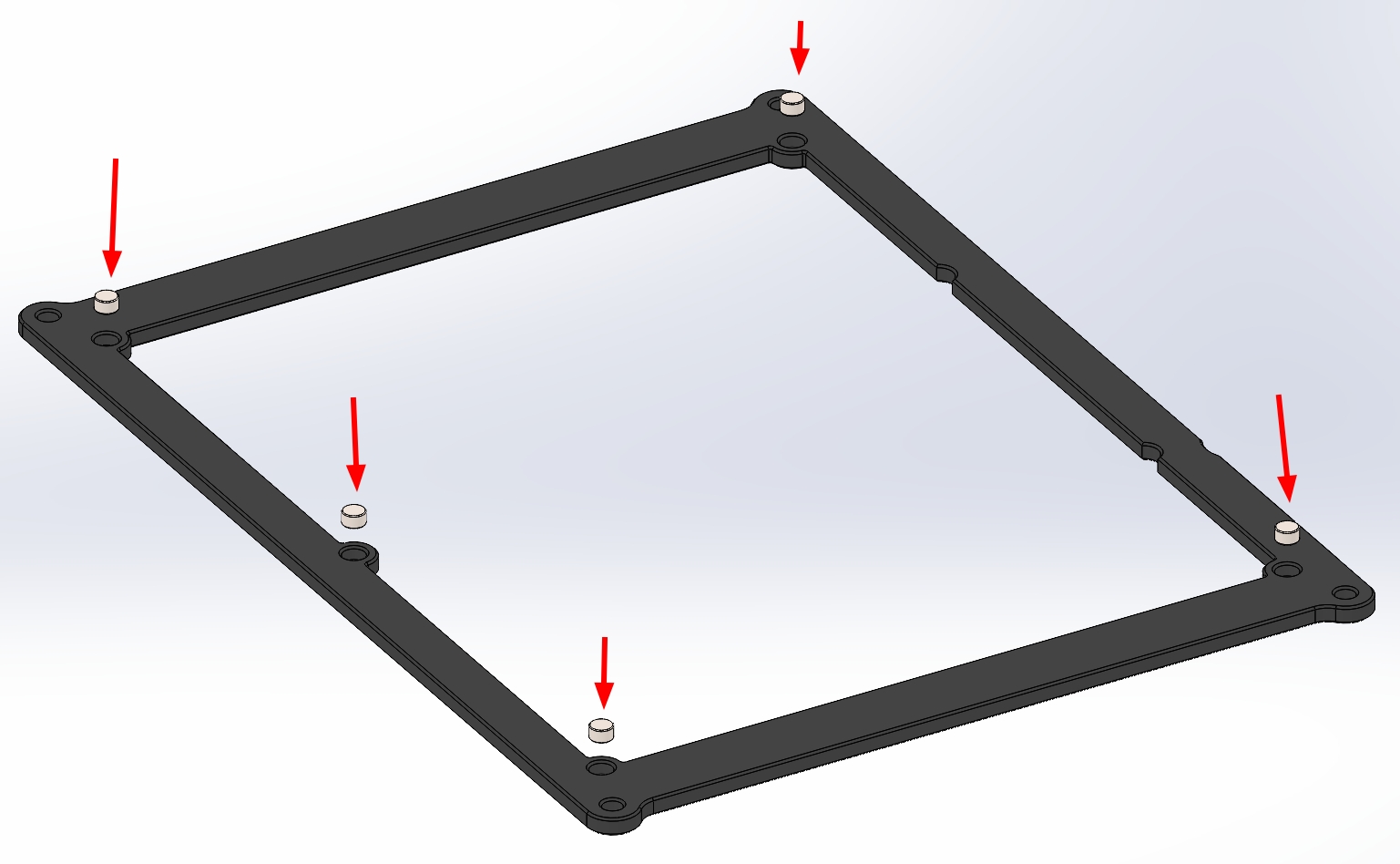
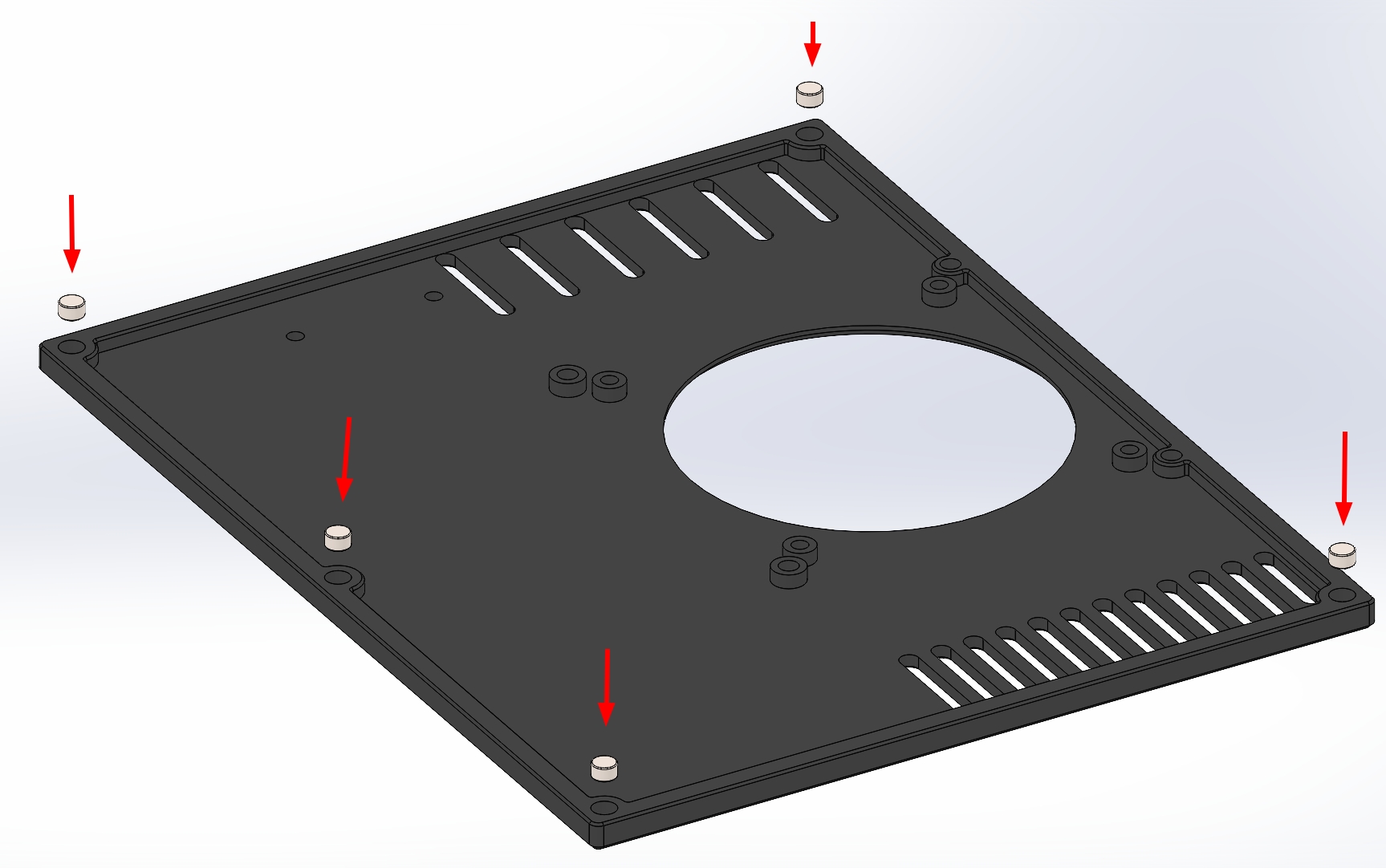
Add Ø5x3 mm round neodymium magnets to the internal flange and quick access panel observing the polarity.
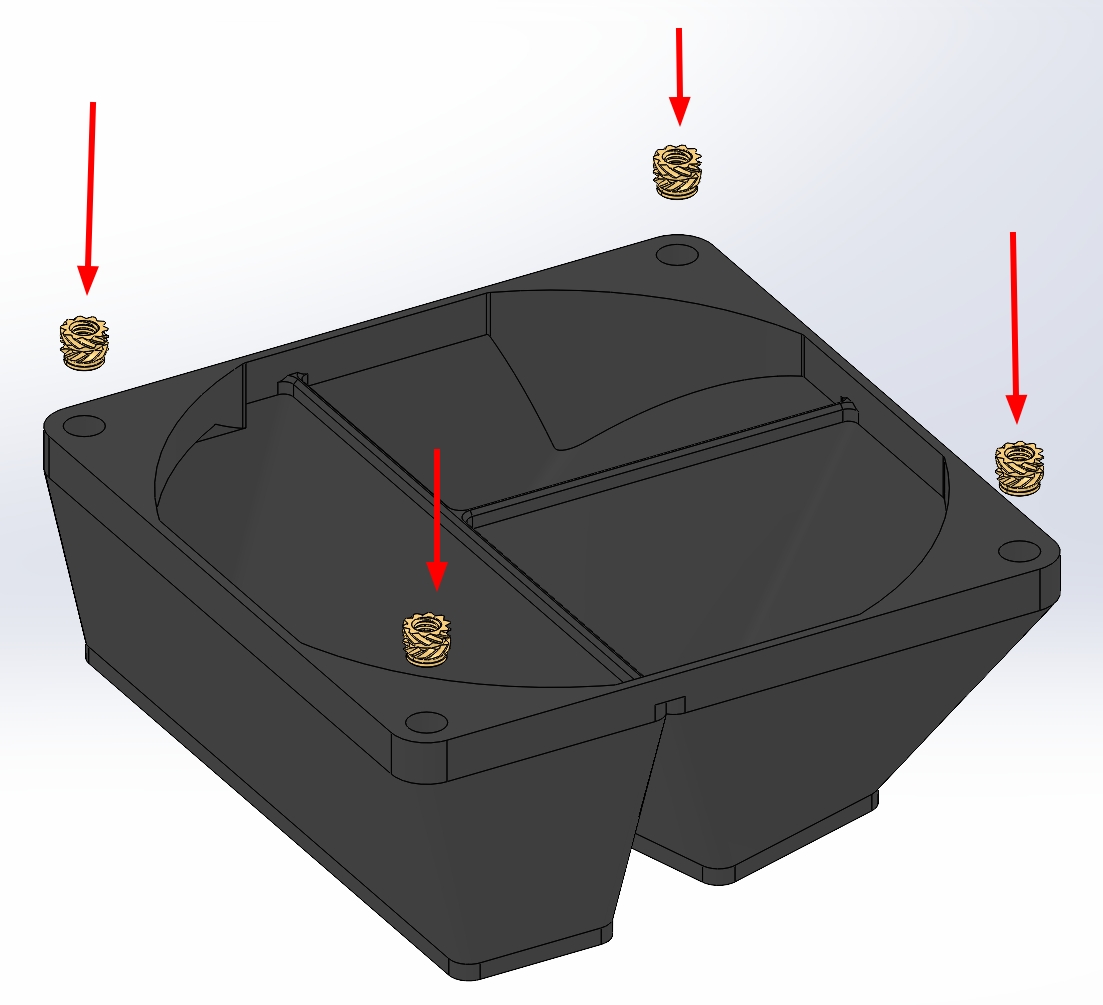
Add M3 heatset inserts to the duct and handle.
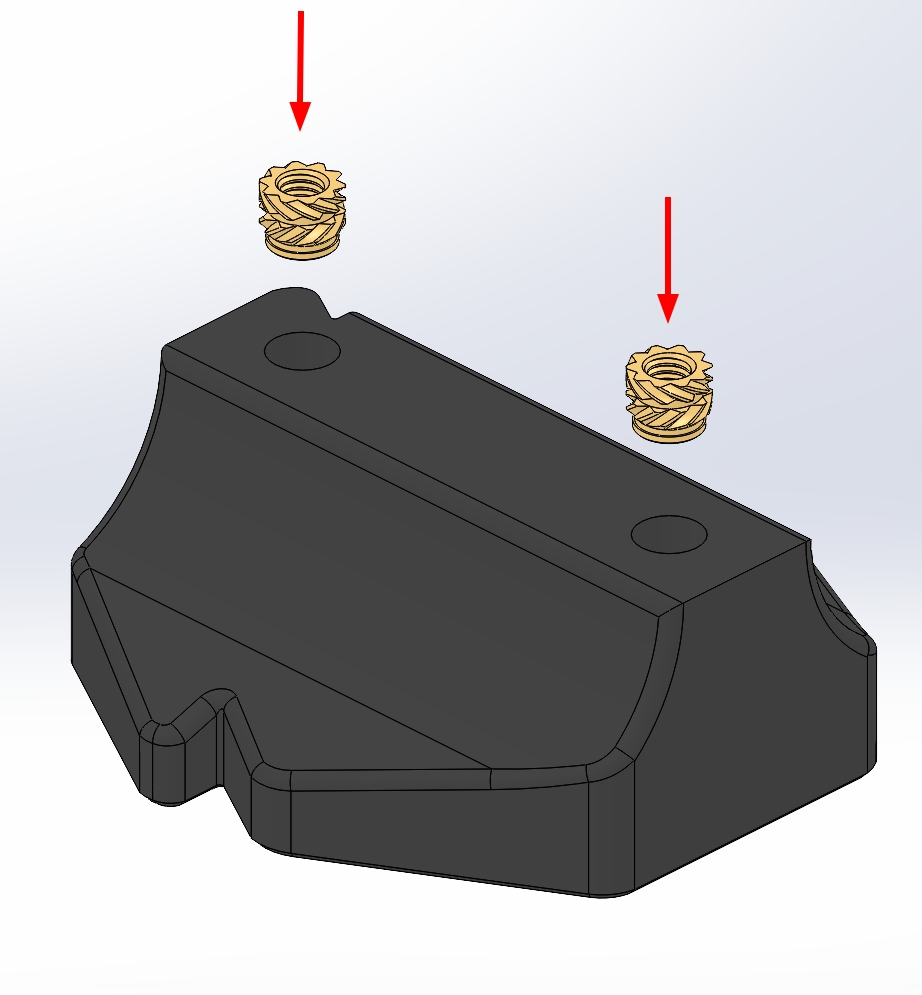
Add M3 heatset inserts to the internal flange.
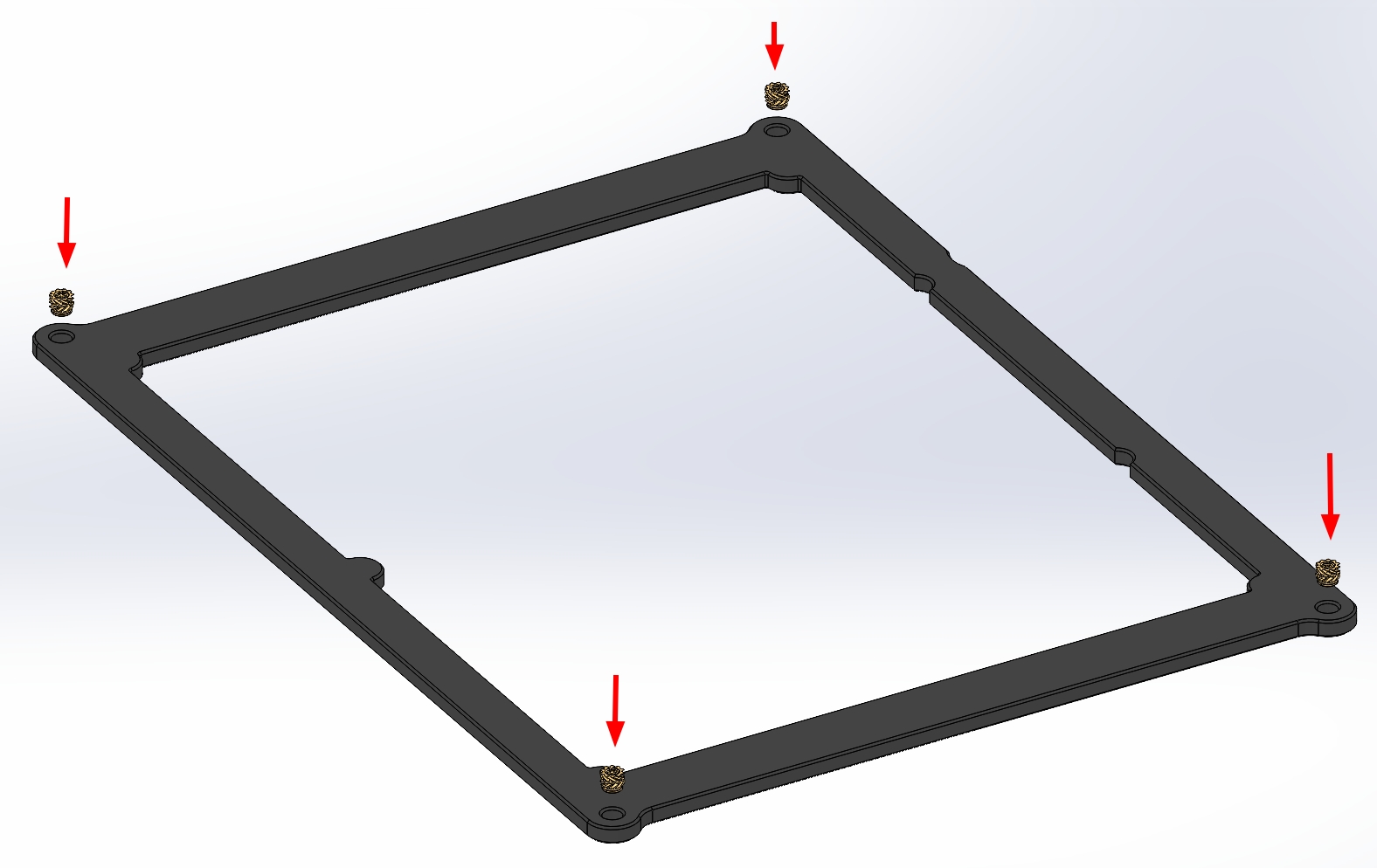
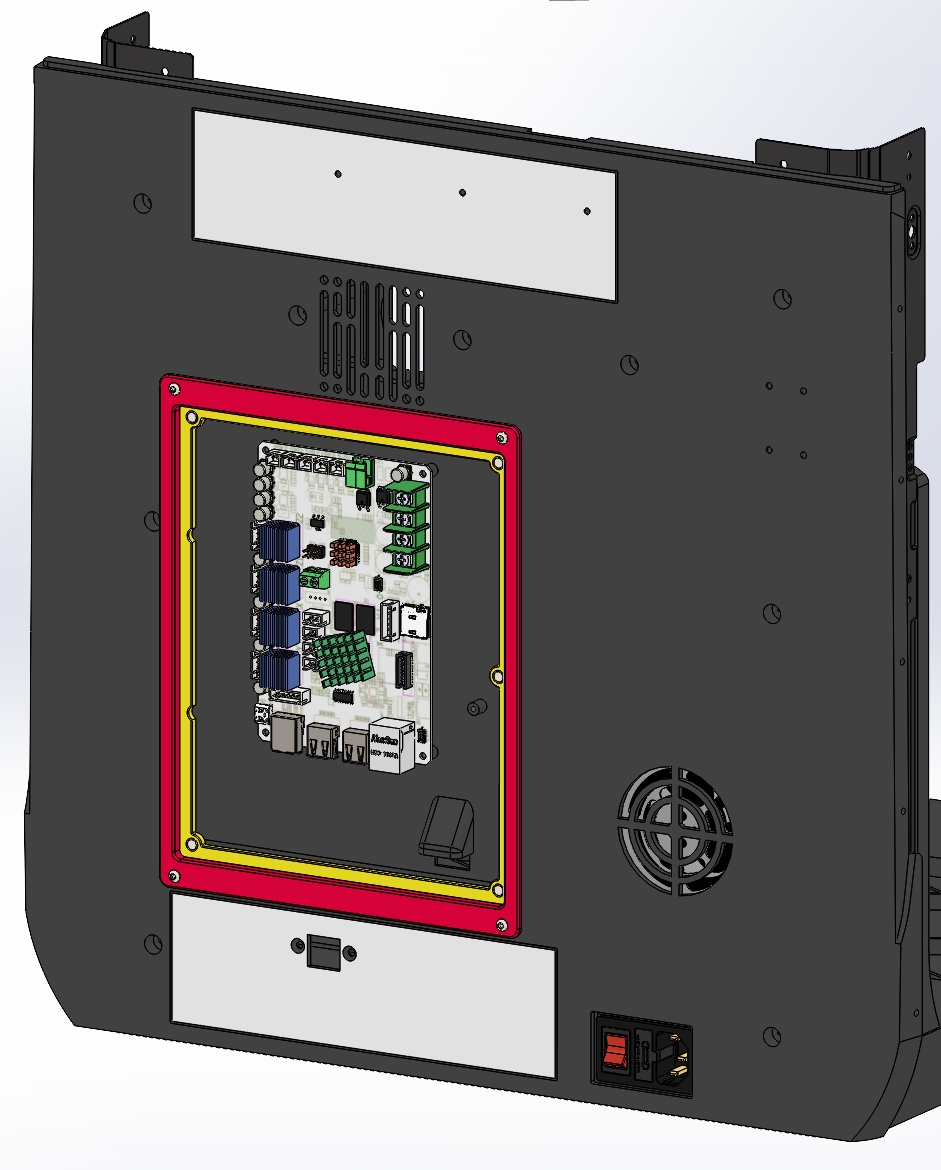
Pass M3x10 screws through the outer frame into the heat inserts in the inner frame to secure them in place.

Install the rear panel onto the printer.
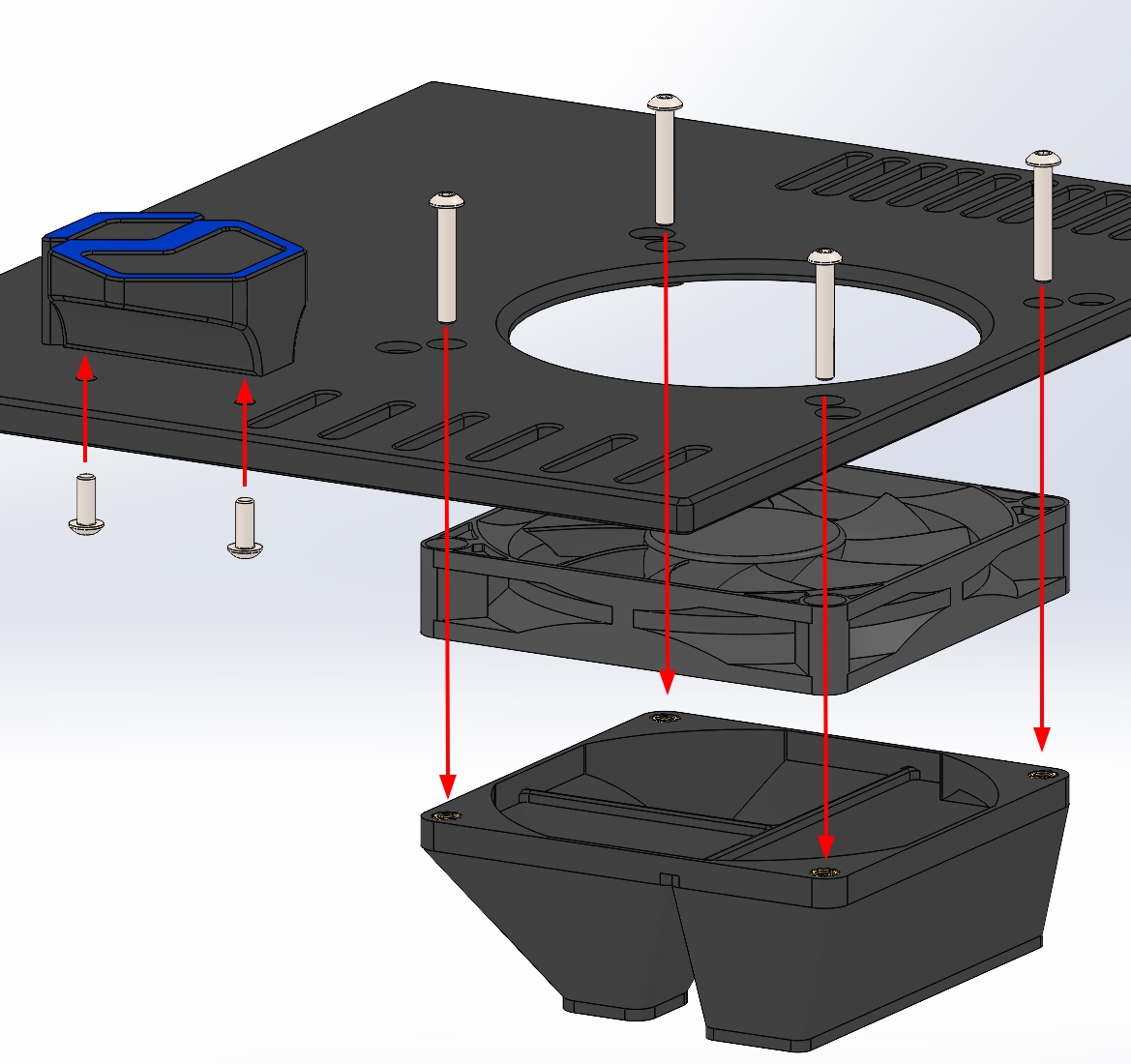
Attach the handle to the quick access panel using M3 x 10 mm screws. Attach the fan and the focused air duct using M3 x 20 mm screws.
Install the nylon dust filter with a rubber screw damping nail. The larger size is chosen to avoid blocking the airflow with the filter frame itself.
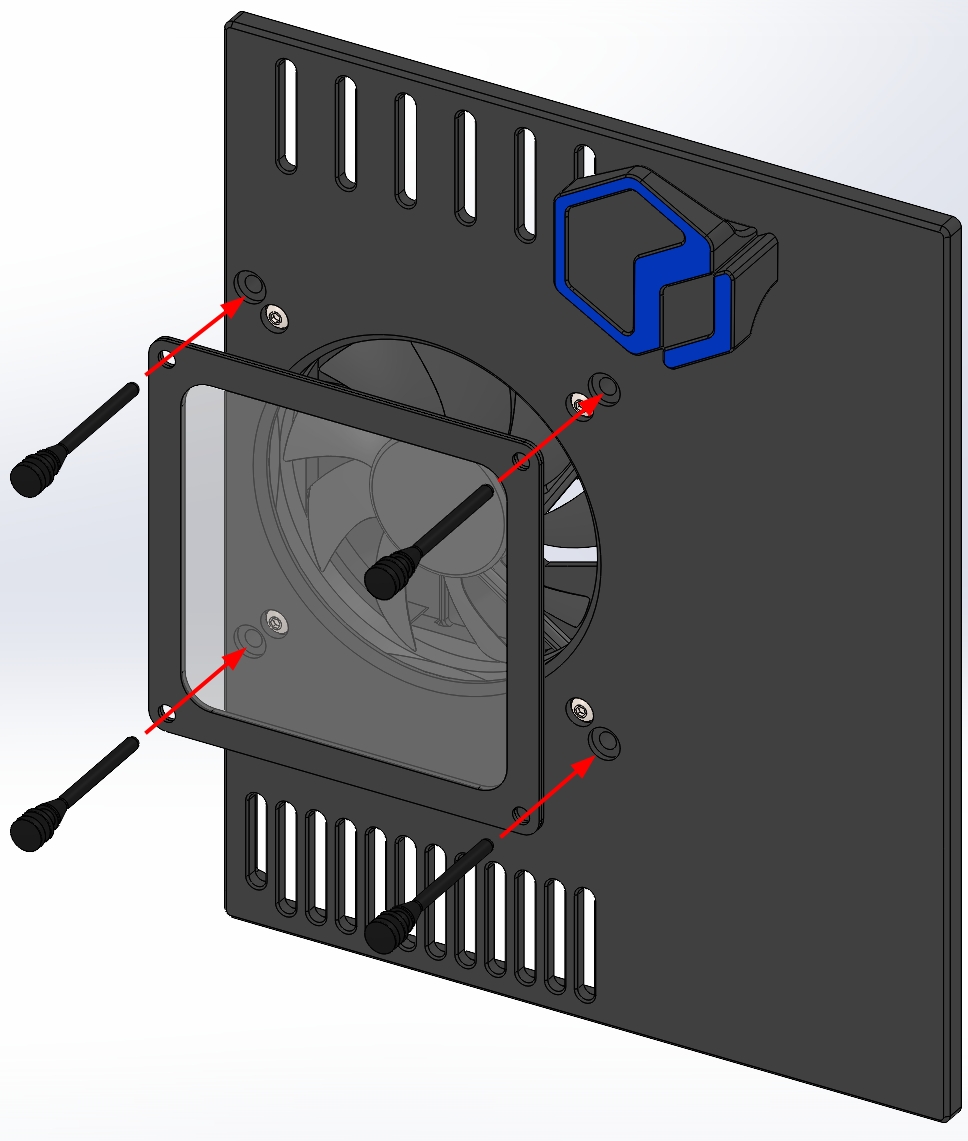
Besure to plug in the fan before mounting and securing the quick access panel. Done!
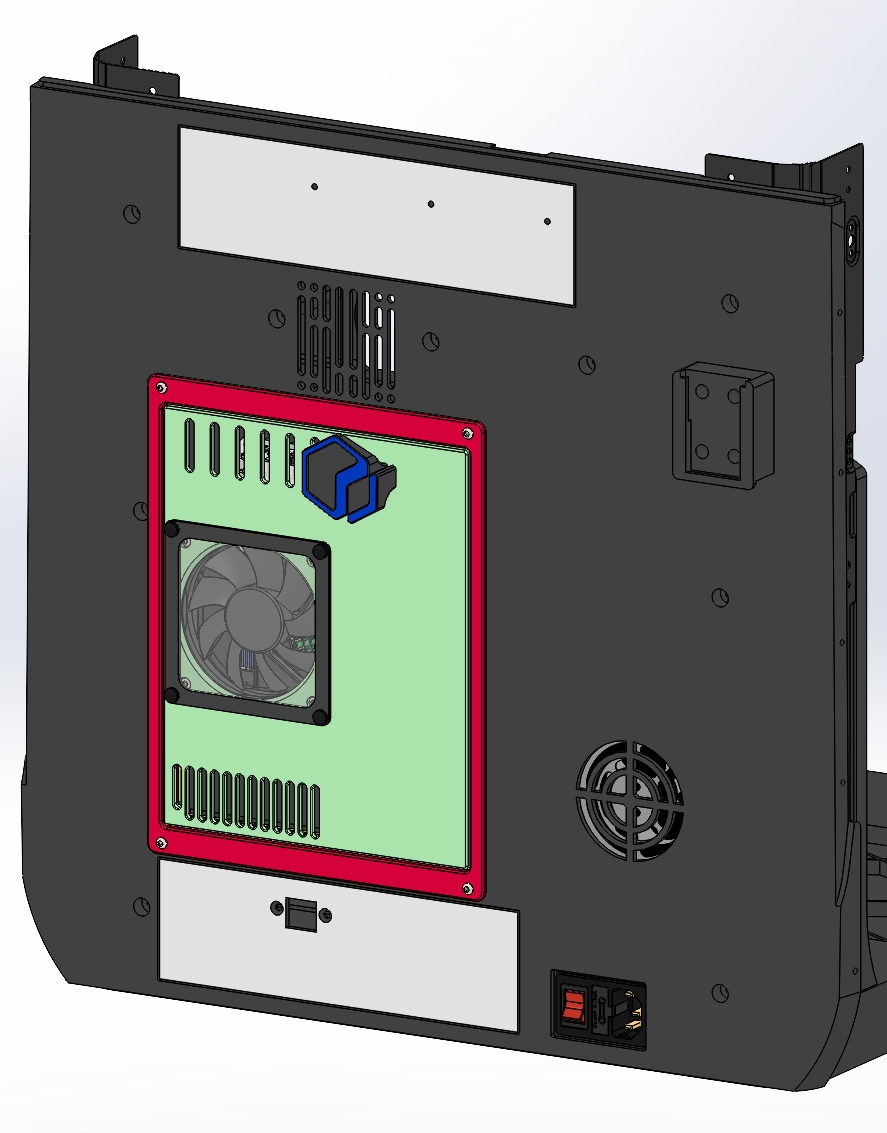
Final Notes
The electronics bay assembly is also available in STEP format. The CAD assembly can be found in the Other Files section.