
Framework 16 Fingerprint Reader Gridfinity bin
We calculate the final price from your selected file. You review and accept it before payment.
Saved on this device.
A custom holder for the Framework 16 Laptop fingerprint reader that snaps into a gridfinity baseplate.
- Rating
- 0 / 5
- Likes
- 24
- Downloads
- 24
- Makes
- 0
- Views
- 1,275
- Reviews
- 0
Updated at source:
Model information
- Source
- Printables
- Category
- Computers
- License
- Creative Commons — Attribution — Noncommercial — Share Alike
It's hard to find a USB Fingerprint reader that also works with Linux. What I realized is that most fingerprint readers natively use the USB 2.0 protocol, and so was the case with the Framework fingerprint sensors. Because of frameworks repairability philosophy, it's very easy to order yourself the part from their website, even if you don't own a framework laptop. So I did! I designed this around the framework 16 fingerprint sensor and I don't think you can use a framework 13 sensor, as it has a metal bracket around it.
Changelog:
21-06-2026: Fixed some typos and grammar
30-05-2026: I have realized the the reversing of the pins is due to the included ribbon cable. I have updated the instructions to reflect that.
28-05-2026: A commenter mentioned that wiring to the pinout I provided causes a short circuit. That's something I experienced when I was initially testing the viability of the project. I think the issue is that my FPC breakout board has the pins backwards. I have updated the instructions to reflect that.
18-05-2026: Decided to wire in the white LED to be always ON, acting as a sort of PC ON indicator. I have updated the instructions to show how you can do it as well.
Required parts:
FPC-10p 0.5mm breakout board
Mine also had a 1mm connector on the other side, but that's not neededFemale USB-C Connector breakout board
Make sure to buy the right one. I designed the board around this one I got from Amazon: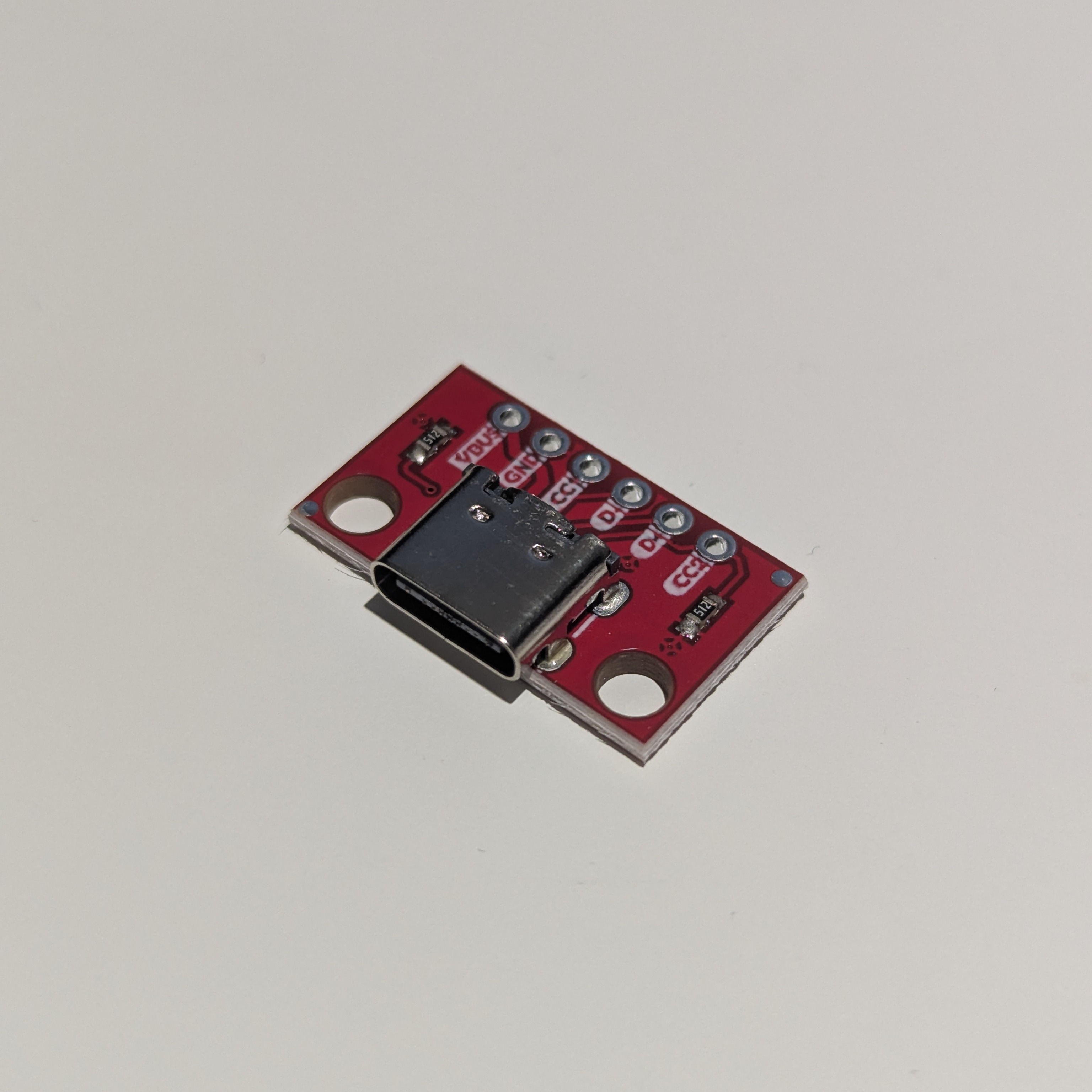
I included the fusion file so if you buy a different breakout board, you can edit the design yourself.
4 short-wires (or you can repurpose a broken usb cable)
4x M3x4 button head screws
4x M3x8 button head screws
Some electrical tape
USB-C cable
Make sure to get one where the plug sticks out a lot, because the port is pretty recessedOptional: 6x2 Magnets
You probably want to add them, just so the USB cable doesn't pull the reader off the desk.
Assembly Steps (make sure to read the steps in full)
Print all of the 3mf files. I recommend cleaning the bed, as the main body will be printed upside-down, and the surface of the bed, will be imprinted onto the top surface.
Place the fingerprint sensor, such that the ribbon cable sits in the groove
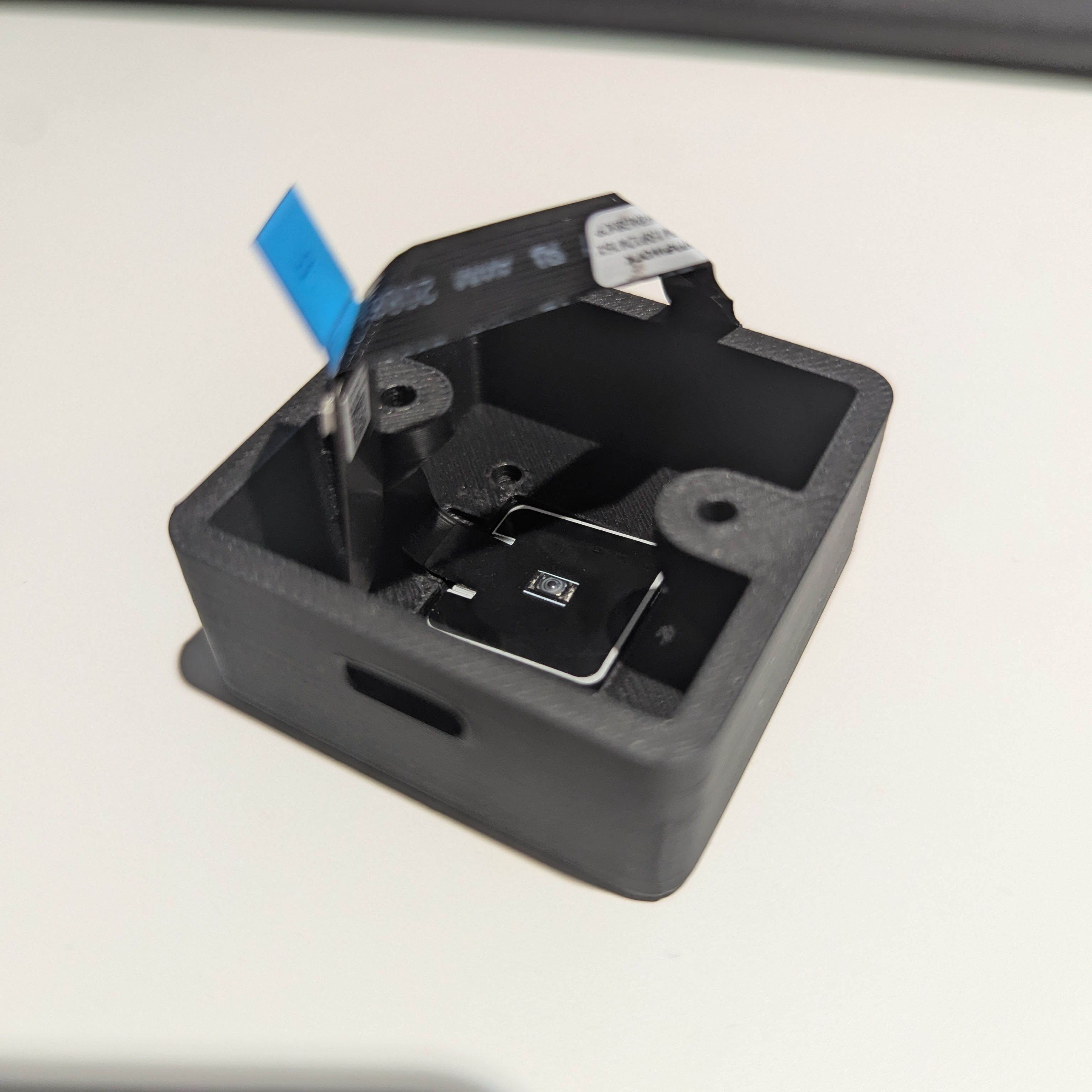
Screw in the retention bracket with 4 M3x4 screws - the narrow, deep cutout is for the ribbon cable, and the wide, shallow one is facing the USB hole. The raised edge is going to be pushing against the fingerprint reader.
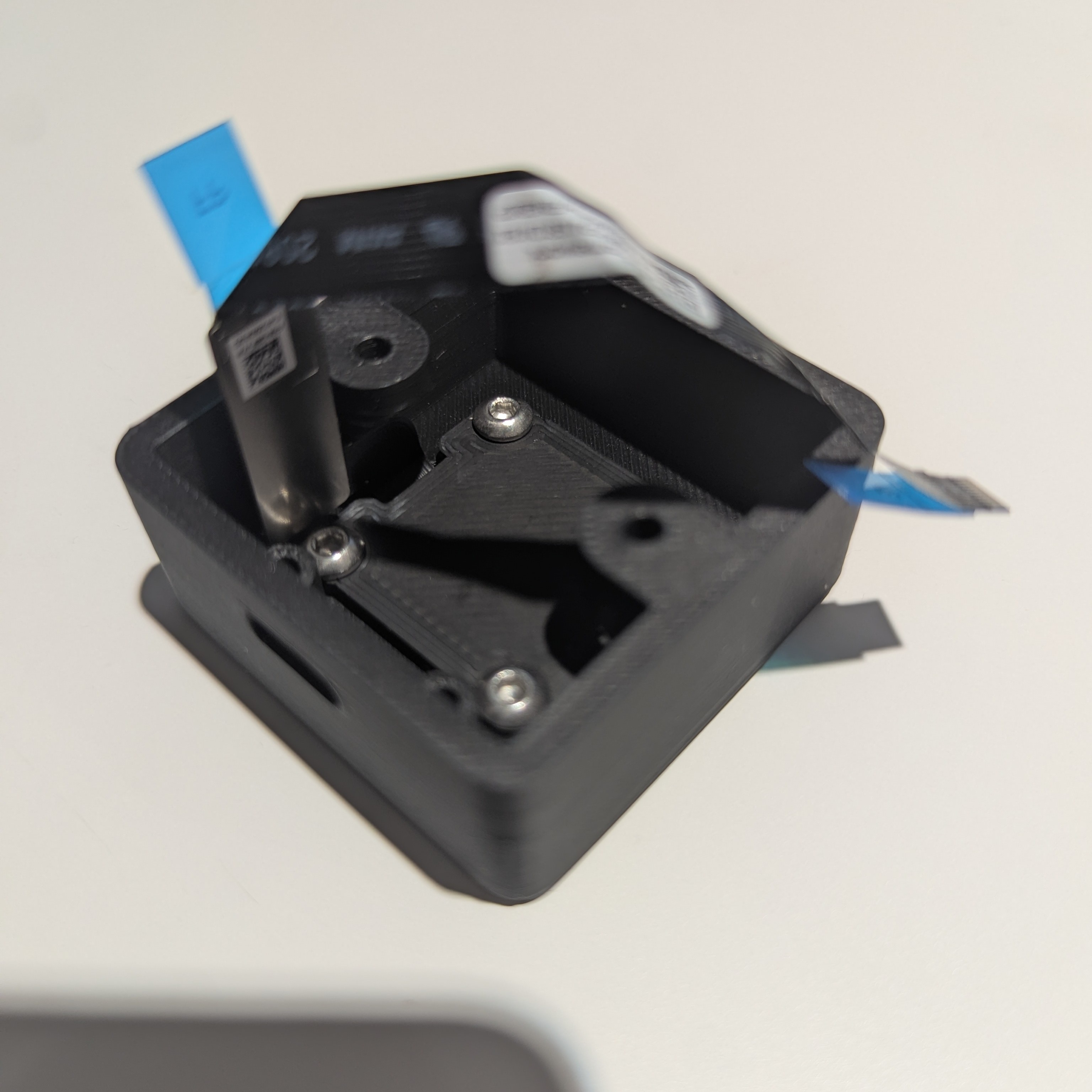
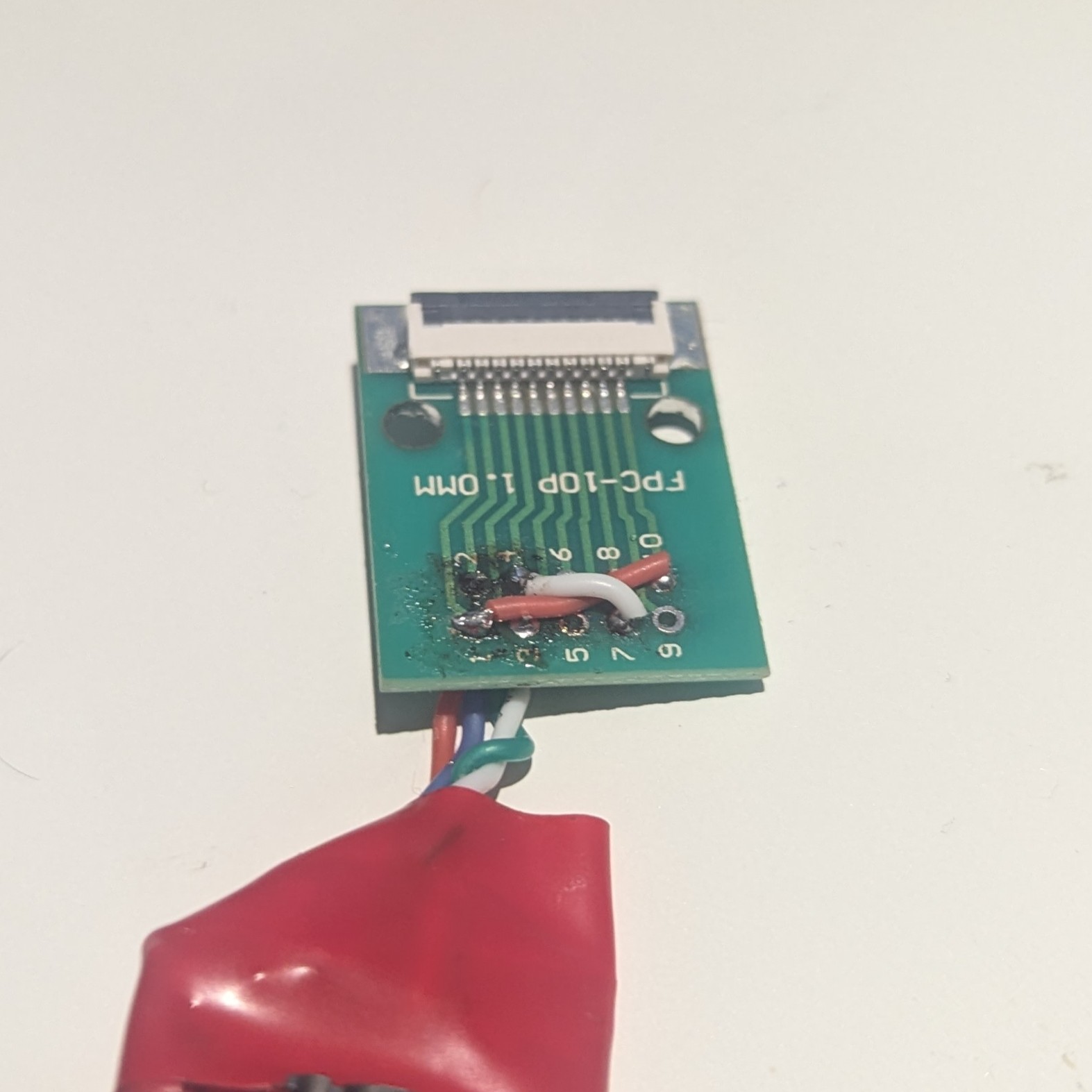
Solder the USB port to the FPC break-out board.
WARNING! If you look on Frameworks GitHub for the Framework 13 Laptop, you'll find that the provided pinout is (almost) the reverse of what I have (The D+/D- pins seems to be opposite of what they are on Framework 13 Fingerprint sensor). I'm not quite sure the exact reason for this, as I would assume that they would make the pinouts similar to each other. One of the possibilities is if you look closely on the included ribbon cable, you'll notice that the it is actually "inverted" on one side, that that's because on the Framework 16, it has to bend left to reach the main board. Because of that, the 1..10 labelling on the sensor side is inherently going to be opposite than on the breakout board you use. I would still suggest verifying that that's the case by testing continuity to GND between pin 7 and some exposed ground on the sensor (the metallic "foam" pad or the button housing on the underside of the sensor may be suitable for that). Another way to check is to just wire VCC and GND to pin 7, and 10, respectively. Before plugging in the fingerprint sensor put a dry finger on components on the dangly PCB attached to the sensor. If plug you it in and feel the components getting hot very fast, you may have wired the leads incorrectly - make sure you didn't reverse the polarity of the cables. If the white LED came on the fingerprint sensor, that means that you have to invert the pin numbers (1->10, 2->9, etc.). If nothing happens, the you got the connection right, and you can continue to wire the data lines, and optionally the LED.
I have almost let out all of my magic smoke by wiring the sensor incorrectly the first time, but I was lucky enough to still have some remaining. That's the pinout that worked for me but your mileage may vary.
Pin 1 - LED_COM (5V; leave unconnected if you don't want to have LEDs on)
Pin 4 - LED_WHITE (GND; leave unconnected if you don't want to have the White LED on)
Pin 5 - Switch?
Pin 7 - GND
Pin 8 - D+
Pin 9- D-
Pin 10 - VCC/VBUS (5V)
I used blue instead of black cable for ground, as that's what I had available. It's also a good idea to twist the D+ and D- cables. Note that the cables in the picture are too short, making it a bit hard to close the case, and the cables are under a lot of tension which is not desirable. Make sure to make the cables longer.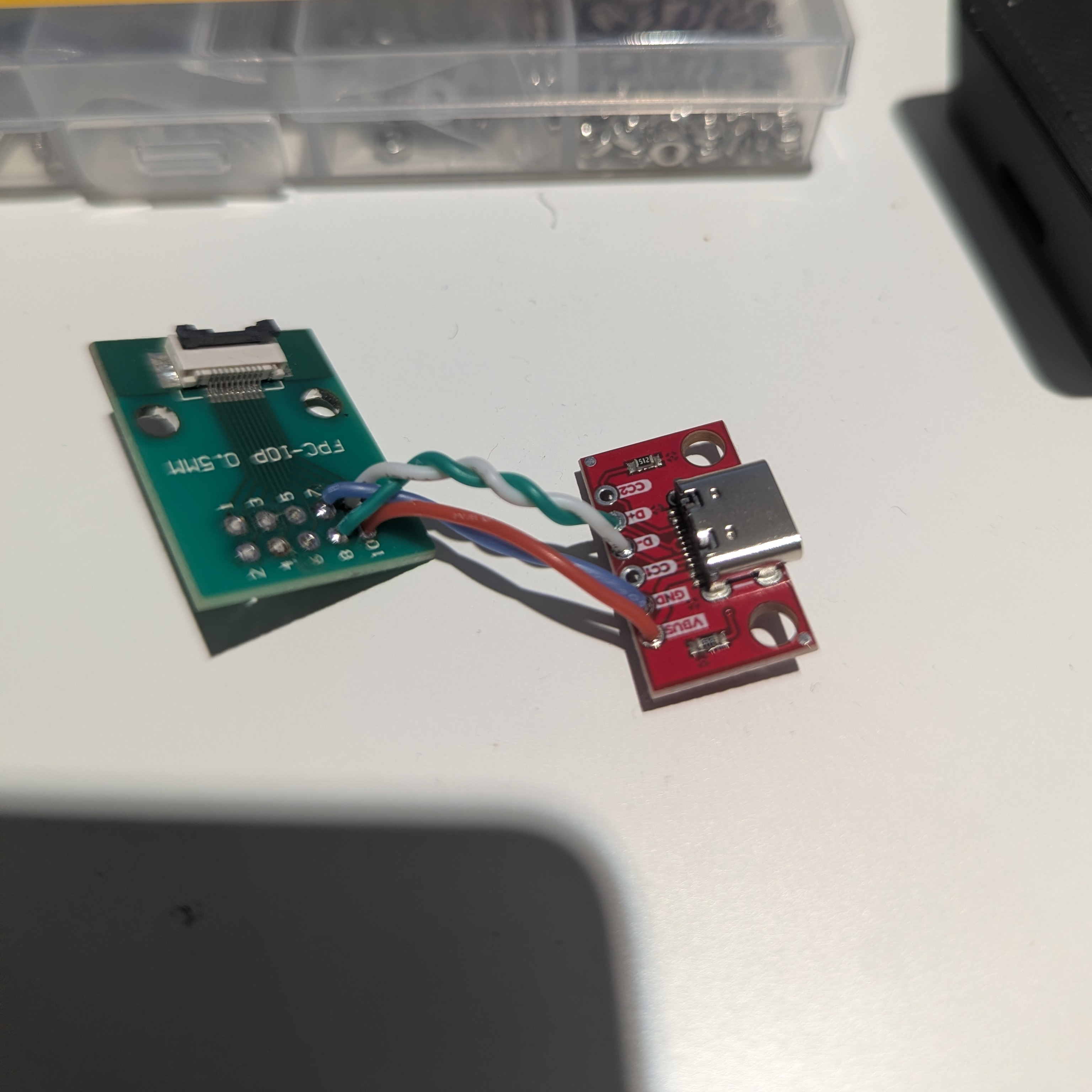
Here I wired the white LED to be always ON. The numbers don't match because I wired in on the underside. Don't mind the flux I didn't bother to clean off (but you def should clean your board).
Connect the FPC cable with the contacts facing the PCB and wrap everything in electrical tape
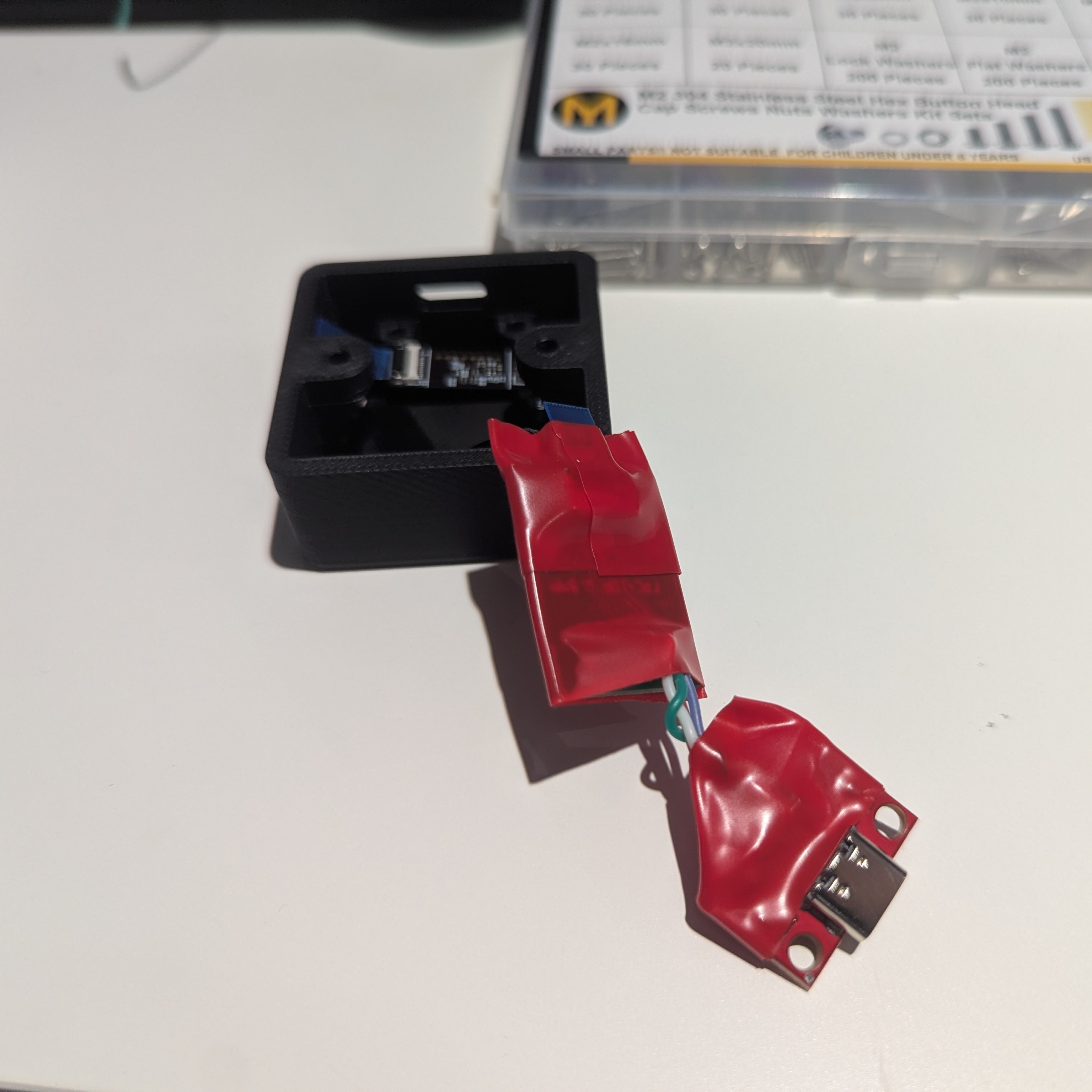
Screw in the USB connector with 2x M3x8 screws
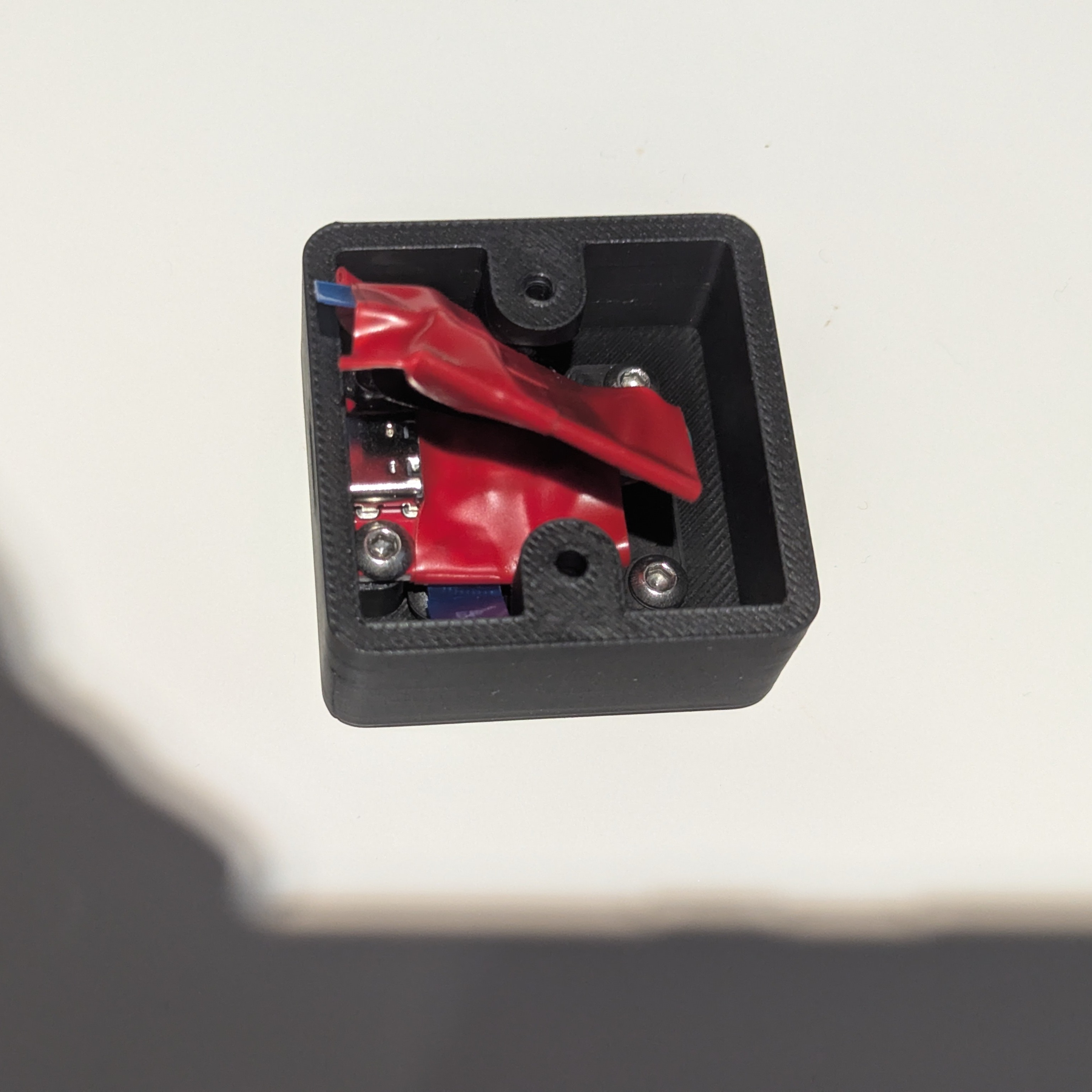
If you made the wires long enough, the fpc breakout board should be able to sit in the half opposite the usb port, but if you made it too short, you're going to have to smoosh it a bit. Fortunately, there's some space if the base, so it doesn't have to be flush - some of it may stick out.
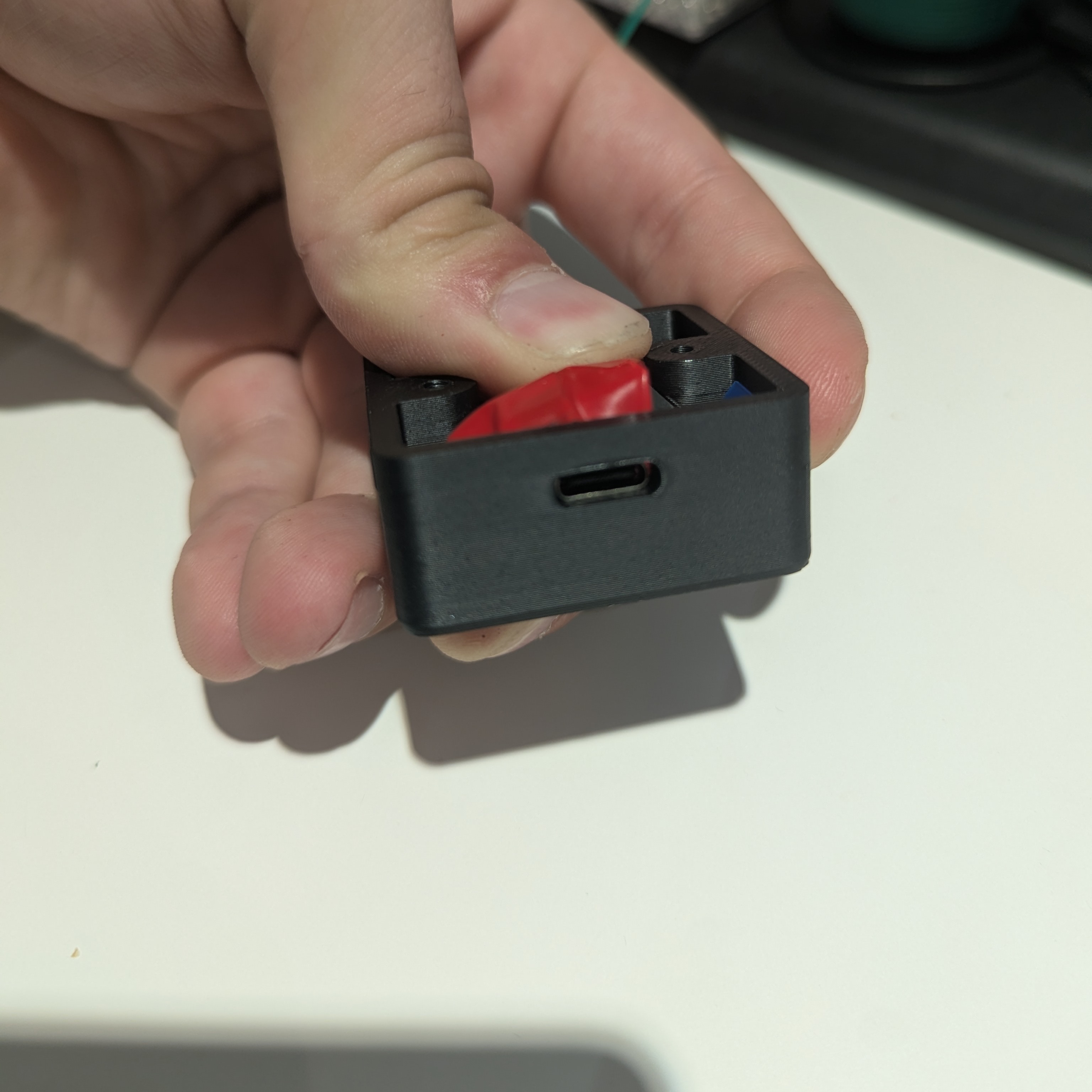
Screw in the base with 2 M3x8 screws.
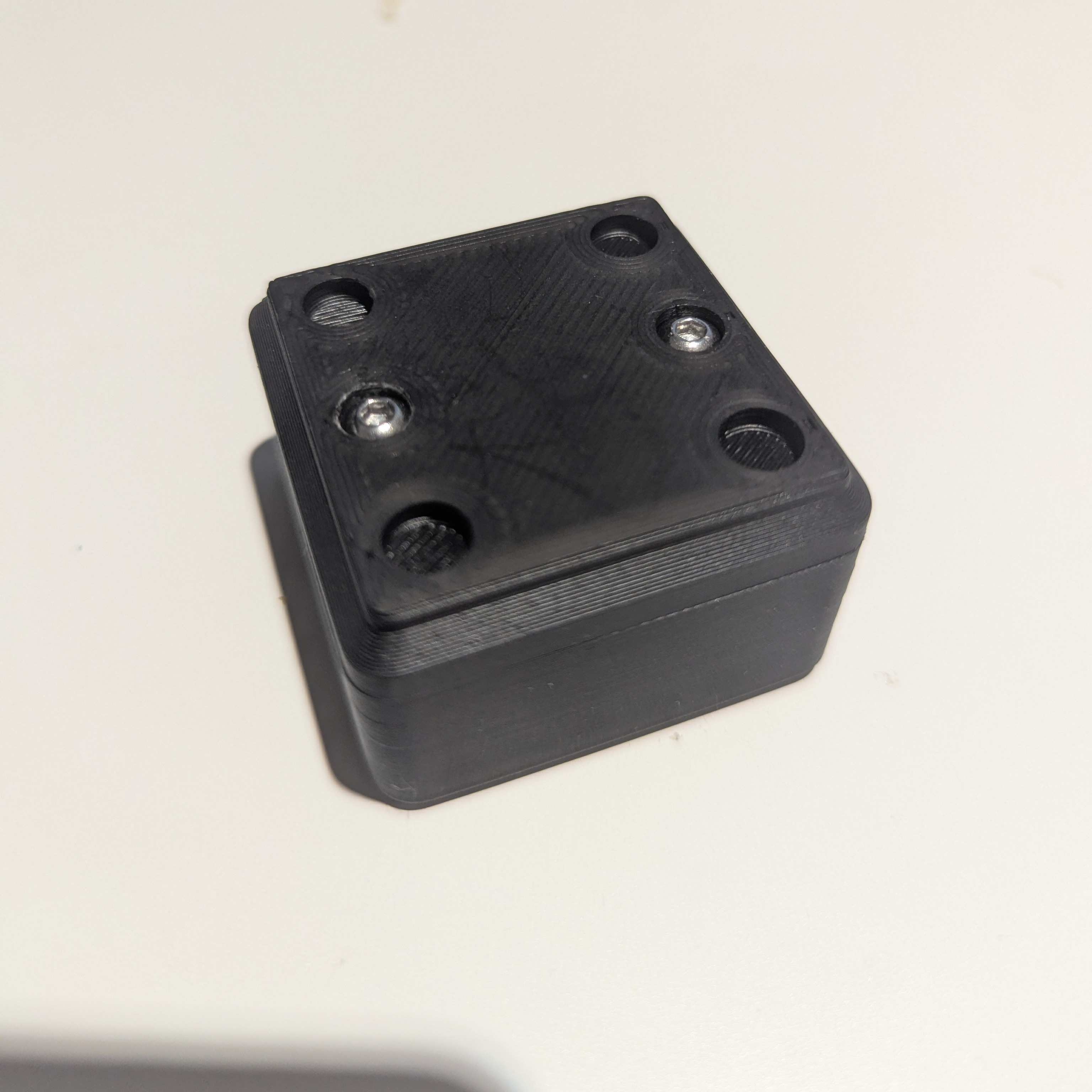
Optionally glue in the magnets and you're done! Connect the USB cable, and if you're on linux, you should be able to just enroll your fingerprints with
fprintd-enrollor through your distros settings.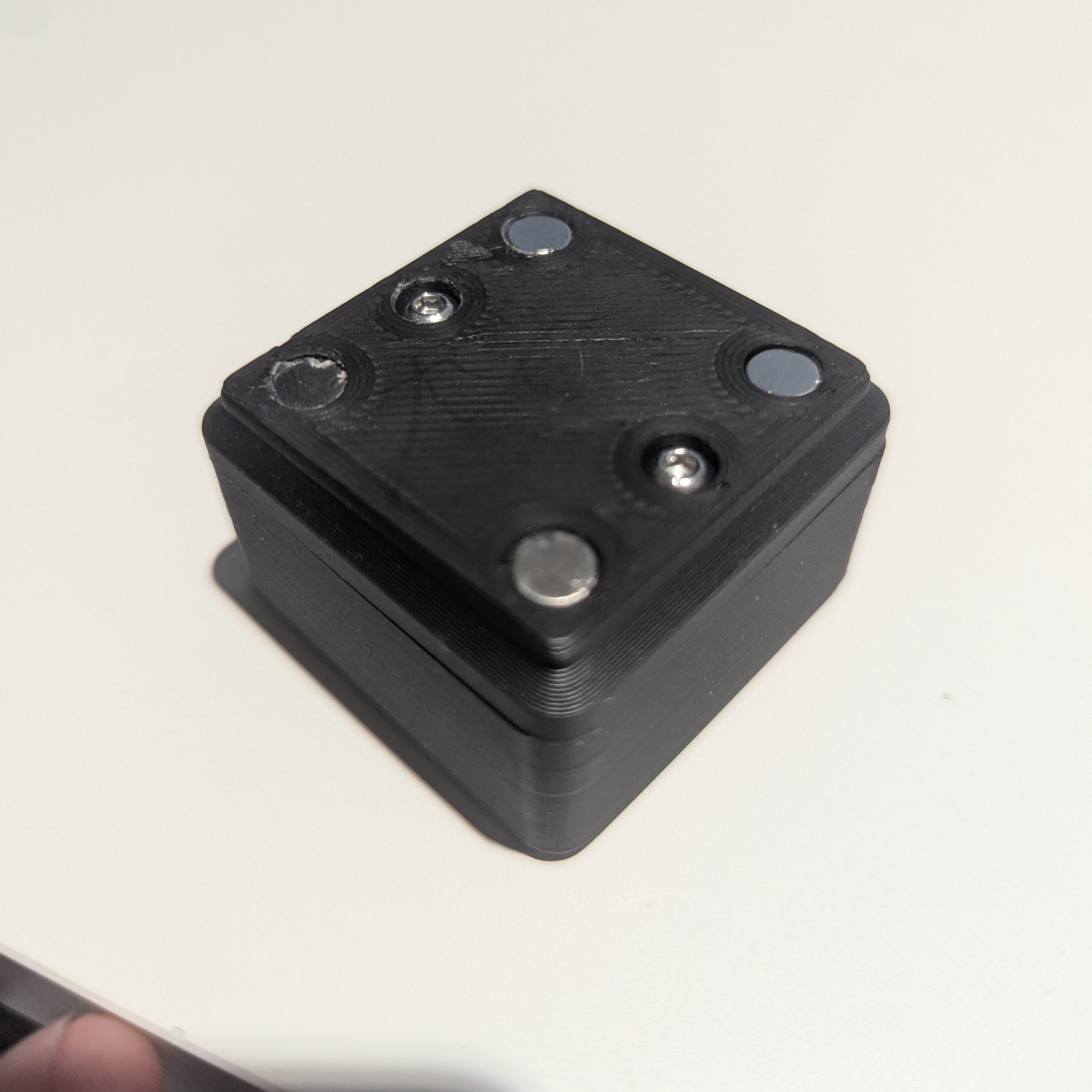
If, however, you still use Windows in [put current year here], The Year of Linux Desktop, you will need to install drivers. Go to https://knowledgebase.frame.work/bios-and-drivers-downloads-rJ3PaCexh and download a driver bundle for Framework Laptop 16 (the generation doesn't matter). After you have downloaded the .exe file, DO NOT RUN IT. Instead, open it as an archive with for example 7zip, and extract the 07_Goodix_Fingerprint_xxxx folder (the x's are the driver version). After extracting it, just run setup.exe. You should now be able to add Windows Hello Fingerprint authentication.