
CamGrip - Modular Phone Grip with Battery & Shutter
We calculate the final price from your selected file. You review and accept it before payment.
Saved on this device.

Modular phone camera grip with battery compartment and bluetooth shutter remote holder. Based on SnapGrip.
- Rating
- 4.5 / 5
- Likes
- 112
- Downloads
- 226
- Makes
- 3
- Views
- 3,664
- Reviews
- 2
Updated at source:
Model information
- Source
- Printables
- Category
- Photo & Video
- License
- Creative Commons — Attribution — Noncommercial — Share Alike
A modular phone camera grip based on SnapGrip. Features a portable battery compartment and a mount for a bluetooth shutter remote. Compatible with MagSafe, PopSocket, QuadLock, and more.
💖 Attribution
This project uses modified versions of the following designs that are licensed under the CC BY 4.0 license.
🔩 Components
Base
 | Base | Supports recommended but not required. |
Phone Mounts
MagGrip can be mounted to your phone in several ways:
 | MagSafe Sticker | Requires a MagSafe Magnet sticker. |
 | PopSocket | PopSocket mount by @Adammelancon. Supports recommended. |
 | QuadLock | QuadLock mount by @Vinzcenzo. Supports recommended. |
 | Blank | Useful for remixing or DIYing. |
Caps
The CamGrip requires a total of 2 caps. One of which must be mirrored.
 | Finger Grip | |
 | Charge Hole | |
 | Camera Shutter | Designed to fit a generic bluetooth camera shutter. Supports recommended. |
 | Blank | Useful for remixing or DIYing. |
Other Parts
You'll also need some additional components:
 | 4 * M3 Screws/Bolts | Required. Can be 8mm-12mm in length. |
 | 4 * M3 Nuts | Required. |
 | Tube-Style Power Bank | Optional. I had a heap of these sitting around that I had received for free from various conferences. |
 | Bluetooth Camera Shutter | Optional. Found on Amazon for cheap. |
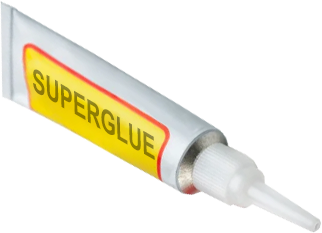 | Superglue |
🪛 Assembly Instructions
- 3D-Print Base component.
- 3D-Print 2 Cap components.
- 3D-Print a Mount component.
- Insert Power Bank into the Base component.
- Attach the 2 Caps to the Base component using 4 M3 Screws and 4 M3 Nuts.
- Attach the Mount to the Base component.
- If you're using the Camera Shutter component, slide it into the corresponding Cap.
- Attach your phone and you're done!