
Multi-Color Filament Configuration Disk: MCFCD
We calculate the final price from your selected file. You review and accept it before payment.
Saved on this device.
Use the MCFCD to help determine the angle for setting up your models for printing with coextrusion filaments.
- Rating
- 5 / 5
- Likes
- 243
- Downloads
- 2,407
- Makes
- 33
- Views
- 7,153
- Reviews
- 25
Updated at source:
Model information
- Source
- Printables
- Category
- Test Models
- License
- Creative Commons — Attribution — Noncommercial — Share Alike
Do you have some new, fancy dual-color or tri-color filament to play with? Are you wondering which angle to best rotate your model before printing? This Multi-Color Filament Configuration Disk or “MCFCD” will help you determine the angles of brightest colors to help you set up future prints.

The x-axis and y-axis are raised and each angle marker is incremented by 15 degrees. The origin of the model is the center and is at (0, 0, 0) for easy placement.
Additional Details

These photos show another model rotated to match the bright yellow. They aligned perfectly after using the MCFCD! I printed them 90 degrees different from each other for two different effects.
Note that some printers and filament combinations may cause color rotation during a print.
Another MCFCD print after reloading the same filament and it looks like a new angle (see bottom disk in photo with offset disks). However, I realized when taking that photo that it shifted back to the original angle after a few mm of printing (following photo). Interesting...🤔
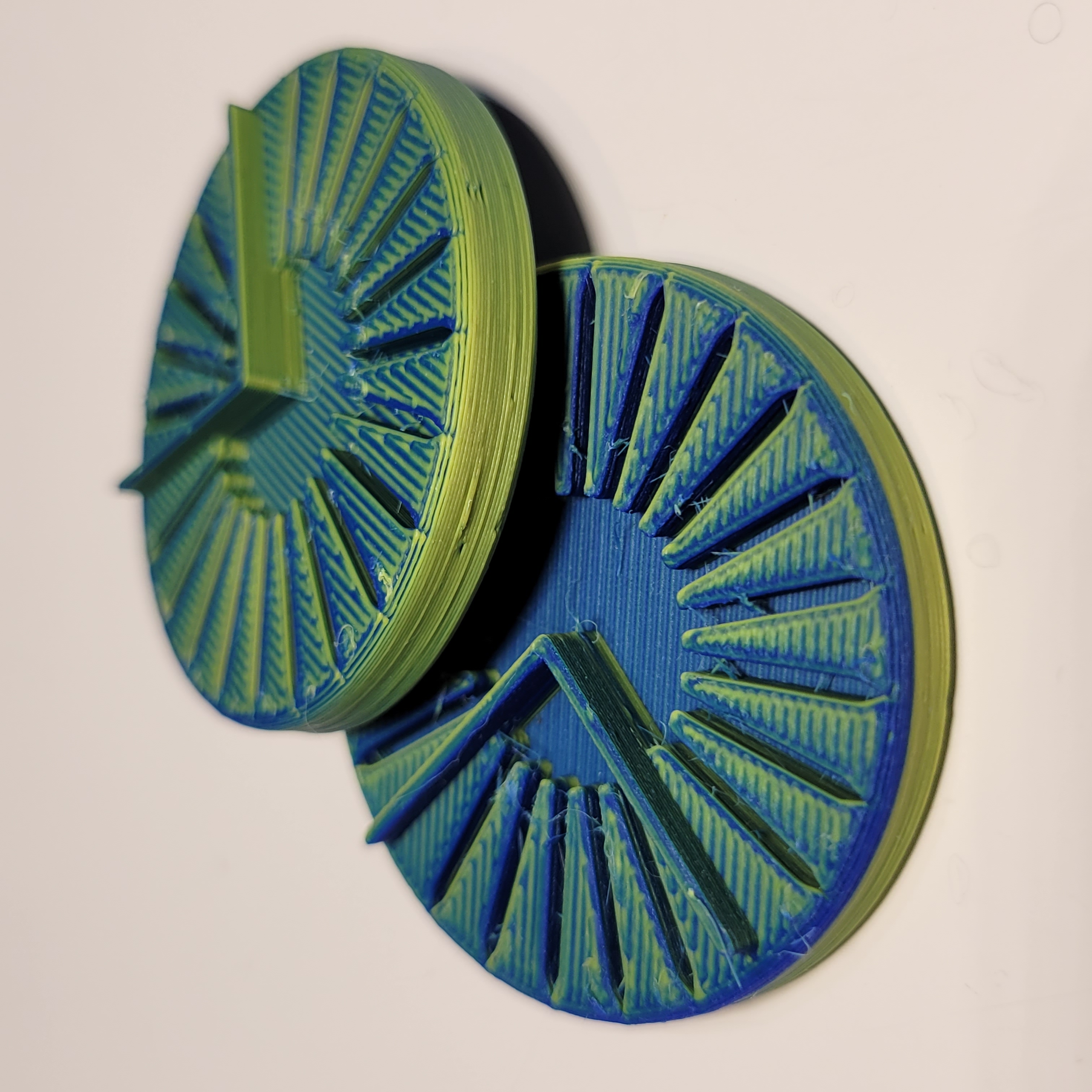
My conclusion: Be sure to print a disk and/or a test print before anything serious where the angle matters to make sure the filament is fully aligned.
Video & Article
Check out this video by 3DPrintFarm! He explains how he has used the MCFCD to align color in his prints.
Article by Inov3D shows the benefits of the MCFCD too!

3D Printing Details
Model is 5 mm tall with 2 mm raised axes. It has a 40 mm diameter.
I printed with 0.2 mm layer height with 1 perimeter near the top and 3 perimeters near the bottom with 15% infill. No raft. No supports.
More of my designs on Cults3D: https://cults3d.com/en/users/abbymath
Not for commercial use. No derivatives. See license below.