Fidget Slider "The Spade"
We calculate the final price from your selected file. You review and accept it before payment.
Saved on this device.

The Spade fidget slider is single piece fidget slider that feels great in your hands and looks the part as well.
- Rating
- 0 / 5
- Likes
- 12
- Downloads
- 78
- Makes
- 0
- Views
- 687
- Reviews
- 0
Updated at source:
Model information
- Source
- Printables
- Category
- Other Toys & Games
- License
- Creative Commons — Attribution
Very clicky and responsive fidget slider that feels great in your hand and challenges you to do a few tricks.
This slider uses 16*6x3mm magnets, i got mine from amazon but you can get them anywhere
Example printed on a Ender 3 S1 with 0.16 layer height, ironing enabled.
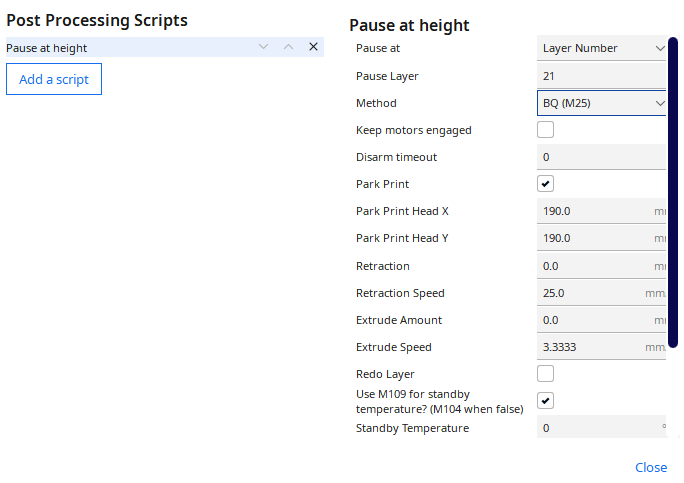
For this print you will need to modify your gcode using cura post processing functionality as the magnets are inserted in the slider mid print.
To do so you must go to “Extensions” → “Post Processing” → “Modify G-Code” in Cura and select the layer where to pause the print so you can insert the magnets, you should select the last layer before covering the magnet holes, in this case it was layer 21
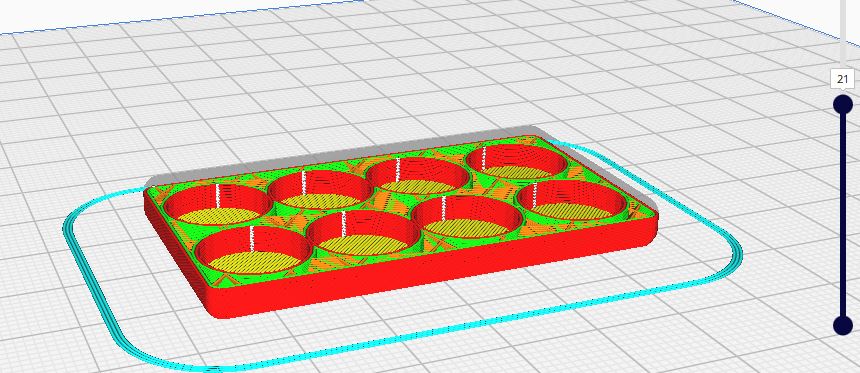
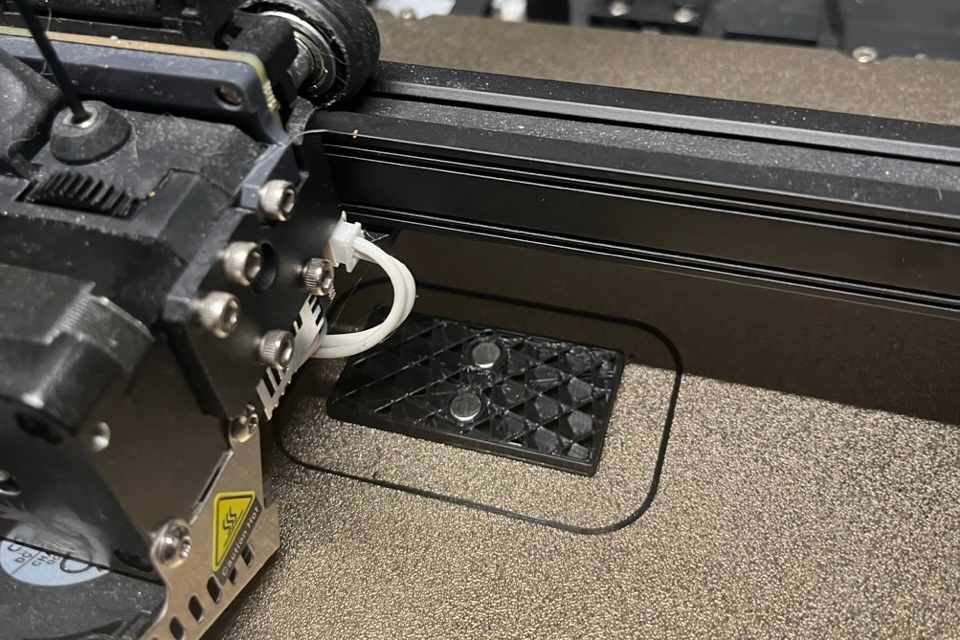
When the print pauses, insert the magnets into the specified holes like this
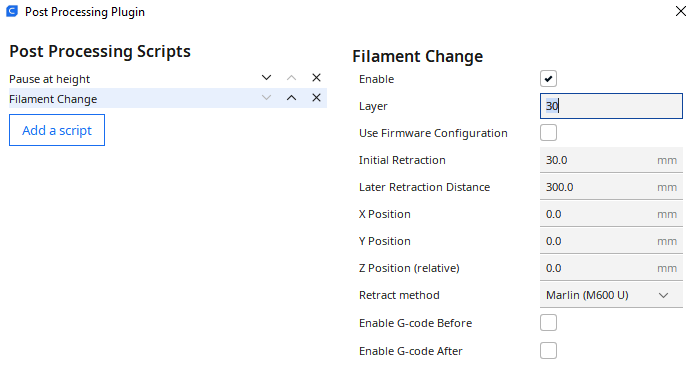
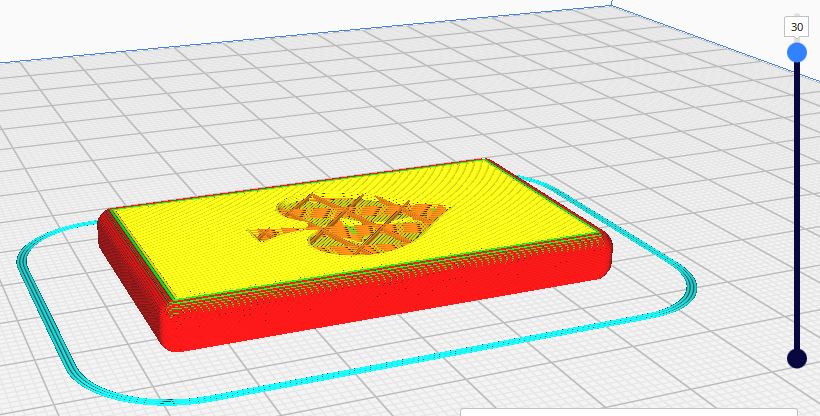
If you want the spade in a different color you must once again go to “Extensions” → “Post Processing” → “Modify G-Code” in Cura and select the “Filament Change” option on the last layer before filling in the spade, in this case it was at layer 30.