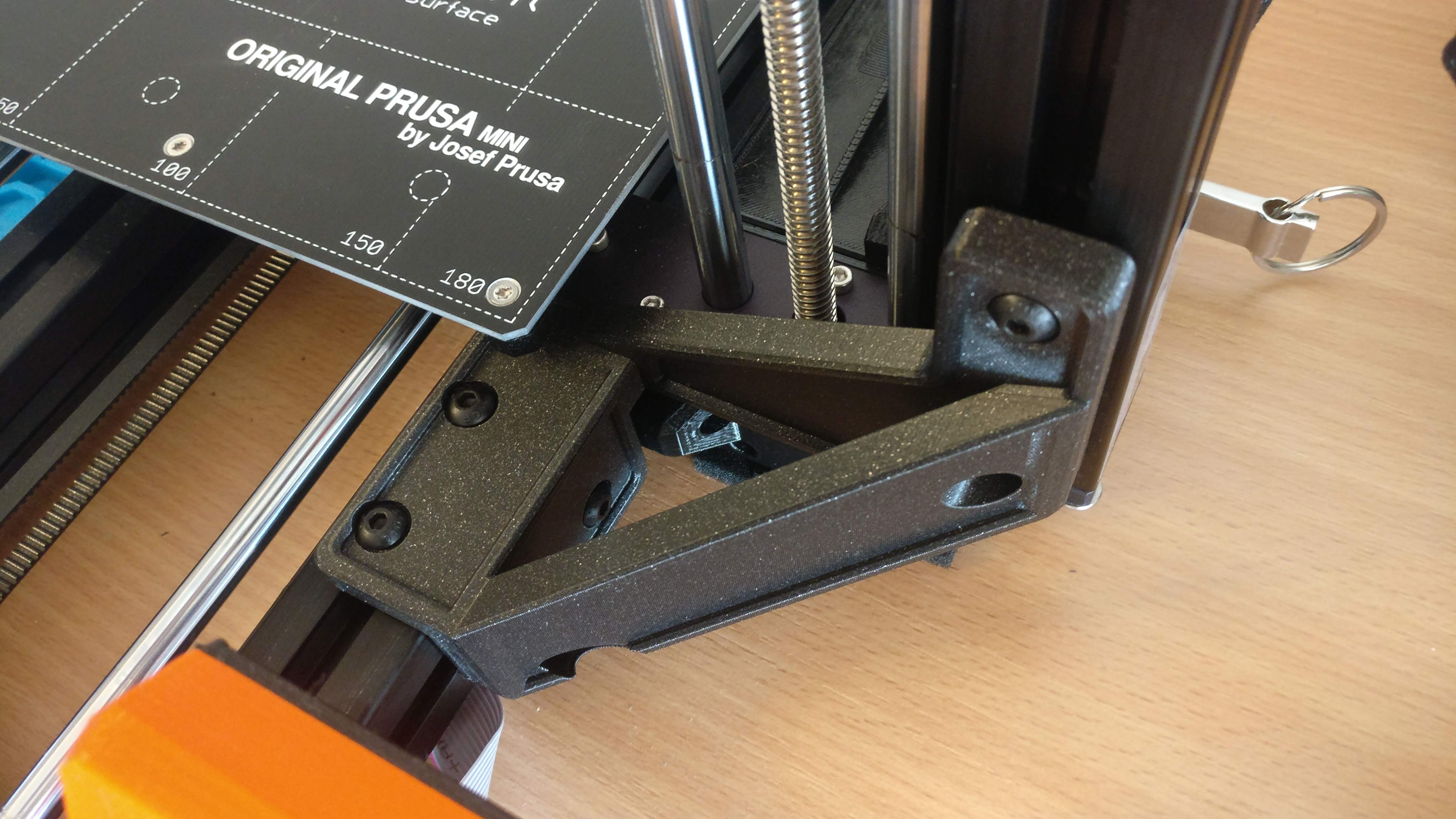
Prusa Mini Z-axis support
We calculate the final price from your selected file. You review and accept it before payment.
Saved on this device.
Z-axis support for Prusa Mini/Mini+ printer
- Rating
- 4.887 / 5
- Likes
- 674
- Downloads
- 2,708
- Makes
- 103
- Views
- 15,289
- Reviews
- 97
Updated at source:
Model information
- Source
- Printables
- Category
- Prusa Parts & Upgrades
- License
- Creative Commons — Attribution — Noncommercial
Support for z-axis of Prusa MINI printer. Inspired by https://www.prusaprinters.org/prints/51415-prusa-mini-z-axis-brace/.
You will need:
- 6pcs M5x12 ISO 7380 bolt (https://www.ebay.com/itm/232247392111)
- 6pcs M5 t-nuts
Print instuctions:
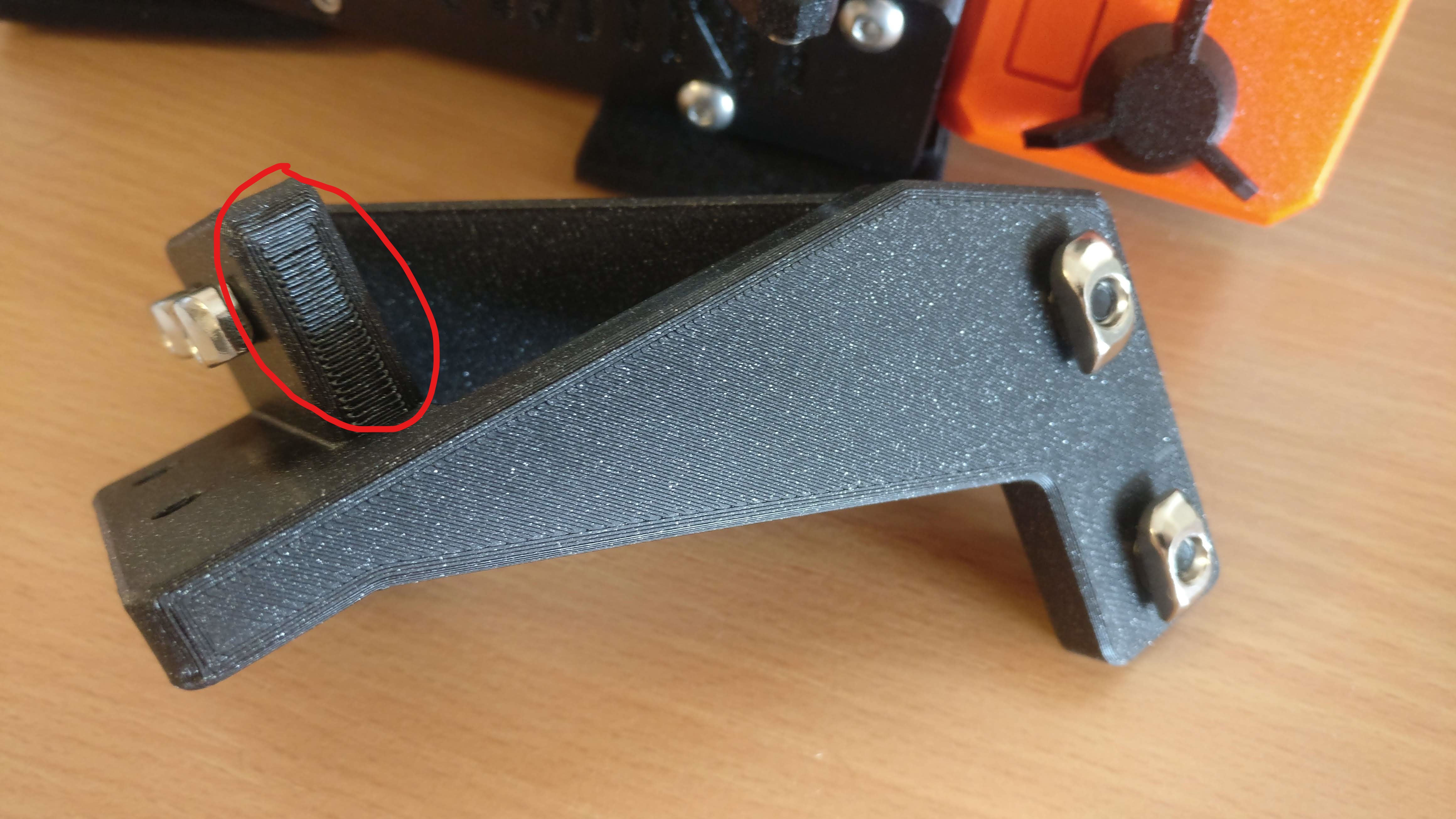
Print with side that is attached to z-axis facing down. Use at least 20 % infill. Supports are needed under y-carriage side mount (see picture below).
Installation:
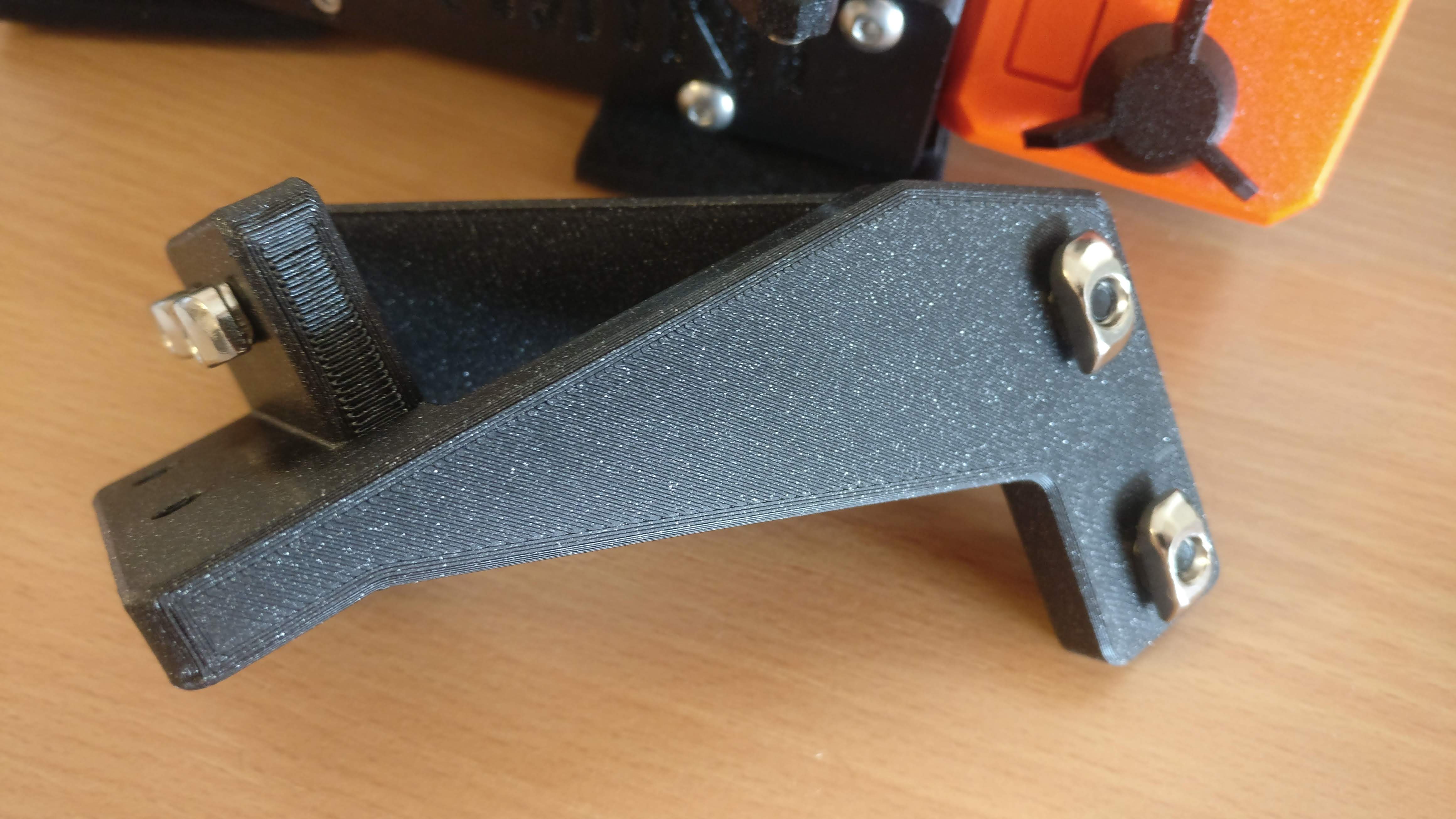
First, put bolts through holes and hand-tighten t-nuts and align them as on photo below. Leave out holes that are on top of Y-axis.
Now place z-axis support on top of Y-axis and slide t-nuts in mounting profile.
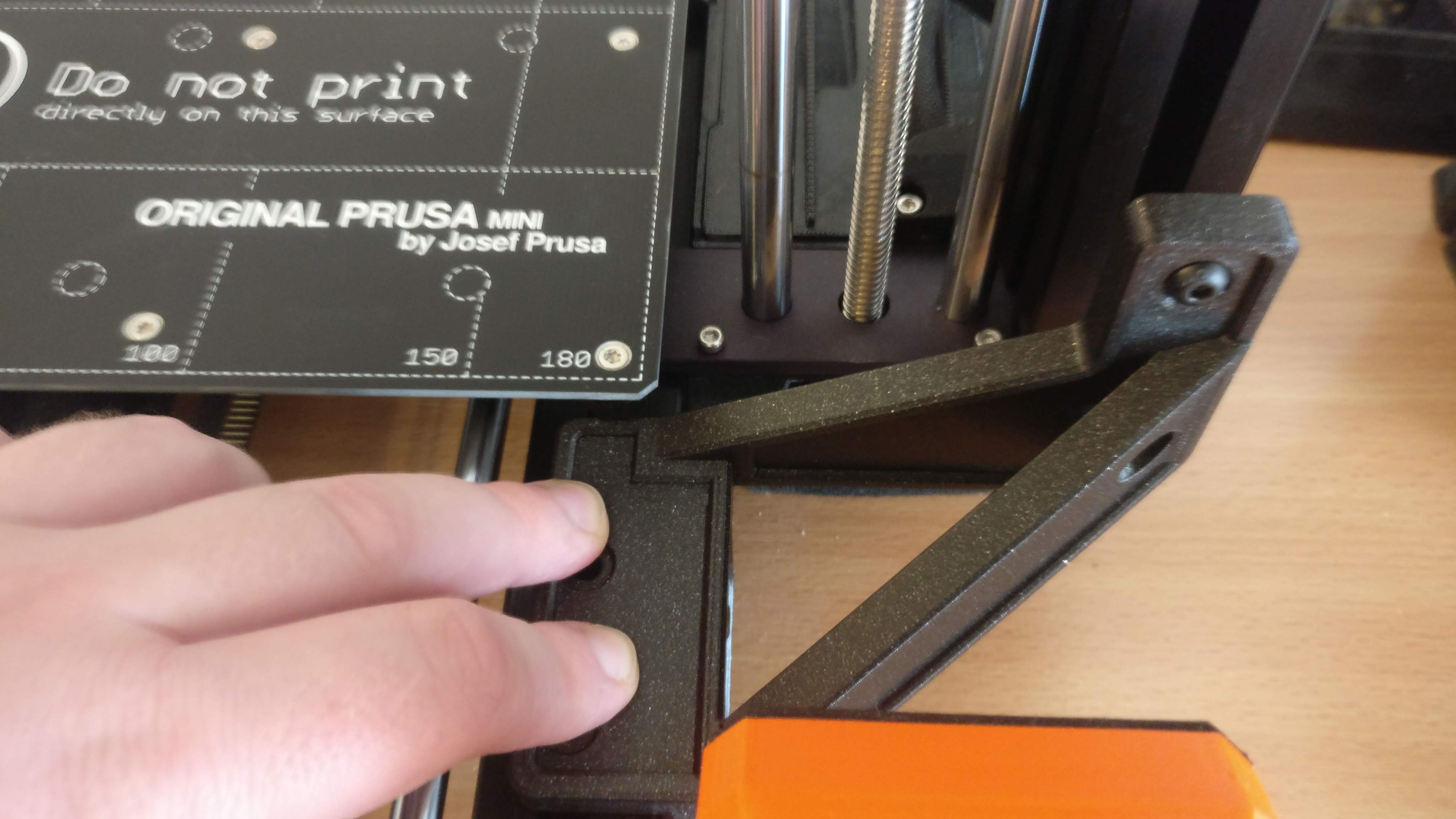
Continue with sliding it towards the Z-axis.
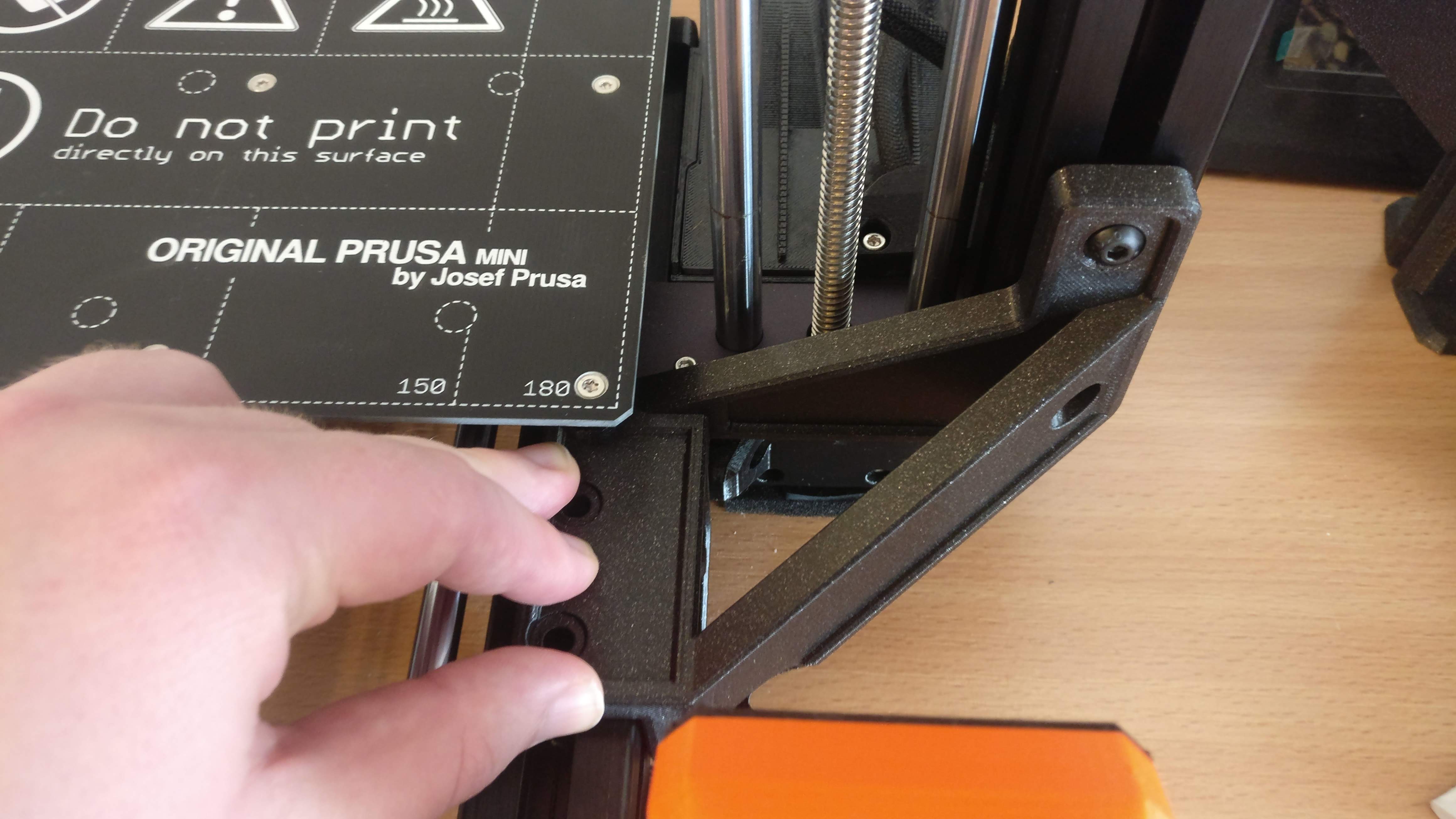
Loosen all bolts a bit so that they can lock in the profile and tighten them firmly.
Last step is to place t-nuts inside top of Y-axis and thighten last two screws.
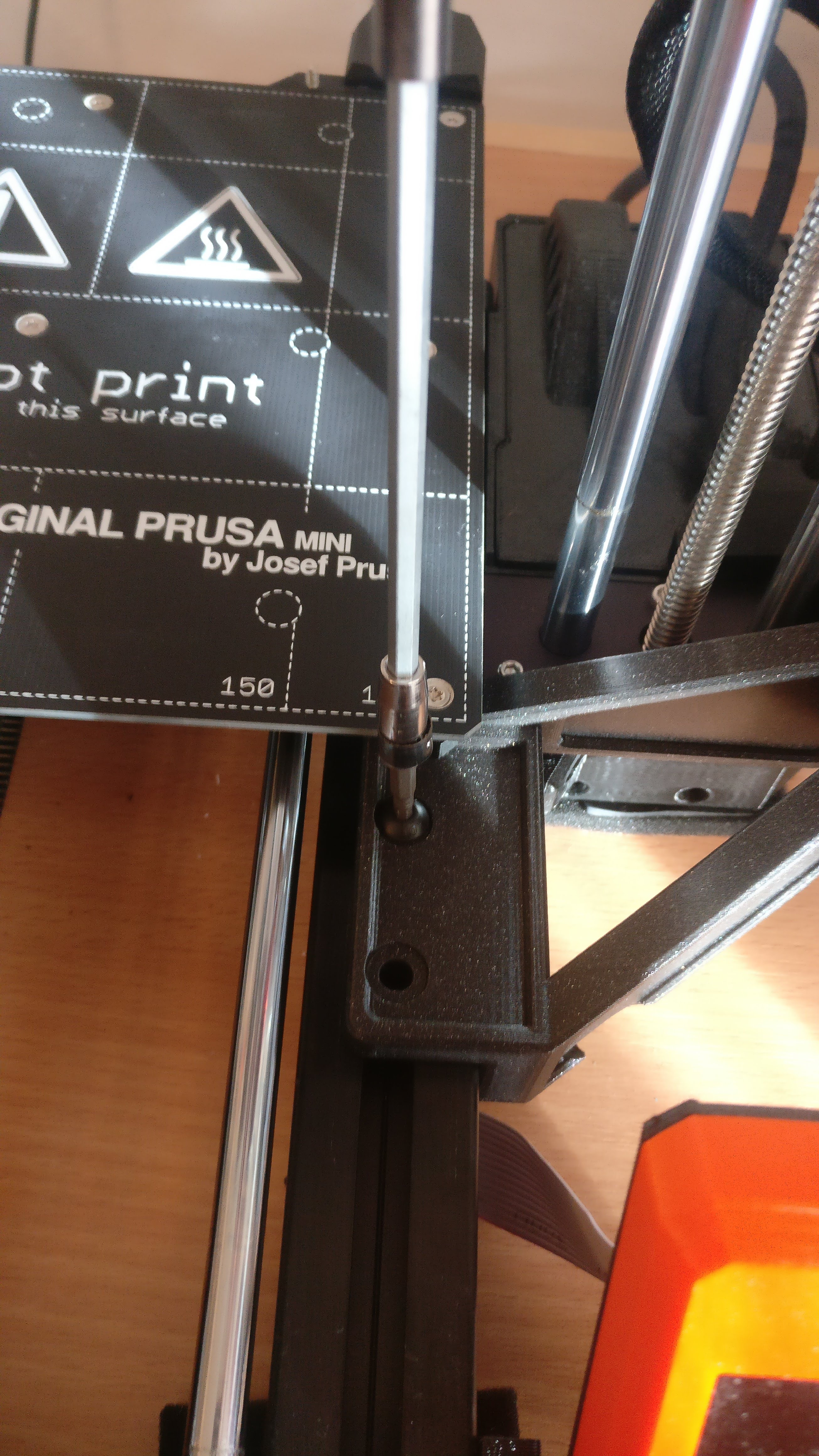
And you are done.