
ESP32_Cam mount for Prusa enXLosure
We calculate the final price from your selected file. You review and accept it before payment.
Saved on this device.

mount to add a ESP32 camera to the inside of the prusa enXLosure
- Rating
- 4.333 / 5
- Likes
- 46
- Downloads
- 202
- Makes
- 4
- Views
- 1,687
- Reviews
- 3
Updated at source:
Model information
- Source
- Printables
- Category
- Prusa Parts & Upgrades
- License
- Creative Commons — Attribution — Noncommercial — Share Alike
I wanted a camera inside my prusa enXLosure to connect to prusalink/ -connect.
For this upgrade you will need;
- ESP32-CAM module
- 1x M3 Heatset insert
- 1x M3x8 bolt
- Micro-USB cable (best to get right-angle)
- USB powerbrick
- You will need to print the "EnXLosure_Bottom_BR_cableguide" version or drill a hole in the corner of the part to route the power cable thru the frame
Installation;

Step 1; insert the M3 heatset insert to the first heatset hole on the inside of frontright corner.
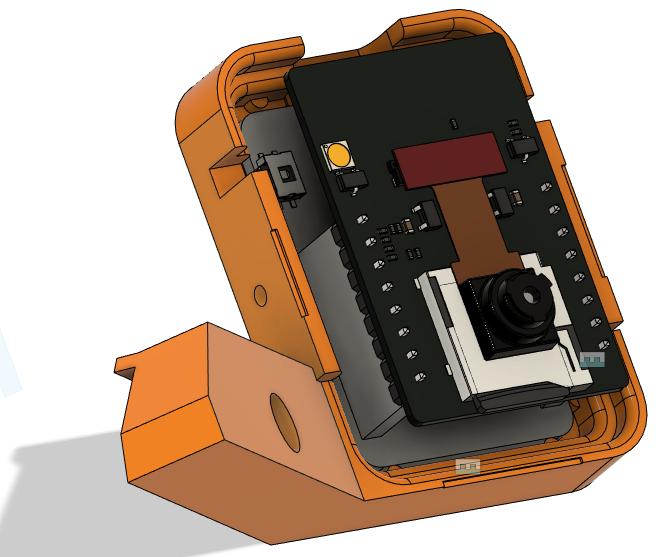
Step 2; Place the ESP32-CAM module in the 3D printed housing. (base)
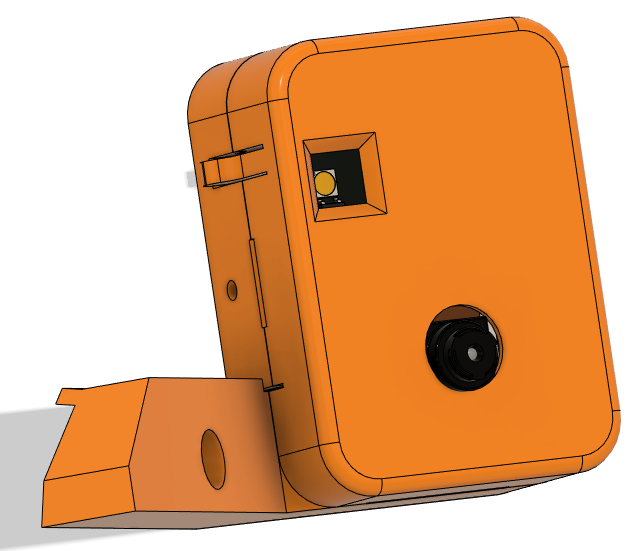
Step 3; Install the front cover of the ESP32-CAM module.
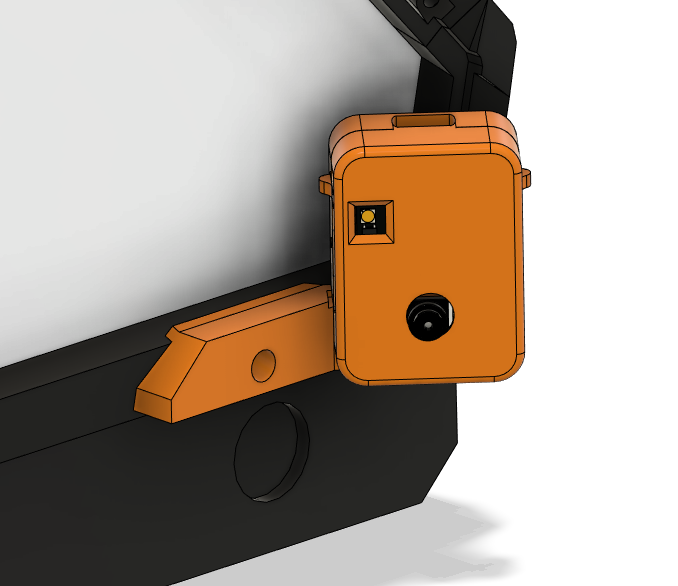
Step 4; Instal the assembled module in the front right corner of the prusa enXLosure.


Step 5; Insert te micro-USB and route it thru the side and out of the rear of the enXLosure.
Software;
For installation of the camera software, please follow the setup found here
config for software;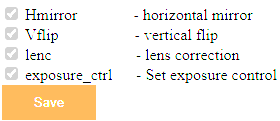
Please turn on both "Hmirror" and "Vflip" to get correct orientation