
1 / 4
Ink Cartridge Chip Holder for HP 920 printer
Order a print of this model
We calculate the final price from your selected file. You review and accept it before payment.
Saved on this device.

Ink Cartridge Chip Holder for HP 920 printer
- Rating
- 0 / 5
- Likes
- 4
- Downloads
- 22
- Makes
- 0
- Views
- 487
- Reviews
- 0
Updated at source:
Model information
- Source
- Printables
- Category
- Office
- License
- Creative Commons — Attribution
Motivation
Over time I've collected a bunch of ink cartridge chips for my HP Officejet 6500 printer. Occasionally the printer decides to reject one or all of the installed ink cartridge chips. So I like to have a set or two ready for a quick swap.
After installation the chips can stay in the printhead and are hold in place by the ink cartridge.
*Compatibility: Tested with HP Officejet 6500 series, plus non-OEM Ink Cartridges
*HP Officejet 6000, 6500, 7000, 7500 series apparently share the same printhead, but I could not test it
Model files
A - Simple | B - Clamped |
| Choose folder A - Simple, if you plan to use double-sided tape or glue to place cartridge chip | Choose folder B - Clamped to hold cartridge chip in place with small clamps (tight fitment) |
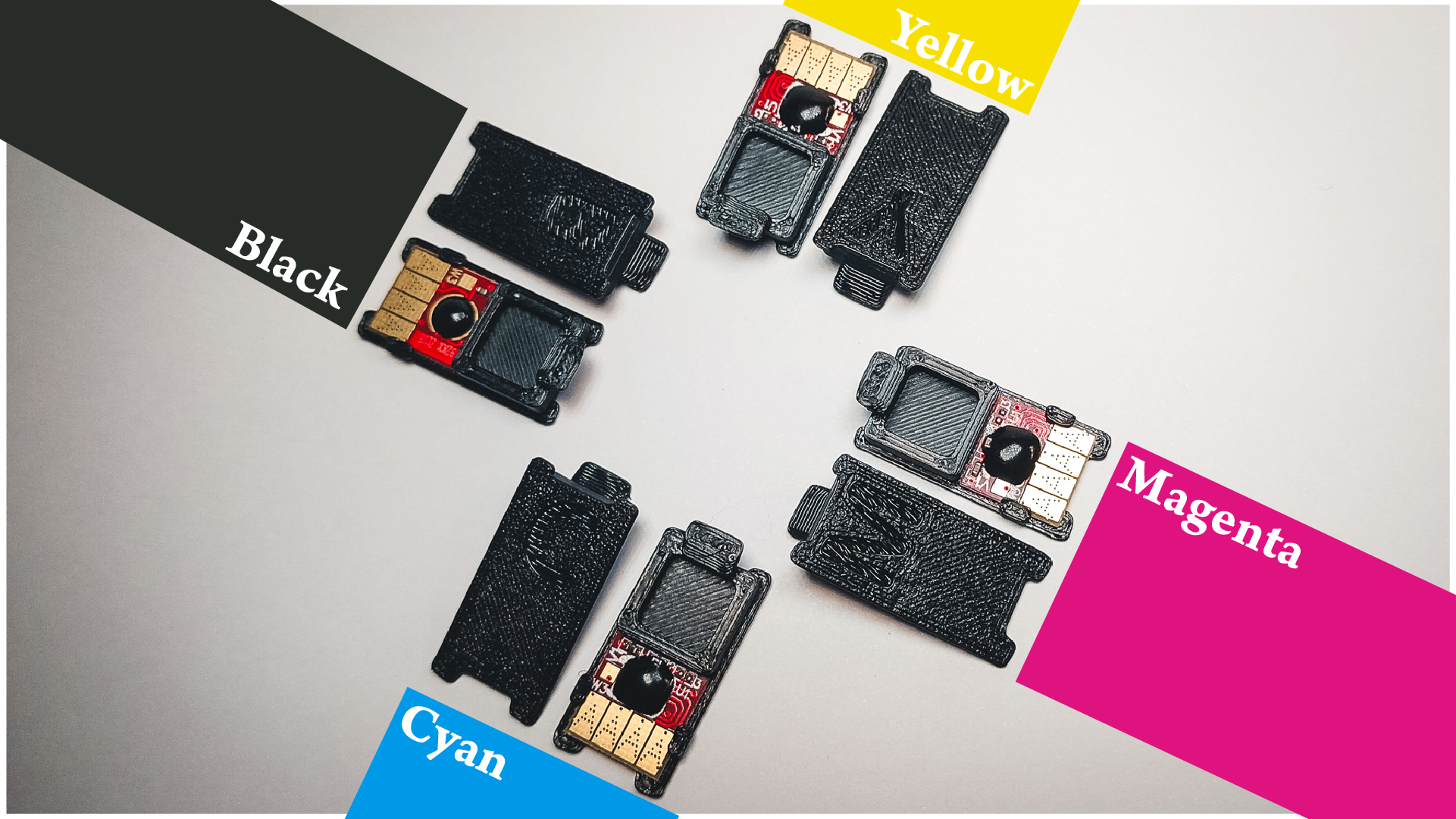
Each folder contains a set of four models for the colors:
- Cyan
- Magenta
- Yellow
- Black
Print Instruction
Recommended nozzle size: 0.4mm
Assembly
Additional parts/tools needed:
- Ink cartridge chips for HP 920
- Double-sided tape or glue (for A - Simple)
A - Simple | B - Clamped |
| Stick the chip to the surface, see picture 4 for reference. | Slide the chip carefully under the clamps (picture 3, 4), try not to damage the small PCB with SMDs. |
Installation
- Open the lid to the printhead on your printer
- Remove ink cartridge(s)
- With the letter facing you, slide the holder(s) into the opening behind the 4-pin-connector and lower it down. (C for cyan, M for magenta, Y for yellow and B for black)
- Reinsert ink cartridge(s). It should click into place like before.
- Close lid
- Happy (2D) Printing! 😄