
1 / 4
Ink Cartridge Chip Holder for HP 920 printer
Zamów wydruk tego modelu
Obliczymy ostateczną cenę na podstawie wybranego pliku. Sprawdzisz ją i zaakceptujesz przed płatnością.
Zapisane na tym urządzeniu.

Ink Cartridge Chip Holder for HP 920 printer
- Ocena
- 0 / 5
- Polubienia
- 4
- Pobrania
- 22
- Wydruki
- 0
- Wyświetlenia
- 487
- Oceny
- 0
Aktualizacja u źródła:
Informacje o modelu
- Źródło
- Printables
- Kategoria
- Office
- Licencja
- Creative Commons — Attribution
Motivation
Over time I've collected a bunch of ink cartridge chips for my HP Officejet 6500 printer. Occasionally the printer decides to reject one or all of the installed ink cartridge chips. So I like to have a set or two ready for a quick swap.
After installation the chips can stay in the printhead and are hold in place by the ink cartridge.
*Compatibility: Tested with HP Officejet 6500 series, plus non-OEM Ink Cartridges
*HP Officejet 6000, 6500, 7000, 7500 series apparently share the same printhead, but I could not test it
Model files
A - Simple | B - Clamped |
| Choose folder A - Simple, if you plan to use double-sided tape or glue to place cartridge chip | Choose folder B - Clamped to hold cartridge chip in place with small clamps (tight fitment) |
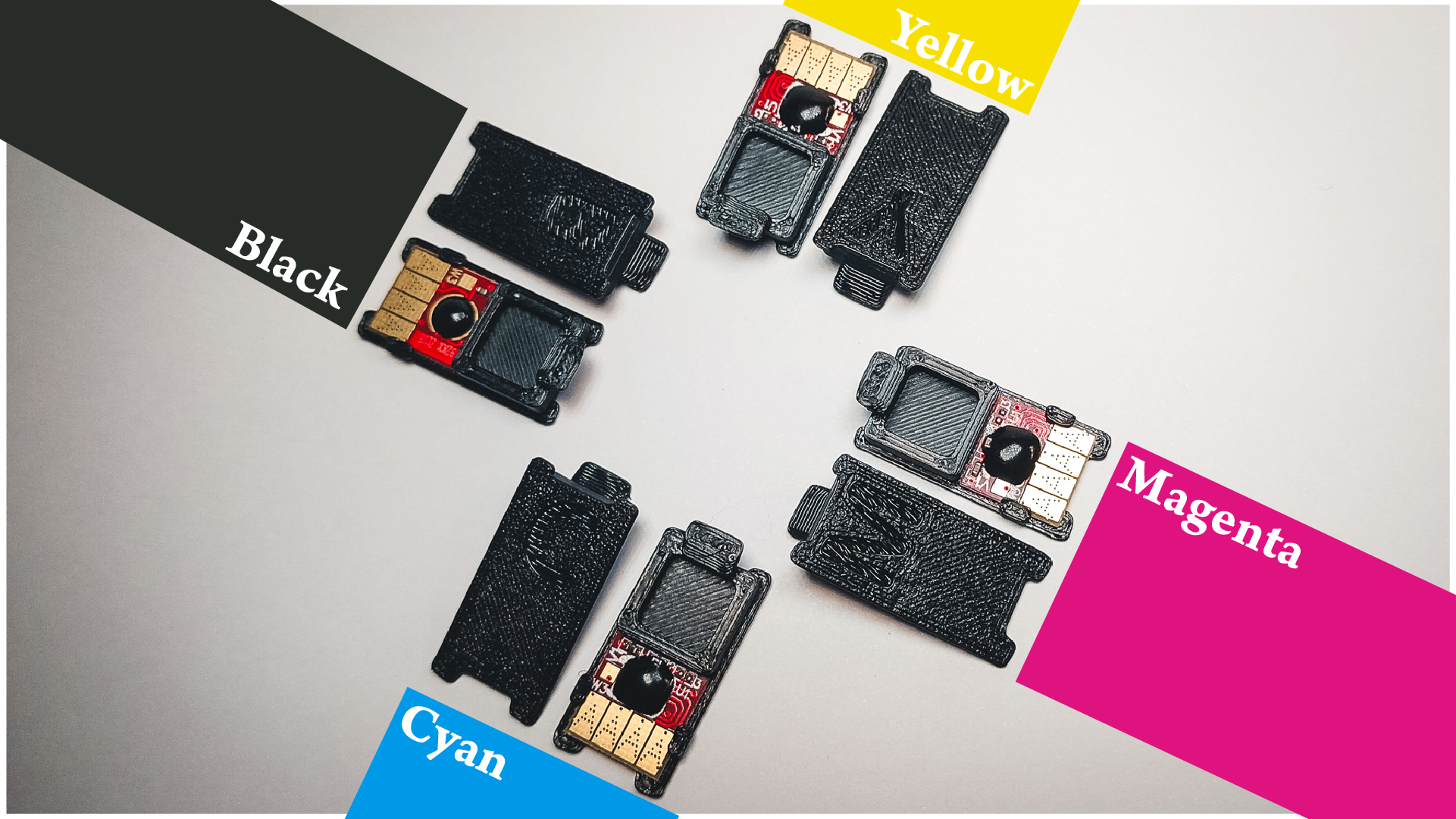
Each folder contains a set of four models for the colors:
- Cyan
- Magenta
- Yellow
- Black
Print Instruction
Recommended nozzle size: 0.4mm
Assembly
Additional parts/tools needed:
- Ink cartridge chips for HP 920
- Double-sided tape or glue (for A - Simple)
A - Simple | B - Clamped |
| Stick the chip to the surface, see picture 4 for reference. | Slide the chip carefully under the clamps (picture 3, 4), try not to damage the small PCB with SMDs. |
Installation
- Open the lid to the printhead on your printer
- Remove ink cartridge(s)
- With the letter facing you, slide the holder(s) into the opening behind the 4-pin-connector and lower it down. (C for cyan, M for magenta, Y for yellow and B for black)
- Reinsert ink cartridge(s). It should click into place like before.
- Close lid
- Happy (2D) Printing! 😄