
Filament Sensor Mount for Prusa Mini Enclosure
We calculate the final price from your selected file. You review and accept it before payment.
Preliminary estimate for PETG
€0.33 – €0.40 net (excluding VAT)
For file: PTFETubeMountingBreaket_0.4n_0.2mm_PETG_MINIIS_22m.bgcode
This is an estimate for one file. You’ll confirm the exact price before ordering.
File and estimate settings
File used for this estimate
Average indicative estimate: €0.36 excluding VAT (range midpoint).
- Weight reported by the author
- 5 g
- Print time reported by the author
- 21.6 min
- Source material
- PET
- Estimate material
- PETG
- Estimate printer
- Bambu Lab P1S - 0.4 nozzle
- Estimate process
- 0.20mm Standard
Indicative estimate for the selected file only, based on the author’s weight and print time. File variants are not added together. The final price is calculated after file analysis.
Saved on this device.

A mounting breaked for the PTFE tube, so the sensor doesnt get stuck in a master spool
- Rating
- 4.889 / 5
- Likes
- 33
- Downloads
- 134
- Makes
- 8
- Views
- 762
- Reviews
- 9
Updated at source:
Model information
- Source
- Printables
- Category
- Prusa Parts & Upgrades
- License
- GNU General Public License v2.0
This should solve the issue, that the filament sensor get stuck in the master spool.
Also the Filament changing doesn't get more complicated.
You need:
- PTFETubeMountingBreaket
- Original PTFE tube of the Prusa Mini
- 2x M3 nuts
- 2x M3x8mm screws
Installation guide:
- Remove the short PTFE tube from the filament sensor
- Insert the original PTFE tube in the filament sensor
- Insert the two nuts in the mounting breaket
- secure the breaket in the down right corner of the enclosure
How to use:
- load the filament like normal
- aline the PTFE tube with the mounting breaket
- slide the PTFE tube up into the mounting breaket
- print with confidence again :)

aline
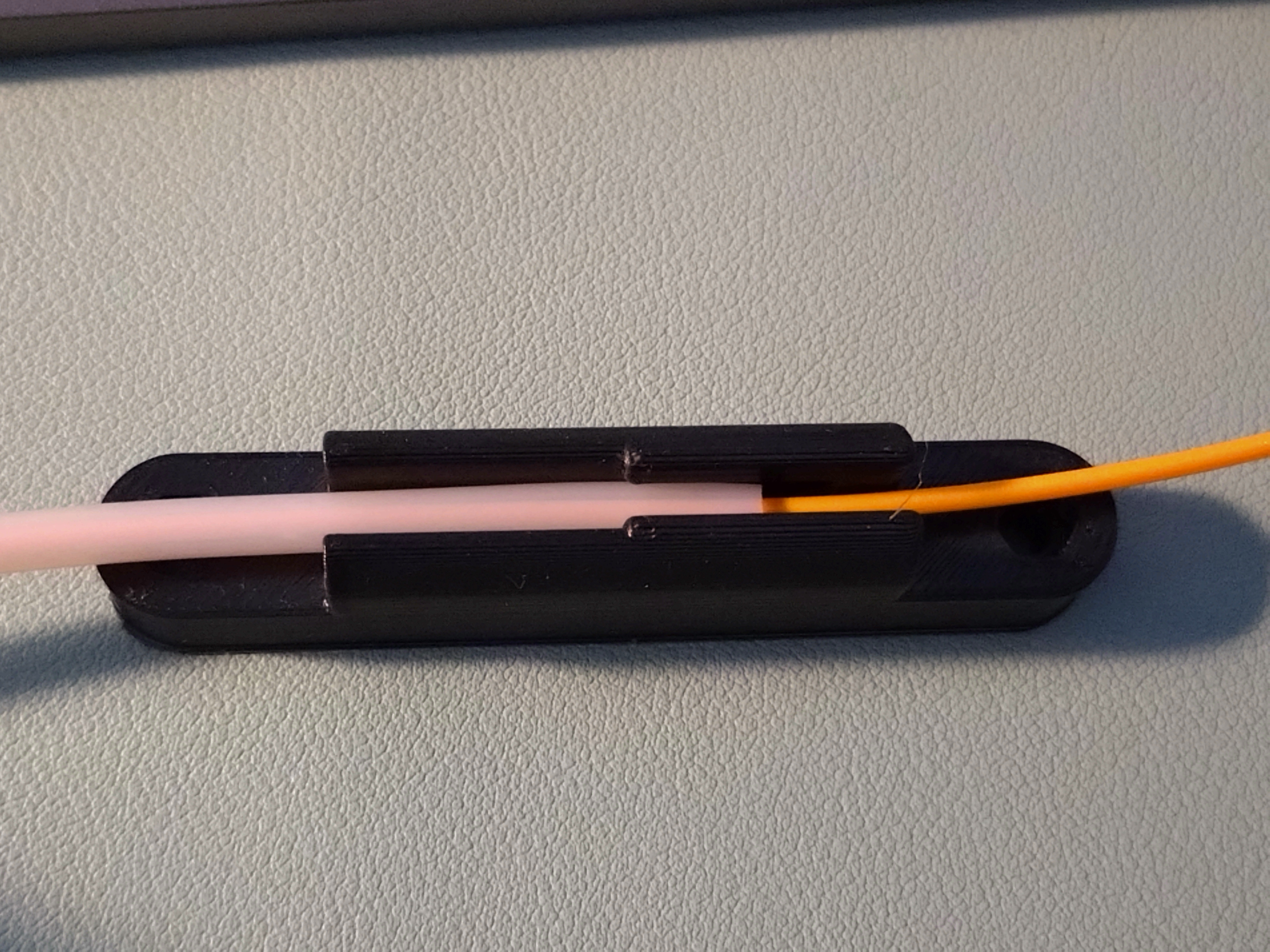
slide in
Print Settings:
- Standard Print settings
- PETG as material