
BeamCase V5.5 Dual color - more panel sizes
Obliczymy ostateczną cenę na podstawie wybranego pliku. Sprawdzisz ją i zaakceptujesz przed płatnością.
Zapisane na tym urządzeniu.
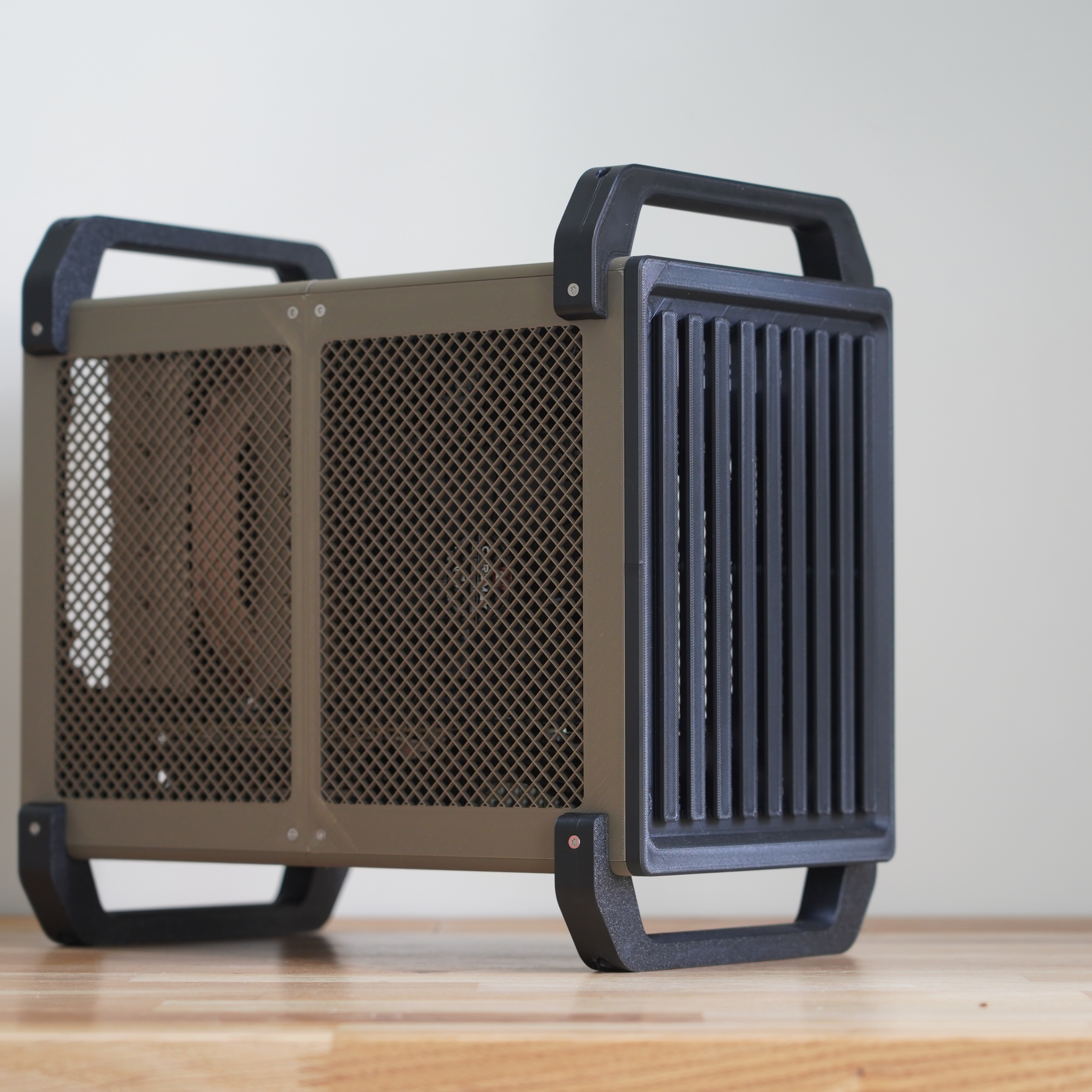
These are additional dual color case panel sizes for BeamCase SFF and (m)ATX v5.5.
- Ocena
- 0 / 5
- Polubienia
- 8
- Pobrania
- 73
- Wydruki
- 0
- Wyświetlenia
- 976
- Oceny
- 0
Aktualizacja u źródła:
Informacje o modelu
- Źródło
- Printables
- Kategoria
- Computers
- Licencja
- Creative Commons — Attribution — Noncommercial
These are additional case panel sizes for BeamCase SFF and (m)ATX v5.5. The files include panels in the dual color style, with versions that have side panels in split into two or four pieces, in a range of size options.
Components structure and naming:
Each BeamCase frame version has an IFW number. IFW stands for Inner Frame Width and describes the distance between the Makerbeam XL profiles at the top, front and bottom. The IFW number is an indicator of the width of the case and is important when selecting accessories and case panels (standard width BeamCase SFF and (m)ATX have IFW150 and the SLIM version IFW130).
Case panels feature an additional indicator called IFL, which stands for Inner Frame Length and describes the length of the Aluminum profiles. IFL300 is for standard 300mm long profiles, IFL310 for 310mm long profiles and so on.
The V5.5 dual color panels come in two versions which differ in the way the side panel is split.
The 2p (two panel) versions has the side panel only split into the top and bottom section, which means each panel is fairly long and requires a big printer.
The 4p (four panel) version has the side panel split along the length and height drastically reducing the size of each panel, which makes it possible to print any version on a printed with 220x220mm dimensions.
The files here are sorted by case version and case panel type, with each folder having multiple length options.
Print instructions outer panels:
All panels for a specific size come in a single STL file and must be separated using the function split to objects and then reoriented to sit flat on the build plate.
To get the mesh you have to reduce the top and bottom layers to zero. This exposes the Infill which acts as the mesh. The case in the images shown uses honeycomb Infill with a density of 18%, but you can play around with different patterns and density, just keep airflow in mind. Additionally, I use 6 walls to add strength around the edge.
There is the option for one piece case panels that do not have the split along the length, but these do require a print bed of at least 328mm in length (for IFL300). If you want to go for a short configuration with 200mm beams, then a 230mm printed is long enough.
The case panels are primarily aesthetic so they can be printed in any material you like (in some rare cases PLA panels can deform with high exhaust air temperatures). For the panels to fit perfectly they have to be printed accurately, so ideally consider shrinkage.
Usually, these panels shrink less than the frame parts as they are printed very open. (for ABS I set scaling to 100.35% for the case panels)
Printer requirements:
The size of the required printer mostly depends on which version, 2p or 4p you print. The 2p version requires a printer at least 330mm long (for a case with 300mm profiles), while the 4p panels can be printed on any printer with a print bed that is at least 220x220mm big.
-2p panels require a print bed at least 330mm long
-4p panels can be printed on any printer with a print bed that is at least 220x220mm
In case you want to modify panels for your own customization, you can download all panels including the STEP versions in the “Other Files” section.