
V1.2 Mini garage *Roof update*
Obliczymy ostateczną cenę na podstawie wybranego pliku. Sprawdzisz ją i zaakceptujesz przed płatnością.
Zapisane na tym urządzeniu.
Informacje o modelu
- Źródło
- Printables
- Kategoria
- Vehicles
- Licencja
- Creative Commons — Attribution — Noncommercial
Changelog
V1.2 Revised dimensions of upper main gate trim so you dont have to cut it to lenght
V1.2 Added roof to garage
Overview
I've created miniature garage siutable for storing hot wheels. Project doesn't require you to have any fancy tooling to assemble it. Whole assembly is friction based (and maybe some glue :)).
Key features of this project: working garage gate, one wall open to admire your models :), rest of walls are made to create "realistic" environment for cars (working side door, window). Outer walls have fuzzy skin to imitate concrete.
Angled roof with hood-like opening
In files there is my print project with all setting working with my setup (Creality K1C), feel free to modify it.
Assembly
Garage gate
Garage gate contains: 1 x first_module.stl, 2 x module.stl, 1 x last_module.stl
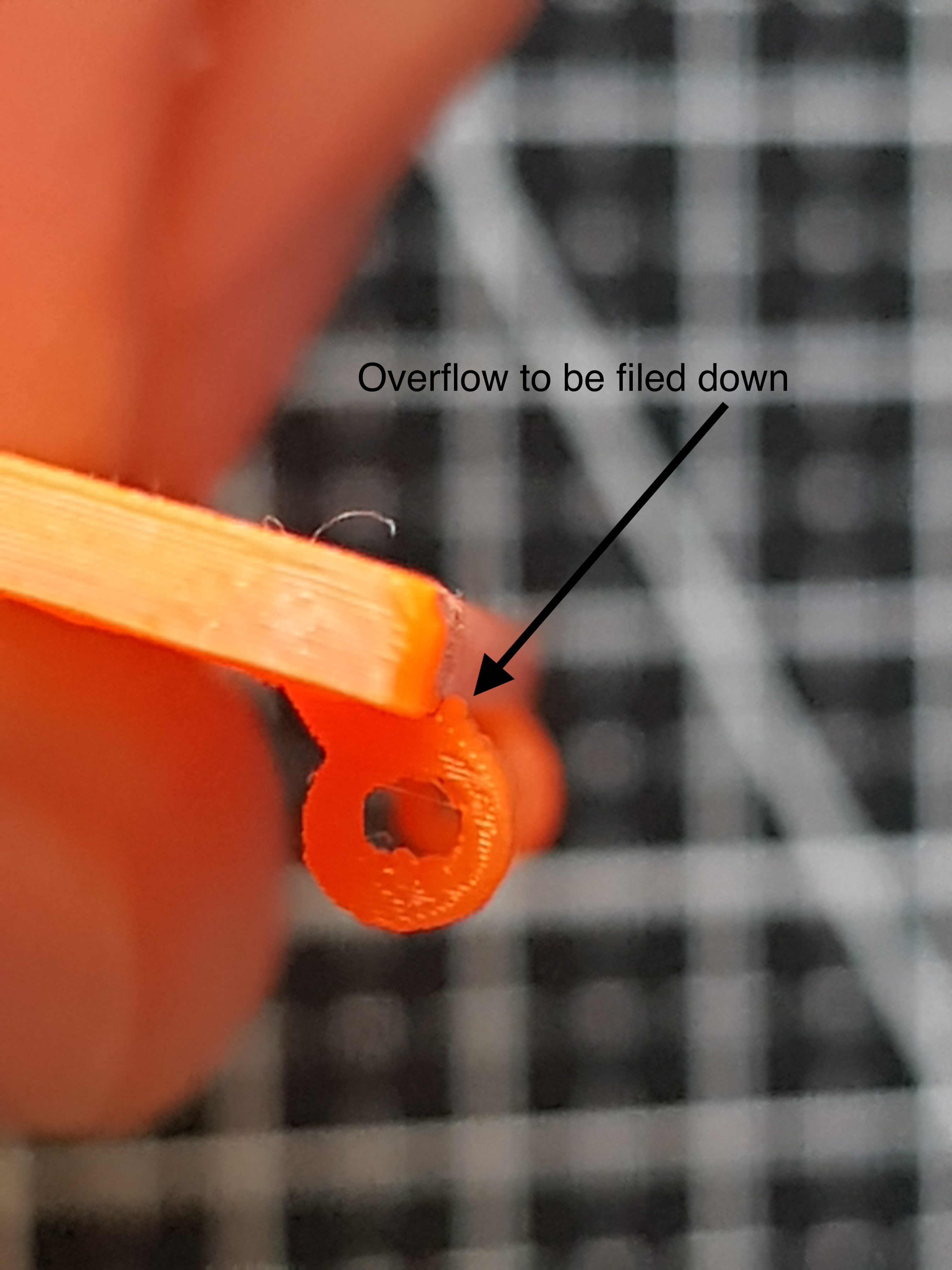
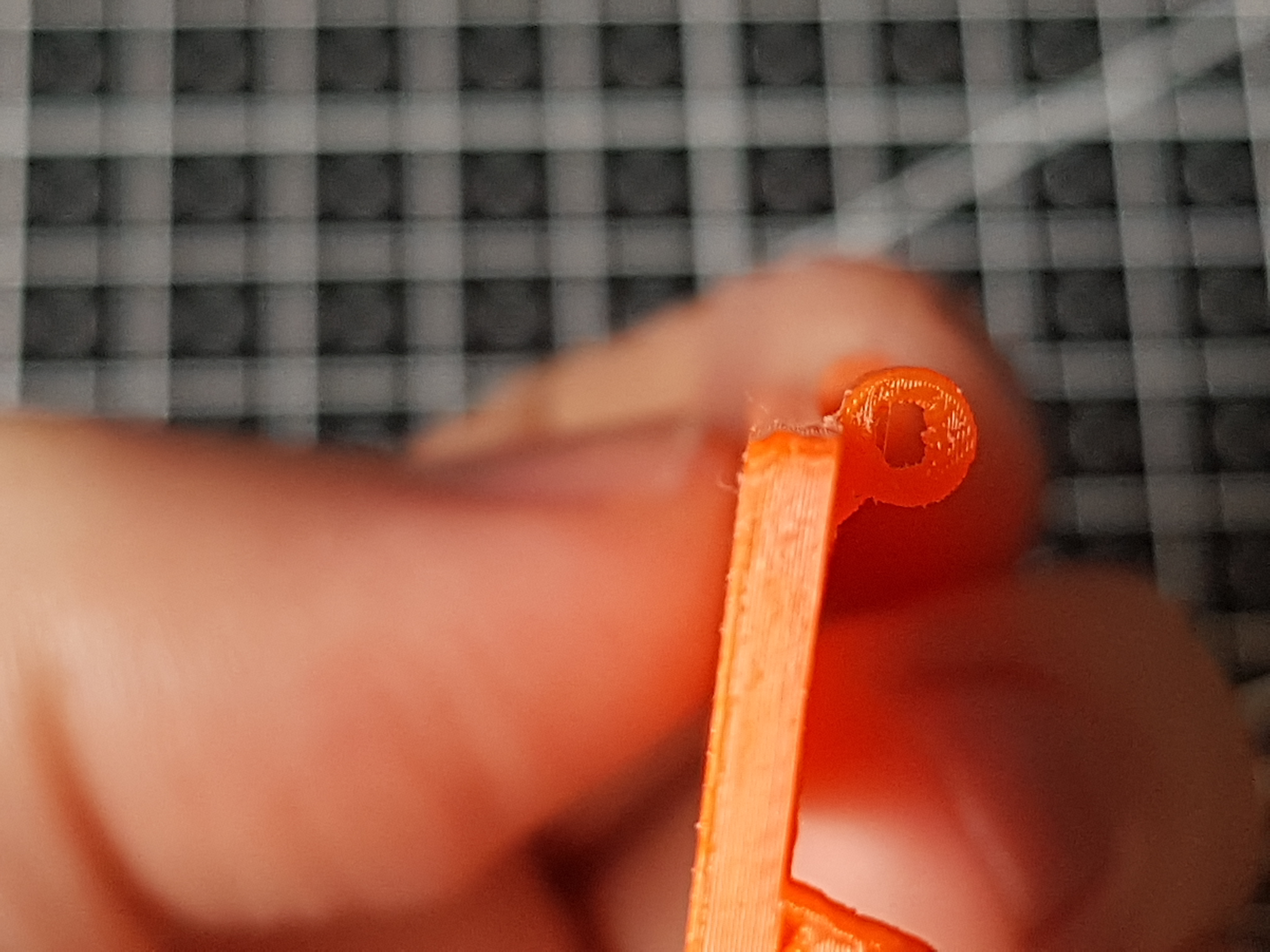
File out overflows from printing (this will ensure gate will be flush when closed)
Before filing
After filing
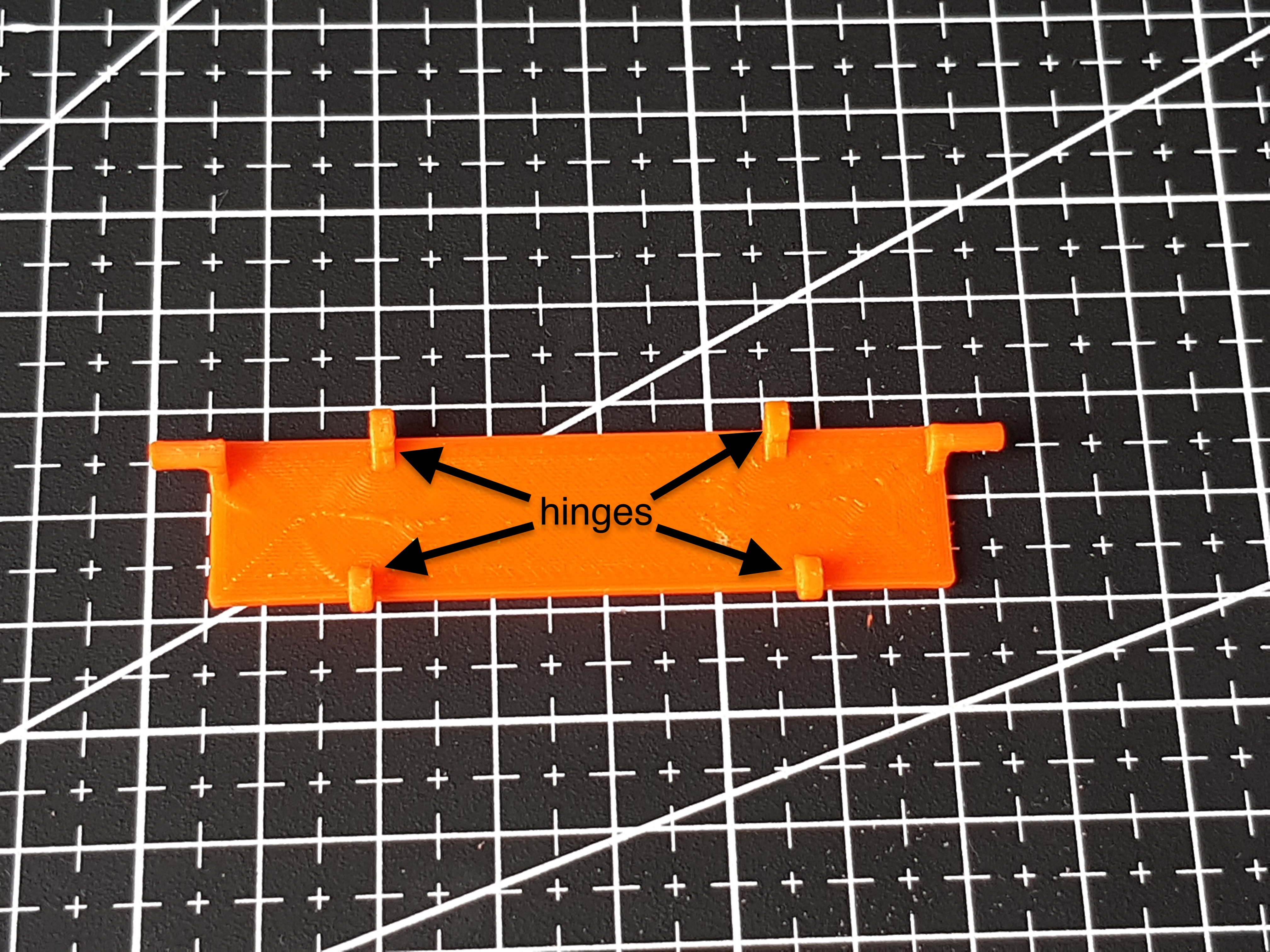
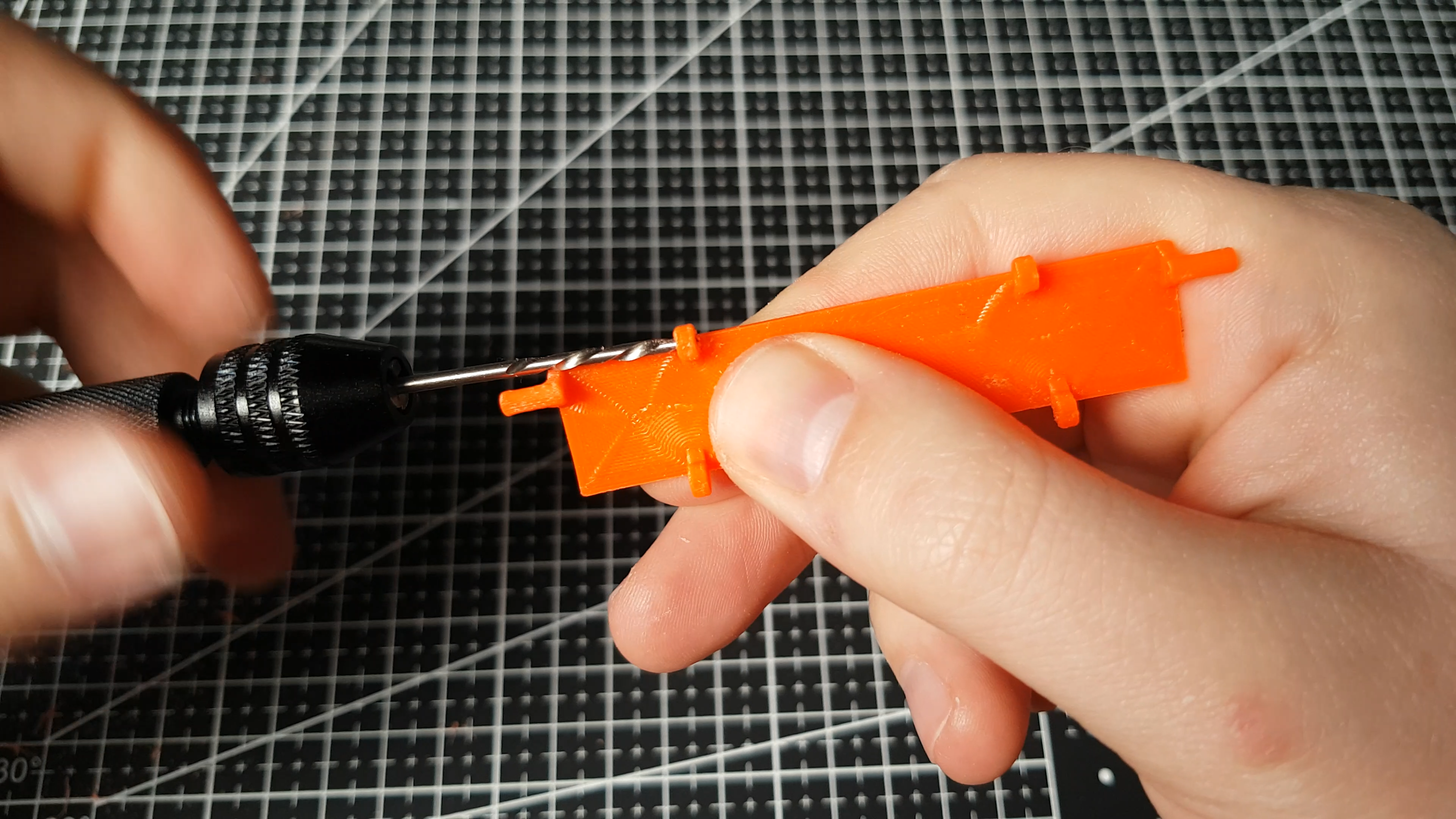
Next you need to enlarge hinges holes to 1.8mm with a manual drill bit (or you can tweak model but I found it to be better for me)
Place all gate modules next to each other laying on front so hinges are facing you.
All module pins (except of first module) have to be oriented facing "forward". Higher module hinge (green) has to be facing outside and lower module hinge facing inside towards axis of gate, repeat for all modules.
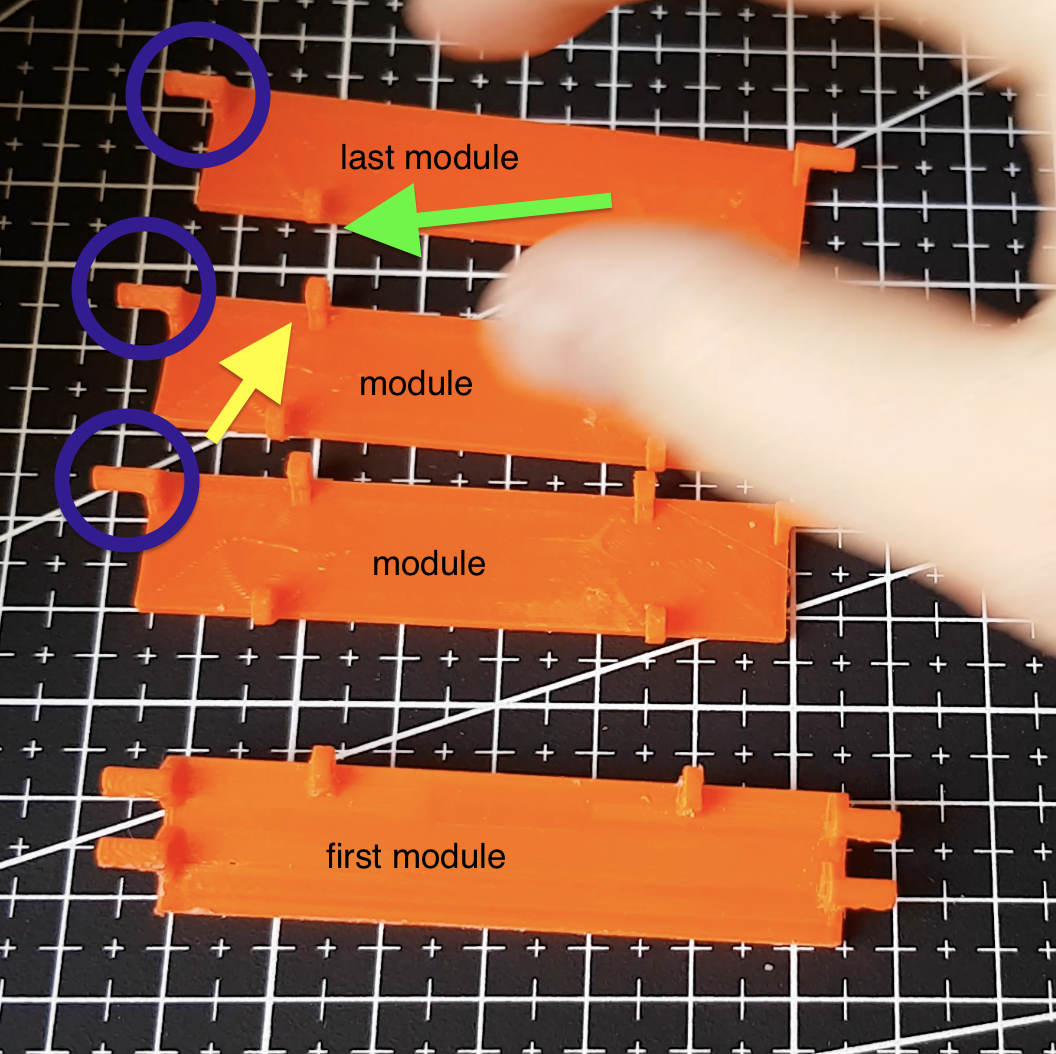
Then prepare some leftover filament and connect modules pushing filament trough modules hinges. Cut off excess filament.
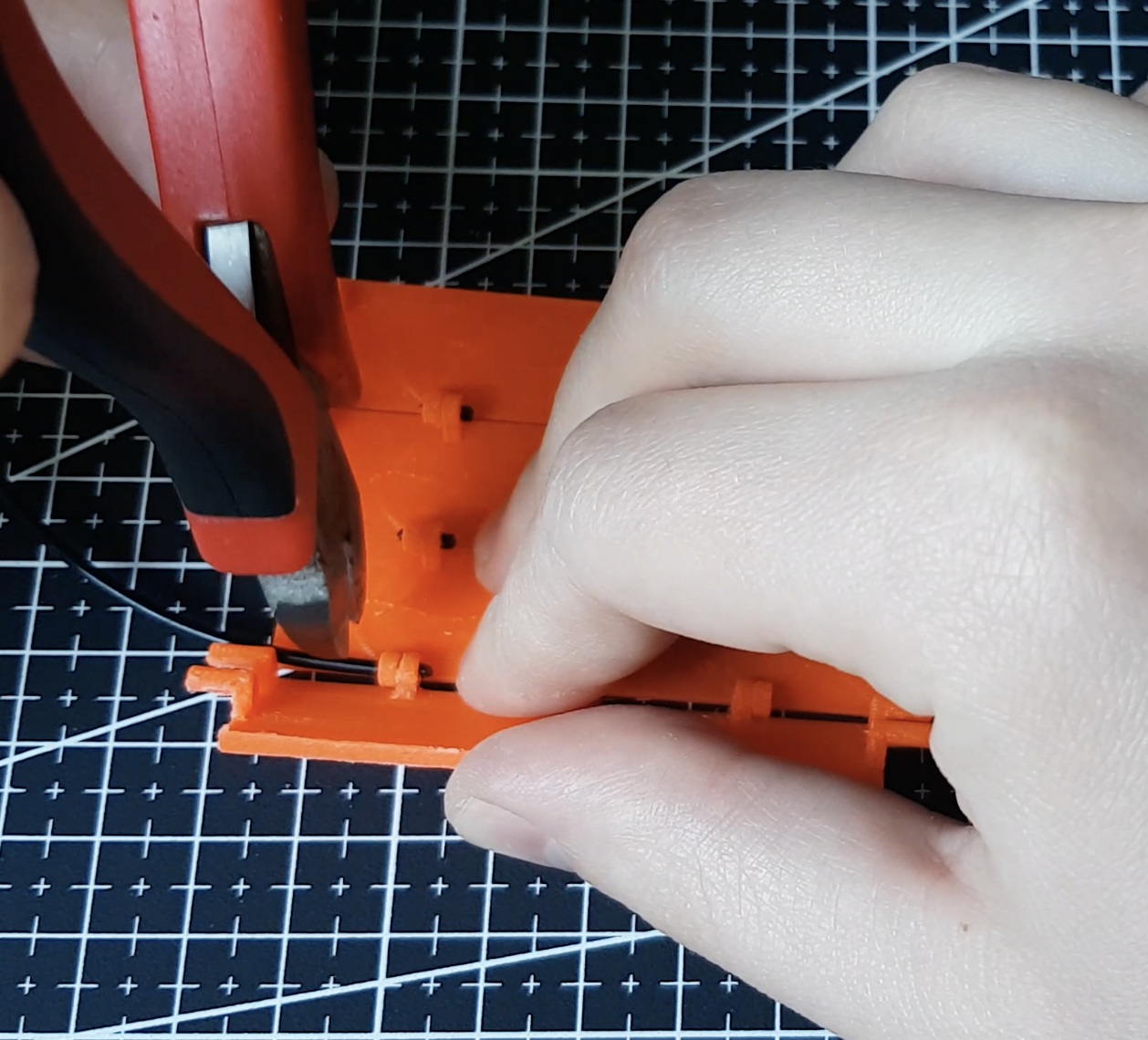
Garage gate is done
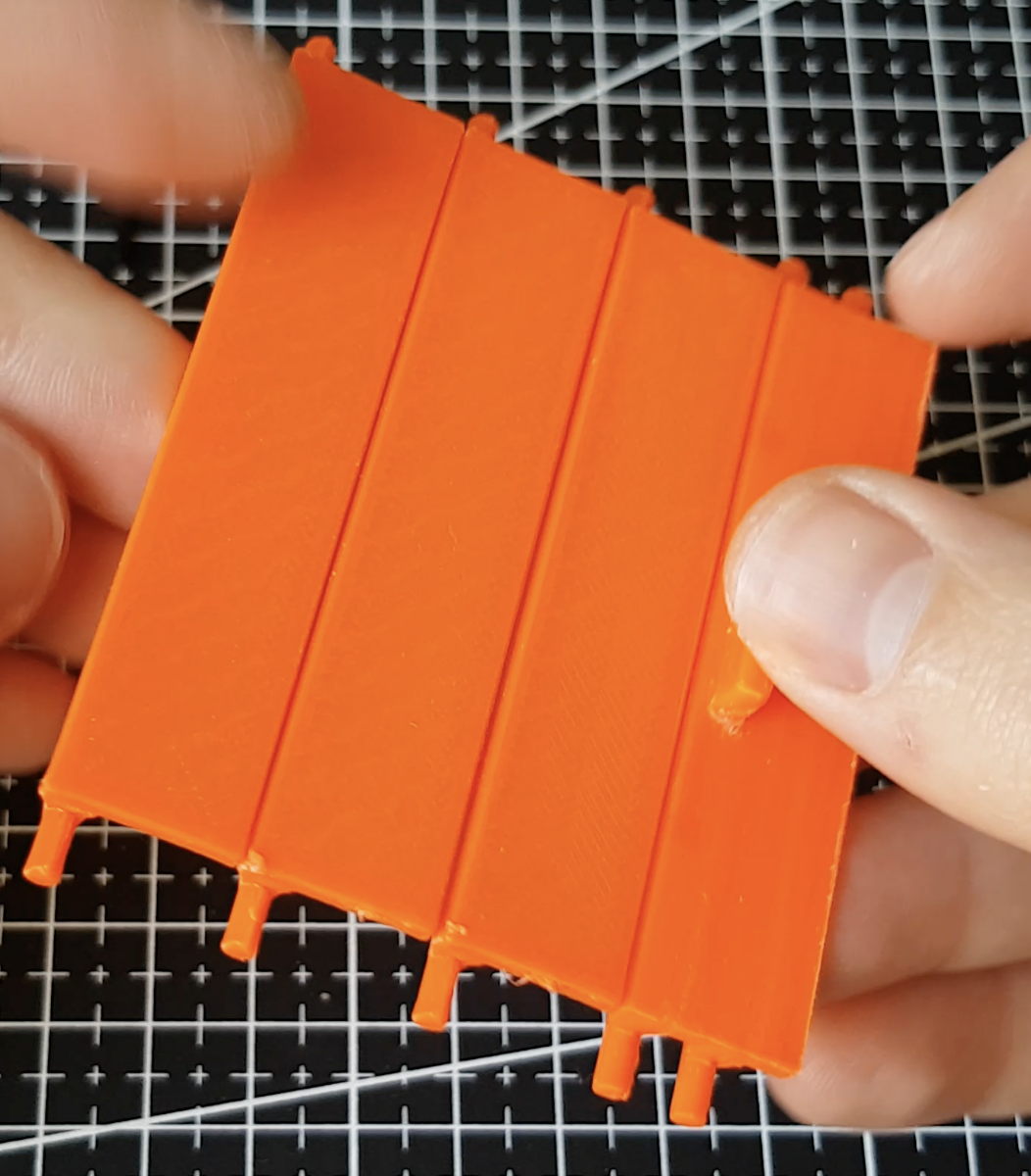
Front wall
Next step is to assemble front wall. To place gate inside. Take front_wall.stl, rail.stl, rail(Mirror).stl. Slide rail and rail(Mirror) into front_wall so gate guides will face inside wall axis
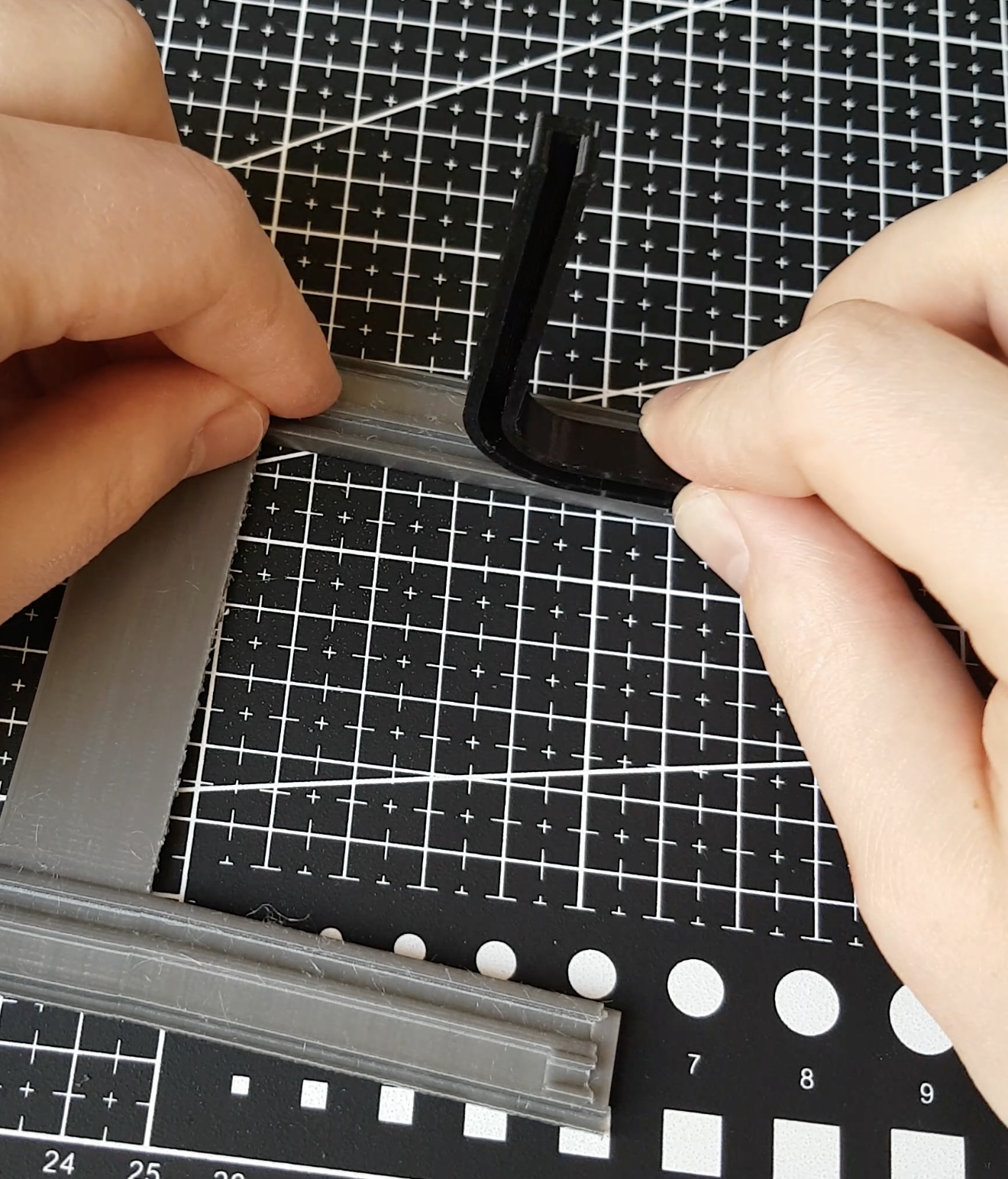
You may need to file down rails dovetails so assembly will be easier, at this point you need to be careful to not break the wall. For simpler assembly you can also file dovetail harder so fitment would be loose or tweak model and then help it with a little bit of glue.
Slide garage door inside rail guides, gate first_module.stl have to be at the bottom of the front wall
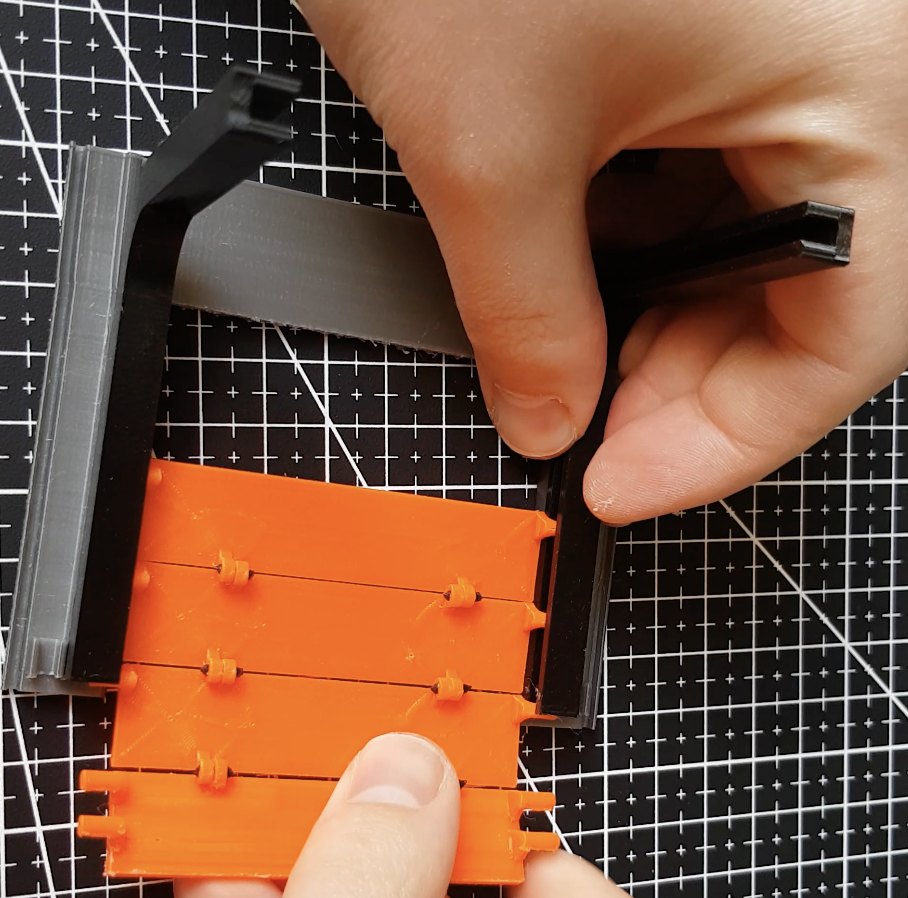
Front wall assembly is complete
Side wall
Now we are going to assemble side wall. Prepare left_wall.stl, door.stl, window_trim.stl, door_trim.stl. Take doors and slide them into door_trim at angle so doors hinges will fall into trim holes.
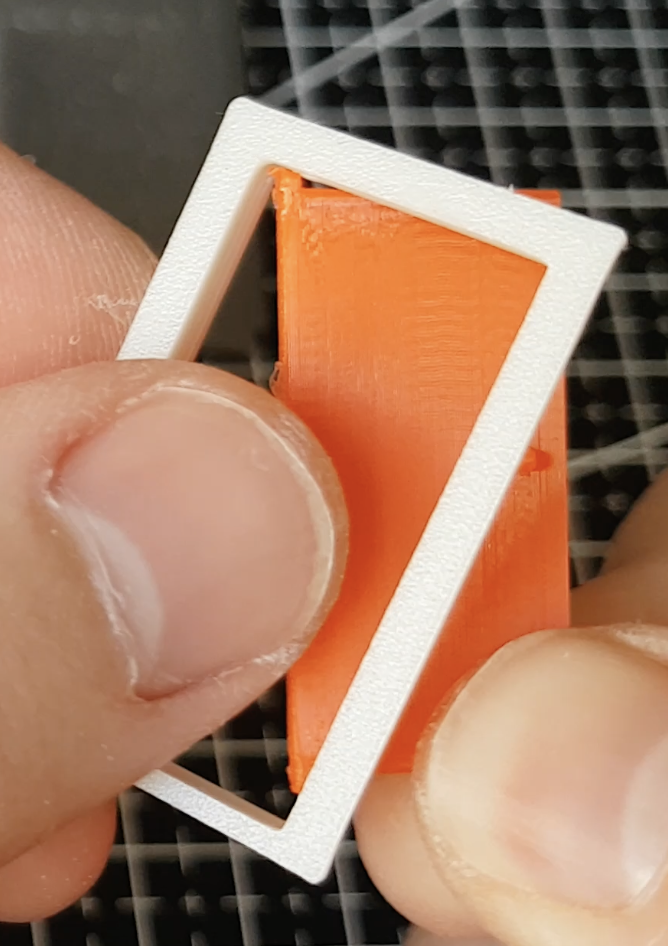
Push in doors with trim into wall, remember to orient trim to be facing same way so is fuzzy skin
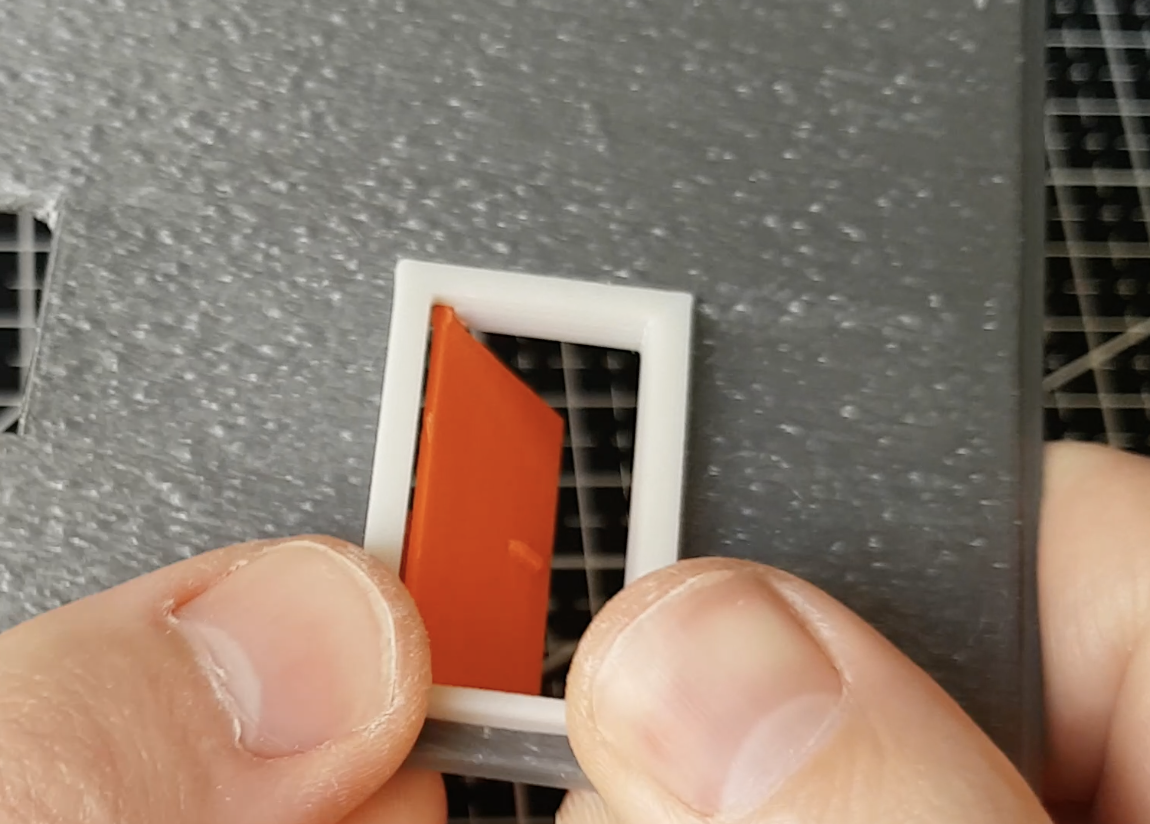
Push in window trim into the wall
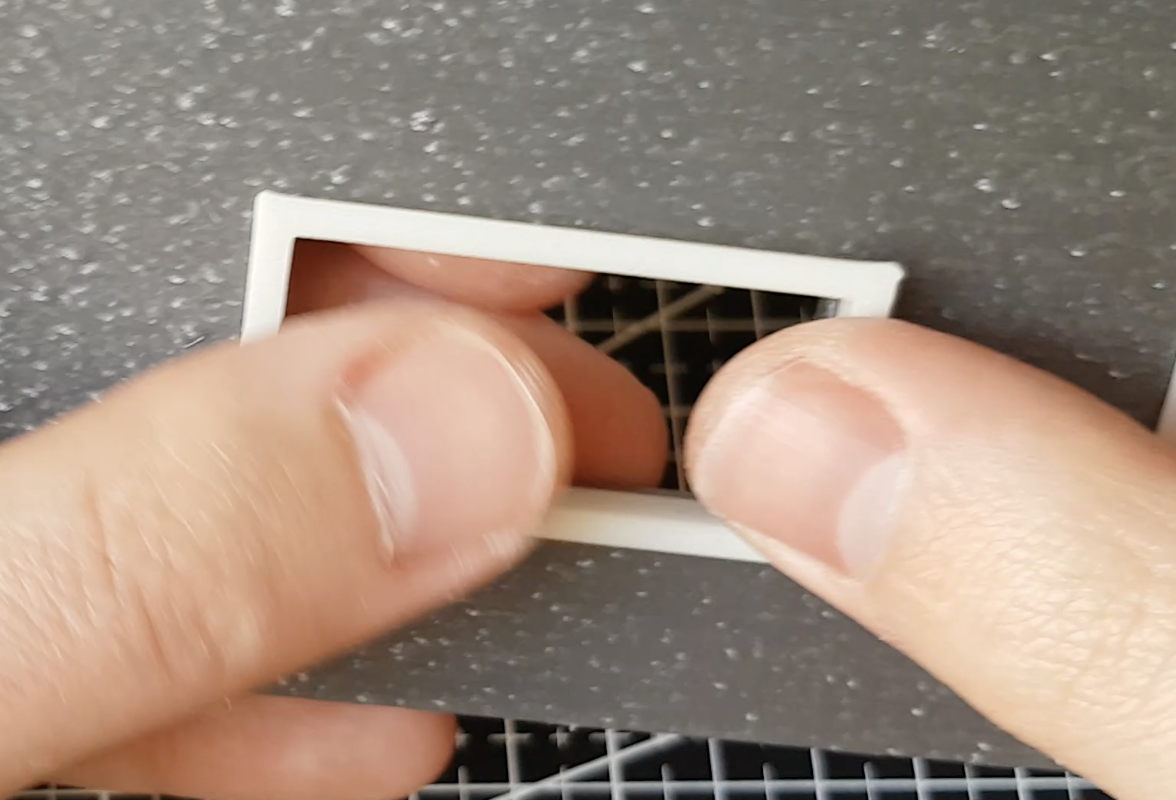
Main assembly
This is final part of assembly of garage. During this part we will connect all walls to the floor. This part requires patience and sensible force applied to prints so nothing will break.
Firstly press front wall into its dovetails
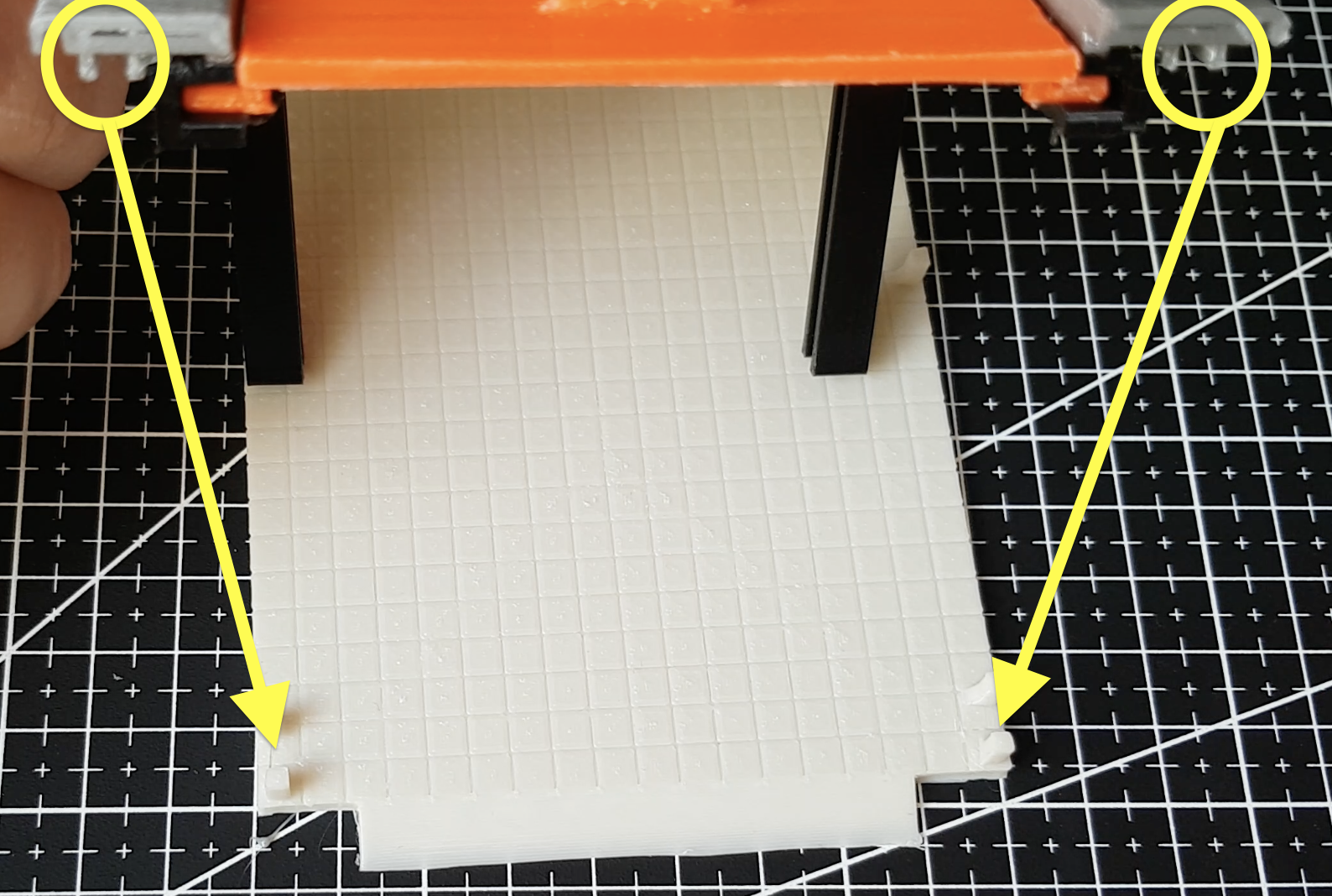
Install side walls to the floor. Each side wall have 3 dovetails to be pushed onto and sides of the walls have to be slid into front wall cutout
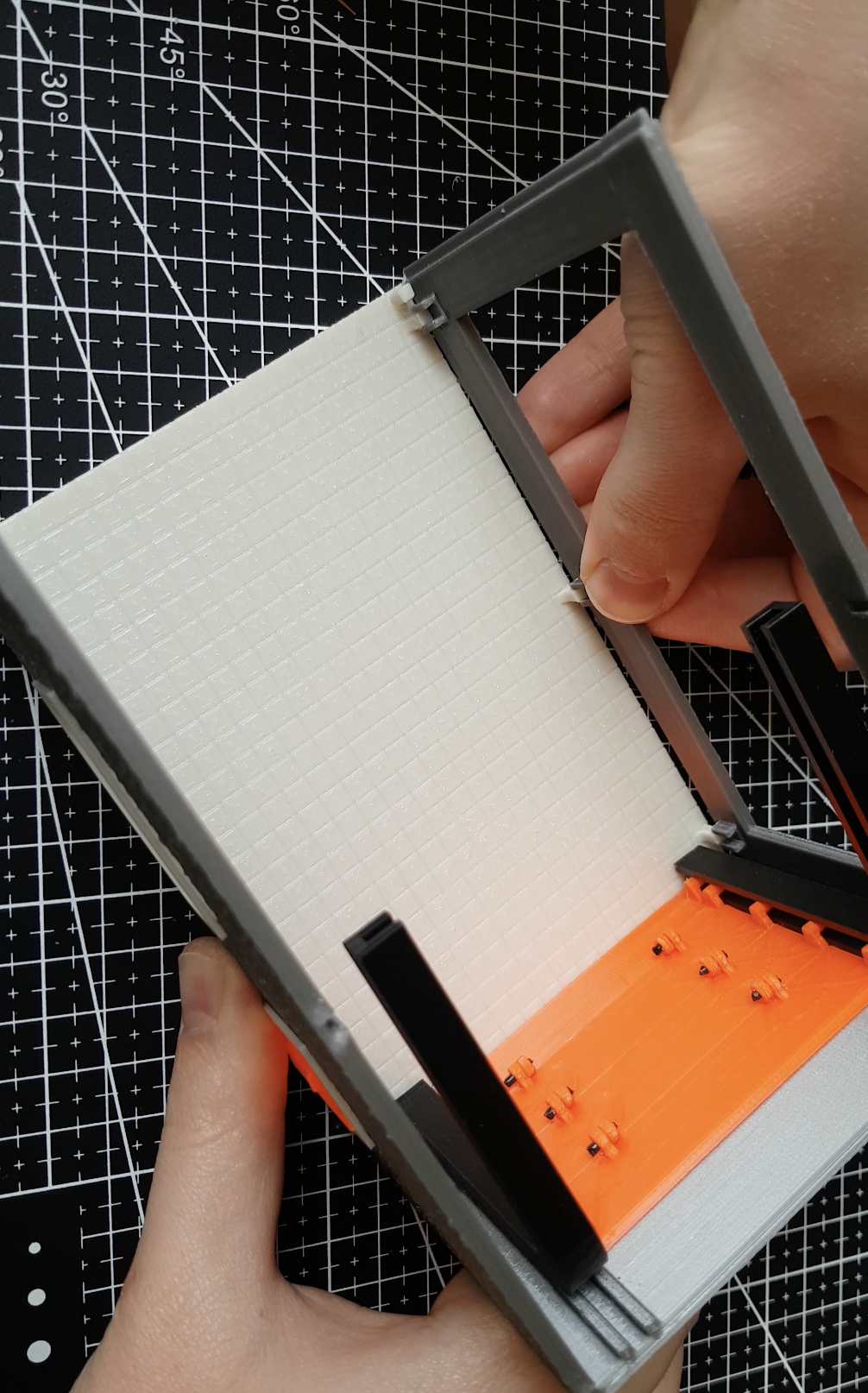
Push back wall onto its dovetails and slide back wall grooves on sides of walls
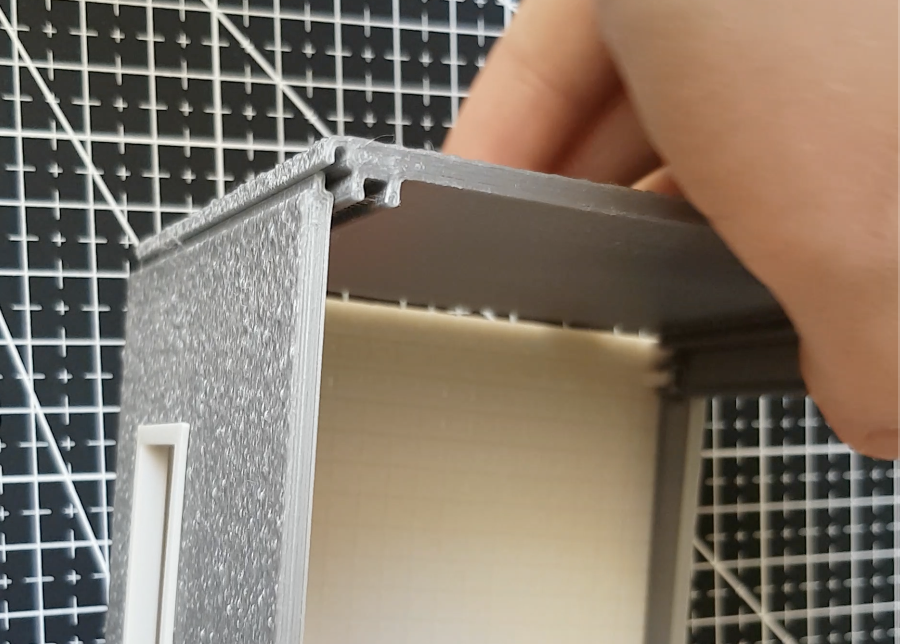
Next step is to lock rails in place. In order to do that you have to take rail holders, slide the onto rails and push them into side walls grooves. For fine fitment you might need to file down holders dovetails.
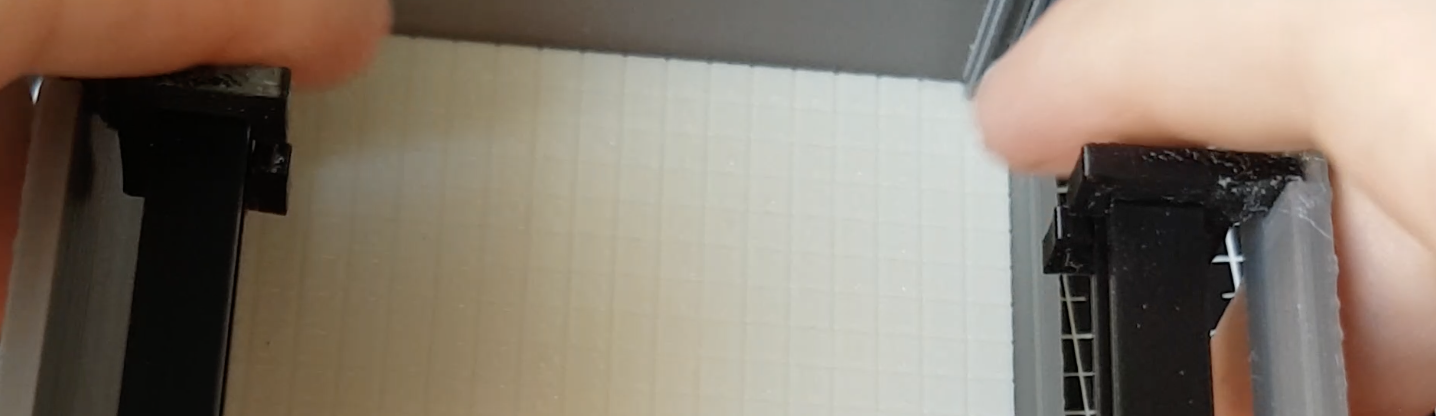
Last step is to glue trim to the garage door cutout with some glue.
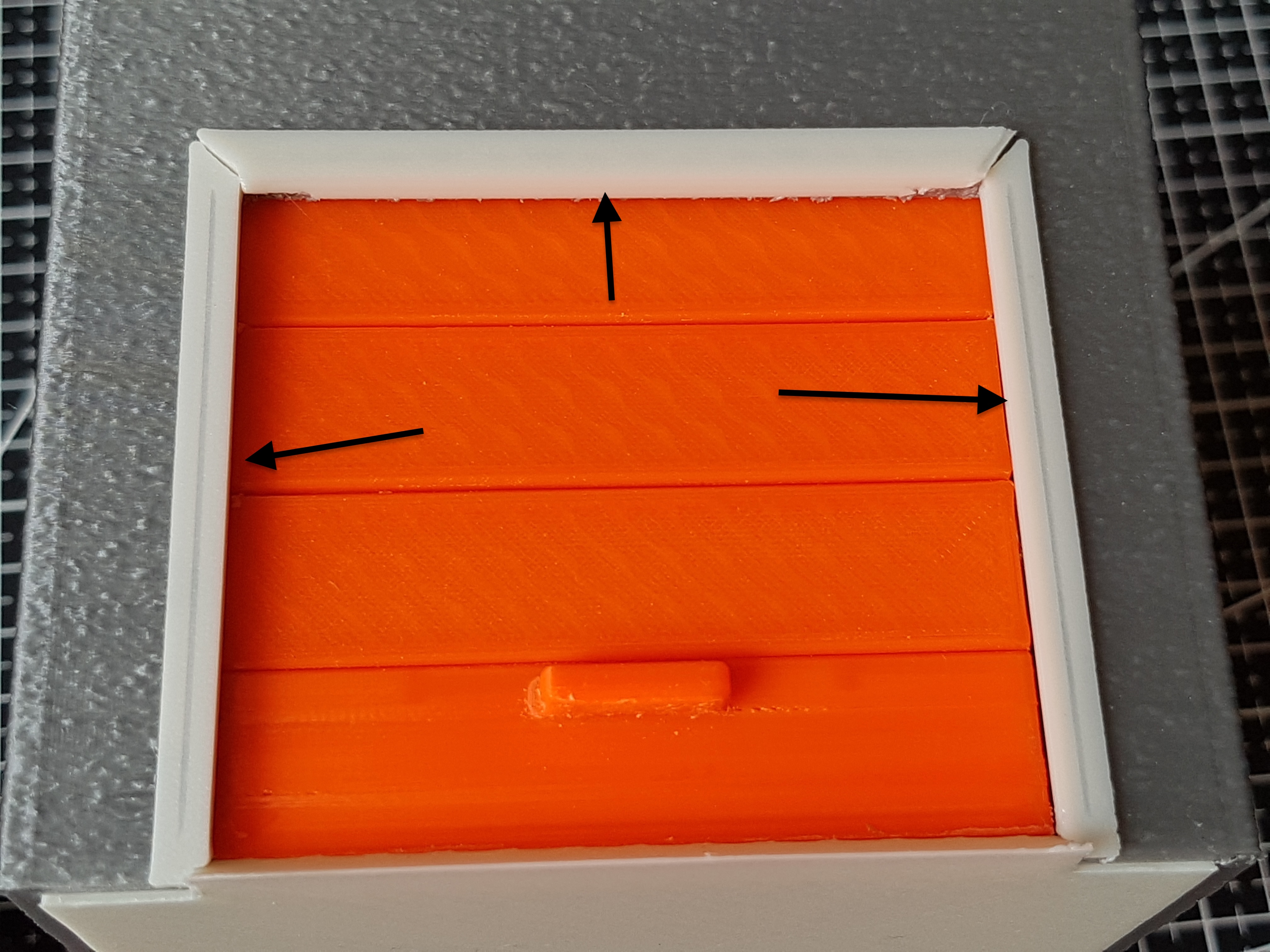
Roof assembly
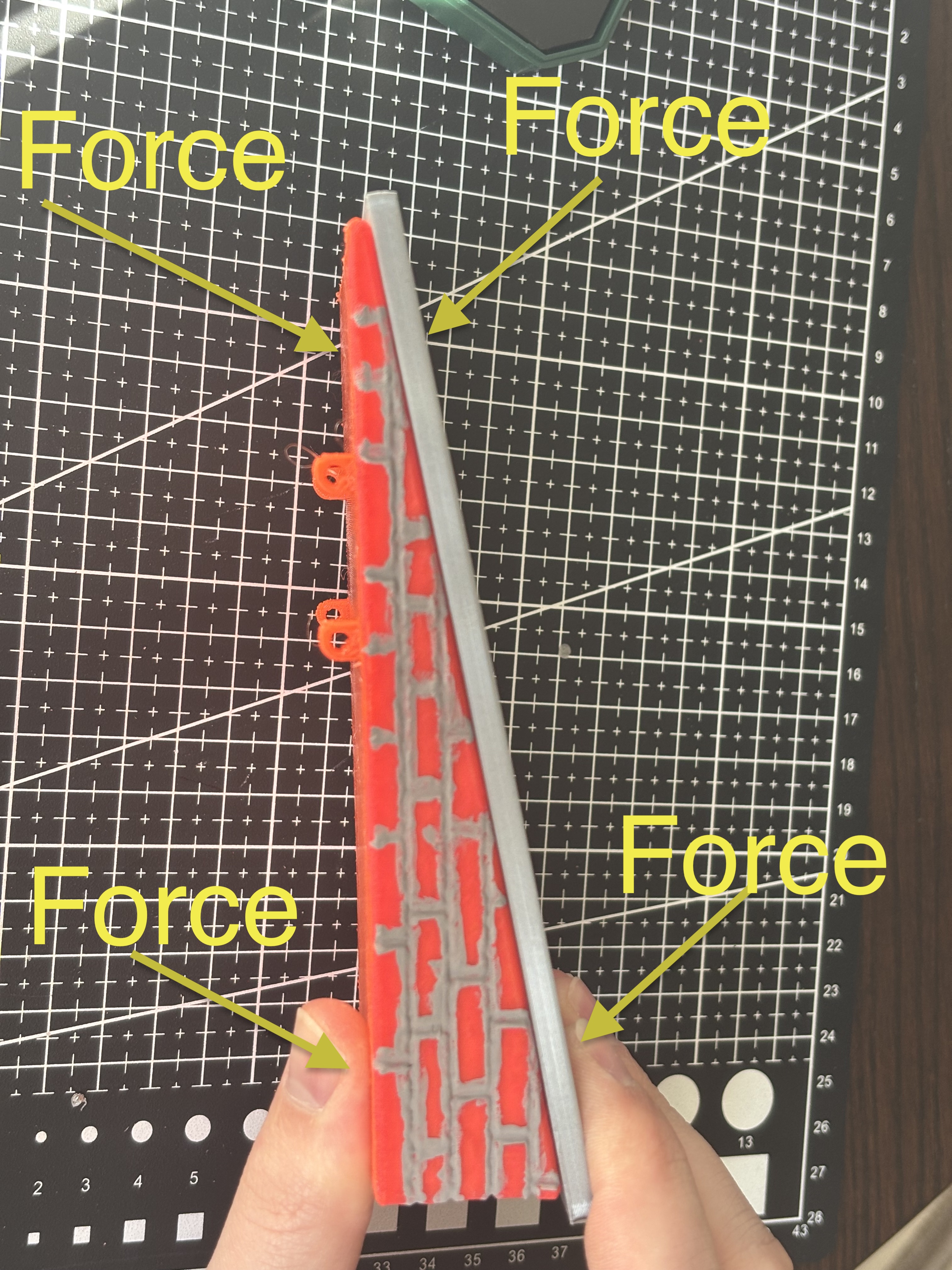
Now prepare roof_angler.stl and roofing.stl. And press roofing on angler, connection should click, please appy force at point where pin meets with hole to not break anything. Roofing where distances from hole to roofing edge are longer should be pressed as shown on picture.
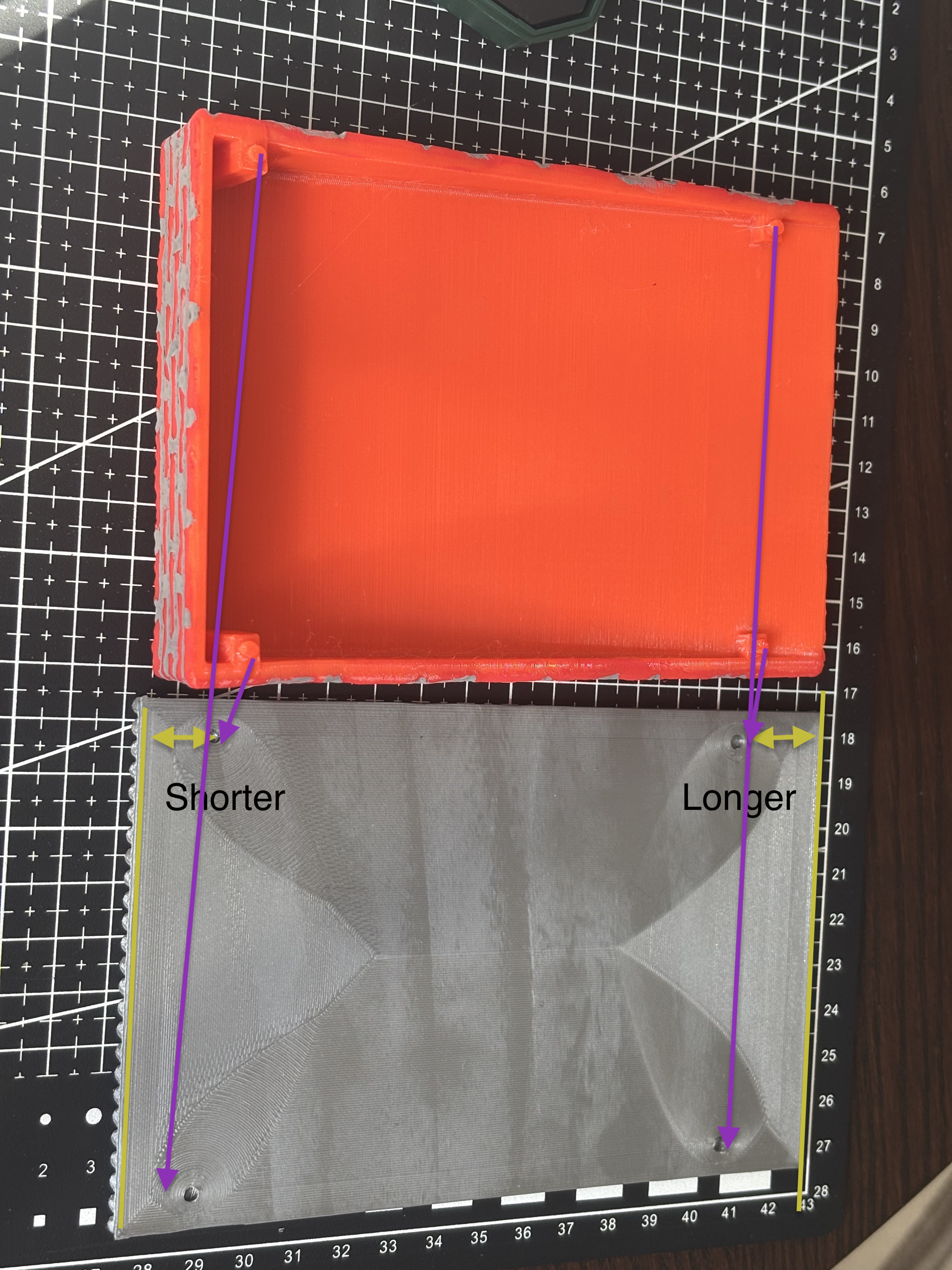
Now we can clearly see what has been done with angler. I've applied texture by using https://bumpmesh.com by CNC Kitchen. And then painted "mortar joints" with acrylic paint.
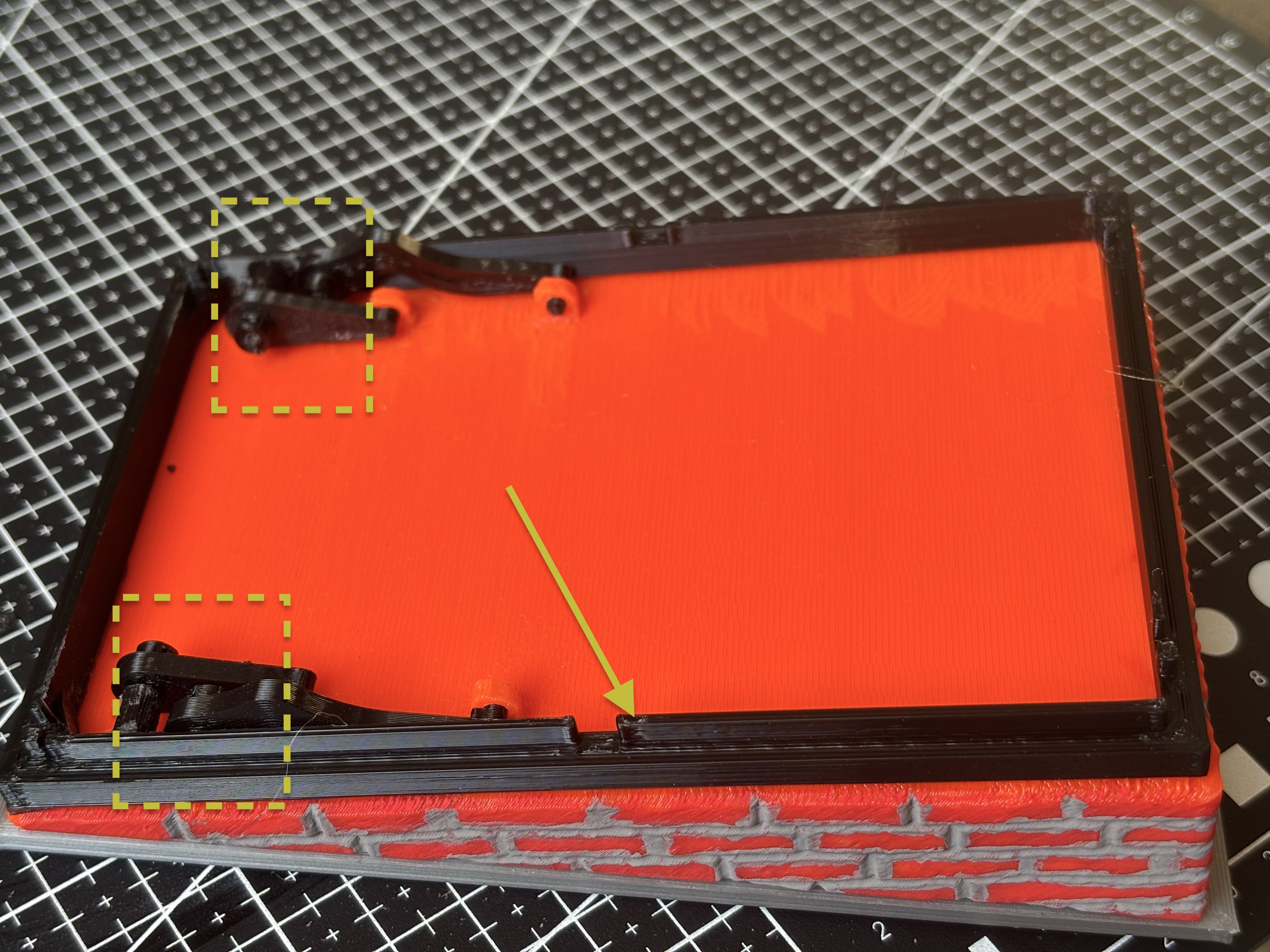
Place assembled component on roofing. Place roof_frame.stl on angler so pins inside dashed rectangle are placed next to angler loops (please ignore that we have connected other pieces, I ran out of photos apparently :(). Note that frame has to be placed so its fins are facing upwards (marked with arrow)
Prepare longer_link.stl and longer_link (Mirrored).stl.
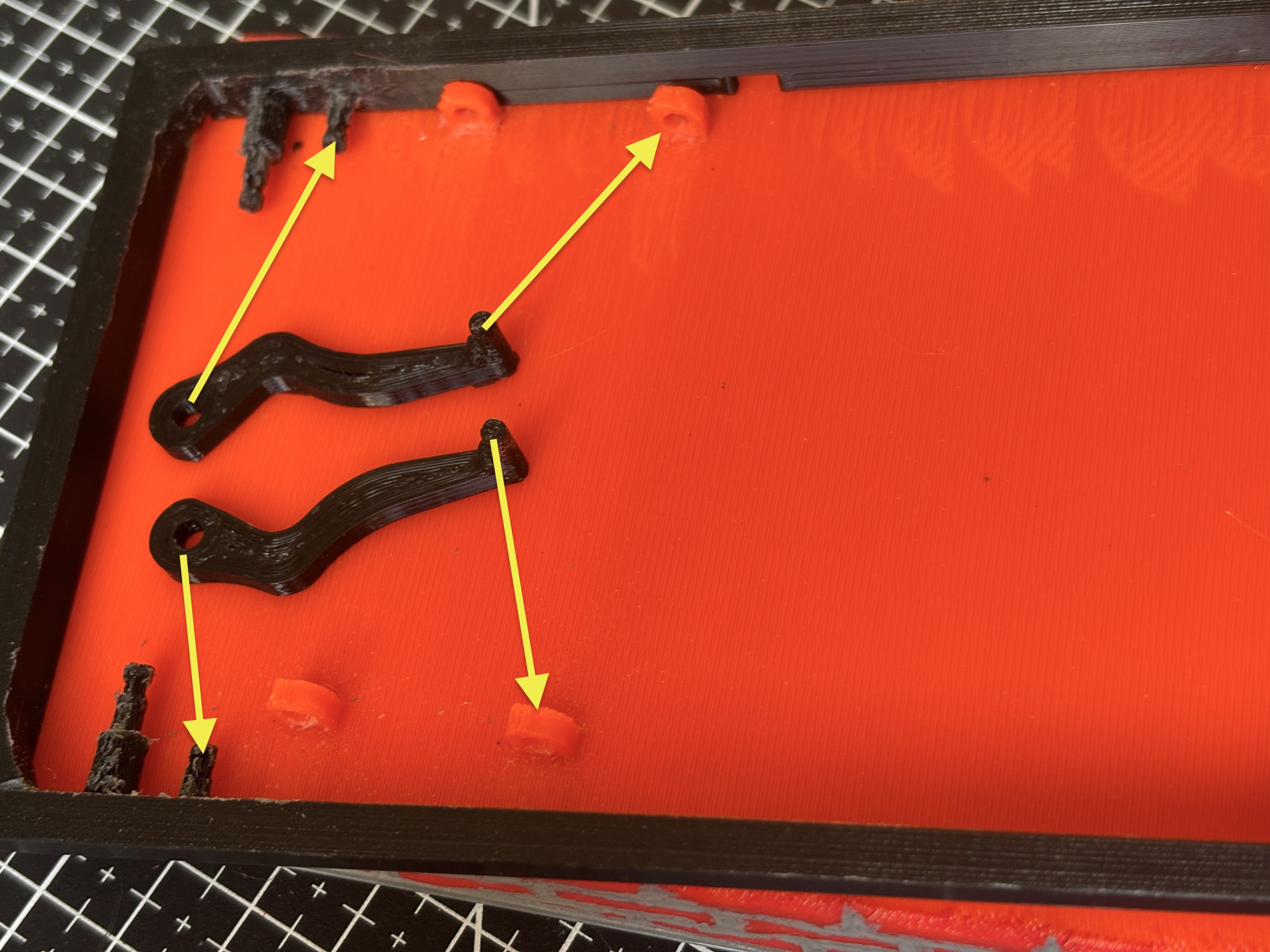
Press longer links holes through shorter pins of frame, and links pin through angler loop. If you encounter difficulties with clearance then address them with a file (don't file too much because we want some fiction to exist for proper working of hinge.
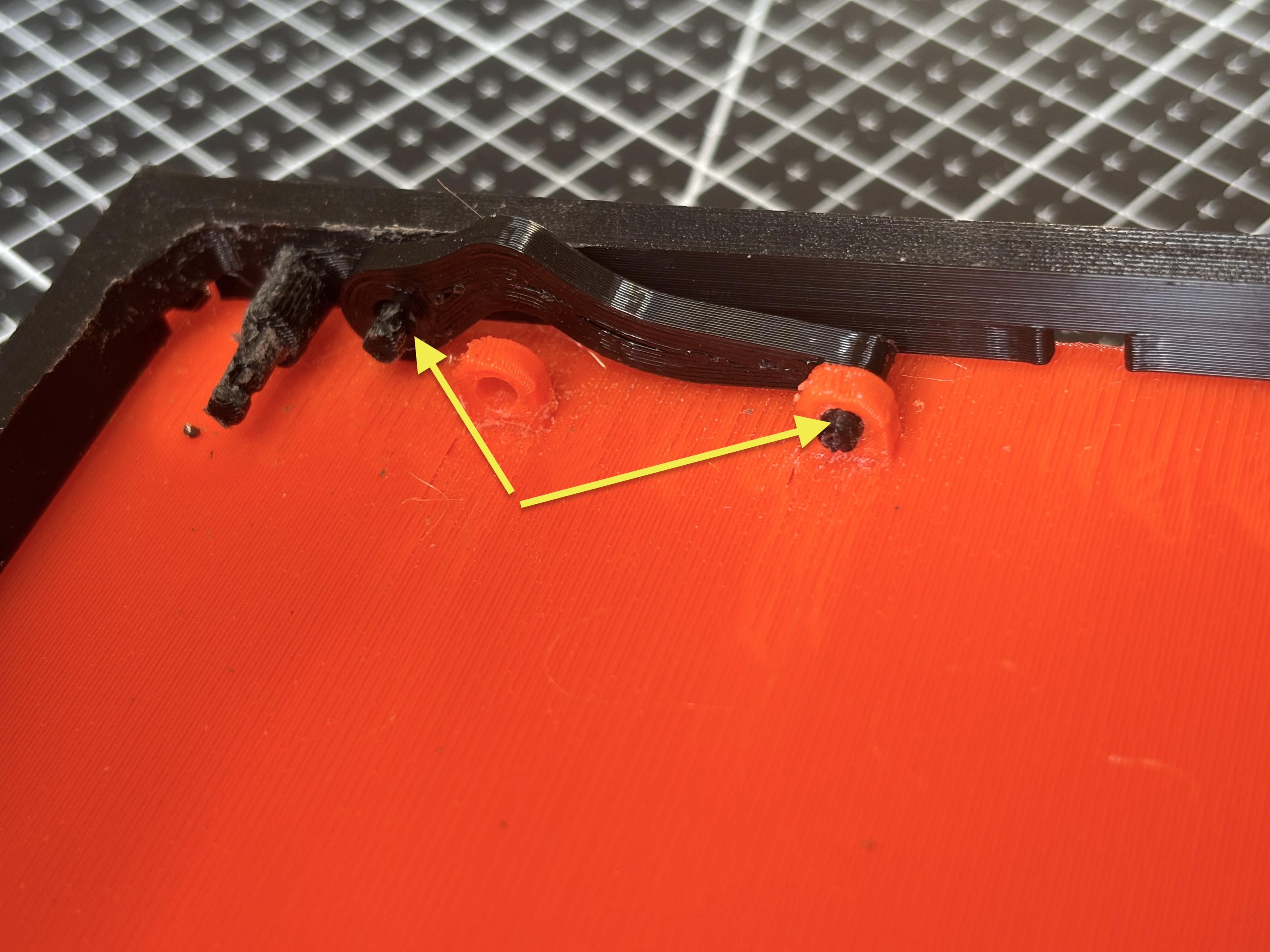
Press blocker_ring.stl on frame pin, you should hear it click. If don't then apply droplet of glue (ring has tiny opening so glue can flow through it)
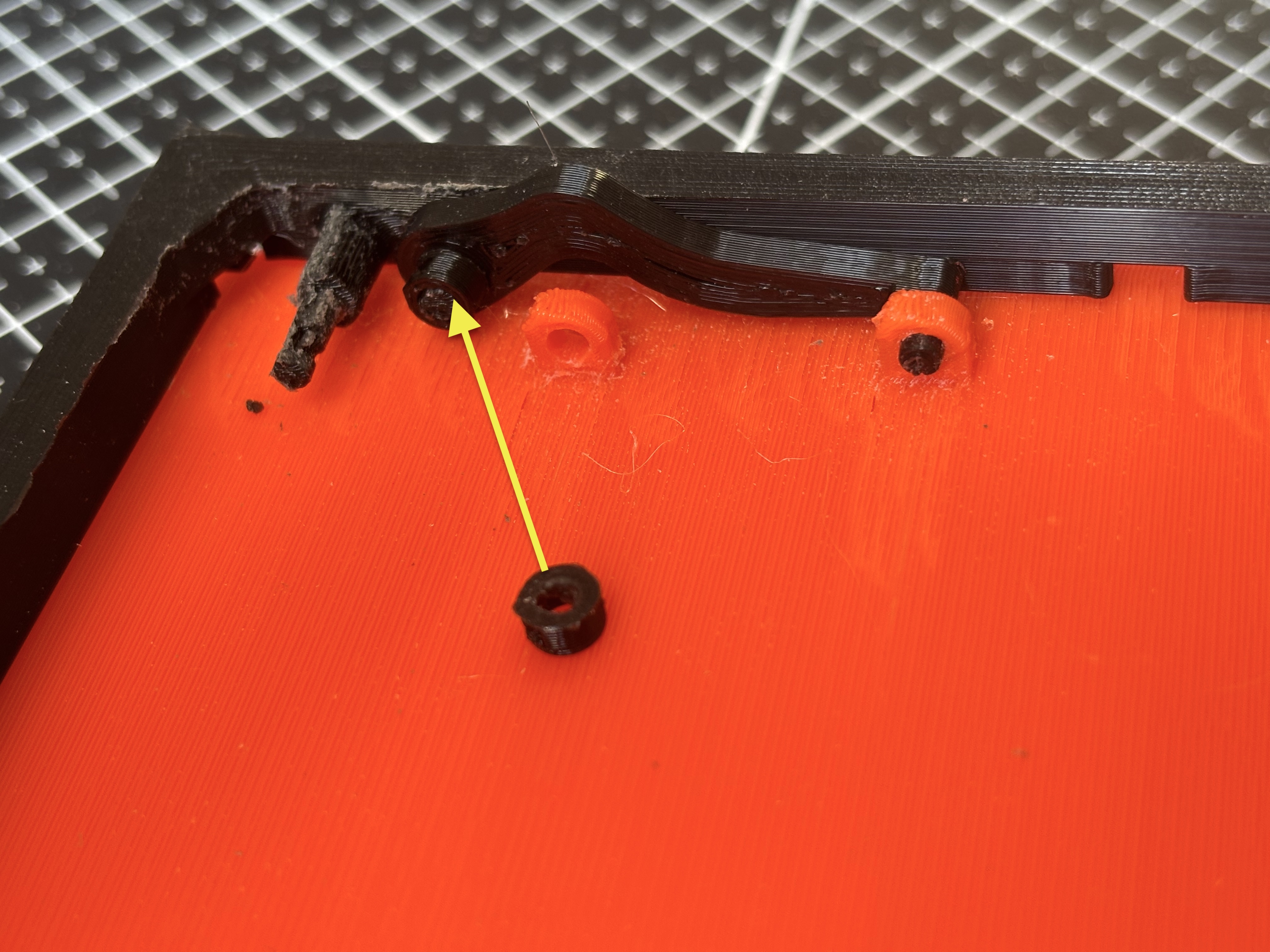
Push shorter_link.stl through bigger pin of frame and the pin of shorter link through angler loop. And block link with blocker ring.
Repeat the process for the second side.
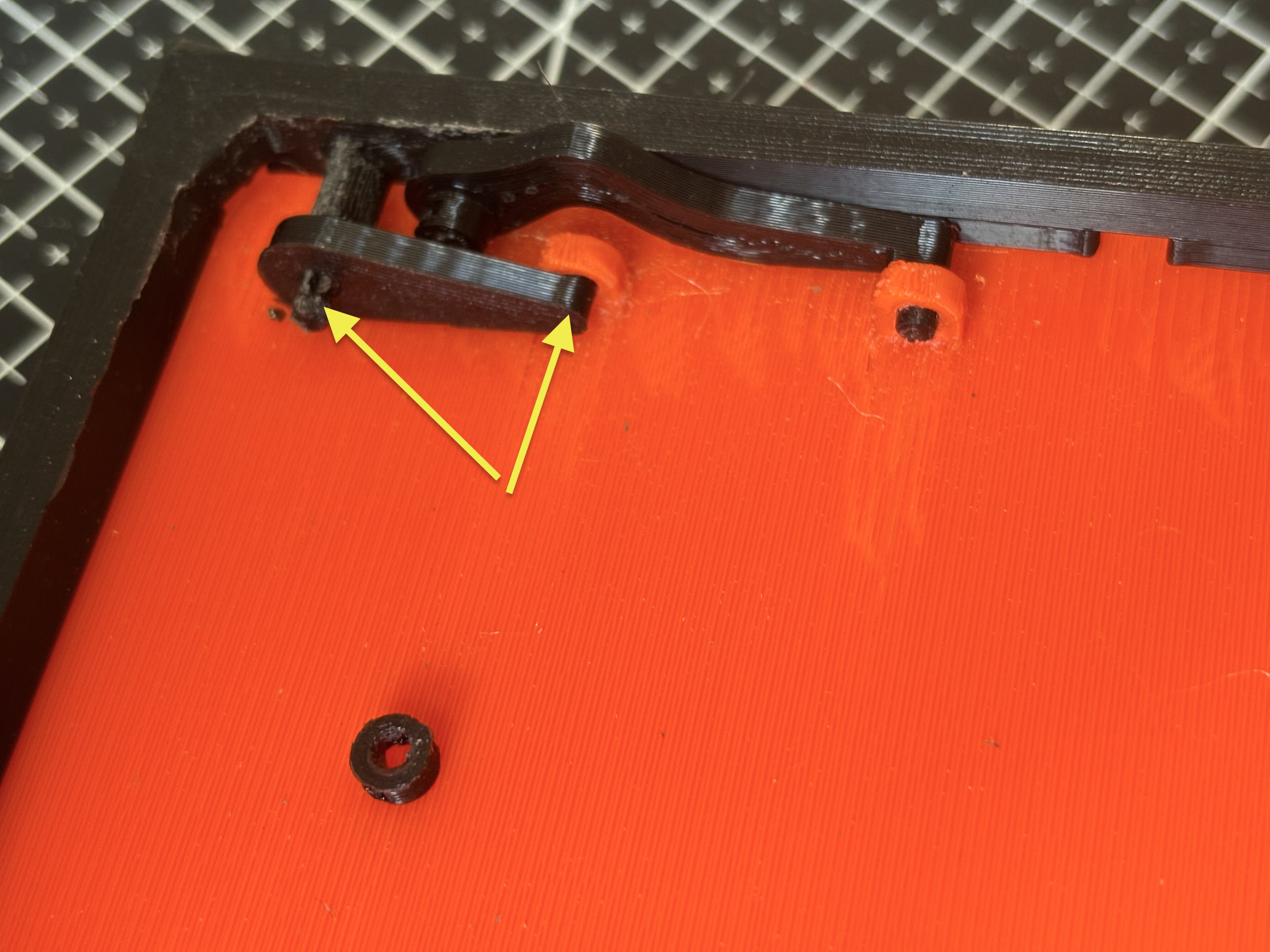
Press whole roof onto garage with arrows are marked dovetails connections. Align dovetails and roof frame fin (fin has to be on inside of garage walls).
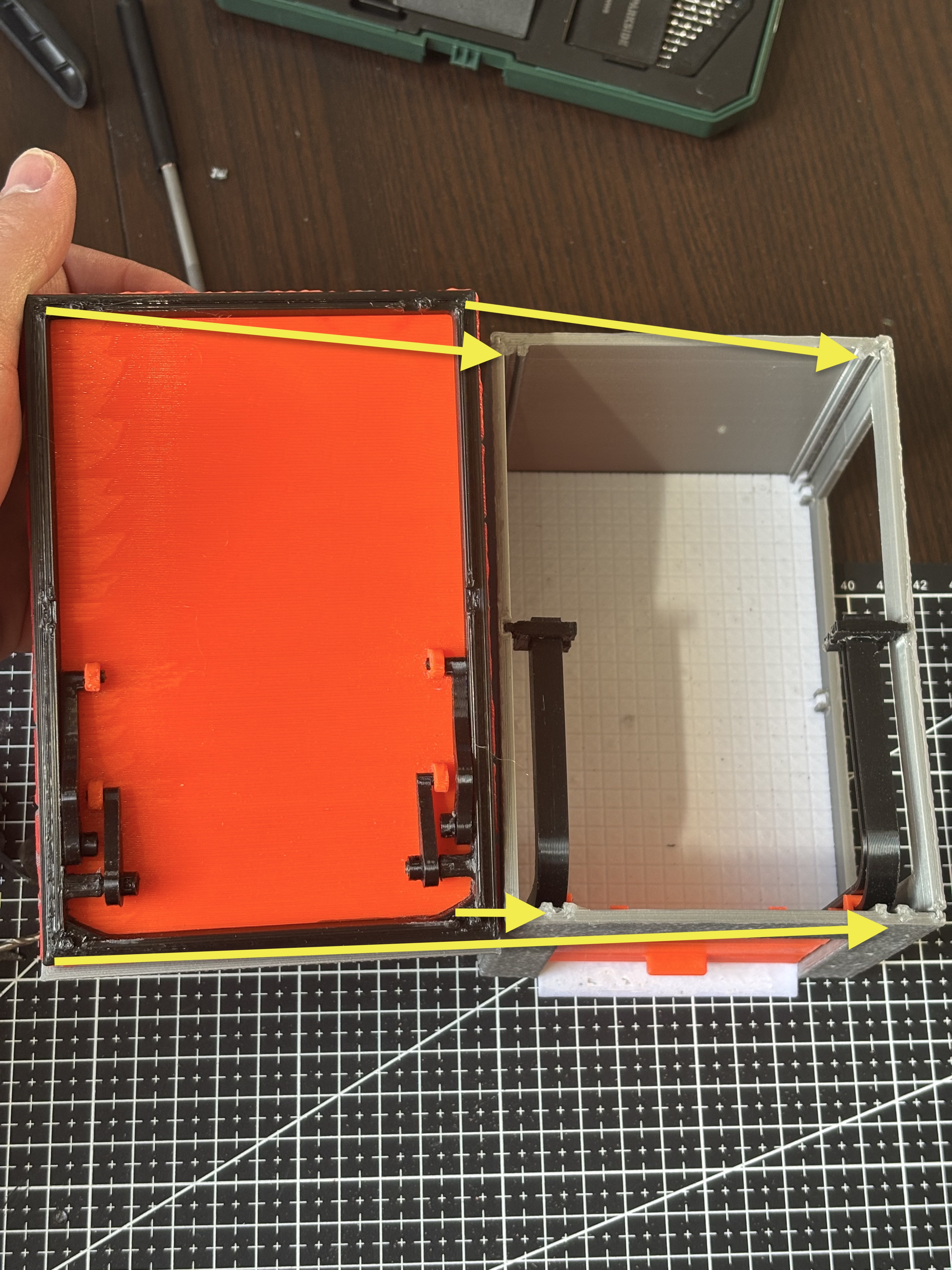
Now you have working garage roof