
Parametric Guitar Pick
Obliczymy ostateczną cenę na podstawie wybranego pliku. Sprawdzisz ją i zaakceptujesz przed płatnością.
Zapisane na tym urządzeniu.
I didn't want to buy picks! And since I am new to stringed instruments I decided to make my own so I could try multiple!
- Ocena
- 0 / 5
- Polubienia
- 16
- Pobrania
- 130
- Wydruki
- 0
- Wyświetlenia
- 602
- Oceny
- 0
Aktualizacja u źródła:
Informacje o modelu
- Źródło
- Printables
- Kategoria
- Music
- Licencja
- GNU General Public License v2.0
I didn't want to spend more money on guitar picks so I decided to print my own. I used PETG to keep it consistent.
Printed guitar picks will feel different but due to their custom nature, you can make them exactly the way you want them! I used a Reuleaux triangle to create the shape and you can adjust both the width and thickness in the “change parameters” area of the f3d file. If you don't have Fusion 360 I would be happy to make a custom size for you in my file. There will also be pre-made pick sizes in the files section.
Here is how you adjust them:
- Pick the “notext”, “embossedtext”, or the “mmutext” option and open the f3d file. I will note that text embossed in the pick can make the pick a little weaker and change the properties. Keep this in mind when picking files and testing
- Click “Change Parameters” in the “MODIFY” tab.
- Change the parameters to suit your needs! WIDTH is the width of the pick (from point to point). THICKNESS is the thickness of the pick.
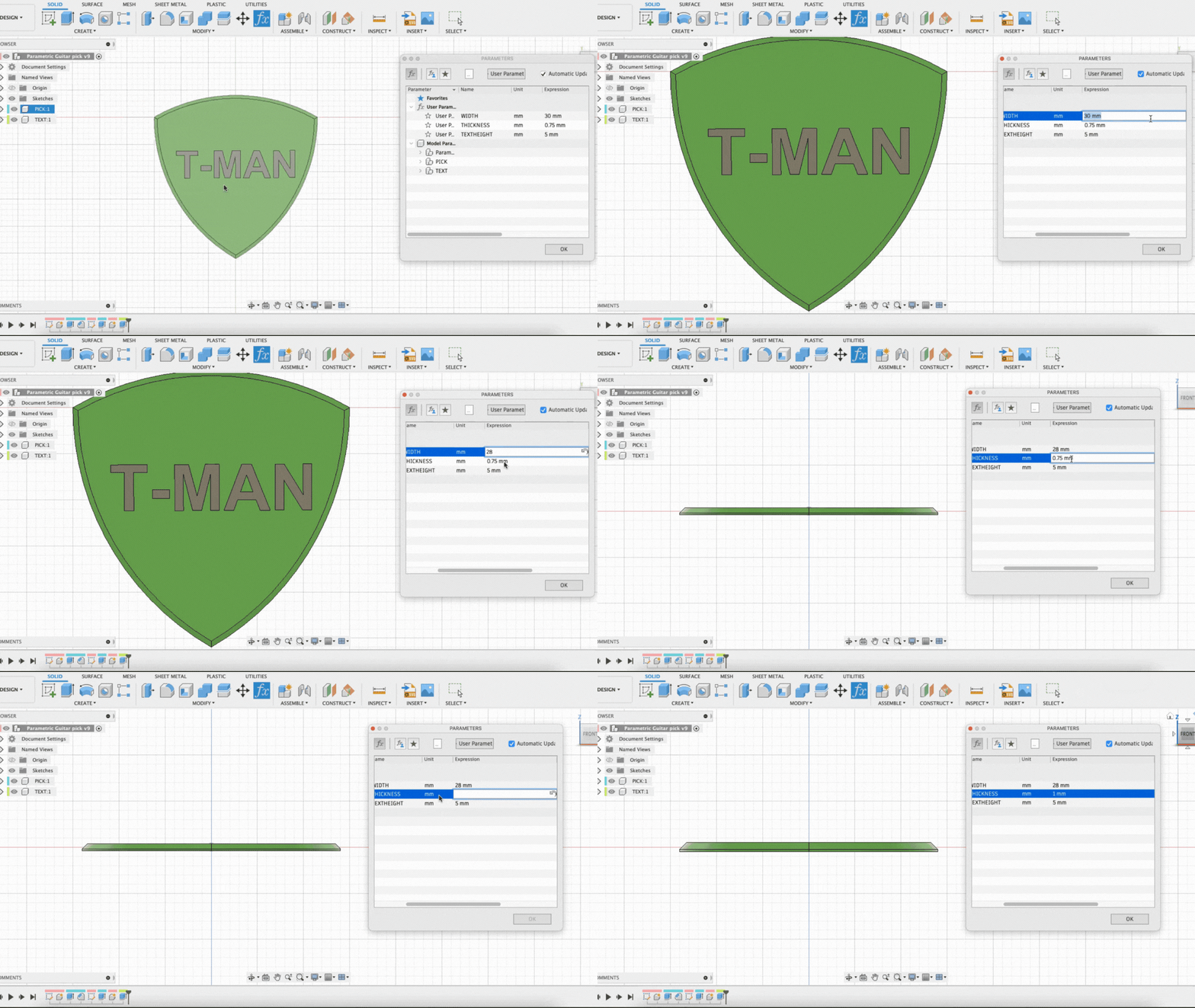
- If you chose a text model: TEXTHEIGHT is the “height” of the text. If you chose the "embossedtext" model, then you can also adjust the thickness of the emboss (Just remember to change the extrude operation labeled “emboss” to be a cut or join depending if the text is going in or out).
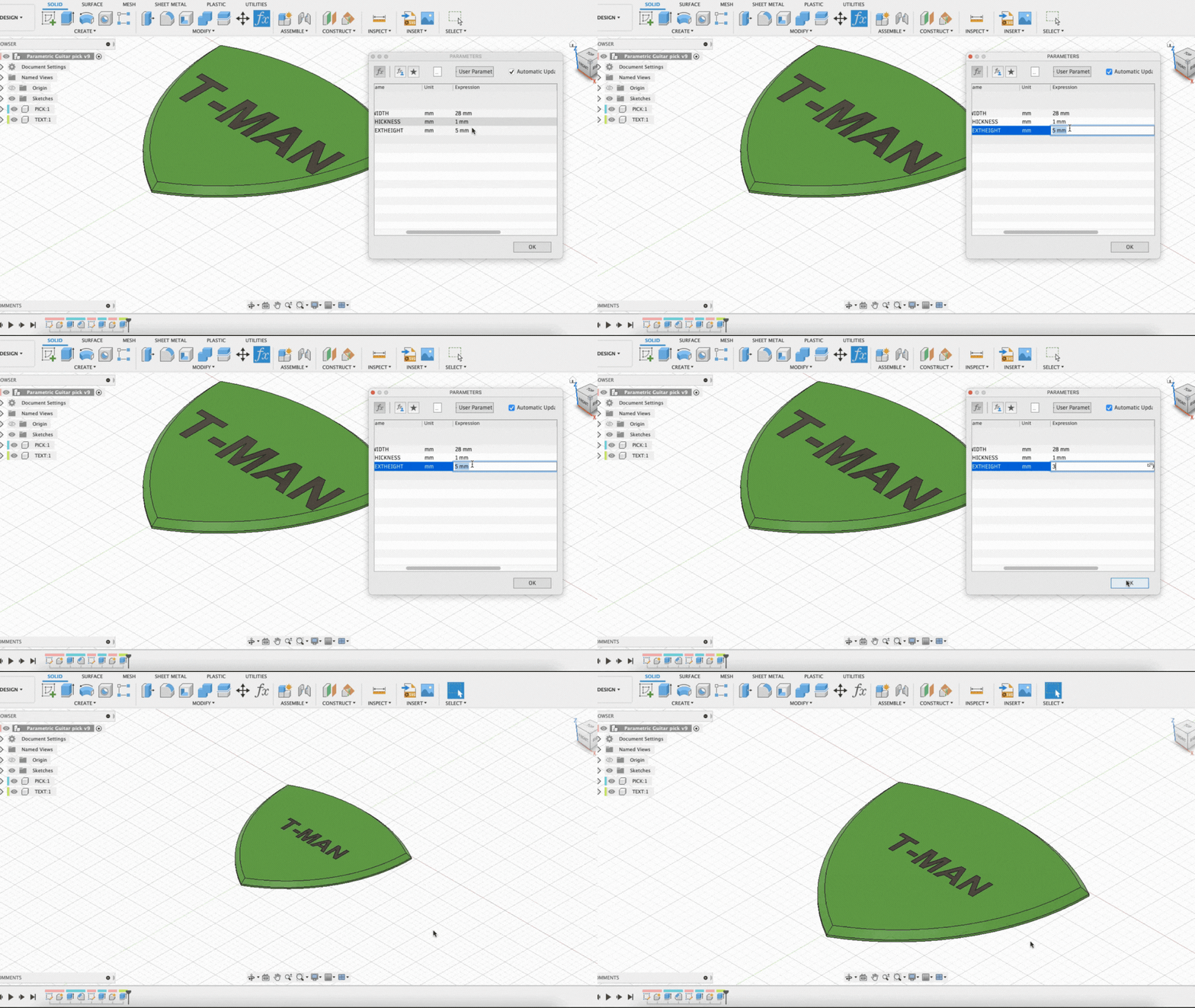 This is the TEXTHEIGHT ^^^
- If you are using the model with mmutext: The text extends down halfway through the model. If you want to print it in a single color then delete the “TEXT” component and just print the “PICK” component. The “TEXT” component is there just in case you wanted to try some Multi-Material printing.
Printing is pretty simple but keep the fact that each change changes the properties of the pick. I will recommend PETG.
Enjoy!