
Infill Sails - Sailing Yacht (create your own patterns!)
Obliczymy ostateczną cenę na podstawie wybranego pliku. Sprawdzisz ją i zaakceptujesz przed płatnością.
Zapisane na tym urządzeniu.

Simple Decor for Sea Lovers! What makes it so great i hear you ask? Come on Board and find out!
- Ocena
- 5 / 5
- Polubienia
- 77
- Pobrania
- 362
- Wydruki
- 4
- Wyświetlenia
- 1908
- Oceny
- 3
Aktualizacja u źródła:
Informacje o modelu
- Źródło
- Printables
- Kategoria
- Home Decor
- Licencja
- Creative Commons — Attribution — Noncommercial — Share Alike
Infill Sails - Sailing Yacht!
You always wanted to own one? well this is your dream come true!
As a decor for your home or just as a gift! You can use it to Display your Infill Types for your Projects if you'd like!
Modifiers? What am i talking about?
They can be used to alter a specific area of your Model.
By height, by shapes…lot's of possibilities.
…ill run you through, we got this!
Infill Sails Video Tutorial
Step by Step:
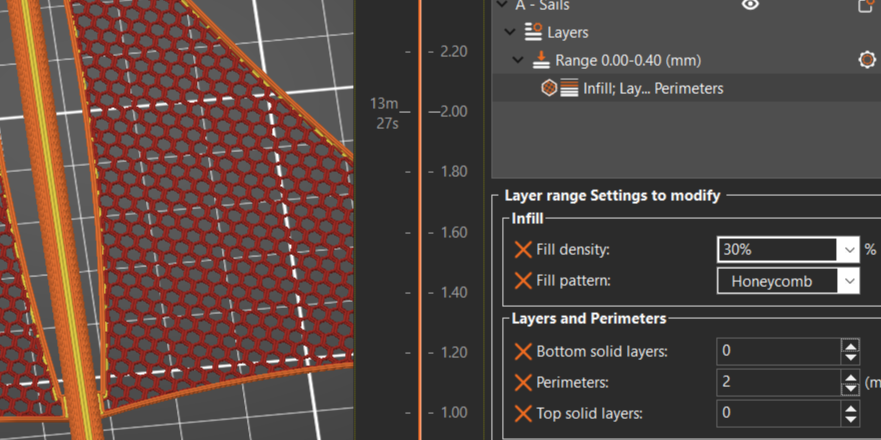
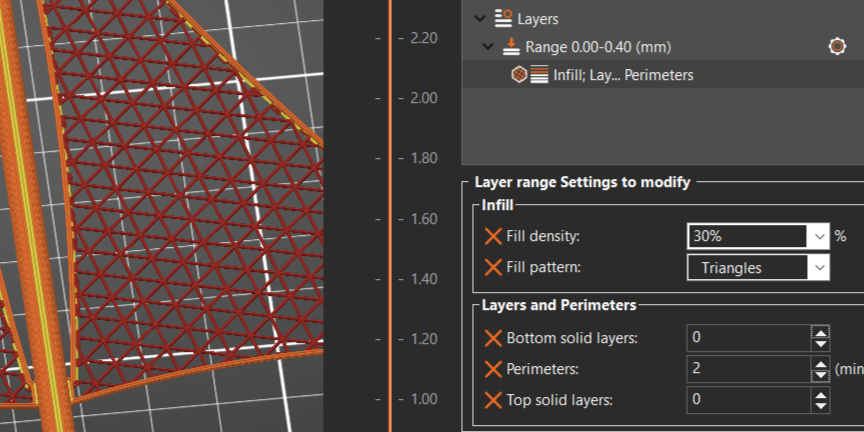
1. Firstly you load up the model on Prusaslicer, set your print settings on 0.2 layer height!
On your right you'll see the File with an Gear icon.
Right click on it and add the “Height Range Modifier” and set the range “stop at height” on 0.4
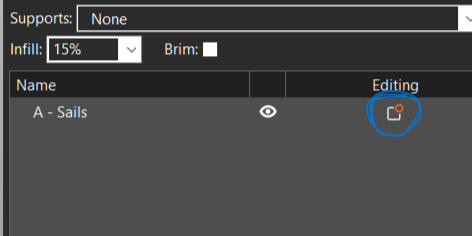
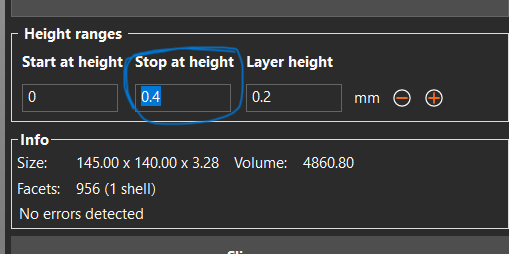
2. Next click on the Gear Icon for the modifier and select “Layers and Perimeters”
Set Top & Bottom Layers by “0”
(you can add 1 to create a backround, i explain that at the end).
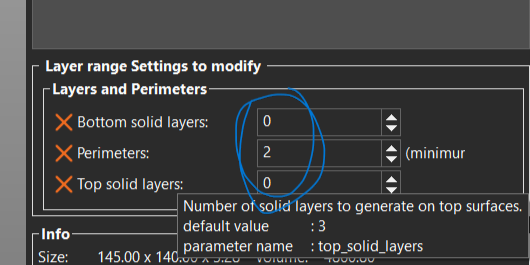
3. Here comes the Fun Part!
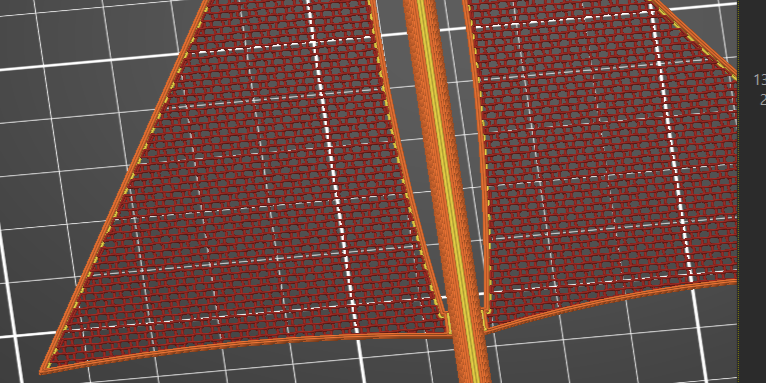
Now you can play around with the density and Infill Patterns and go for what “you” like!
Examples (My Favorites):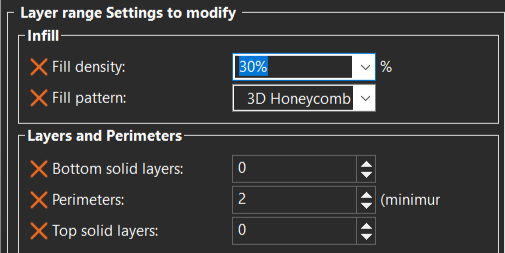
4. Adding backgrounds!
Some Infill Patterns would not work because the are not actually meshed.
with the background you can fix that!
Even better! More color Choices!
Set the Bottom layer by “1” in the “Layers & Perimeters”.
Examples:

Thanks for bearing with me!
i wanted to keep it simple as possible!
But please show me your Favorite Pattern/Color Combinations!
Im EXCITED to see them!!!
Happy Printing!!!