
Prusa Mk4 LCD Backcover Version A
Obliczymy ostateczną cenę na podstawie wybranego pliku. Sprawdzisz ją i zaakceptujesz przed płatnością.
Zapisane na tym urządzeniu.
Informacje o modelu
- Źródło
- Printables
- Kategoria
- Prusa Parts & Upgrades
- Licencja
- Creative Commons — Attribution — Noncommercial — Share Alike
This backcover protects the backside of the LCD and routes the wires more neatly. It requires reprinting of both feet and a backcover. Requires removal of the LCD screen, but this can be done without disconnection cables at the buddyboard.
Happy printing and let me know it there are comments, requests or questions. For the moment, this is only suitable for version A. I will make a version B upon popular demand.
Greetings,
Mathieu
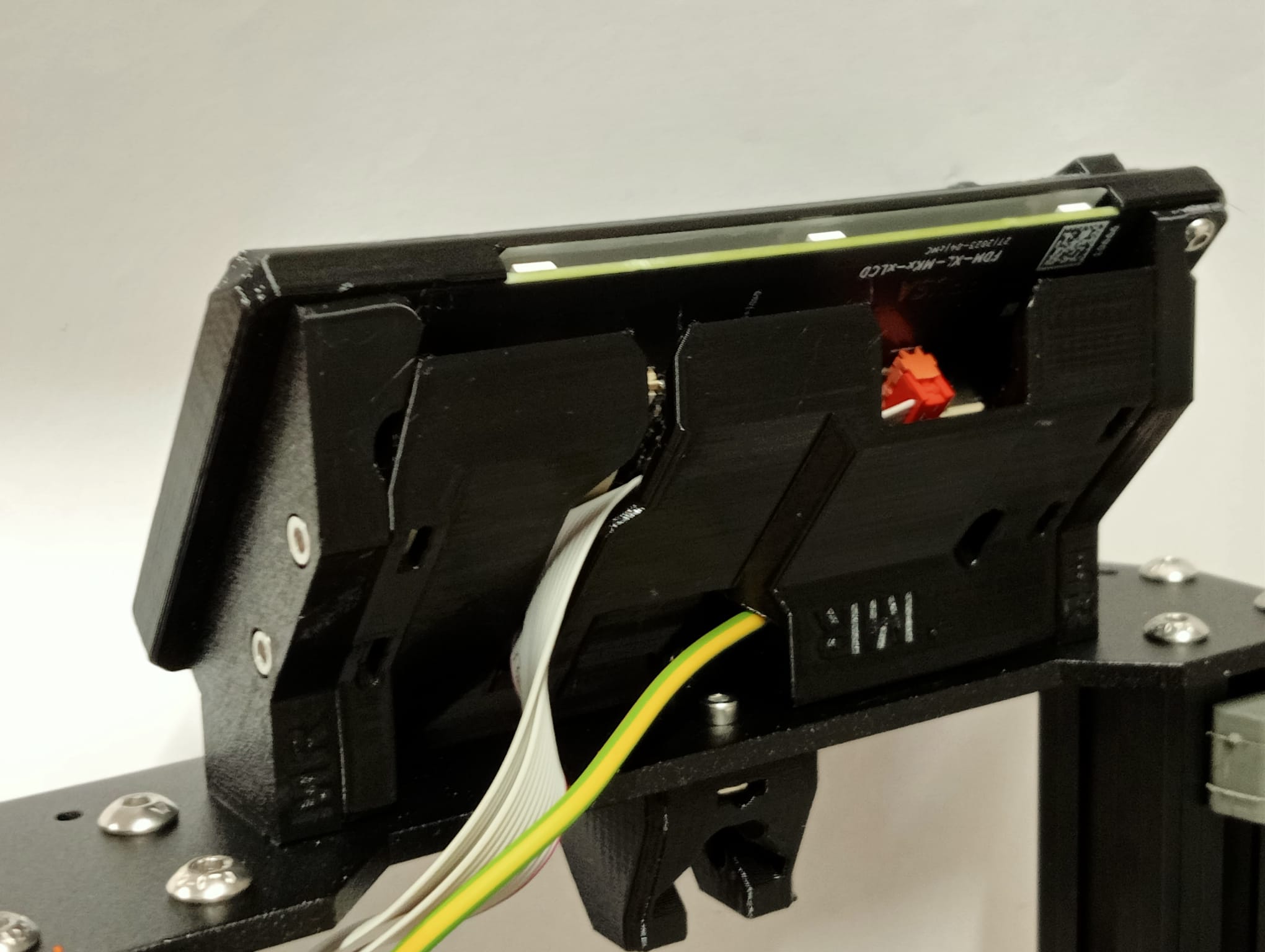
This model was made with all good intentions after some iterations and seems to be fool-proof, however I cannot guarantee that it will cause any issues and will not take any responsibility.
-------------------------------------------------------------------------------------------------------
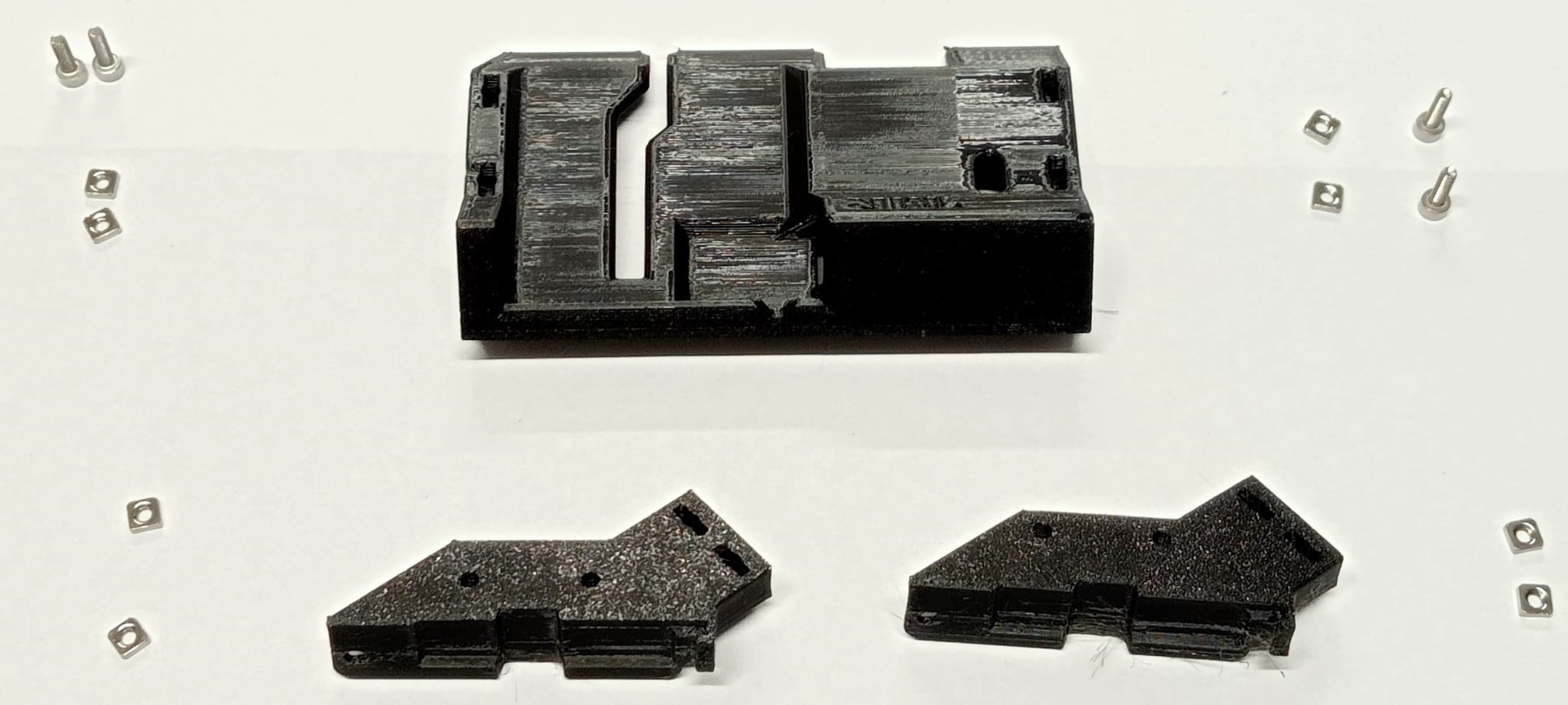
What you will need to print:
- 1x Feet for LCD Backcover - Version A left
- 1x Feet for LCD Backcover - Version A right
- 1x LCD Backcover - Version A
Print as per 3MF. The backcover should be printed upright, the feet flat. I printed in PETG with 4 perimeters and 15% cubic infill
Required vitamins and tools
- 4x M3x10 bolt
- 8x Square nut (DIN562). 4 might be re-used from the old feet.
- 2.5 allan key and torx key (both part of kit)
Instruction manual
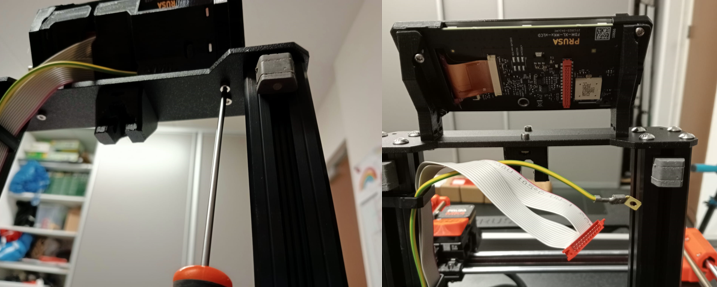
- Disconnection of LCD frame
- Disconnect printer from the power plug. Place it on its back, such that the LDC is pointing upwards and the bottom is pointing towards you
- Remove the 2x M3x10 bolts from the right feet and 1 M3x10 bolt from the left feet of the LCD frame, save for later.
- Rotate the LCD frame downwards
- disconnect LCD ribbon cable
- remove nut for Ground cable (keep for later)
- Remove the 4th M3x10 bolt of the LCD frame (keep for later) and remove LCD frame. Place it on a soft piece of cloth or a safe place
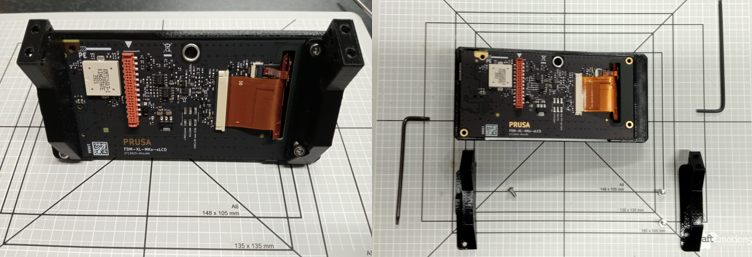
- Disassembly of LCD frame
- Avoid touching the PCB with your hands or with your tools
- Remove 2 M3x8 bolts and the small balhead torx bolt
- Remove old LCD feet. Note that you can lift the left feet slighly, but full removal is blocked by the LCD knob.
- The square nuts on the feet can be removed (as well as the schleem), that can be repurposed for later batches.
- Install new parts of LCD frame for backcover
- prepare all parts for the backcover.
- place 2 square nuts in the left feet,
- place 2 square nuts in the right feet,
- place 4 square nuts in the backcover, push them in with a hex key
- Place the left feet onto the LCD and attach with M3 torx bolt (see manual)
- Place the right feet onto the LCD and attach with 2x M3x8 bolt (see manual)
- Perform a fit check of the backcover between the feet
- place backcover inbetween the feet
- install 4x m3x10 bolts and check for a proper fit.
- partially retract bolts such that the frame can be removed, but the bolt can be kept in the print
- Keep de backcover apart for later.
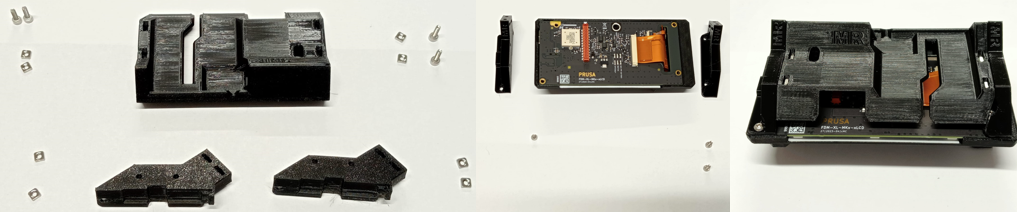
- prepare all parts for the backcover.
- Install LCD frame with backcover on frame
- Install the left feet of the LCD frame to the prusa frame by means on 1 M3x10 bolt
- Orient it such that you can easily access the PCB (ribbon connector and ground bolt hole
- Get the backcover and guide the ground wire through the dedicated hole in the backcover. Keep the backcover dangling for the moment
- Connect the ground lug to the PCB re-using the M3x8 bolt
- Route the LCD ribbon wire through the slot and keep the backcover dangling on the wires.
- attach the LCD ribbon cable to the PCB.
- Remove the LCD frame from the prusa frame such that the backcover can be easily positioned inbetween the two feet.
- Once the backcover is properly positioned, re-install the LCD frame on the prusa frame with all four M3x10 bolts
- Fixate the LCD backcover from the sides of the feet by the four M3x10 bolts
- Neatly route the ribbon and PE wire.
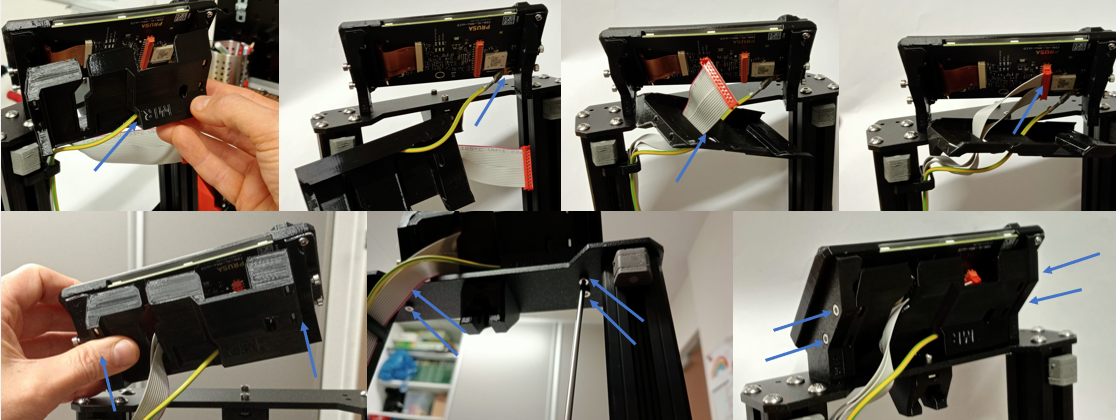
- Place the Prusa back on its feet and happy printing