
Creality K1/K1C/K1 Max Spool Roller Stopper V2
We calculate the final price from your selected file. You review and accept it before payment.
Saved on this device.
An attachment clip to prevent spool from rolling off the ball bearing spool roller
- Rating
- 0 / 5
- Likes
- 18
- Downloads
- 128
- Makes
- 0
- Views
- 1,332
- Reviews
- 0
Updated at source:
Model information
- Source
- Printables
- Category
- Creality Parts & Upgrades
- License
- Creative Commons — Attribution — Noncommercial — Share Alike
The Creality K1, K1C, K1 Max Spool Roller is a good accessory for the Creality K1 / K1 Max / K1C. (URL: https://www.printables.com/model/648282-creality-k1-k1-max-spool-roller). It enables filament to be smoothly fed to the Creality printer.
As my printer is placed on a shaky IKEA LACK table, the shakes during high speed printing actually shifts the mounted filament spool along the x-axis.
To avoid the issue of the spool rolling off the roller and causing damage, I decided to create a simple clip to restrict the filament spool's movement along the x-axis.
Other than preventing the spool from rolling off, the different width clips also keeps the spool closer to the printer's filament tube and prevent the filament from unwinding onto the spool roller. I believe you may have encountered this when the spool is new (and full).
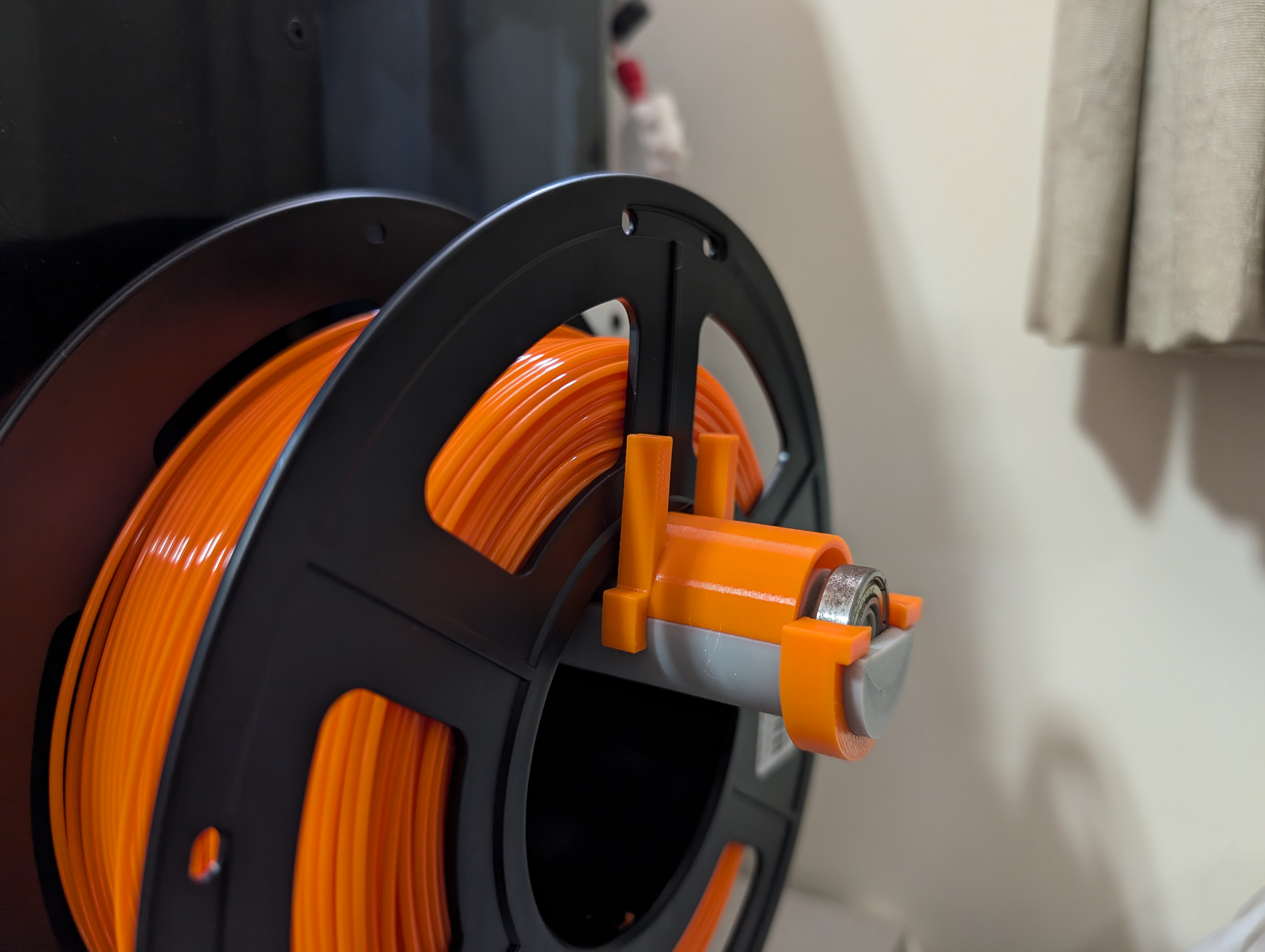
This attachment clips on to the spool roller to stop the filament spool from rolling off. The stopper at the end of the roller prevents the clip from sliding off the roller. Attachments are catered for spools of different widths.
The 30mm clip works for typical 1kg filament spools.
You will need to print both the Clip Stopper and Clip.
How to attach the parts
- Clip Stopper
- Firstly, remove the spool roller (the part with the attached ball bearings) from the holder.
- Then slide the Clip Stopper onto the holder.
- Lastly, attach the spool roller and sit the ball bearing into the slot of the Clip Stopper.
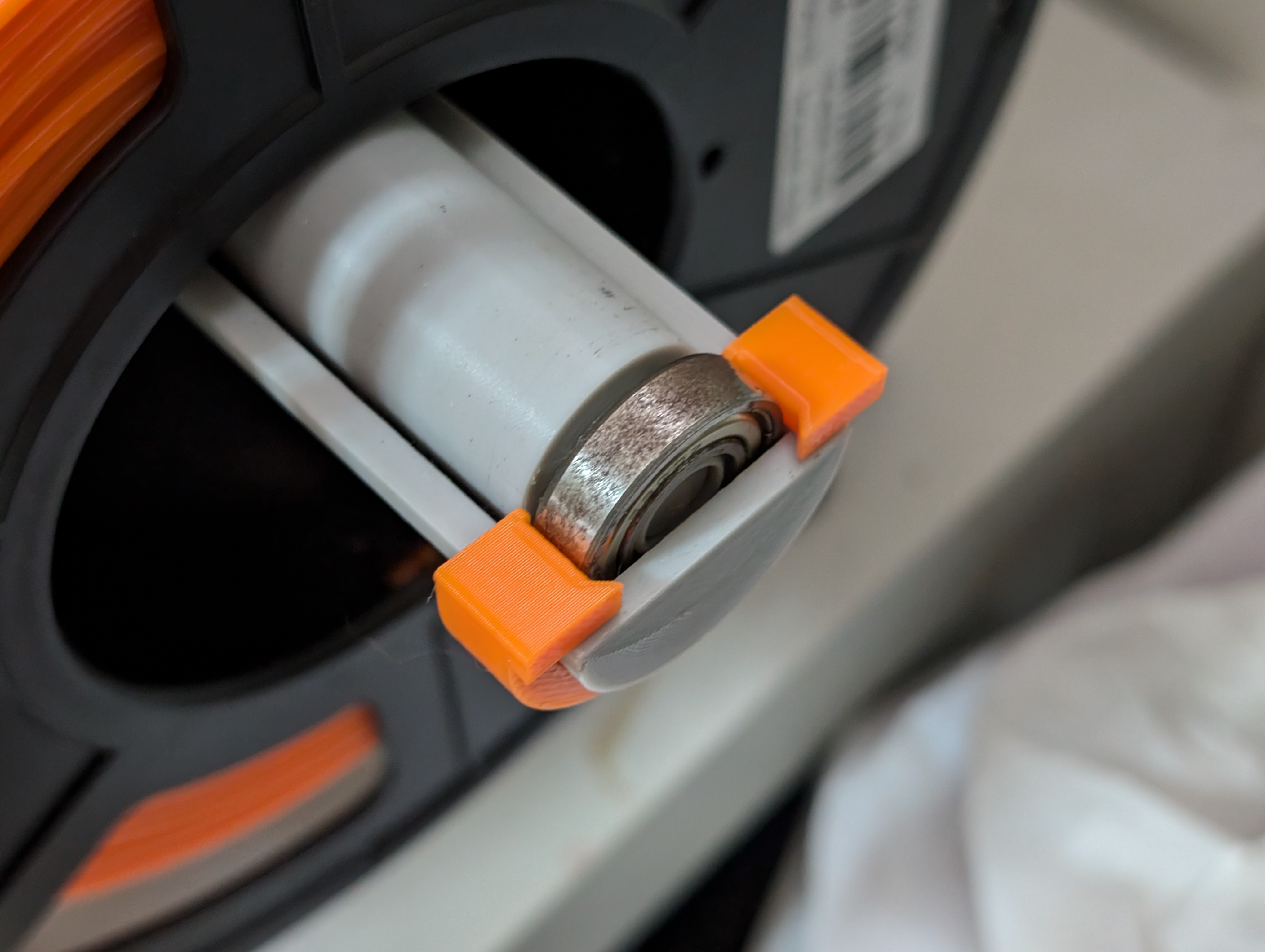
- Clip
- Simply place the Clip onto the spool holder. It should clip in place.
- The height of the Clip should allow the filament spool to be mounted or unmounted without removing the clip. Simply lift up the filament spool and pass it over the Clip. Otherwise, just remove the clip to unmount the filament spool.
How I printed it
- Material: PETG
- Infill: 15%
- Walls: 3
- Support: None
- Layer: 0.20mm
- Raft/ Brim: None