Parametric Follow Focus Ring
We calculate the final price from your selected file. You review and accept it before payment.
Saved on this device.
Model information
- Source
- Printables
- Category
- Photo & Video
- License
- Creative Commons — Attribution — Share Alike
Fusion360 Project for creating follow focus rings for your lenses.
Fully parameterized, therefore easy to use!
It accepts the inner diameter, outer diameter (including teeth height) and amount of set-screws to add so you not only get a fitting focus ring but you also have the chance to adapt lens body diameters to your likings.
The addition of set-screws was important to me because I prefer PETG and that material does not stick to the lens body at all. Fixing it with set-screws is the best way in my opinion.
Configuration
Configuring the focus ring works through the “Parameters” dialog (Modify → Change Parameters).
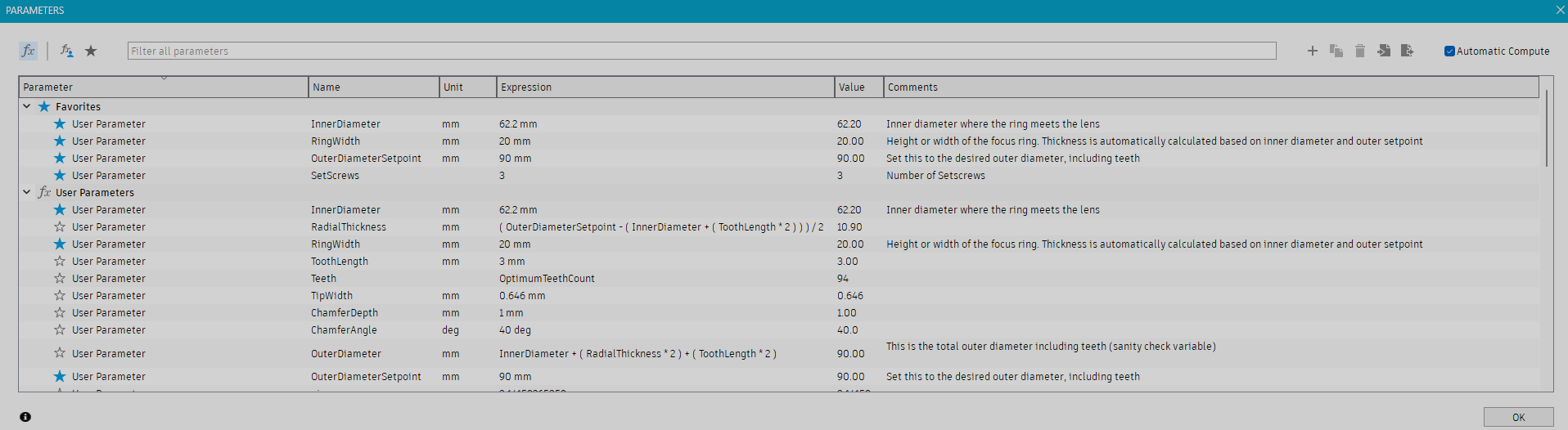
The most important variables are marked as favorite and should be self-explanatory.
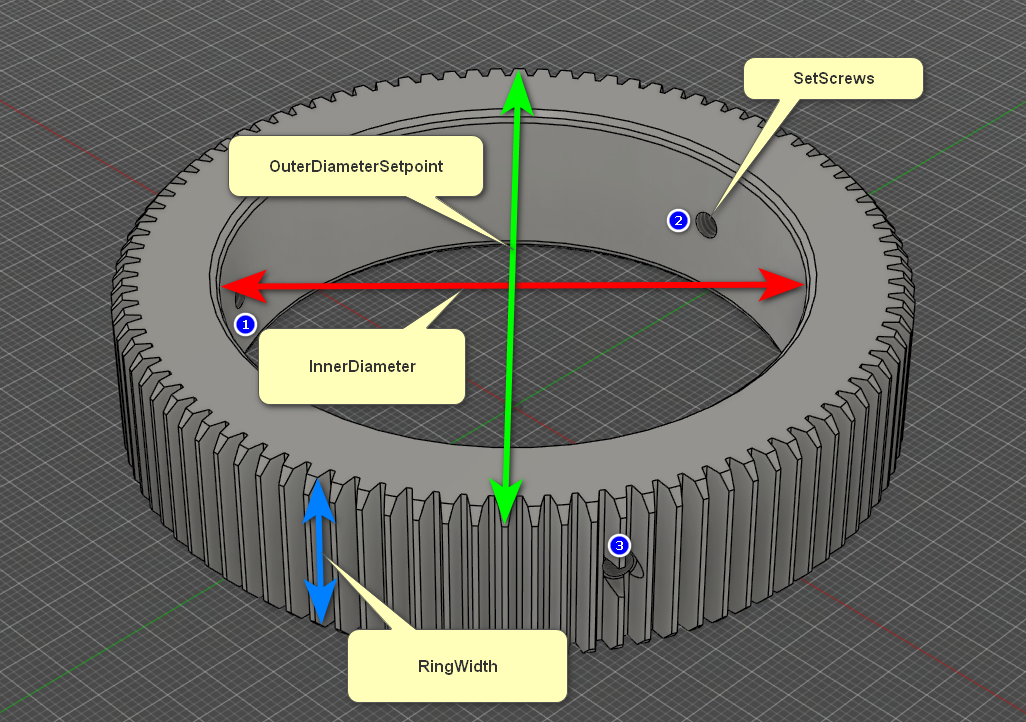
Set Screws
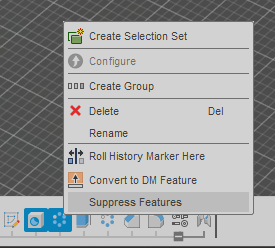
If you'd like to print without set-screws and holes, simply disable (suppress) the features accordingly on the timeline.
Gear
Teeth are calculated to the nearest optimum amount. This means that the valleys may be +/- 0.1mm which shouldn't be an issue. You may always enter your own desired teeth count in the “Teeth” Parameter instead of using the “OptimumTeethCount” parameter.
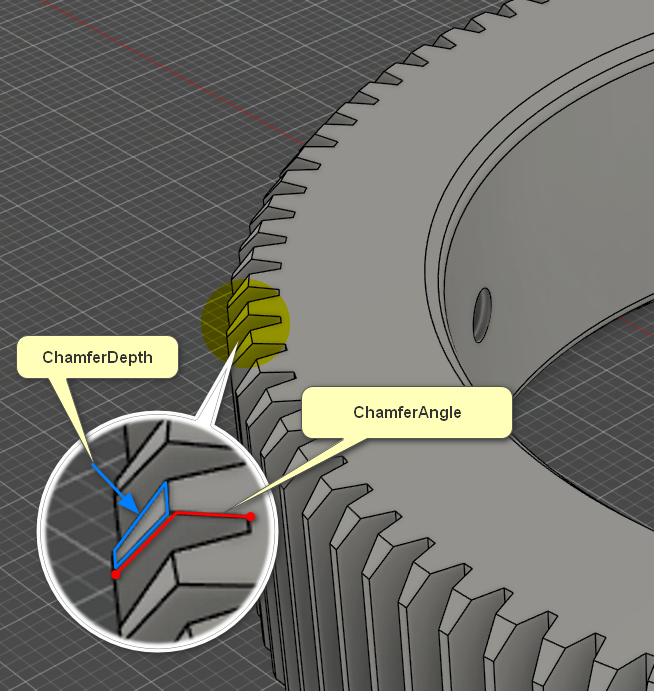
Chamfer
If you find that the chamfer is not working for you, you can always disable it altogether or tweak it using the parameters “ChamferDepth” and “ChamferAngle”. Depth is how far the edges are cut down and and angle is the angle at which the edges are cut.