CORE One Mesh purge bin
We calculate the final price from your selected file. You review and accept it before payment.
Saved on this device.

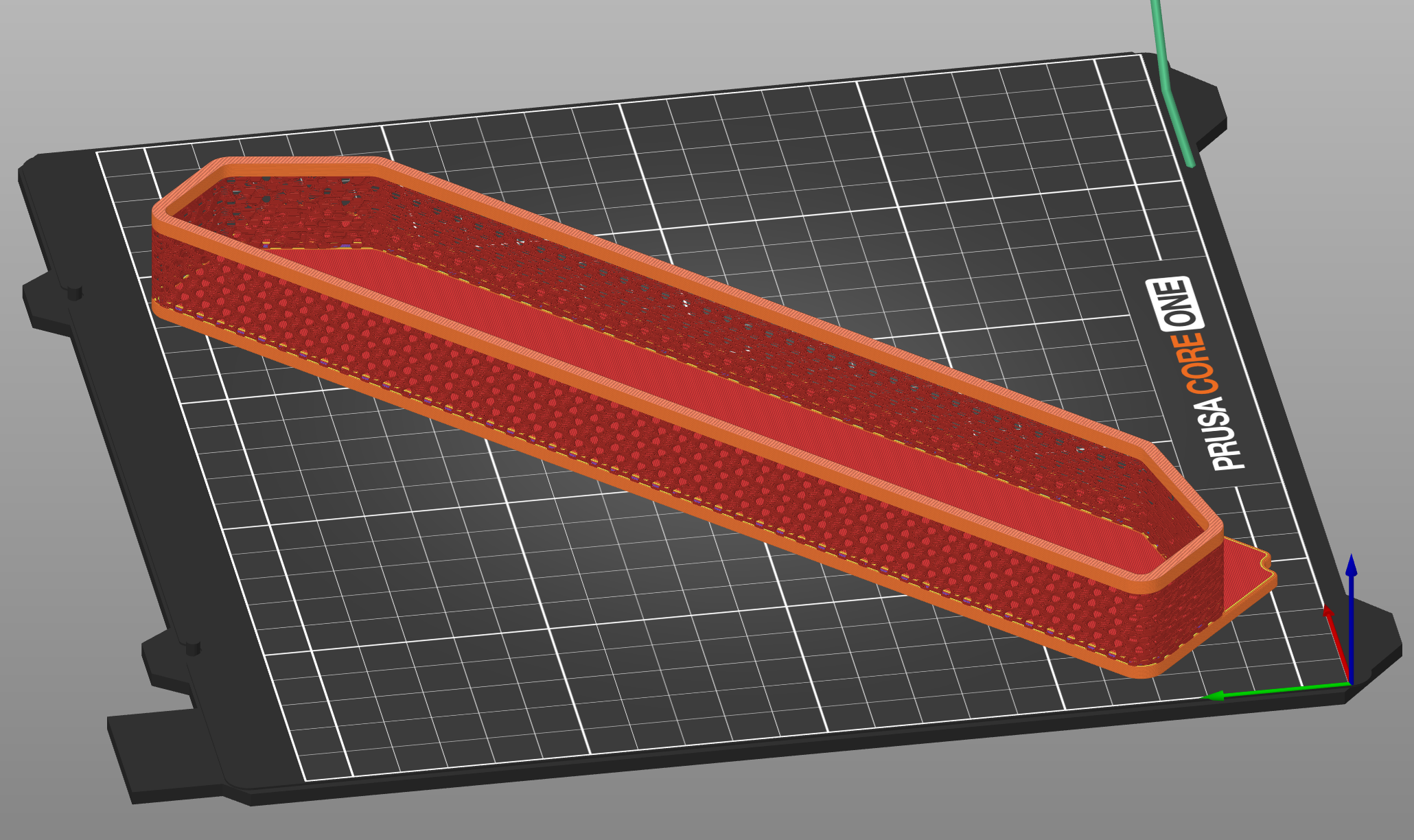
Prusa CORE One purge bin remix to allow for walls to be printed as mesh.
- Rating
- 5 / 5
- Likes
- 14
- Downloads
- 59
- Makes
- 2
- Views
- 905
- Reviews
- 2
Updated at source:
Model information
- Source
- Printables
- Category
- Prusa Parts & Upgrades
- License
- Creative Commons — Attribution — Noncommercial — Share Alike
Loved Mesh Side Boxes in Prusa Enclosure with MK3/4's and wanted the same esthetics and similar functionality for the CORE One.
Remix is of 3mm flat bottom variant of Purge bin as that matches the closest to the Mesh boxes, which means that you will need to use negative volumes in slicer to embed magnets. 3 mm sizing has been applied to walls and top decorative layers to match Mesh Boxes and allow for successful forming of mesh effect. Note that some of the remixes of Purge bin will therefore not be compatible.
.3mf file contains ported print settings from Mesh Side Boxes. Take care to review the settings and slicer preview before printing as some settings can be lost during importing, slicing and editing.
Print settings
- STL should be oriented at 45° angle
- For Layers modifier set range at 3.1 start, 20.9 height and 0.3 mm layer height.

- Set Infill to 20% Gyroid and Layers and Perimeters to 0 Bottom solid layers, 0 Perimeters and 0 Top solid layers

- Fill angle will decide pattern of your mesh, to match Mesh Boxes, set it 0° (default value is 45°) to undo the part rotation, but you can choose any number you prefer for the pattern you like the most.
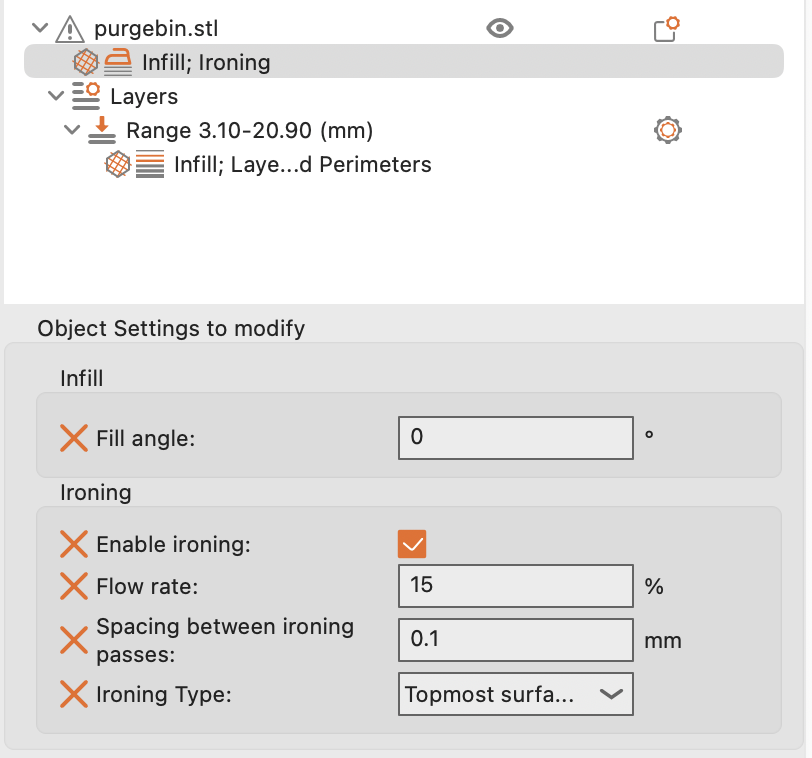
- Optionally enable ironing on top most surfaces.
- If you plan on embedding magnets, do not forget to add negative volumes to the part.
- Inspect slicer model to verify correct settings