
1 / 1
Ender 3 DirectDrive cable guide
Order a print of this model
We calculate the final price from your selected file. You review and accept it before payment.
Saved on this device.
Model information
- Source
- Printables
- Category
- Creality Parts & Upgrades
- License
- Creative Commons — Attribution — Share Alike
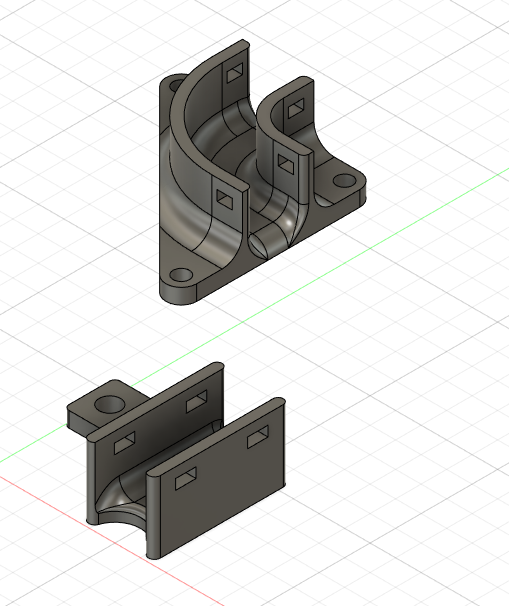
After conversion to the Direct Drive and BL touch a lot of additional loose cables were flying around between the extruder and the former extrusion adapterplate.
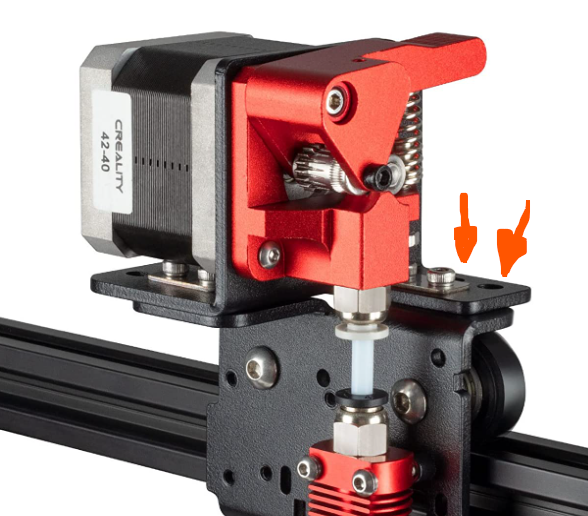
So here are 2 small brackets to organize the cables properly. One for the adaperplate in a 90 degree orientation and one for the 2 spare holes from the Unitak3d DD adaperplate.
You can fix the cables in the canal by inserting 2 cable ties into each other, so that you create kind of a “brigde” above the cables.
Needed materials :
- 2x M4x5mm screw
- 2x M4 nut
- 3x M3x8mm screw
- 3x M3 nut
- 8x 3mm cable tie