
Gamecube Z Button Replacement
We calculate the final price from your selected file. You review and accept it before payment.
Saved on this device.

A replacement z button for a standard gamecube controller. Change the color or fix a missing button
- Rating
- 4.333 / 5
- Likes
- 18
- Downloads
- 203
- Makes
- 3
- Views
- 757
- Reviews
- 3
Updated at source:
Model information
- Source
- Printables
- Category
- Video Games
- License
- Creative Commons — Attribution
Print the Z button, I recomment SLA as I'm not sure how well some of the details would come out with FDM, but prove me wrong :)
To install, do a standard teardown, follow the prep step below, and install the printed one.
You will need to either make, or reuse a z button spring. To make a spring, a pop can worked well for me. Simply cut a piece the width of the slot, and about the length of the button. Place it in the slot, and a dab of superglue will hold it in. Bend it over (not too much, it's not as springy as the spring steel) and trim so it looks about like it does in the picture, doesn't have to be perfect.
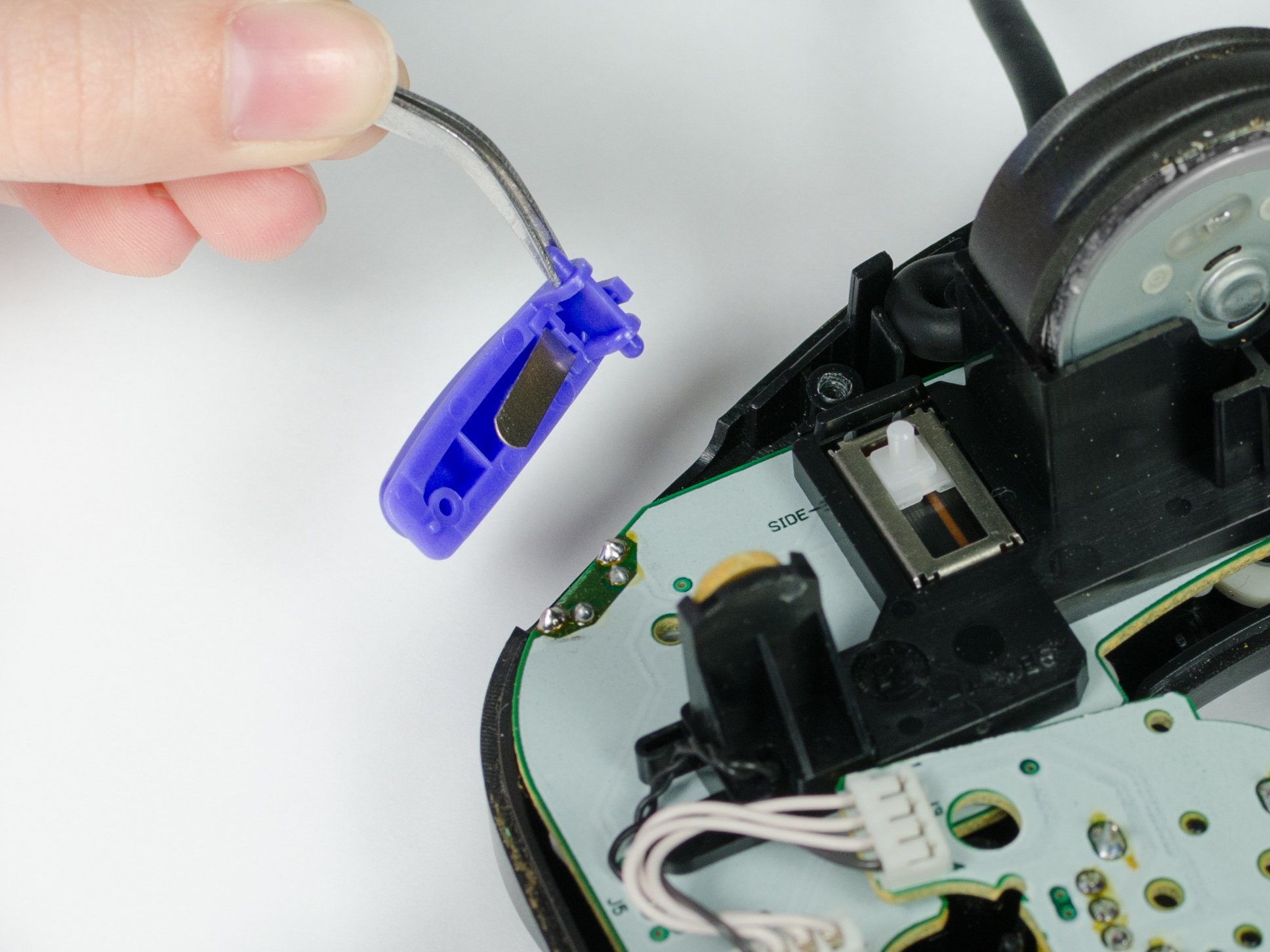
(Image from https://www.ifixit.com/Guide/Nintendo+GameCube+Controller+Z+Button+Replacement/12578 )