
Creality K1, K1C, K1 SE & K1 Max PrusaSlicer & Cura (some profiles with Side Blower and Enclosure Fan)
We calculate the final price from your selected file. You review and accept it before payment.
Saved on this device.

Slicer profiles for the Creality K1, K1C, SE & K1 Max on PrusaSlicer that manage side blower and enclosure fan, and Cura
- Rating
- 5 / 5
- Likes
- 294
- Downloads
- 11,901
- Makes
- 5
- Views
- 33,158
- Reviews
- 8
Updated at source:
Model information
- Source
- Printables
- Category
- Creality Parts & Upgrades
- License
- Creative Commons — Attribution — Noncommercial — NoDerivatives
Please give it a 💖 if you like it 🥰
Edit 2024-08-31 :
- The profiles for the K1 “without blower” are compatible with the K1 SE.
Edit 2024-08-31 :
- Made 2 versions for Cura profiles : If you create a new printer as described below use the profile “for new FFF printer”. If you add the K1 Max printer listed in Cura use the profile “for K1 Max printer”
About the side blower:
- For PLA: starts after layer 3 at 80% of its speed
- For ASA, PLA-CF & PC: side blower is off
How import profiles?
In PrusaSlicer
Here is the link on how to do it: https://help.prusa3d.com/article/how-to-import-and-export-custom-profiles-in-prusaslicer_382766
In Cura (without SideBlower)
- Create the printer
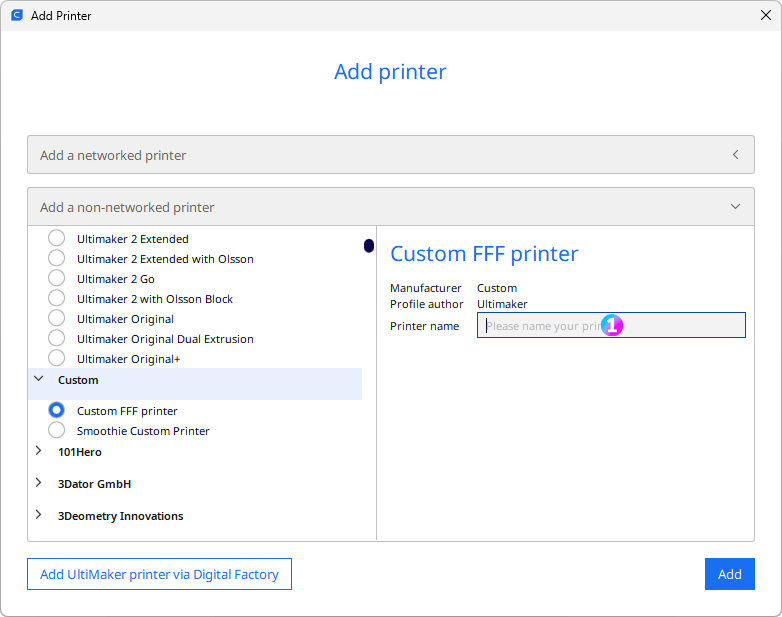
1 - “Creality K1” or “Creality K1 Max” or “Creality K1C”
- Set the printer parameters
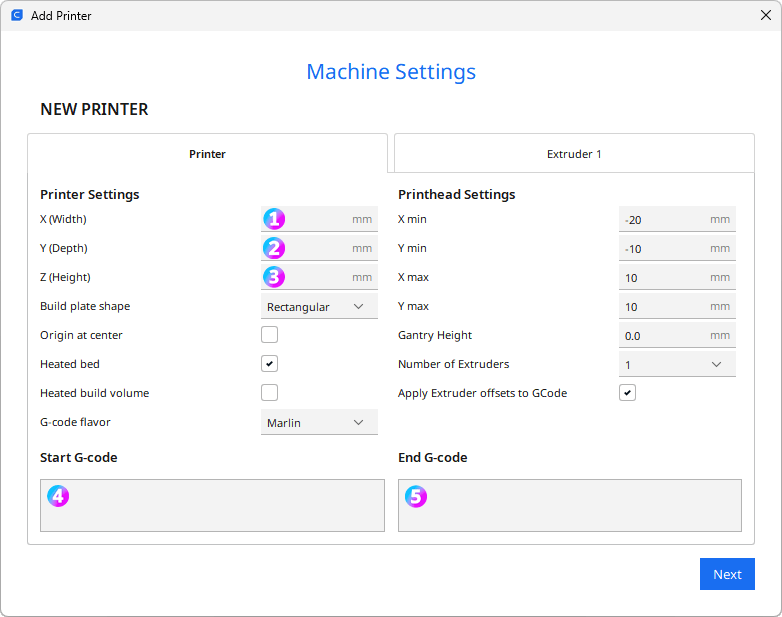
1 - X (Width) for K1 & K1C : 220 OR X (Width) for K1 Max : 300
2- Y (Depth) for K1 & K1C : 220 OR X (Width) for K1 Max : 300
3 - Z (Height) for K1 & K1C : 250 OR X (Width) for K1 Max : 300
4 - Start Gcode
M140 S0
M104 S0
START_PRINT EXTRUDER_TEMP=[material_print_temperature_layer_0] BED_TEMP=[material_bed_temperature_layer_0]
5 - End Gcode
END_PRINT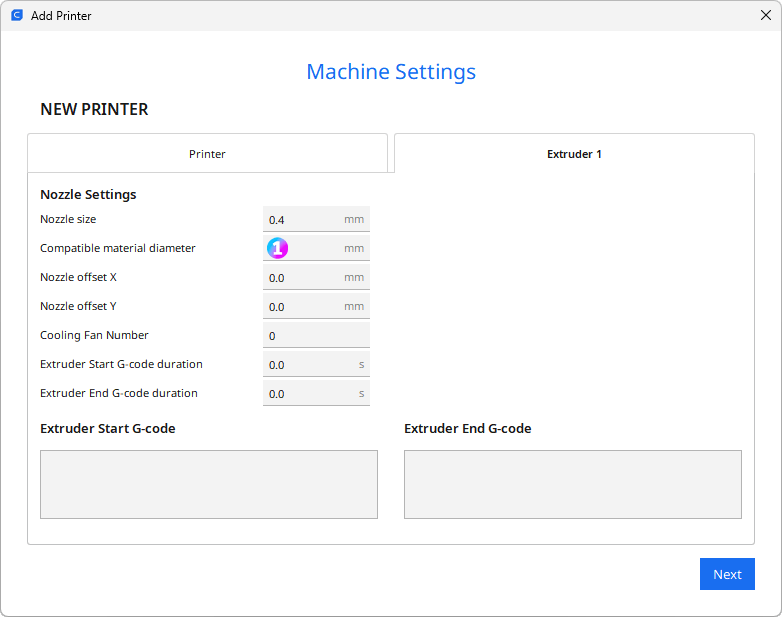
1 - Compatible material diameter: 1.75
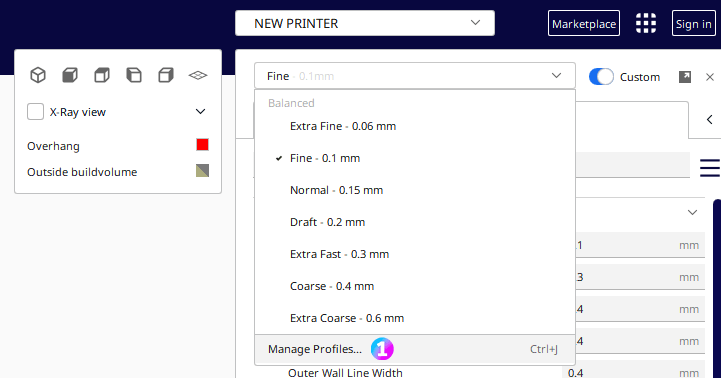
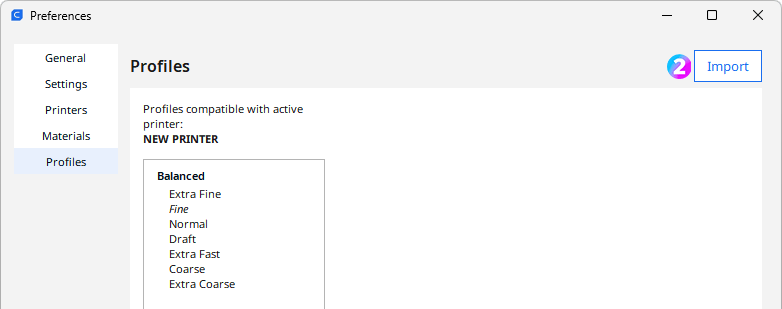
- Unzip the *-KaminoKGY-Cura.zip file and import the profile file (Manage profiles > Import)
Please give it a 💖 if you like it 🥰