
Parabolic Calculator
We calculate the final price from your selected file. You review and accept it before payment.
Saved on this device.
Did you know that you can multiply two numbers using a parabola and a ruler?
- Rating
- 0 / 5
- Likes
- 21
- Downloads
- 106
- Makes
- 0
- Views
- 1,133
- Reviews
- 0
Updated at source:
Model information
- Source
- Printables
- Category
- Math
- License
- Creative Commons — Attribution
Did you know that you can multiply two numbers using a parabola and a ruler?
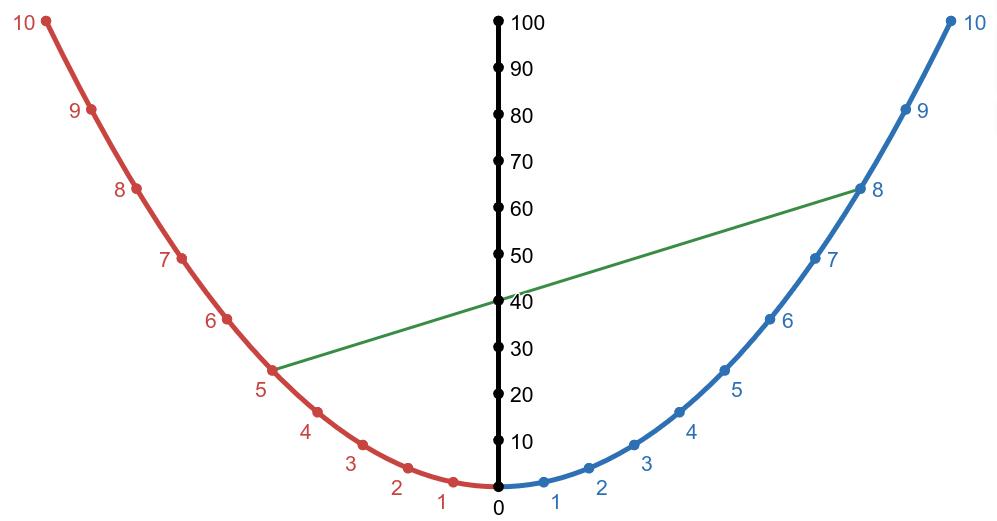
This template let you easily draw a piece of a parabola. But don't be fooled, it's much more than a simple drawing template…
- You can draw a parabola, its focus and the parallel lines that converge there!
- With an additional ruler (with 1 mm markings), you can easily multiply any pair of single digit numbers using the Parabolic Multiplication Nomogram embedded in this design!!!
- Includes a 10 cm ruler with 5 mm ticks for approximate measuring. [UPDATE] Version 2 now includes a 10 cm ruler with 1 mm ticks for precise measuring.
- Customizable: Using the OpenScad script, or directly on your slicer of choice. Change the infill pattern and the number of perimeters to get a completely unique variation!
- Compact & Strong: It fits in a 10×10 cm square, and you can scale the thickness freely (the default 2 mm makes it quite durable). You can print 2 at a time in a Prusa Mini+!
- Classroom ready: It's specially designed to work well in combination with 5×5 mm square grid paper. Surprise your students with an innovative hands-on activity about linear and quadratic functions!
- Easy to print, end-of-spool kind of design: Lies flat on the plate, prints in ~30 min, and uses ~6g of any material you have at hand.
Specifications:
The model consist in the piece of the parabola: Y=(X/5)² that goes from X=-50 to X=50 (all dimensions expressed in mm). Since all parabolas are similar to each other, I could have taken any other quadratic function, but taking Y=(X/5)² in the interval [-50,50] has several advantages:
- It fits snugly in a 10×10 cm square, which is a nice form factor.
- The straight segment can be used to mark the parabola axis.
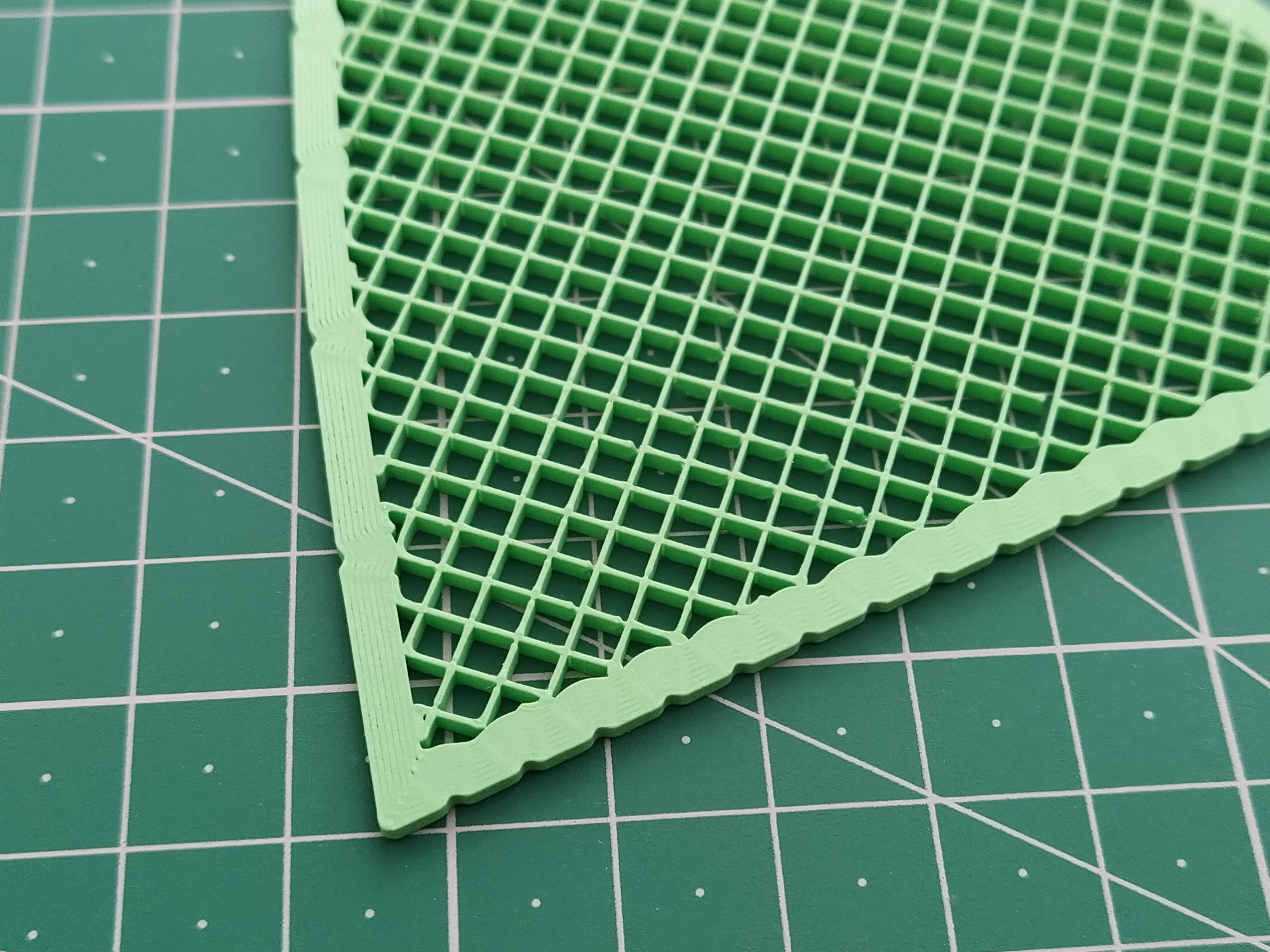
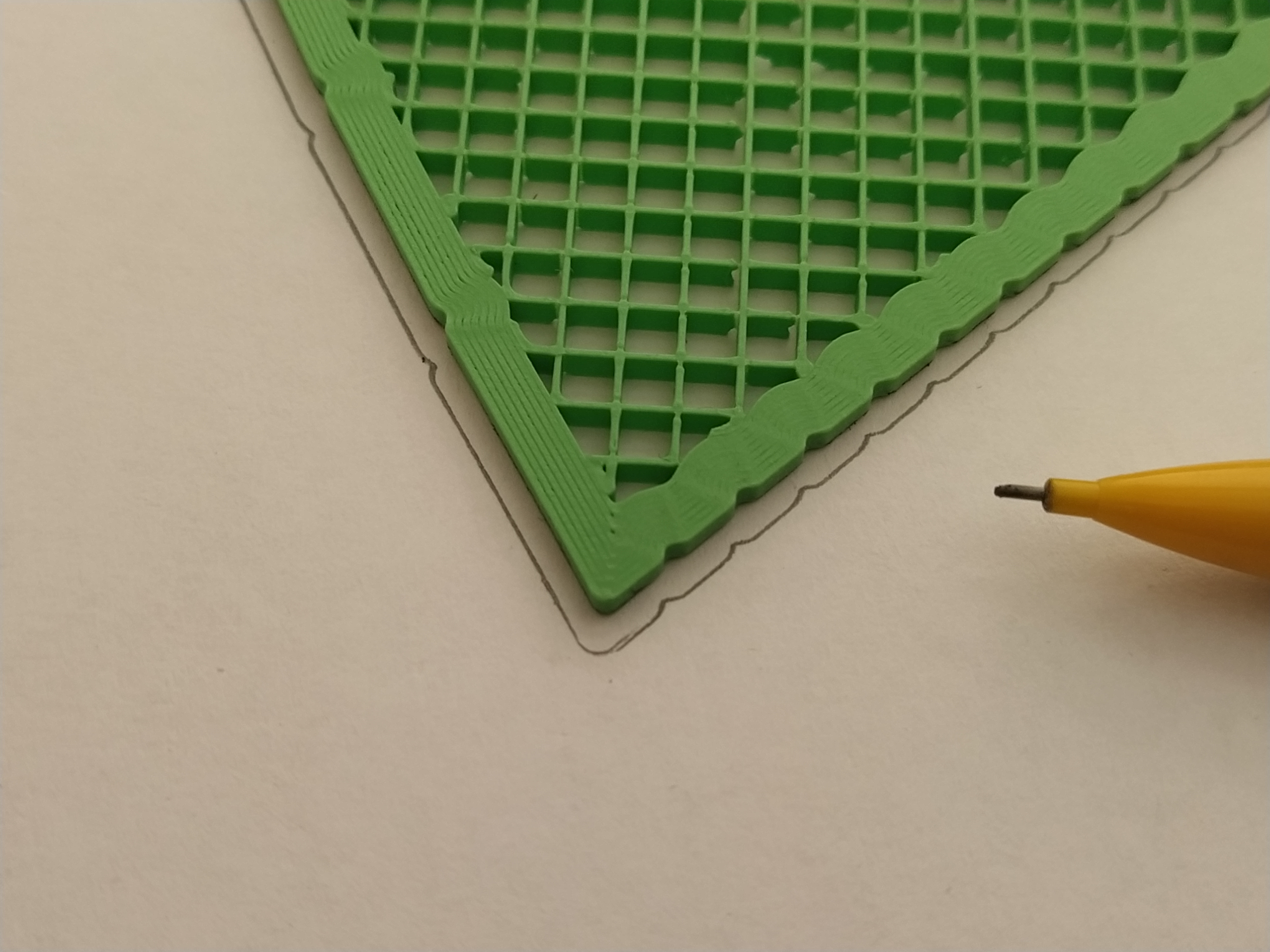
- It works perfectly well with 5×5 mm square grid paper, but I've added some ticks in the perimeter (5 mm horizontally apart from each other) so it can be used with plain paper too:
 |  |
Usage:
The main uses for this model are:
- Drawing a generic parabola (and its focus).
- Drawing line segments up to 10 cm, which is always handy.
- Drawing a schematic diagram of the reflexive property of the parabola.
- Drawing the Parabolic Multiplication Nomogram, an analogical calculator that is able to perform 1 digit multiplications with the help of a ruler.
The first two uses don't require any further explanation, so let's focus on the latter ones.
To draw a diagram of the reflexive property of the parabola, you will need to use a variant of the model that includes the Focus hole.
For plain paper, use a variant that includes Ticks in the perimeter, so you can make all the lines with the aid of a standard ruler:
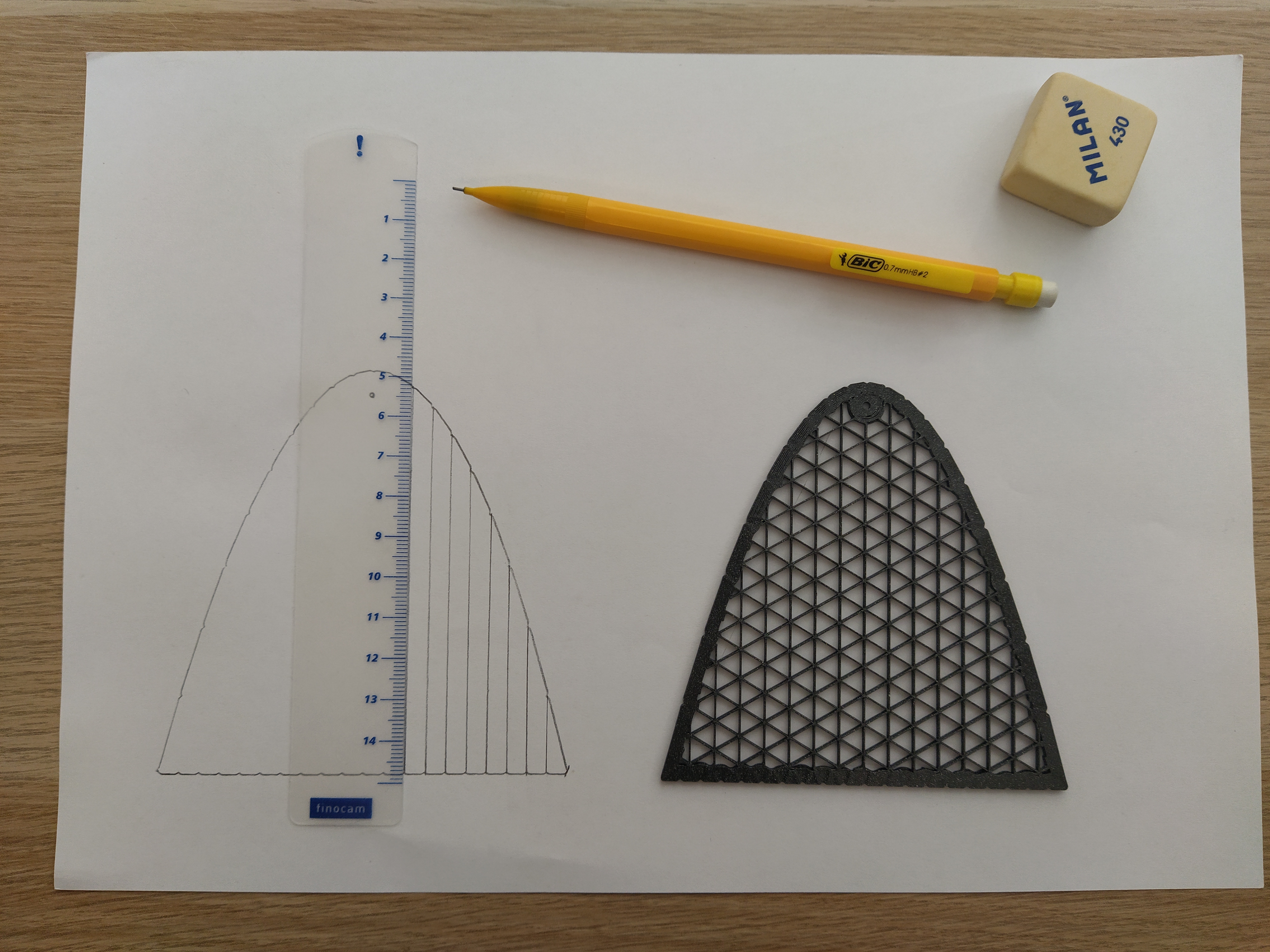 | 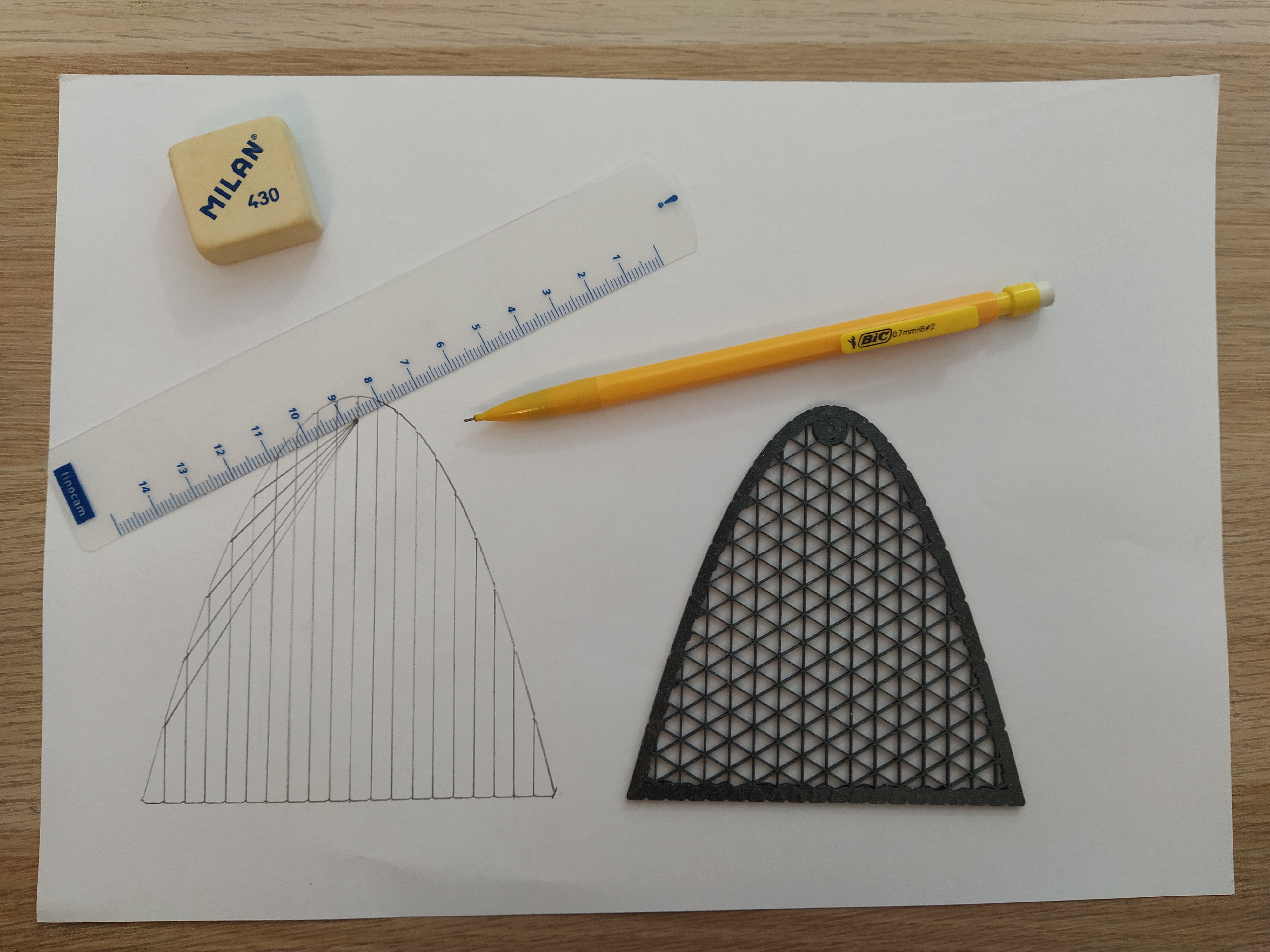 | 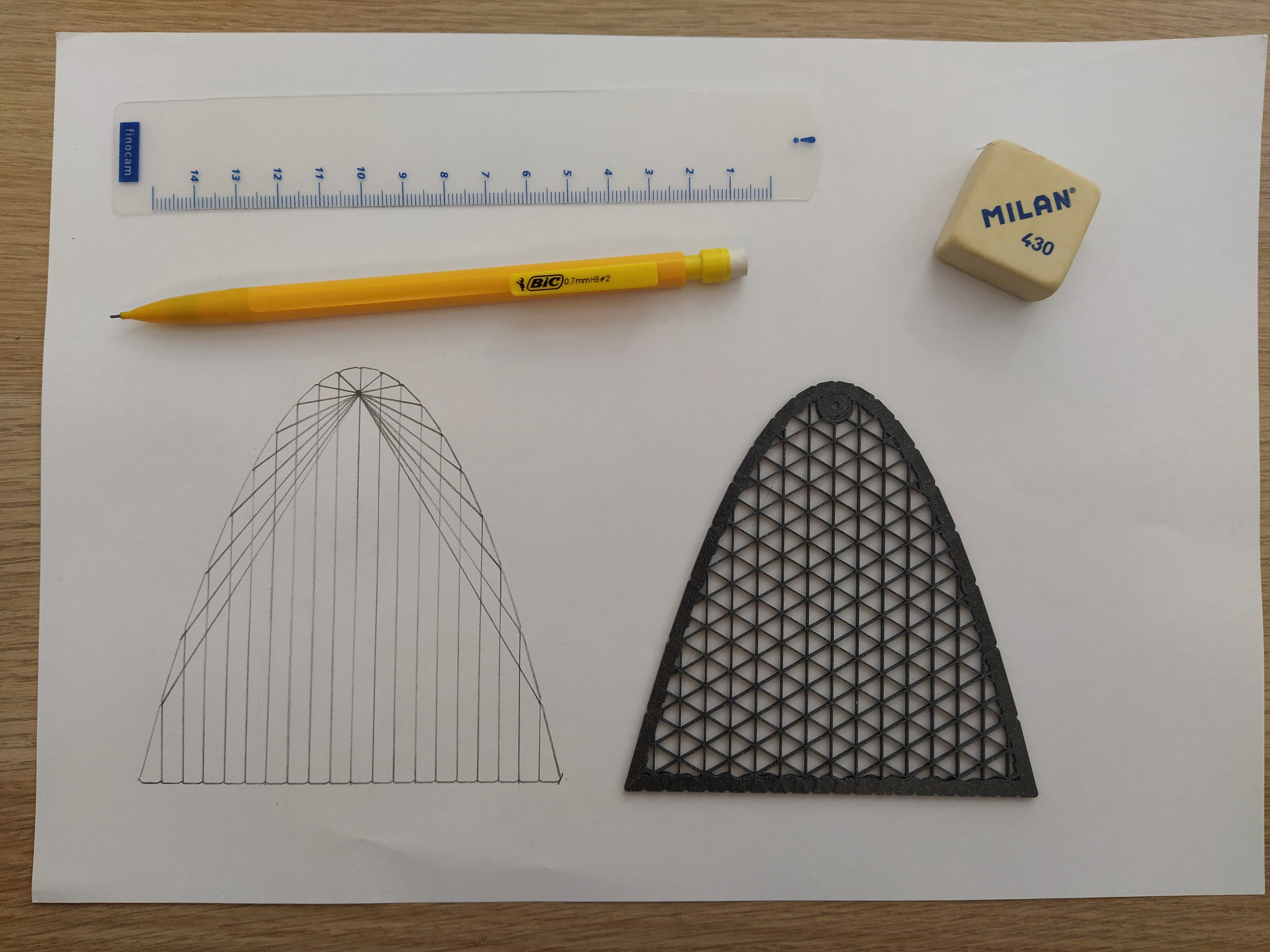 |
For square grid paper, you can use a model without Ticks in the perimeter, which allows you to use the straight segment of the model to draw the lines:
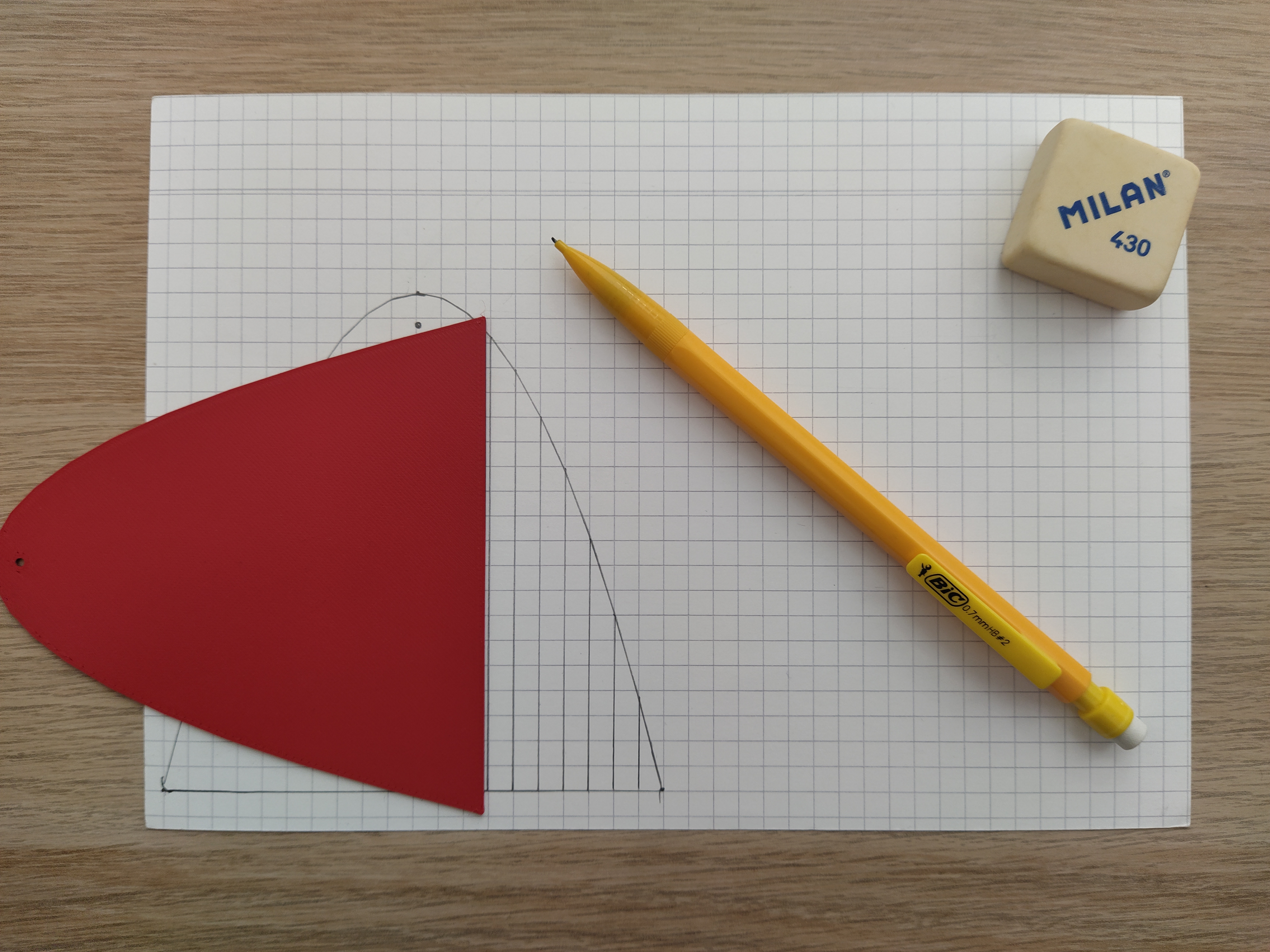 | 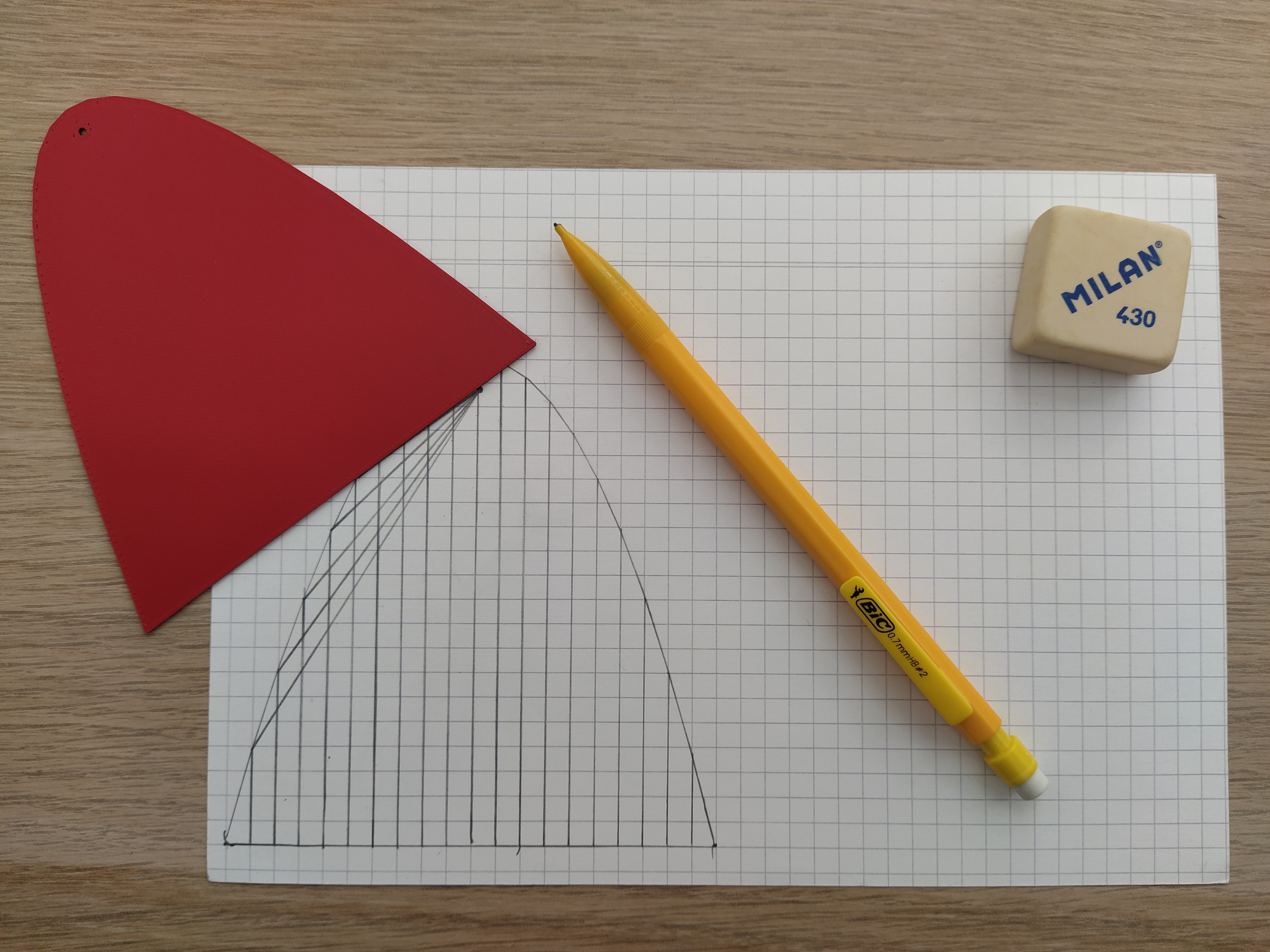 | 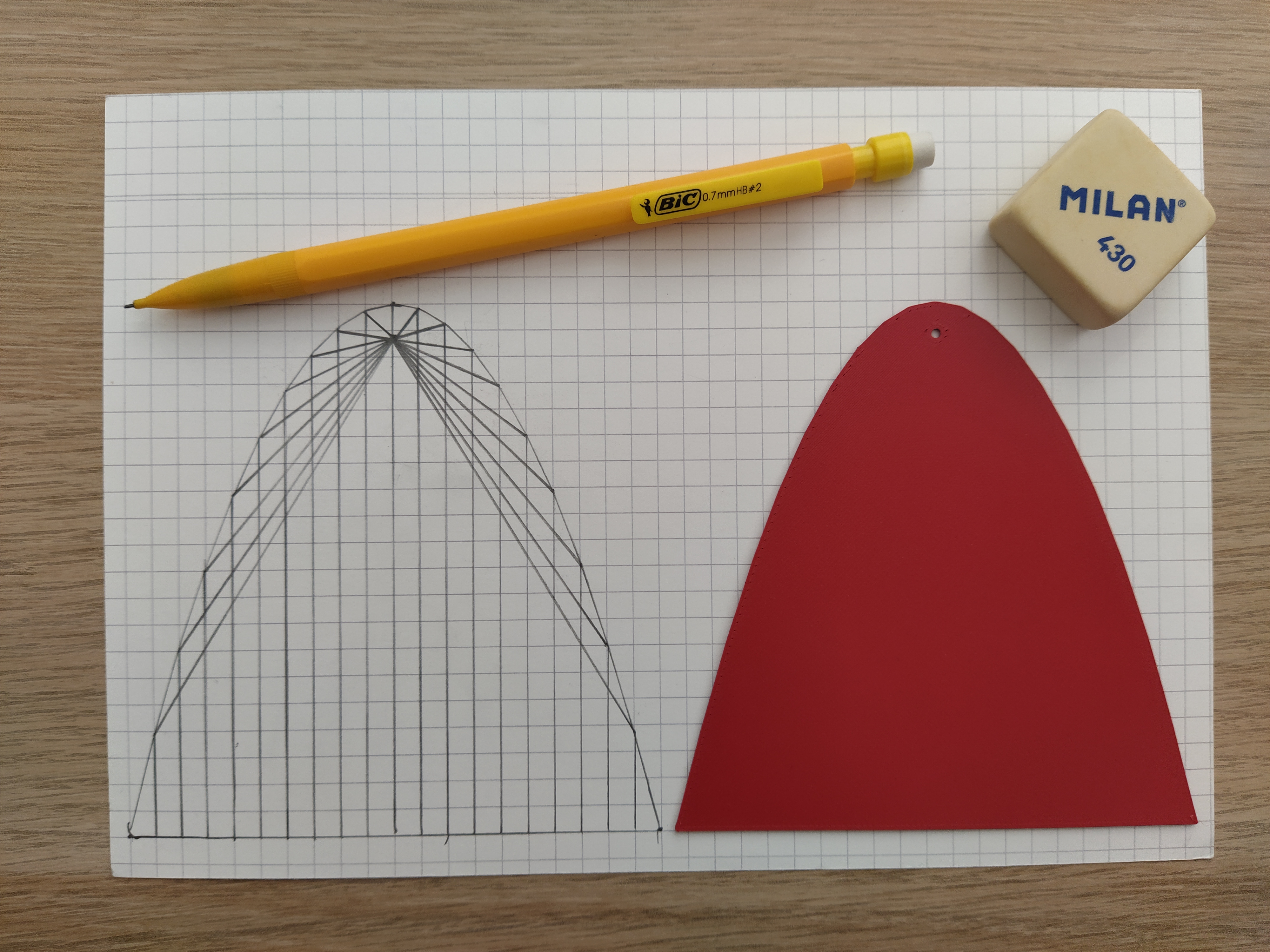 |
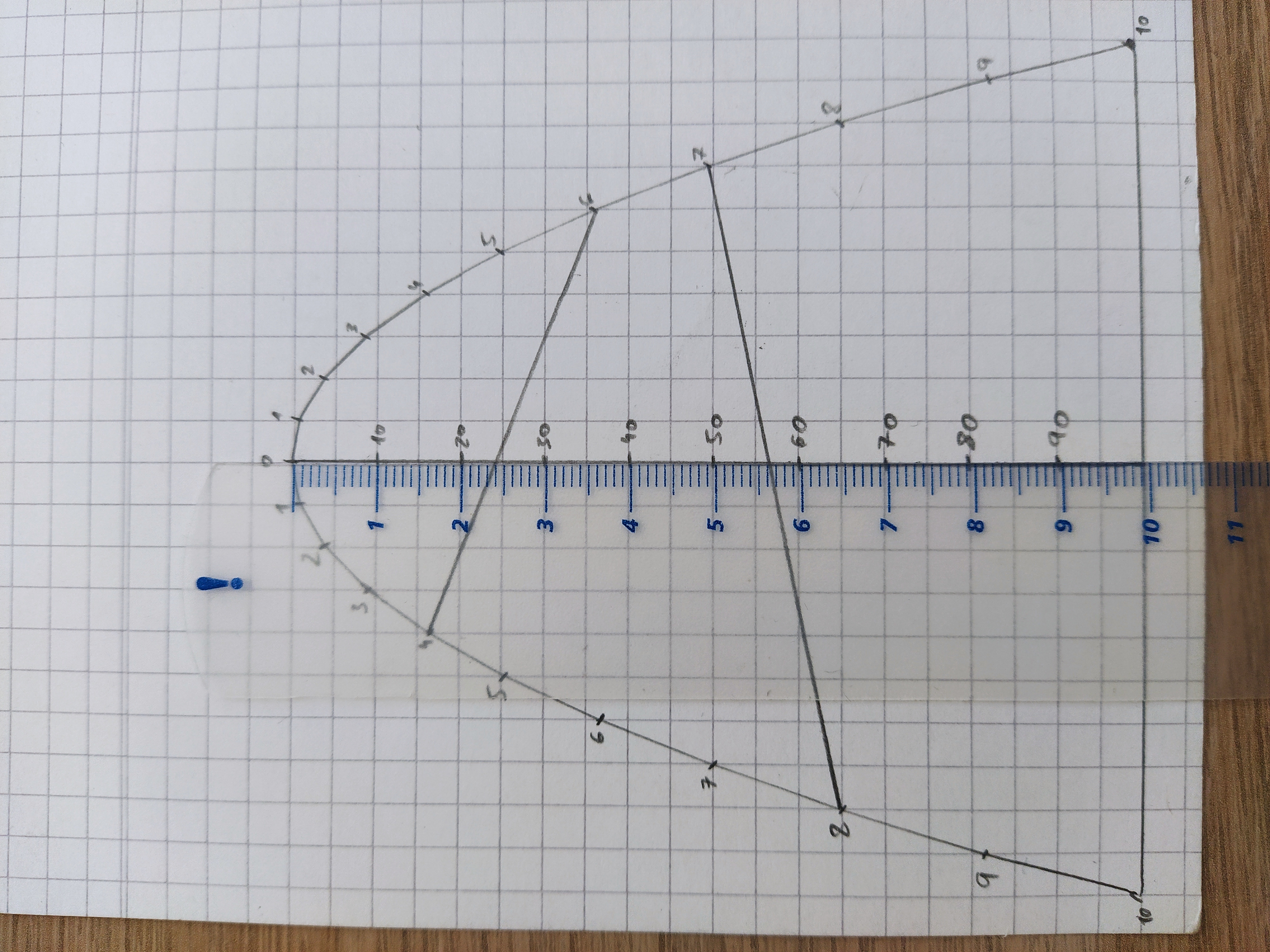
To use the Parabolic Multiplication Nomogram, you need to draw the perimeter of a model with Ticks, then draw the axis of the parabola, and finally mark all the points with their corresponding values:
 | 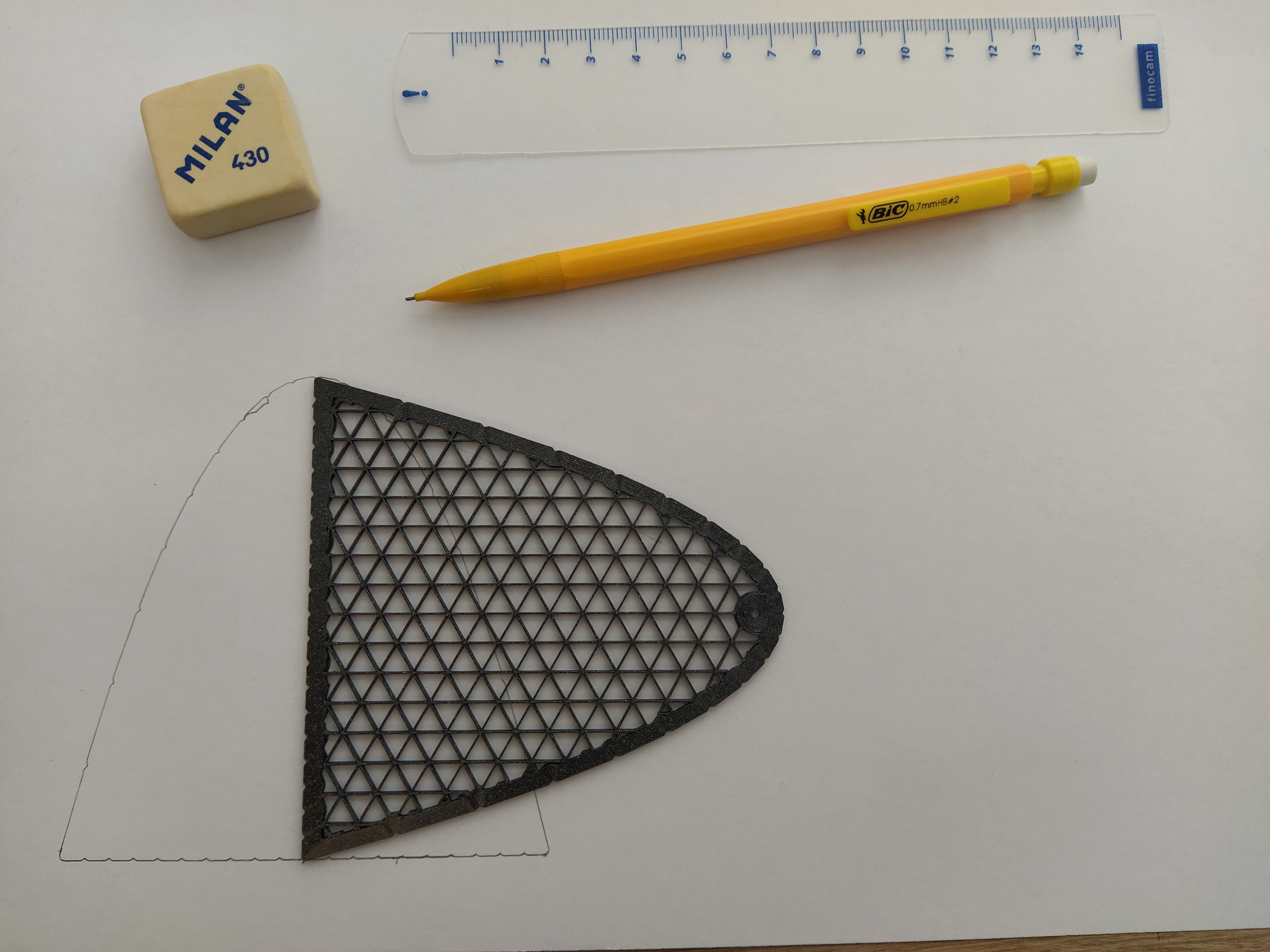 | 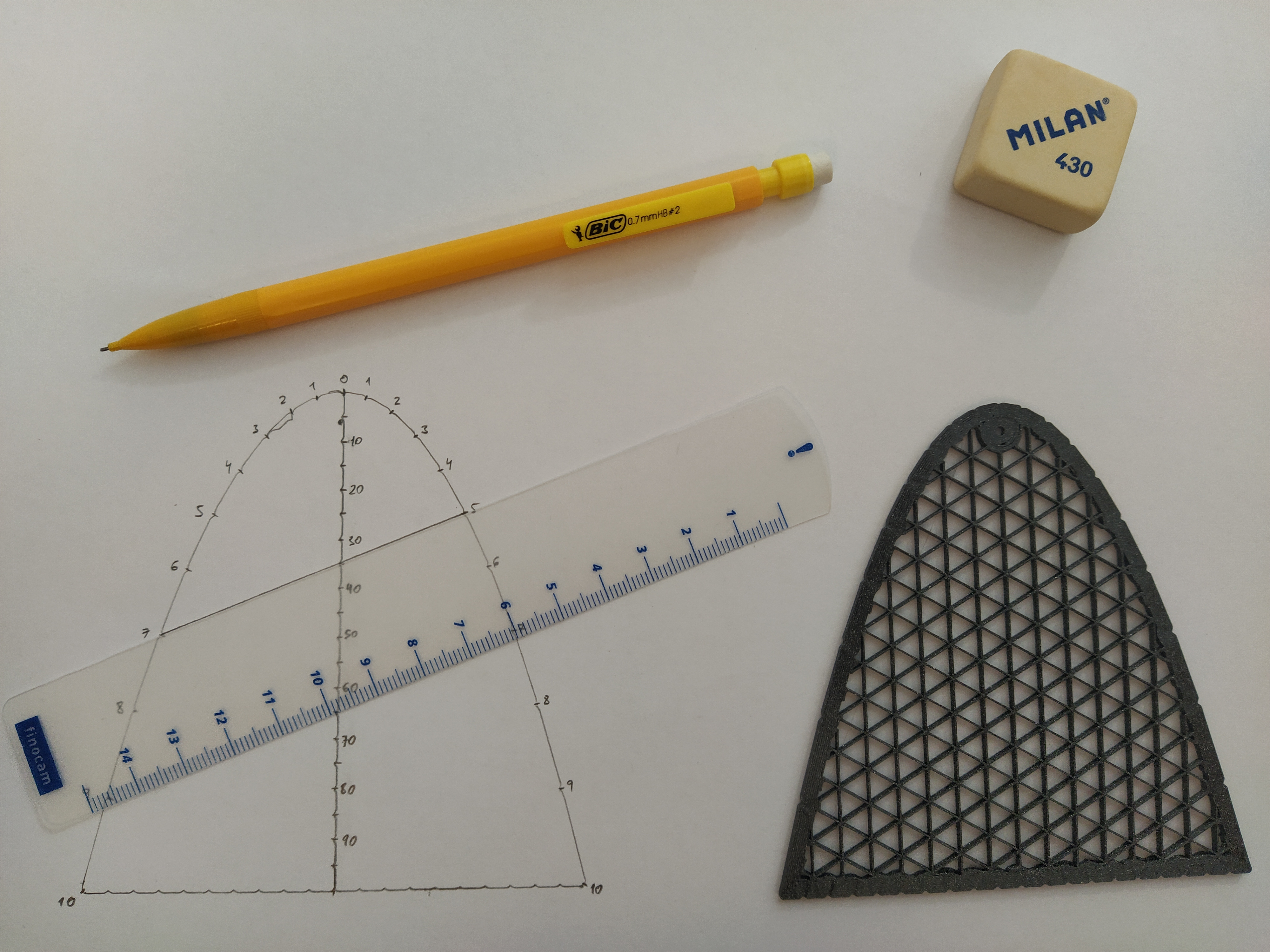 |
Now, you can multiply two single digit numbers in the parabola by joining them with a straight line and reading the results in the axis with the help of the ruler (7×5=35 and 8×9=72):
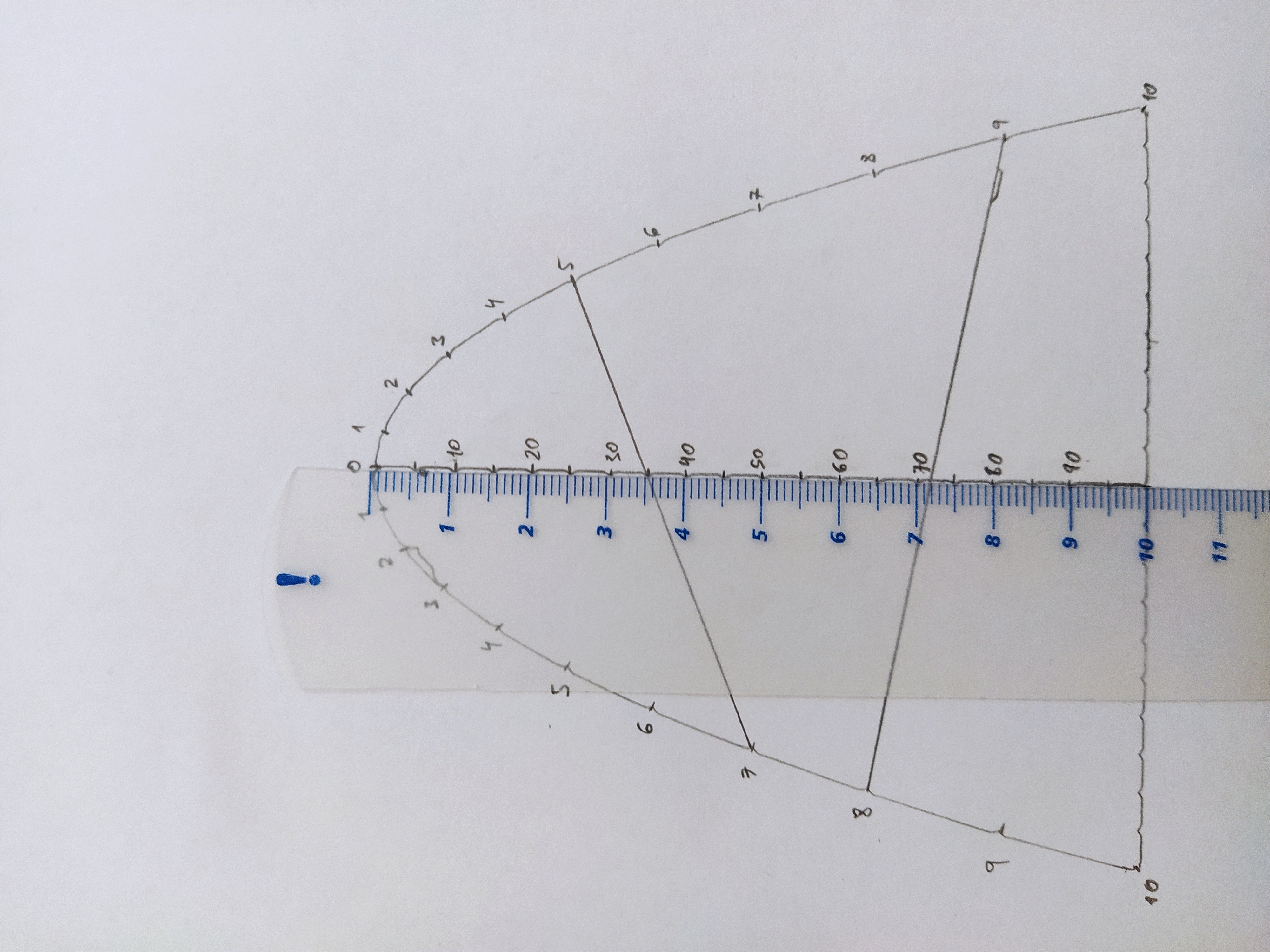
Again, with square grid paper, you can use a variant without Ticks, just make sure that you align the straight segment extremes with two grid intersections 10 cm apart:
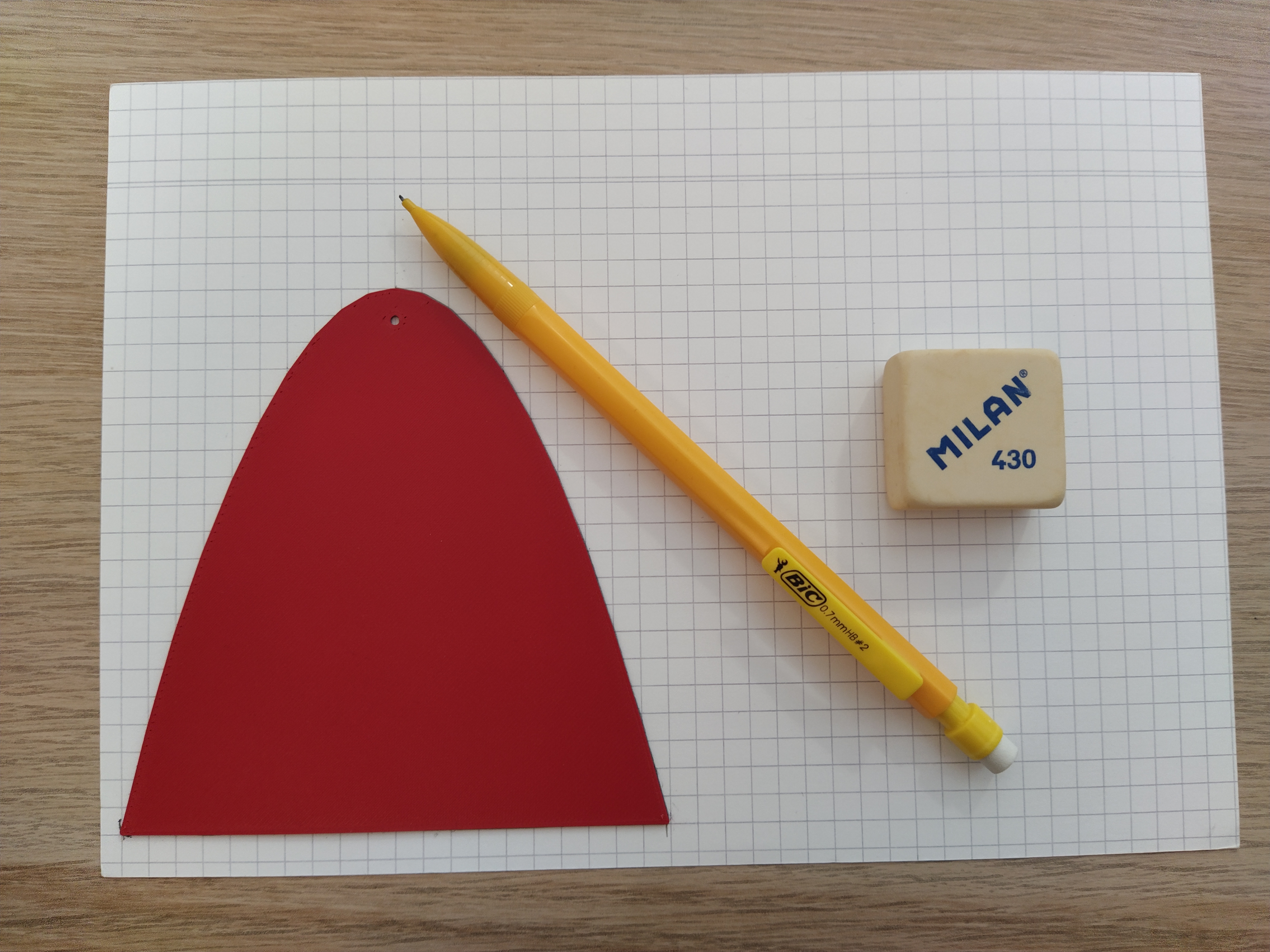 | 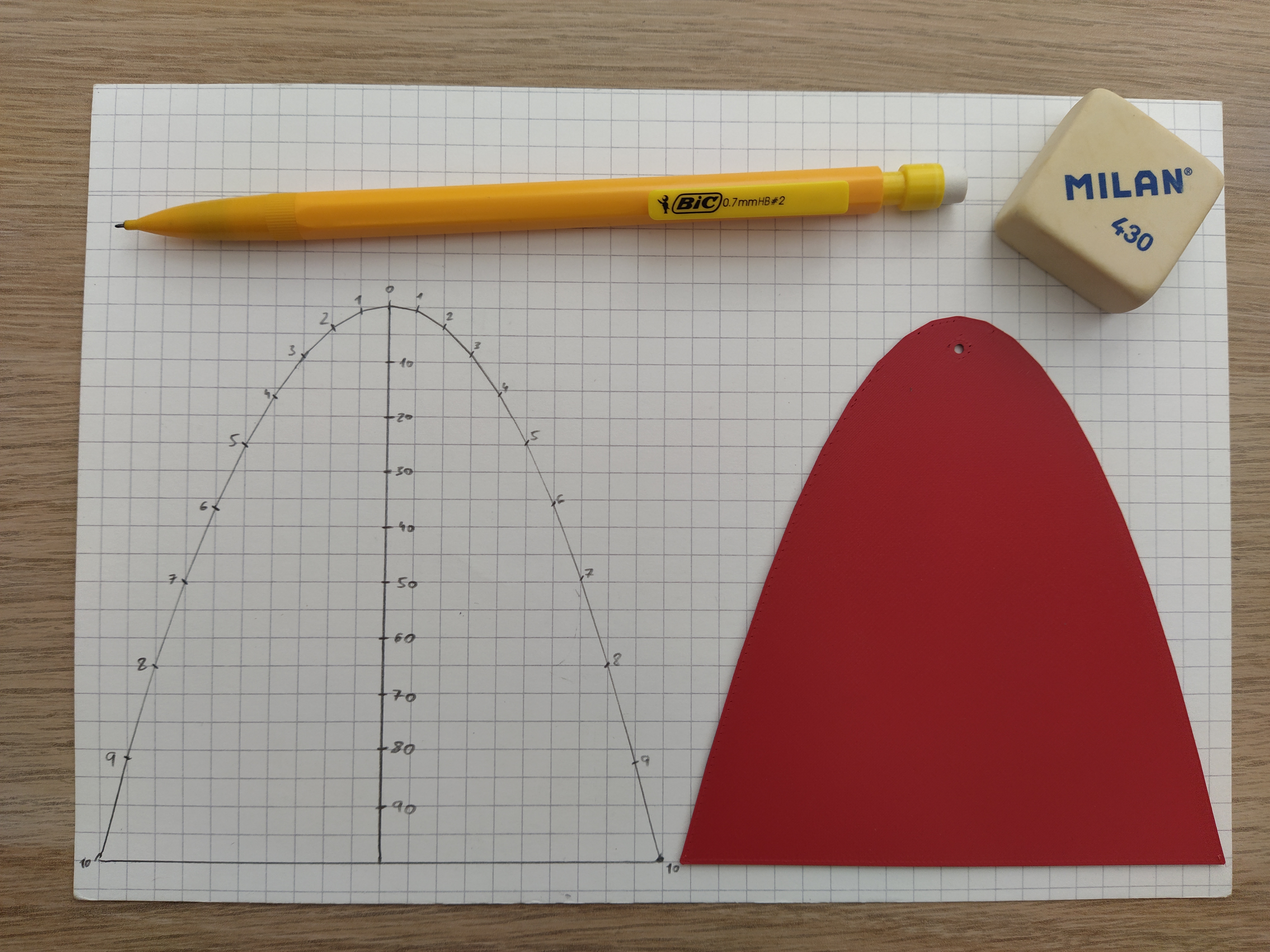 | 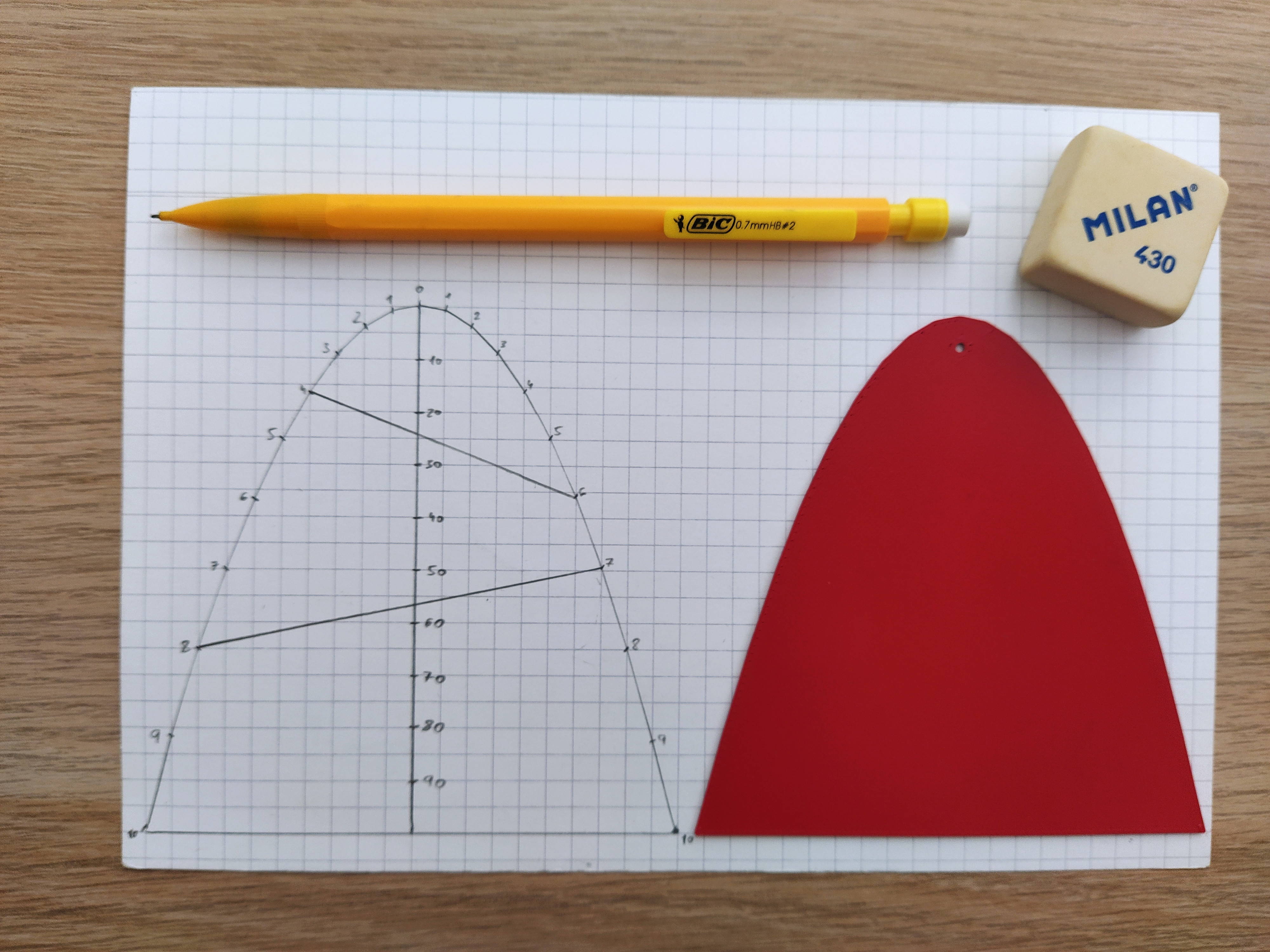 |
You still need a ruler to read the exact results, though (4×6=24 and 8×7=56):
Variants:
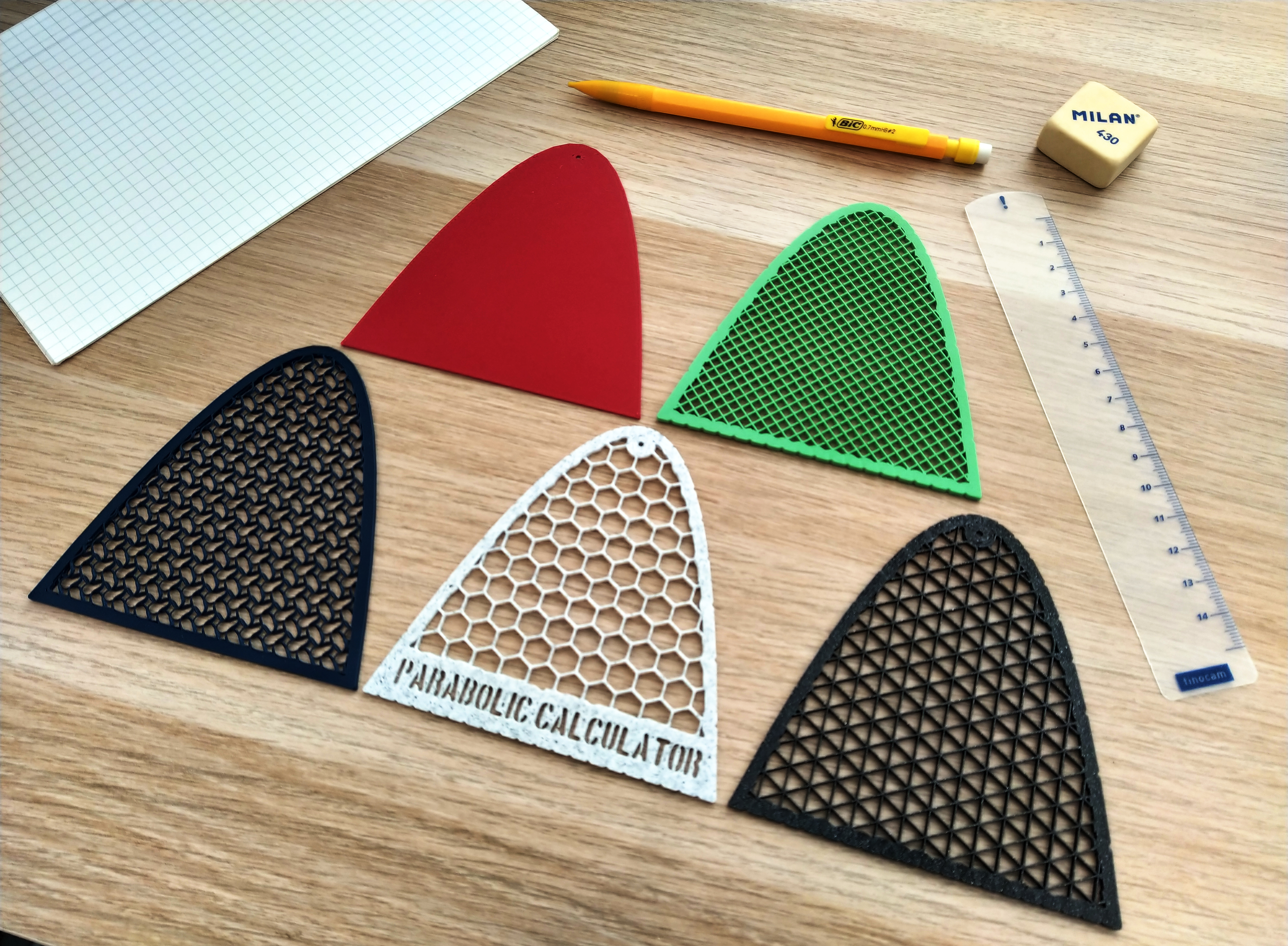
I provide several variants that are ready to print:
- Ticks-Focus-Text: The complete model with all the features (Marble Gray with hexagonal infill in the pictures).
- Ticks-Focus: The lightweight version of the complete model (Galaxy Black with triangular infill in the pictures).
- Ticks: If you don't need the focus, you can get a cleaner model (Matte Green with square infill in the pictures).
- Focus: If you use 5×5 mm square grid paper, you don't need the ticks (Matte Red 1 mm solid in the pictures).
- Plain: Minimalist version (Matte Navy with gyroid infill in the pictures).
Version 2
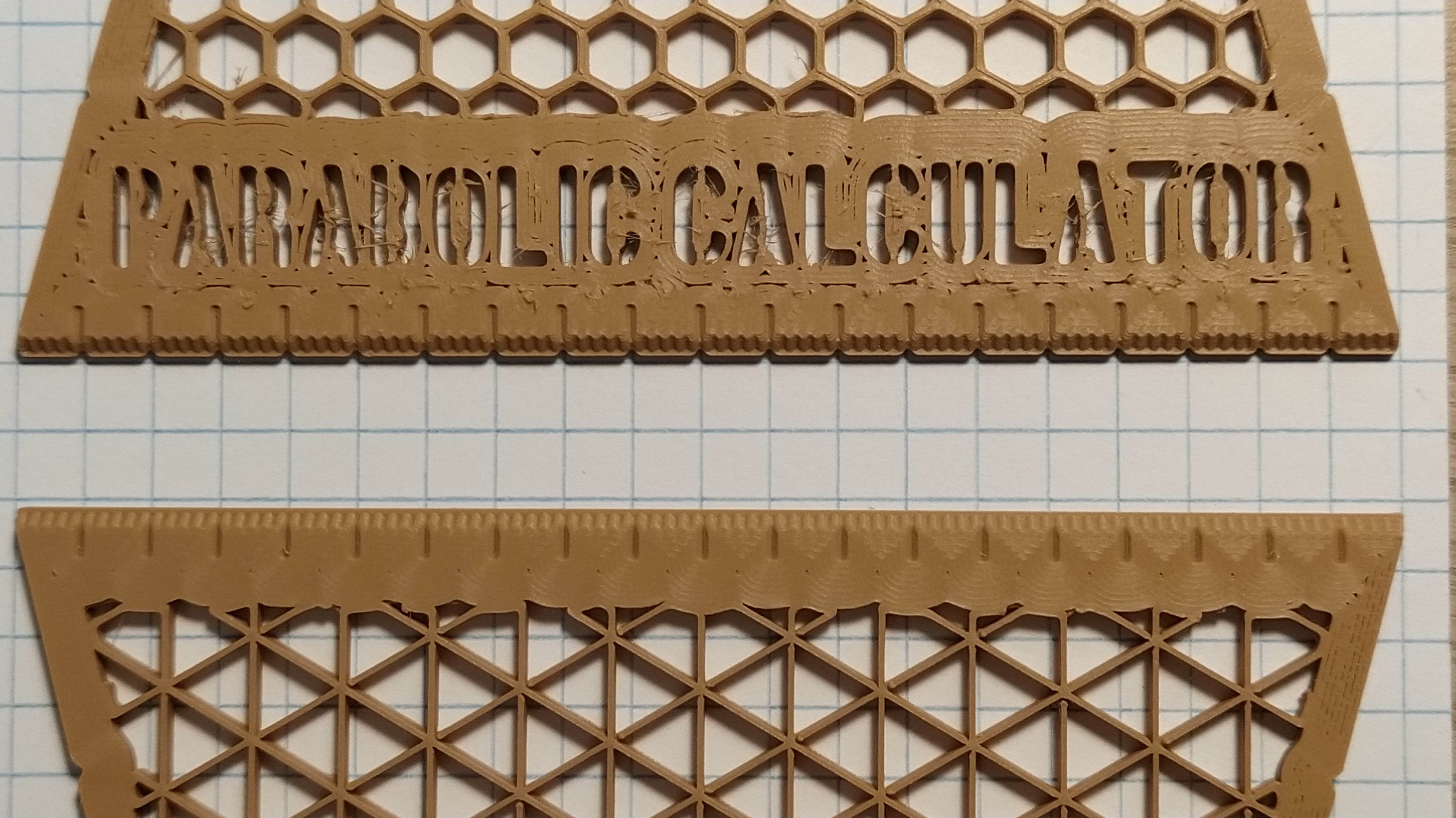
Version 2 now include a 1 mm precision ruler, making the extra ruler optional.
- Ticks-Focus-Text: The complete model with all the features + Ruler! (Brown with hexagonal infill in the pictures).
- Ticks-Focus-Text-Straight: The complete model with all the features + Ruler without indentations!
- Ticks-Focus: The lightweight version of the complete model + Ruler!
- Ticks-Focus-Straight: The lightweight version of the complete model + Ruler without indentations! (Brown with triangular infill in the pictures).
- Ticks: If you don't need the focus, you can get a cleaner model + Ruler!
- Ticks-Straight: If you don't need the focus, you can get a cleaner model + Ruler without indentations!
- Focus: If you use 5×5 mm square grid paper, you don't need the ticks + Ruler without indentations!
- Plain: Minimalist version + Ruler without indentations!
The standard ruler (top) and the straight ruler (bottom).
Recommended Print Settings:
- The model works well with a 0.2 mm layer height and a 0.4 mm nozzle, but you can use pretty much anything else without problem if you adjust the radius of the ruler markings accordingly. [UPDATE] For Version 2, I recommend a 0.1 mm layer height.
- I printed it in PLA, but you can use pretty much any material of your choice.
- I usually print this model with 0 top layers, 0 bottom layers, 8 perimeters and a nice infill pattern (hexagons, squares, triangles, etc.) to get the effect you can see in the pictures. Remember to play with the infill angle to get nicer results!