
PC Air Freshener Mod
We calculate the final price from your selected file. You review and accept it before payment.
Saved on this device.

Digital air freshener mod with screen, temp display, and rotating images – mounted on a Corsair AIO pump cap.
- Rating
- 0 / 5
- Likes
- 4
- Downloads
- 5
- Makes
- 0
- Views
- 80
- Reviews
- 0
Updated at source:
Model information
- Source
- Printables
- Category
- Computers
- License
- Creative Commons — Attribution — Noncommercial — Share Alike
Description
Turn your Corsair TITAN AIO into something more than just a cooler — make it a statement piece.
This snap-on mod adds a digital air freshener to your pump cap: inspired by the classic "Wunderbaum," now upgraded with a full-color screen, rotating images, real-time temperature, and brightness controls — all powered by a Raspberry Pi Pico.
Whether you're building a sim rig, love retro vibes, or just want something that makes your PC setup feel truly yours — this mod brings personality, motion, and a smile to your build.
What you need
- https://www.amazon.de/Raspberry-Pi-Pico/dp/B09KVB8LVR (don't forget the header pins)
- https://shop.pimoroni.com/products/pico-display-pack-2-0?variant=39374122582099
- Elastic band for fastening
- Wires (for 5V power from motherboard or USB)
What it does
- Shows one of 25 digital air freshener images in 240x320 resolution.
- Images are in classic Wunderbaum style (included as
.rawfiles in the.zip). - Auto-rotate function: every 15 minutes, the Pico randomly selects one of 20 images stored directly on the board.
- Built-in temperature sensor reads and displays real-time temperature data (toggleable).
- Brightness is adjustable using the onboard buttons.
- The device runs completely standalone on the Raspberry Pi Pico + Pico Display 2.0.
Button Functions
- Y button: Toggle temperature display on/off
- X button: Skip to the next image
- B button: Lower screen brightness
- A button: Increase screen brightness
What’s included in the ZIP
main.py: The ready-to-run Python script for your Pico.
25 .raw images (240×320, RGB332 format).
How to install
- Flash your Raspberry Pi Pico with MicroPython.
- Connect the Pico Display 2.0 from Pimoroni.
- Use Thonny or any file manager (like Raspberry Pi Imager or rshell) to:
- Copy
main.pyto the Pico. - Upload your selected
.rawimages (up to 20 depending on storage). - Make sure image filenames end with
.rawand are all placed in the root directory of the Pico.
- Copy
Printing
Wunderbaum | |
 | |
| Material | PLA or PETG |
| Nozzle | 0.40mm |
| Layer Height | 0.10mm |
| Infill | min. 25% |
| Supports | No |
| Brim | No |
| Print Orientation | Face down |
Cap-Swap-Adapter | |
 | |
| Material | PLA |
| Nozzle | 0.40mm |
| Layer Height | 0.10mm |
| Infill | min. 15% |
| Supports | No |
| Brim | No |
| Print Orientation | Face down |
Assembly
Attach the Pico/display set to the opening of the Wunderbaum with a rubber band.

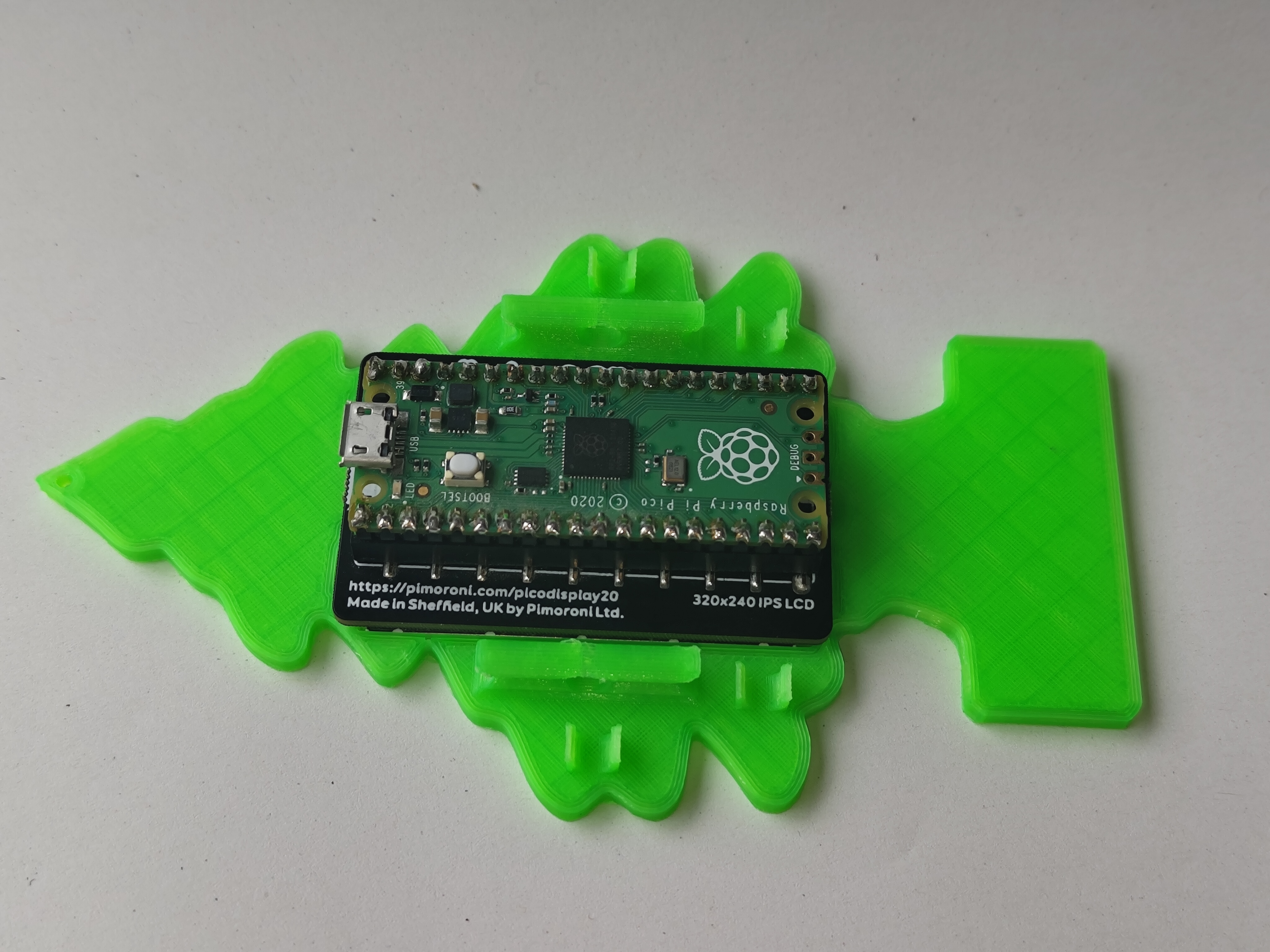
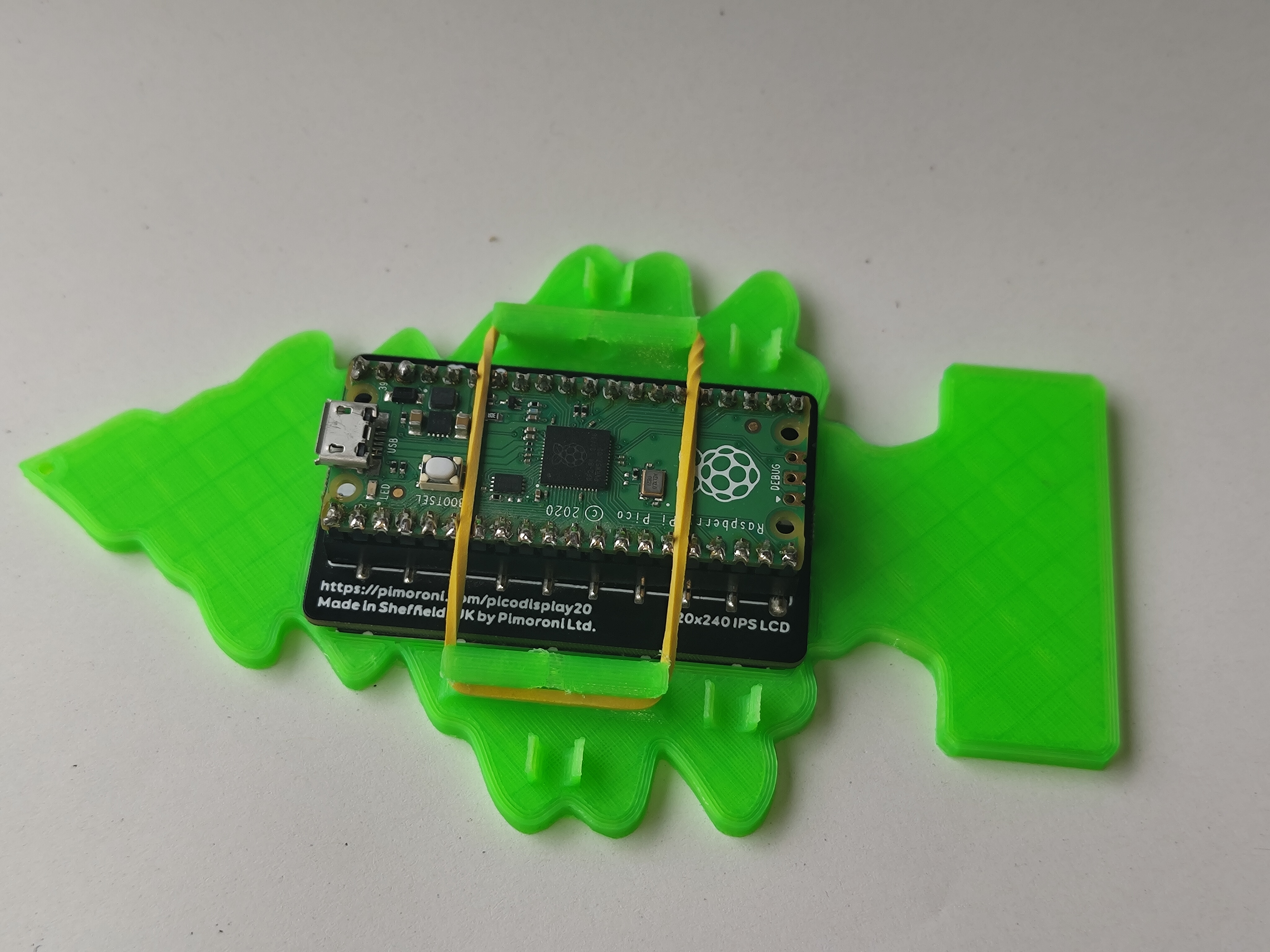
Before you finish assembling the PC Air Freshener Mod, solder the power supply wires to the Raspberry Pico. Refer to the electrical diagram, which can be found in the download area.


Place the Wunderbaum on a surface with the clips facing up. Then align the Cap-Swap-Adapter accordingly.

Then press the Cap-Swap-Adapter onto the Wunderbaum. An audible click will indicate that the parts are now connected.

Turn on the Pico by applying voltage. Have fun with the PC Air Freshener Mod :)
