
Parametric (customizable) Box
We calculate the final price from your selected file. You review and accept it before payment.
Saved on this device.
This is a 100% 3D-Printed Box which you can edit in lenght, widht and height to create your own Toolbox.
- Rating
- 0 / 5
- Likes
- 7
- Downloads
- 35
- Makes
- 0
- Views
- 232
- Reviews
- 0
Updated at source:
Model information
- Source
- Printables
- Category
- Organizers
- License
- Creative Commons — Attribution — Noncommercial — Share Alike
Hey,
this is my own made Parametric Box.
Parametric means, that you can edit the dimensions of the box in Fusion 360. This allows you to customize the box to suit your personal projects:
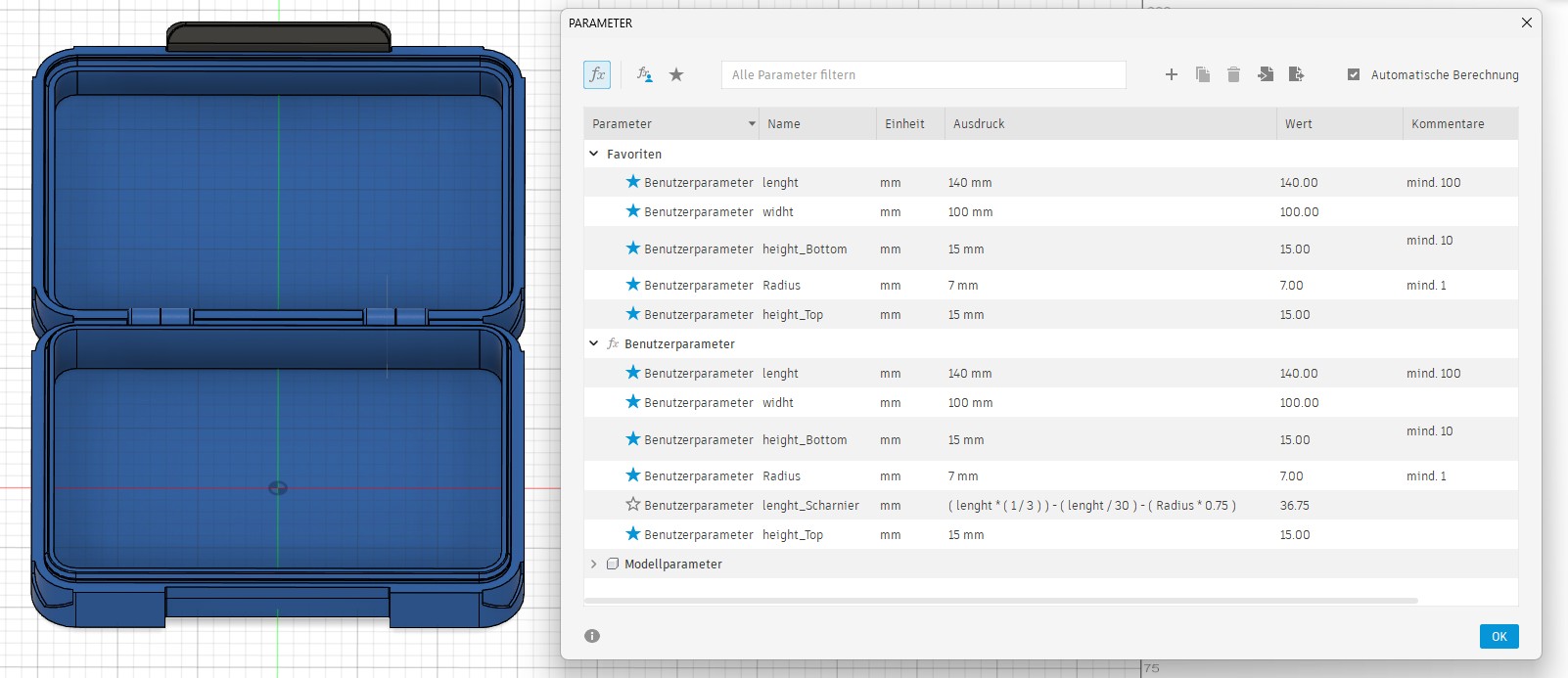
Finding the Parameters in Fusion 360
Open the Modify Menu
Click on Change Parameters
3 Different Versions
Stackable Box with a Wallmount
You can Stack the Boxes above
You can mount the Box with a slide mechanism on a board (For example a ikea skadis board) or a Wall.
Stackable Box
Only the Box
Print Settings:
Material: PETG
Nozzle: 0,4mm
Layer height: 0,2mm
Infill: 15%
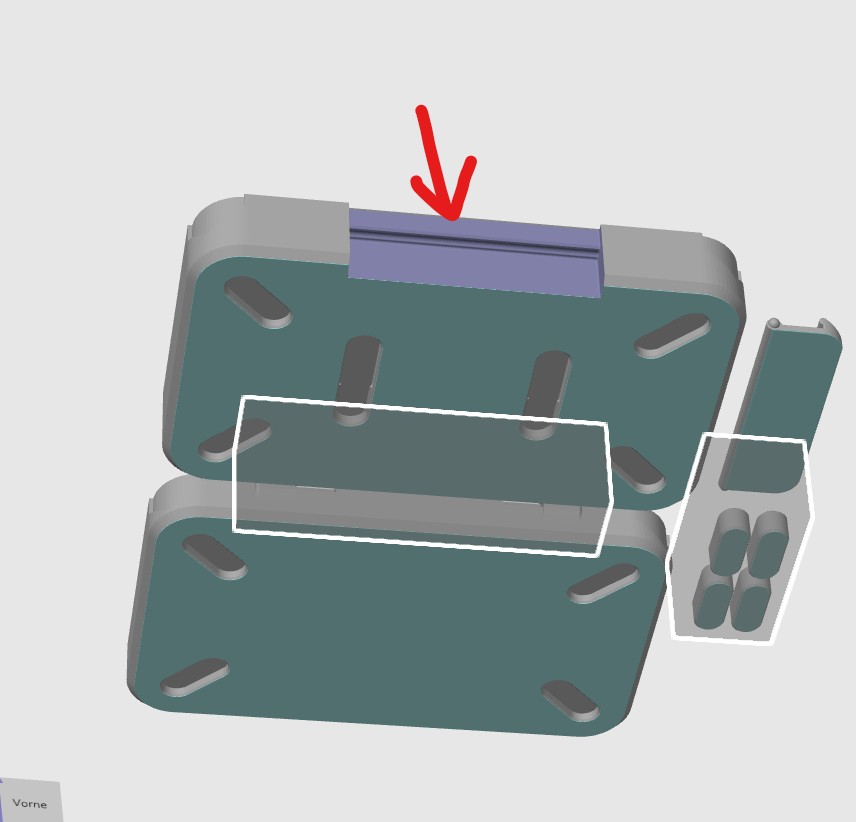
Supports: Tree at the market Position:
Wera Toolbox
Here, I used my parametric box to create a toolbox for my Wera tools. It's a good example of what is possible with this model.
Thank you
Creating this project was a big challenge. I was able to learn a lot from other creators. Check them out!