
1 / 1
Ender 5 Plus Mounting Bracket for BIGTREETECH Filament Runout Sensor
Order a print of this model
We calculate the final price from your selected file. You review and accept it before payment.
Saved on this device.

Simple bracket to mount the BIGTREETECH Filament Runout Sensor on an Ender 5 Plus
- Rating
- 0 / 5
- Likes
- 9
- Downloads
- 39
- Makes
- 0
- Views
- 531
- Reviews
- 0
Updated at source:
Model information
- Source
- Printables
- Category
- Creality Parts & Upgrades
- License
- Creative Commons — Attribution
BIGTREETECH Filament Runout Sensor Mount for Ender 5 Plus
Required Parts:
https://www.amazon.com/BIQU-Filament-Detection-Accessories-Extruder/dp/B08QJFJYLN
Set of 4, 2.5 mm screws, washers and nuts that fit the existing run out sensor mount pictured below.
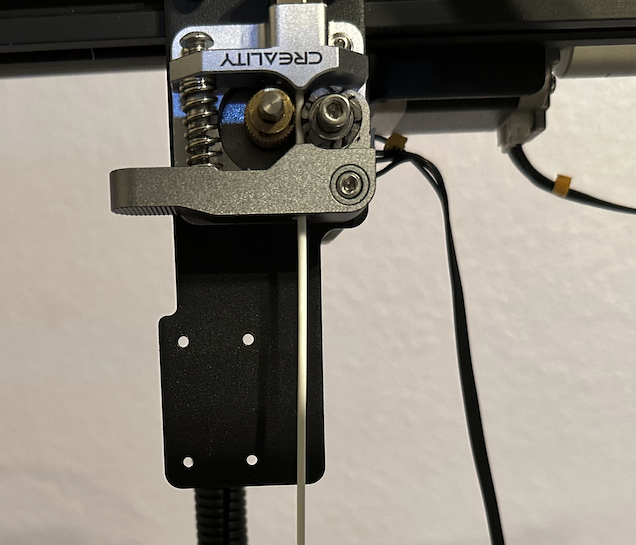
Note: you will have to remove the existing run out sensor if you have not already.
Build Guide:
- Print out the bracket from this project.
- Remove the back plate from the Bigtreetech sensor and set it aside. Retain the screws.

3. Screw the sensor to the mount plate as pictured below.
