
Spine Cable Chain - Ender 3 V3 KE/SE
We calculate the final price from your selected file. You review and accept it before payment.
Saved on this device.

A full-featured solution for managing the cables on your Ender 3 V3 KE or SE.
- Rating
- 4.479 / 5
- Likes
- 929
- Downloads
- 6,221
- Makes
- 55
- Views
- 27,926
- Reviews
- 48
Updated at source:
Model information
- Source
- Printables
- Category
- Creality Parts & Upgrades
- License
- Creative Commons — Attribution — Noncommercial
This is my take on a spine style cable chain for the Ender 3 V3 KE/SE. I was going for a very specific "look," and I think I've achieved it.
I've designed components for all the various mounting points.
There are three mounts for the main cable coming out of the tool head: one for the tool head, one for the base, and a bridge for the X-axis gap.
For the bed cable, there are 2 mounts: The clamp for the bed and a mount for the backside base of the printer.
You'll need 2 M3 screws and nuts to secure it. I originally had clips designed but prefer it clamped down hard - so I opted for these. Length doesn't really matter. It won't touch anything.
Join my discord! https://discord.gg/uYBuFXUmcU

Everything in this project can be printed without supports except the bed cable base mount. This should be printed, as shown in the picture below, with a small support painted on for the ball joint.
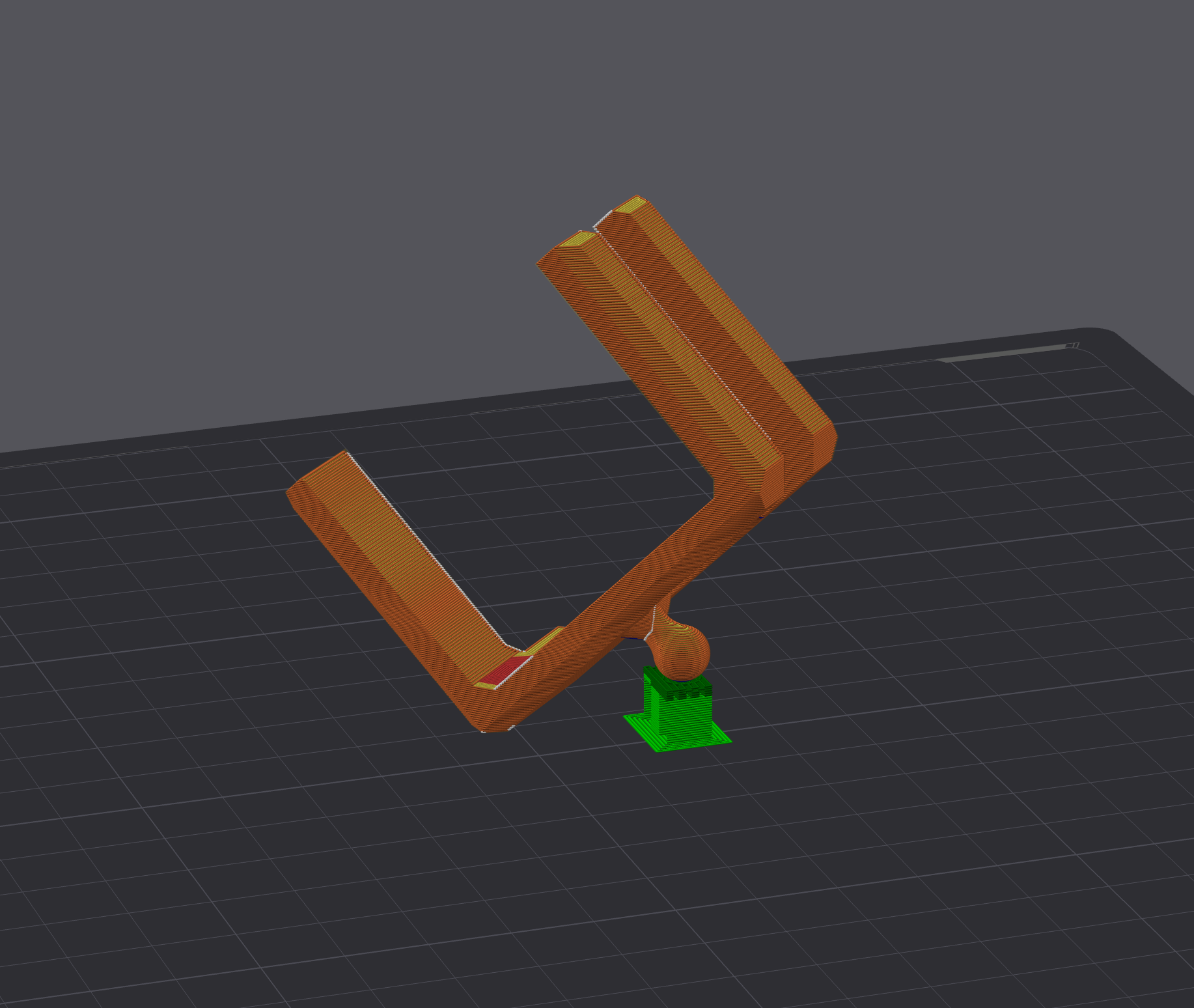
You will need to print:
- 46 Main Links - This can be any combination of the “Standard” Mount + The zip tie or claw variants. Those are optional but handy if you have some extra wiring to hide.
- 20 Bed Chain Links
- 1 of each of the various mount
I recommend printing everything with variable layer height. It really helps with the overhangs.
Print Settings:
- Lots of walls
Thats it! Please enjoy!