
Snap-In MakerBeamXL 1515 DIN Rail Mounting System for Voron V0.1 V0.2
We calculate the final price from your selected file. You review and accept it before payment.
Saved on this device.

Snap-in DIN rail mount for Voron V0.1, V0.2 with wire management, no screws required, fits MakerbeamXL 1515 extrusions.
- Rating
- 0 / 5
- Likes
- 14
- Downloads
- 72
- Makes
- 0
- Views
- 596
- Reviews
- 0
Updated at source:
Model information
- Source
- Printables
- Category
- Voron Parts & Upgrades
- License
- Creative Commons — Attribution — Share Alike
Version 1.0.0 - Release
This 3D-printed mounting system is designed to securely hold control boards on the back panel of the Voron V0, V0.1, and V0.2, specifically for builds using MakerbeamXL 1515 aluminum extrusions. The robust design includes a custom snap-in DIN rail mount and wire routing clips for clean cable management, eliminating the need for screws or disassembly. Tiny holes allow signal wires to pass along the extrusions, keeping the setup organized.
Instructions:
- Orient the parts as shown in the provided image.
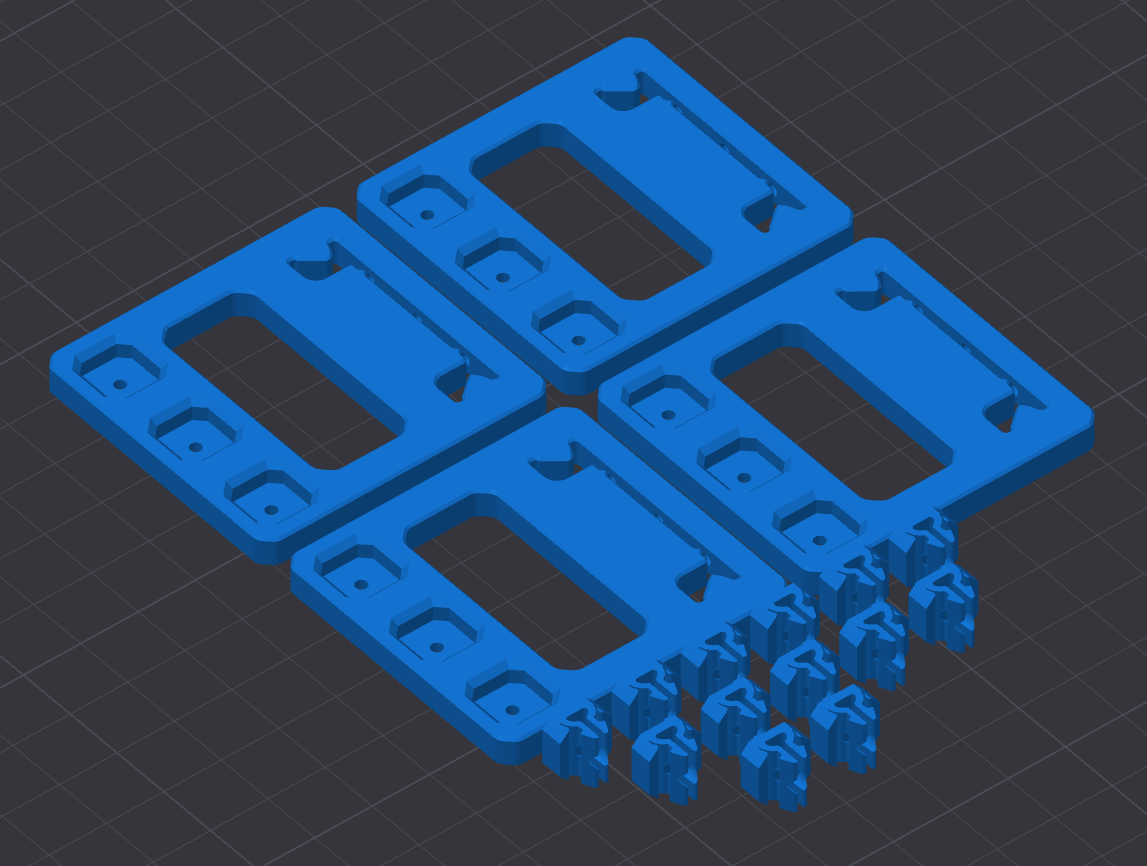
- Press the snap-in clip into the DIN Rail Mount (a metal tool can be used for assistance).

- Optionally, glue or screw the clips into the printed DIN rail mount. A M3x3x4.5 Heat insert can fit into the clips.

- Gently hammer the DIN rails into place.
- Carefully snap the mount into the MakerbeamXL 1515 extrusions.

- Mount boards
For ASA/ABS, you may need to print the snap-in clip at 101% scale and the DIN rail mount at 101.5% scale.