
IKEA DATASKÅP
Obliczymy ostateczną cenę na podstawie wybranego pliku. Sprawdzisz ją i zaakceptujesz przed płatnością.
Zapisane na tym urządzeniu.
Informacje o modelu
- Źródło
- Printables
- Kategoria
- Computers
- Licencja
- GNU General Public License v3.0
IKEA DATASKÅP
IKEA kitchen cabinet storage server
This model contains all parts of my main home storage server, build inside an IKEA MAXIMERA kitchen cabinet. The cabinet provides easy access for maintenance and upgrades.
My next upgrade would be adding a cluster-server drawer and networking-gear drawer as well.
Note: I'm not responsible for possible data loss or damaged parts! If you follow this build, it's fully at your own risk and responsibility!
Instructions:
I went over writing these instructions quite fast. Please feel free to ask any questions, if something isn't clearly explained.
Note: You need three additional wooden support planks, of size (12 x 25 x 480 mm). These planks are mounted to printed parts nr: 1, 2, 3 and 4. This forms the structural base where almost all other parts attach to. You also need an IKEA MAXIMERA kitchen cabinet.
Main support frame
Start by printing out part number 1, 2, 3 and 4.
Attach the three planks on part 1 and 3 using standard wood screws (see blue arrows on image).
Attach part 2 and 4 to part 1 and 2 using the required fasteners.
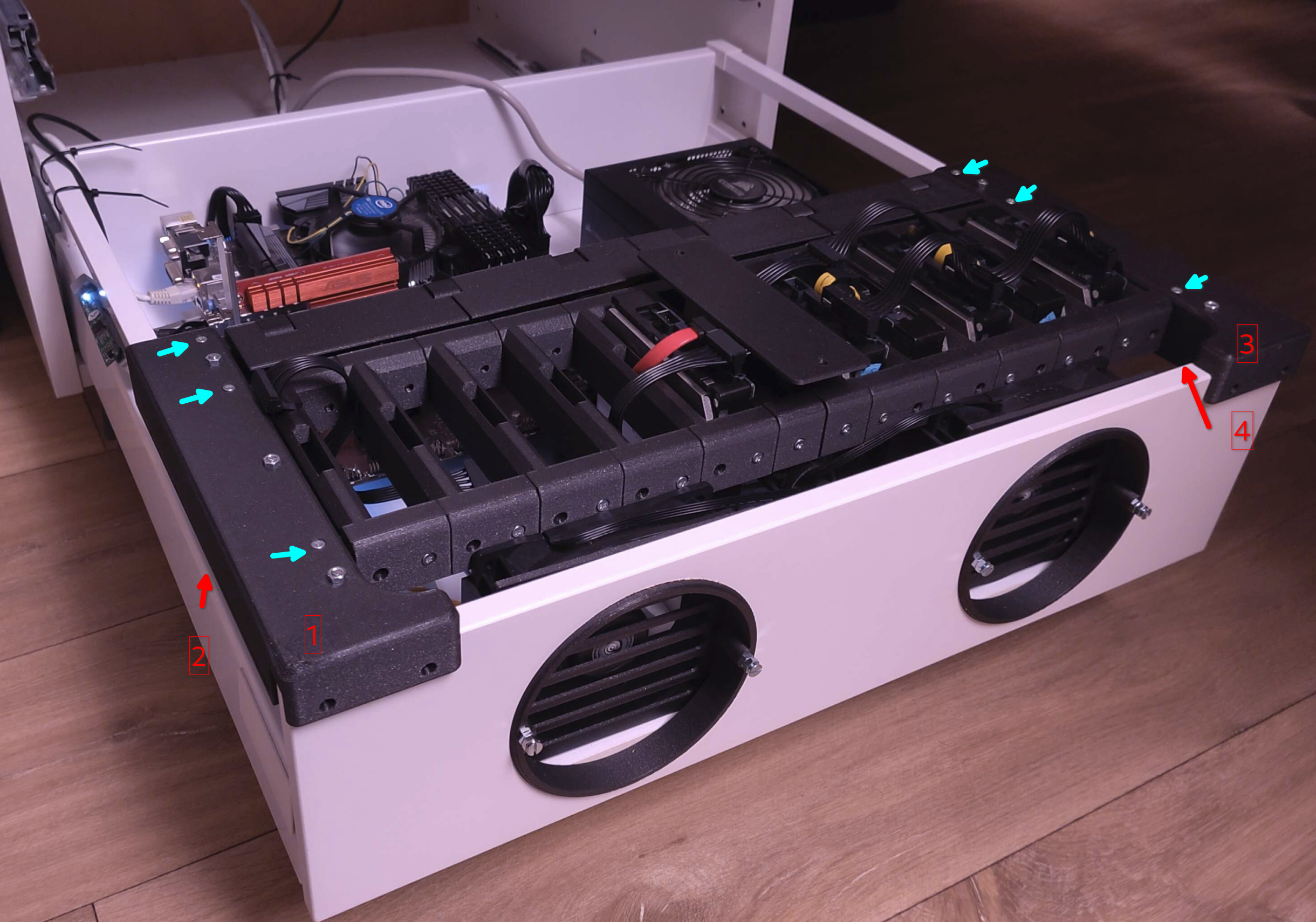
Print part nr 5 ten times. This is the part that holds your HDD's. This part fits over the two wooden planks at the front. Attach using standard wood screws.
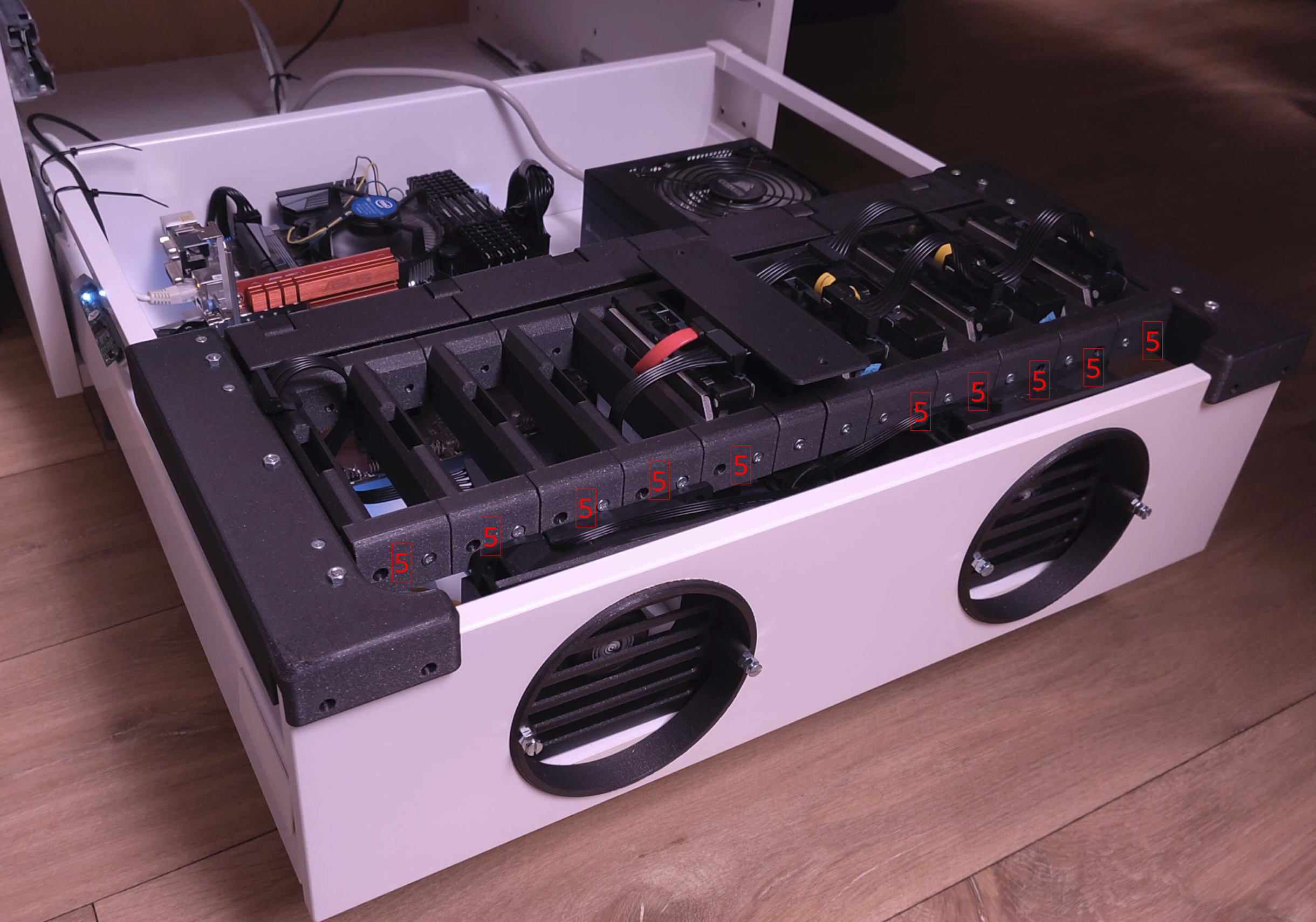
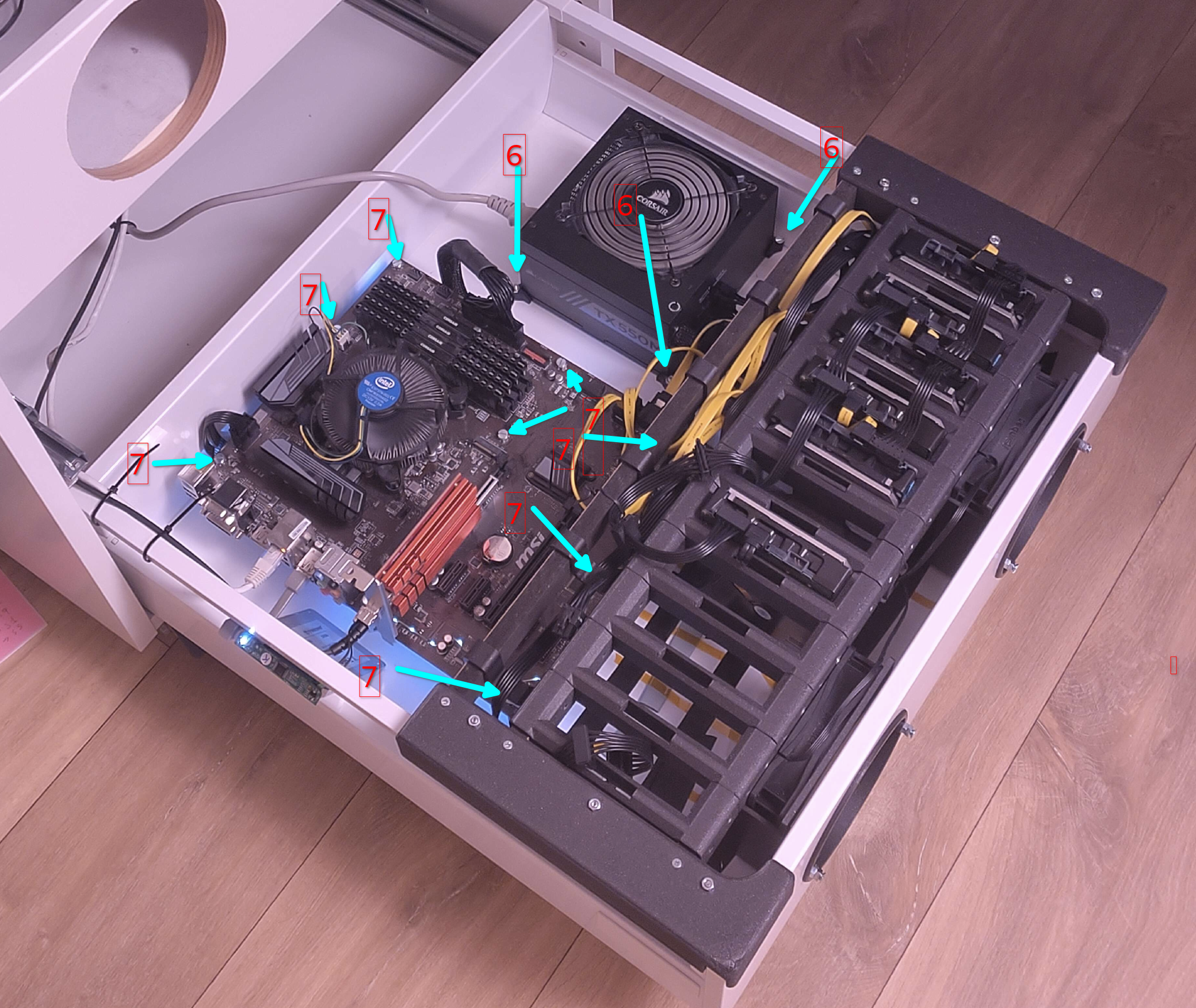
Part number 6 are the PSU mounts, part number 7 are the mainboard standoffs.
You need at least three times part 6, attach them to the bottom of the drawer using fasteners.
Part number 7 are standoffs where the mainboard rests on. Print as many as your motherboard requires. Mount at least two to the drawer, all others can simply be used as stand.
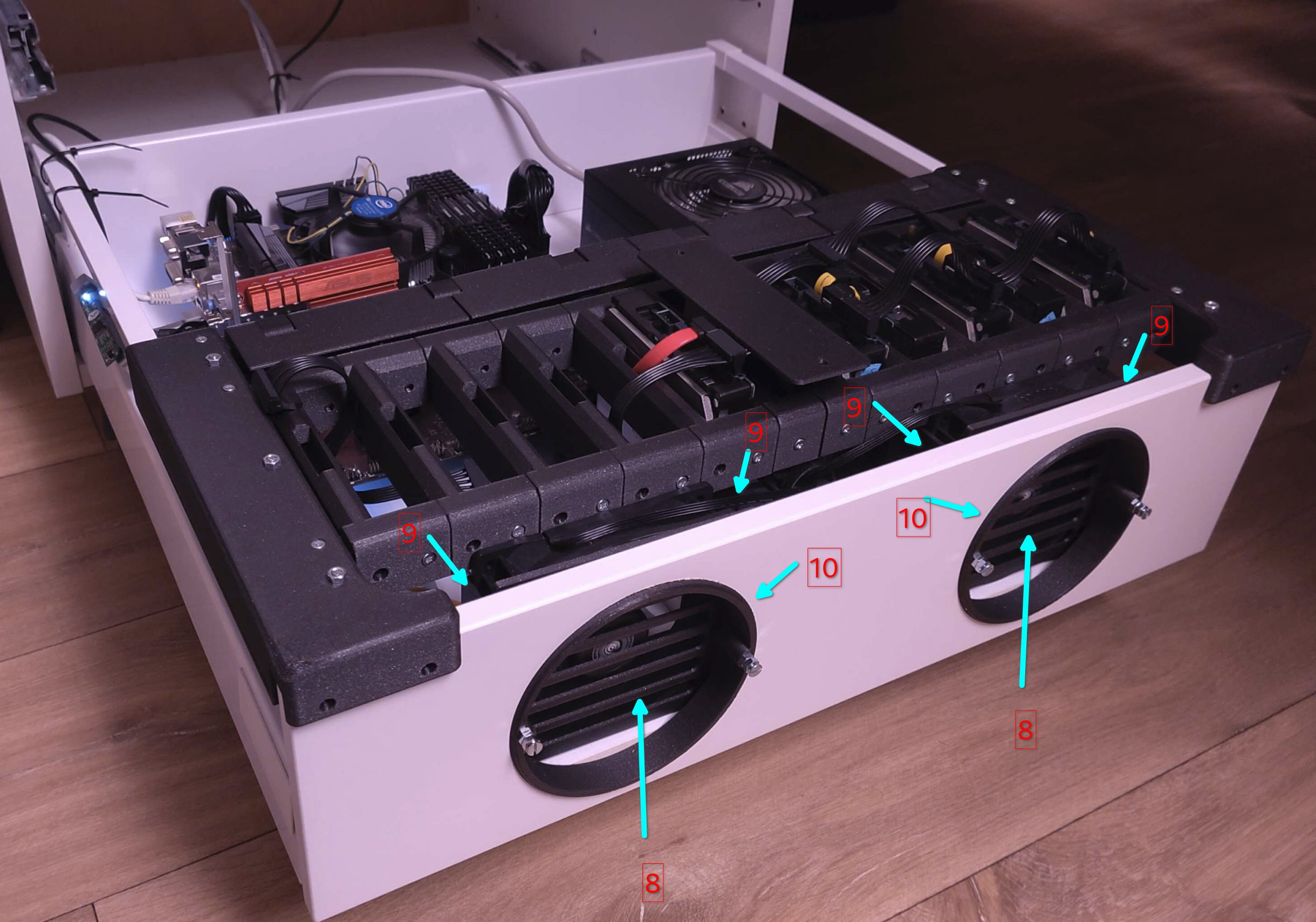
Parts number 8, 9 and 10 are the fan shroud builds.
Drill two 120 mm holes in the front of the drawer. Perfect positioning isn't a requirement.
Print four times part 9
Print two times parts 8 and 10.
These parts don't mount to the cabinet, but squeeze the cabinet between part 9 and 10. Put part 10 in the fan cutout from the front. Screw in place using 2x part 9 at the inside.
Slide your fans between parts 9.
Slide part 8 in front of your fans.
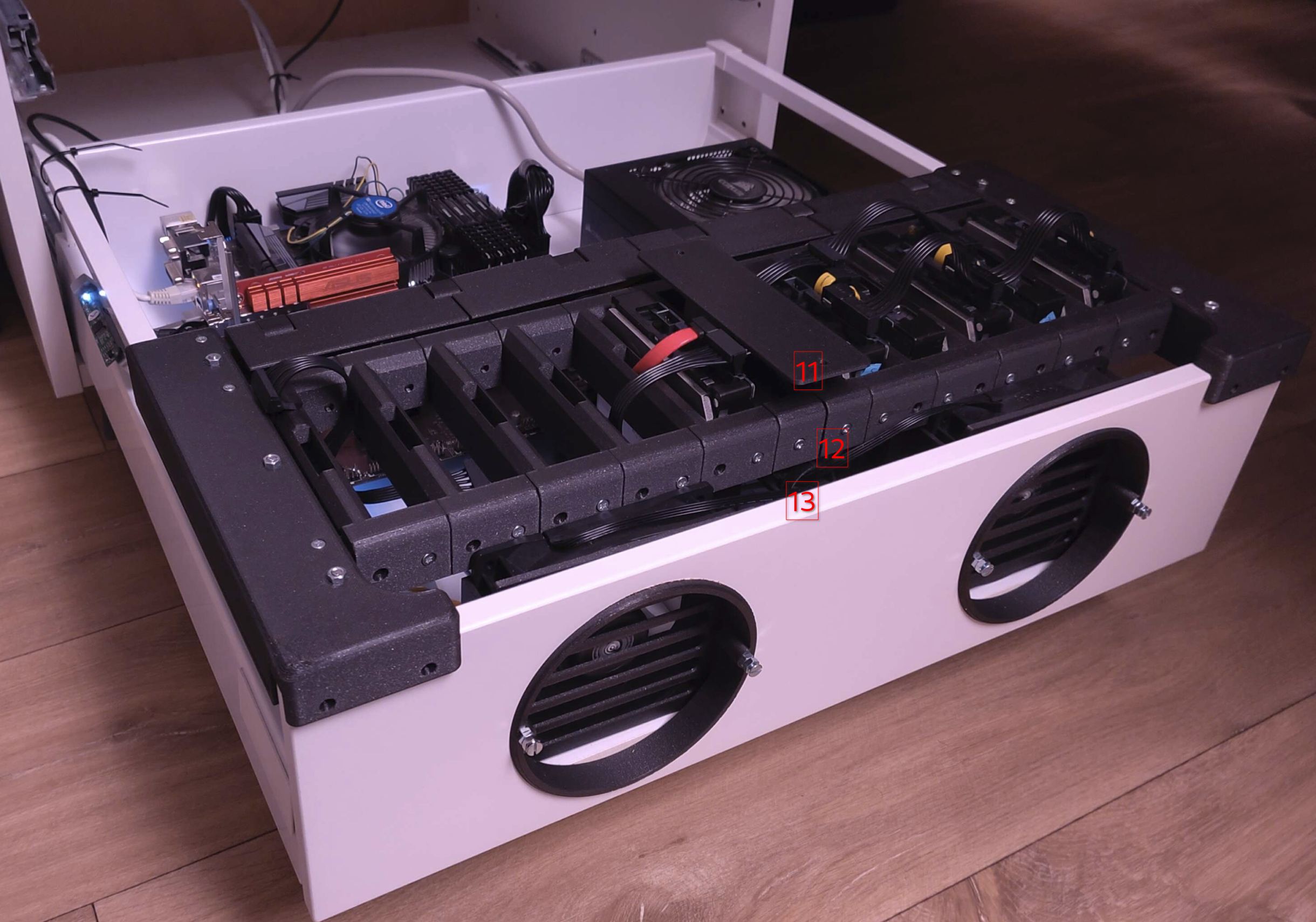
Parts nr 11, 12 and 13 are the center cable management shrouds.
Note that part nr 12 isn't the same as the HDD trays (part nr 5), these are smaller and only required twice in the middle.
Part 11 fits on top of part 12, part 13 fits below part 12 and holds the fan cables in place.
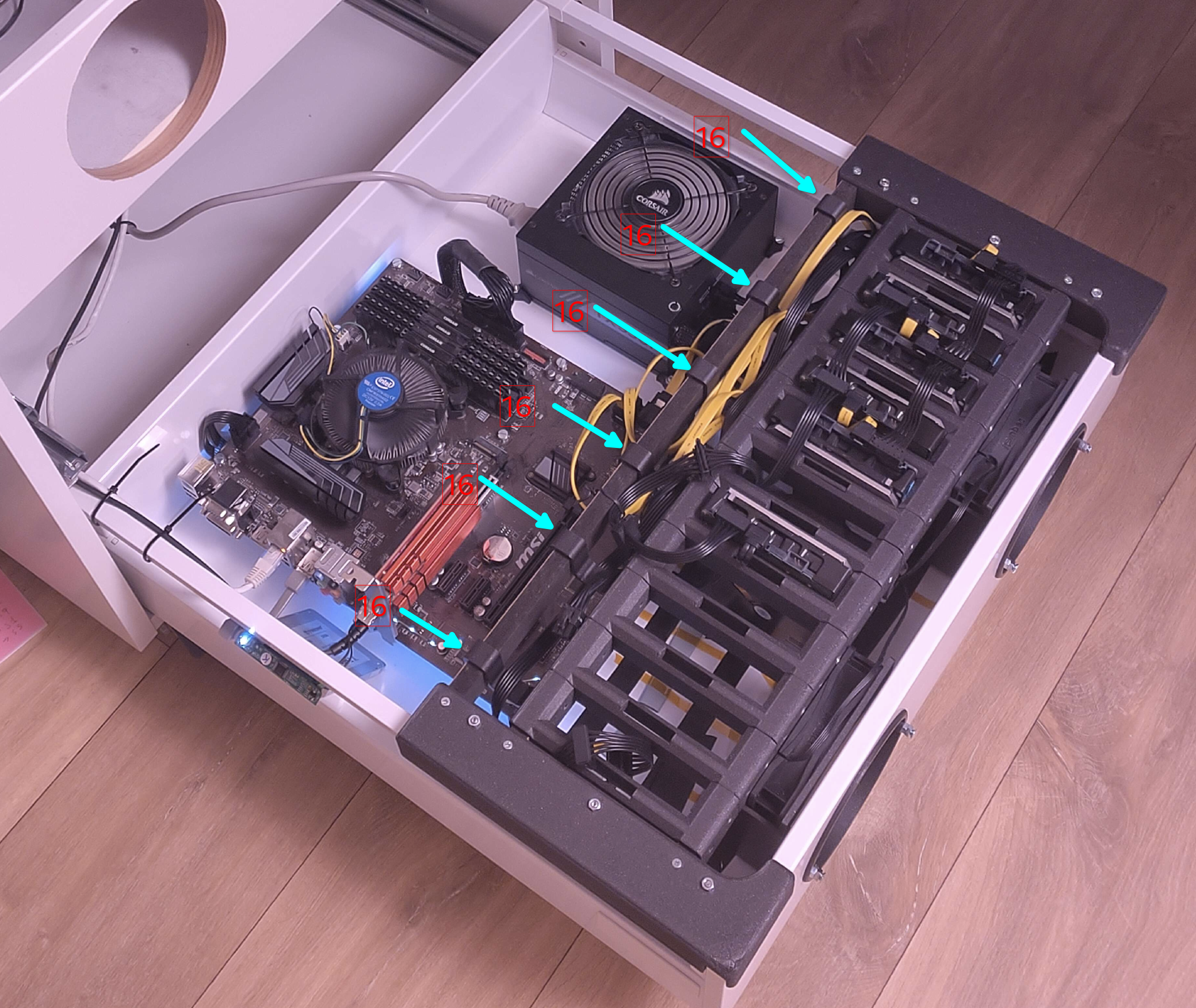
Parts 14,15 and 16 are the sata cable shrouds.
Print part nr 16 six times, hook them over the third wooden plank.
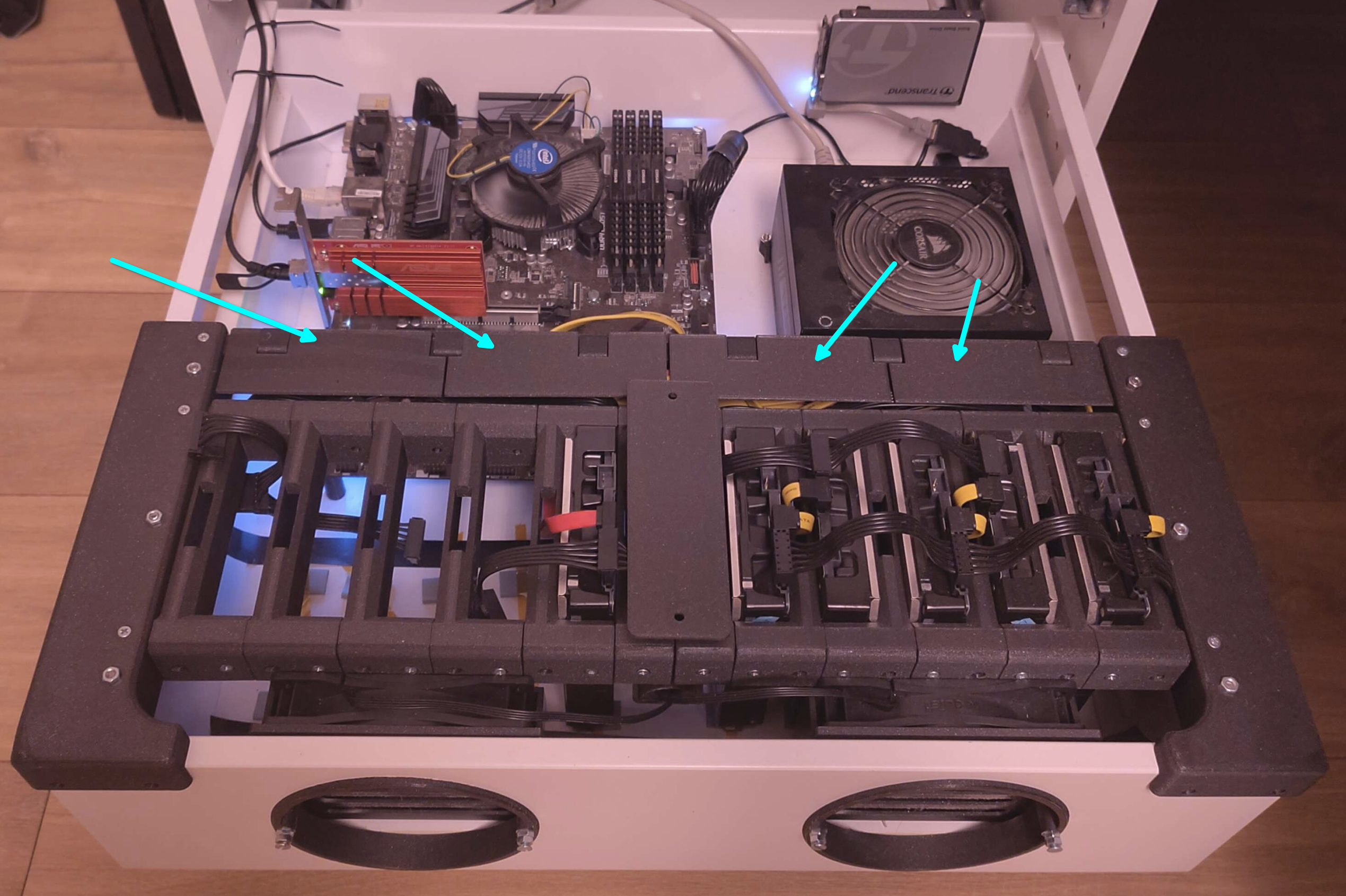
Use part number 14 and 15 to cover up the sata cables after installation.
The hooks from above fit inside a cutout in these covers.
Screw the hooks in place using wood screws after everything fits neatly.
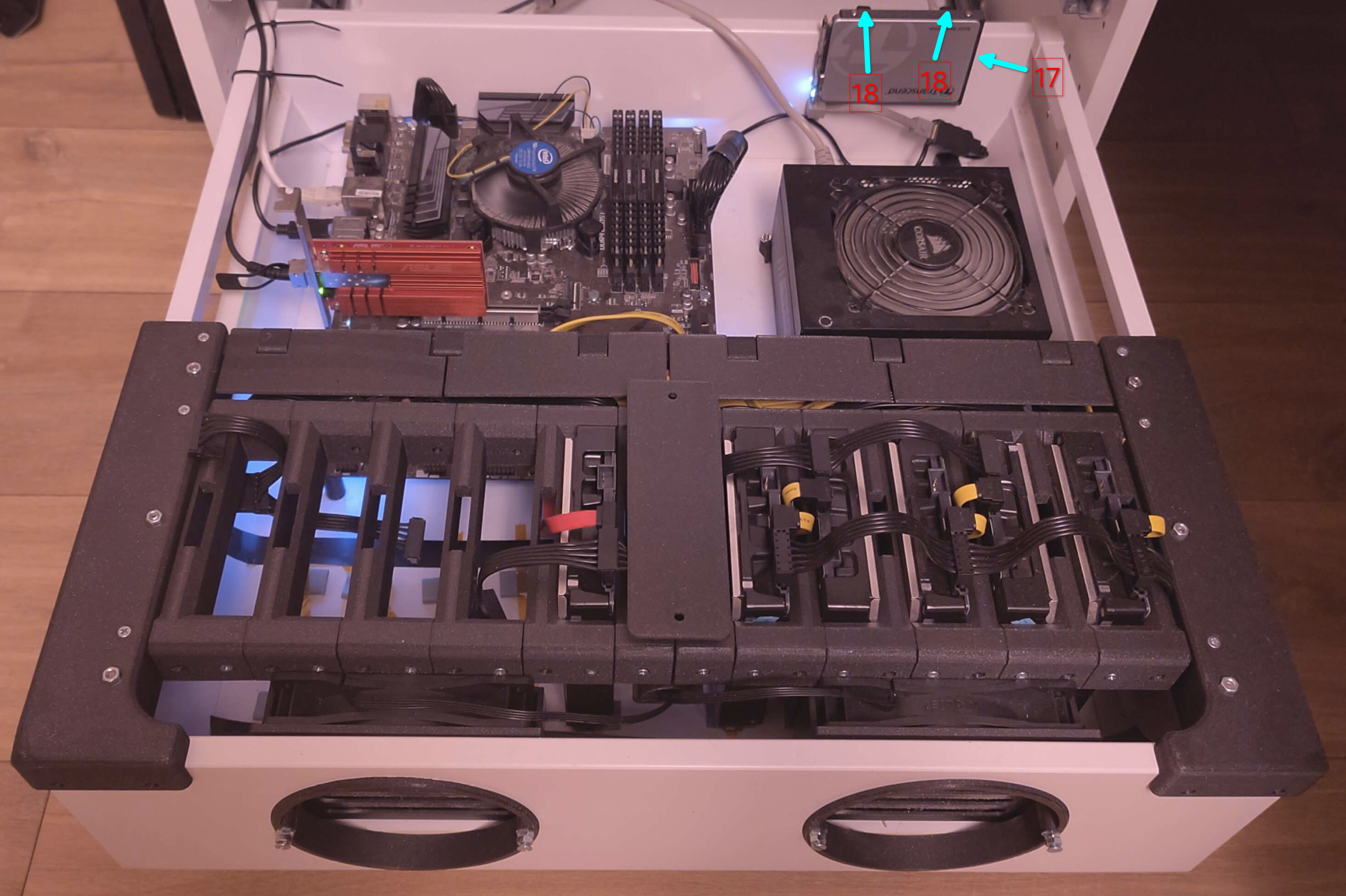
Part 18 and 17 form the 2.5 inch boot SSD mount.
Print two times part 18 and one time part 17.
Mount part 18 to part 17 using the required fasteners, then mount the SSD in the cabinet as shown in the image.
Note: I use an Sata to USB adapter for the boot drive, to save a sata port on the mainboard.
Tip: You can either install Proxmox, TrueNas or OpenMediaVault on it, as operating system.
Tip: Put silicon or foam pads underneath the HDD's and fans, to reduce vibration and noise!
Warning: A drawer fully loaded with disks is front heavy! It can tip over the whole cabinet if other drawers are empty!