
SideKick speed loader for Prusa Core One INDX
Obliczymy ostateczną cenę na podstawie wybranego pliku. Sprawdzisz ją i zaakceptujesz przed płatnością.
Zapisane na tym urządzeniu.
Informacje o modelu
- Źródło
- Printables
- Kategoria
- Prusa Parts & Upgrades
- Licencja
- Creative Commons — Attribution — Noncommercial — Share Alike
About
I've been excited about INDX since it was first shown, so of course I ordered one. Unfortunately, I did not already own a Core One, so could not get in on the Founders Edition orders. I did order both as soon as it was open to public orders, so I should get mine fairly early on in its lifetime. That said, I've been rolling around ideas on how to design a SideKick but for the 4 nozzles on each side of the Core One INDX design. I started working before release by using various photos and video stills to guesstimate certain measurements. As soon as the printable model files were released to the public, I was able to import the official filament sensor modules in order to update and complete my designs. I'll do everything I can to make sure it is good to go, but it won't be tested on an actual machine until I get mine, or someone else is bold enough to be a beta tester before me. I know a guy who might. ;-)
Design goals were similar to the original SideKick for XL, but I decided not to design around battery power. I also decided to give up some compactness and get a more readily available gearmotor than the previous one. Along with some printable herringbone gears to keep the whole unit compact rather than hecka long, most of the other design elements are similar to the SideKick for XL.
No, this does not UNLOAD filament. Why? Because the spool holders are not motorized as well, so using this to unload by itself would just result in a bunch of unwound filament causing potential tangling problems. Since you're going to have to manually spool up the unloaded filament anyway, you can go ahead and do that to unload it as well. That said, if you have some kind of automatic rewinding spool holder, it should be pretty simple to add a reversing switch somewhere. Go for it! I believe in you!
STEP files are provided for easy modification and remixing. I look forward to seeing what people do!
(Thanks to Kevins_Prints for the video and the animated GIFs!)
Bill of Materials
Blurolls Kit
Blurolls has agreed to sell a complete kit to make the SideKick for INDX. Note that the kits make ONE SideKick, so if you have an eight tool INDX, you'll need TWO kits to make both SideKicks for all eight tools.
Go to the Blurolls web page to order a SideKick for Core One INDX kit! Note that, similar to the SideKick for XL, there are two options. Option 1 has everything you need to build the SideKick, while Option 2 adds a 24-12v buck converter. If you know what that is for and how to use it, buy that kit. Otherwise, buy the Option 1 kit.
Also, providing power is up to you. so if you don't already have a power supply in mind, think ahead on that so you have whatever you need when the kits arrive. For example, a cheap variable voltage universal power supply, or even a buck converter if you plan to power it from the printer's own PSU. Of course, a 9v is still an option, but the design does not currently include a battery box for one. Option 2 of the Blurolls kit includes a buck converter. If you know how to use that, that might be the kit for you.
Self Source
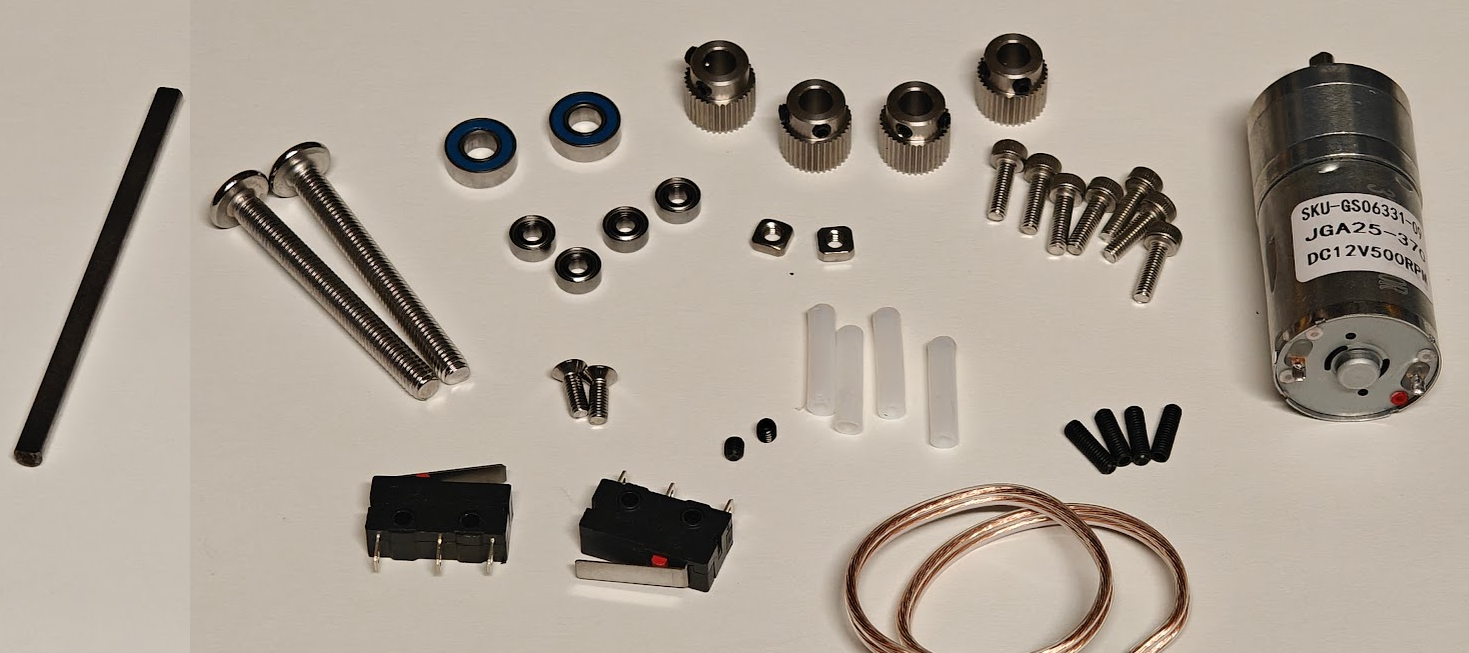
These are the parts needed for ONE SideKick. If you're making two, be sure to double all the counts. The Amazon links below are for Amazon USA and are NOT affiliate links. If you find an expired link, please feel free to message me.
2 pcs M5x45mm screw/bolt
2 pcs M3 square nut
2 pcs M3x6mm flat head (countersunk) screw
2 pcs M3x4mm set/grub screw
4 pcs M3x10mm set/grub screw
7 pcs M3x8mm socket head cap screws
2 pcs MR115-2RS Ball Bearings (ID 5mm x OD 11mm x Width 4mm)
4 pcs OD 11mm 5mm bore Extruder Gear for 3D Printer Compatible for Ender 3 et al
At least 72mm of 4mm OD x 2mm ID PTFE tube (cut to four 18mm sections)
A few inches of a small gauge wire (I used some 24g speaker wire)
Optional Hardware
This hardware is not required for the typical assembly and installation, but may be needed if you prefer not to screw into plastic for assembly, or if you need to install the SideKick onto a wall or other flat vertical surface. Quantities are per SideKick, so double for an 8 tool setup.
5pcs M3 Square Nuts for the optional "nut pocket" version of the Main Body Bottom
2pcs M2 Square Nuts and 2pcs M3x14mm (or longer) socket heat cap screws if using the L-Bracket for installation.
Appropriate screws to mount the L-Bracket to your vertical surface, or Command Strip style adhesive tape strips.
2pc M2x8mm FLAT head screws to hold down loose switches if you prefer not to use glue.
Assembly
Printing Instructions
Print all models in their provided orientations. There should be no need for adding supports. Breakaway supports are already added as needed. Clean bridging settings are advised for the main body top and bottom parts, so look up the optimal settings for your machine. Changing bridge flow to 1.7 and bridge speed to 10mms is a good place to start, as per this video.
Note that the Paddle model files have numbers embedded in them! To make the numbers appear, use the "split to parts" option in your slicer. You can then assign a different tool/color to the number, or just delete the number to print a debossed number rather than a different color. You could also print them separately, but they're not designed for that. Besides... aren't you putting this on a low-waste multi-color printer, anyway? The provided 3mf file has the numbers assigned to different colors already.
Assembly Guide
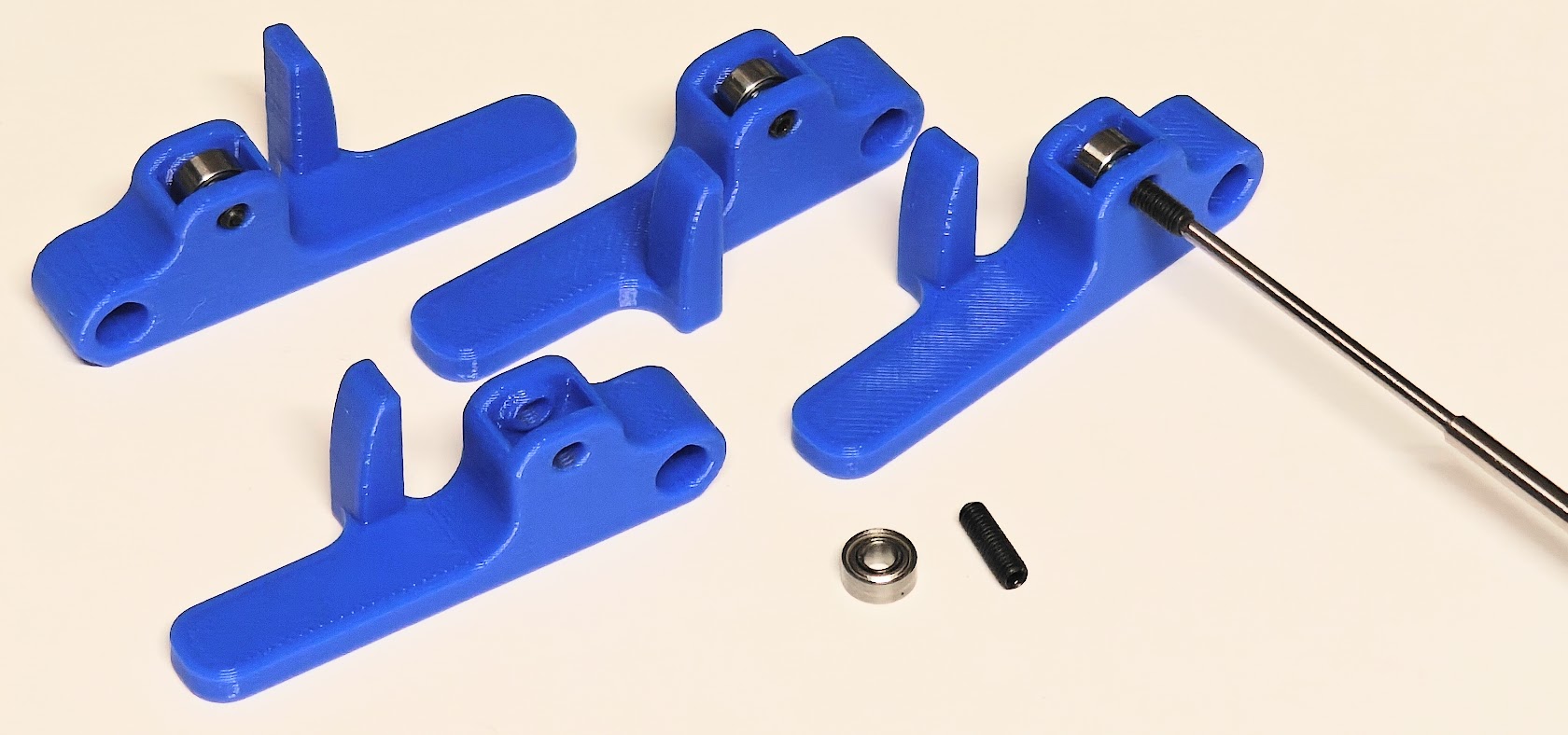
Insert one 683ZZ Ball Bearing into the socket on each paddle, and secure them with one M3x10mm set screw. Make sure the set screw is flush on both sides, and not protruding from either side of the paddle.
Attach the Mounting Block to the Main Body Bottom piece using two M3x8mm socket head cap screws through the inside of the Main Body Bottom and into the Mounting Block. Make sure the screws are snug and that the screw heads are below the curved surface that the motor will rest on. The screws should NOT protrude from the bottom of the Mounting Block.
- If you plan to mount your SideKick to a wall or other flat vertical surface, use the L-Bracket in place of the Mounting Block, and secure it with your two M3x14mm (or longer) socket head cap screws and two square nuts. This may make future steps a little awkward, though, so doing this during final assembly might be a good idea.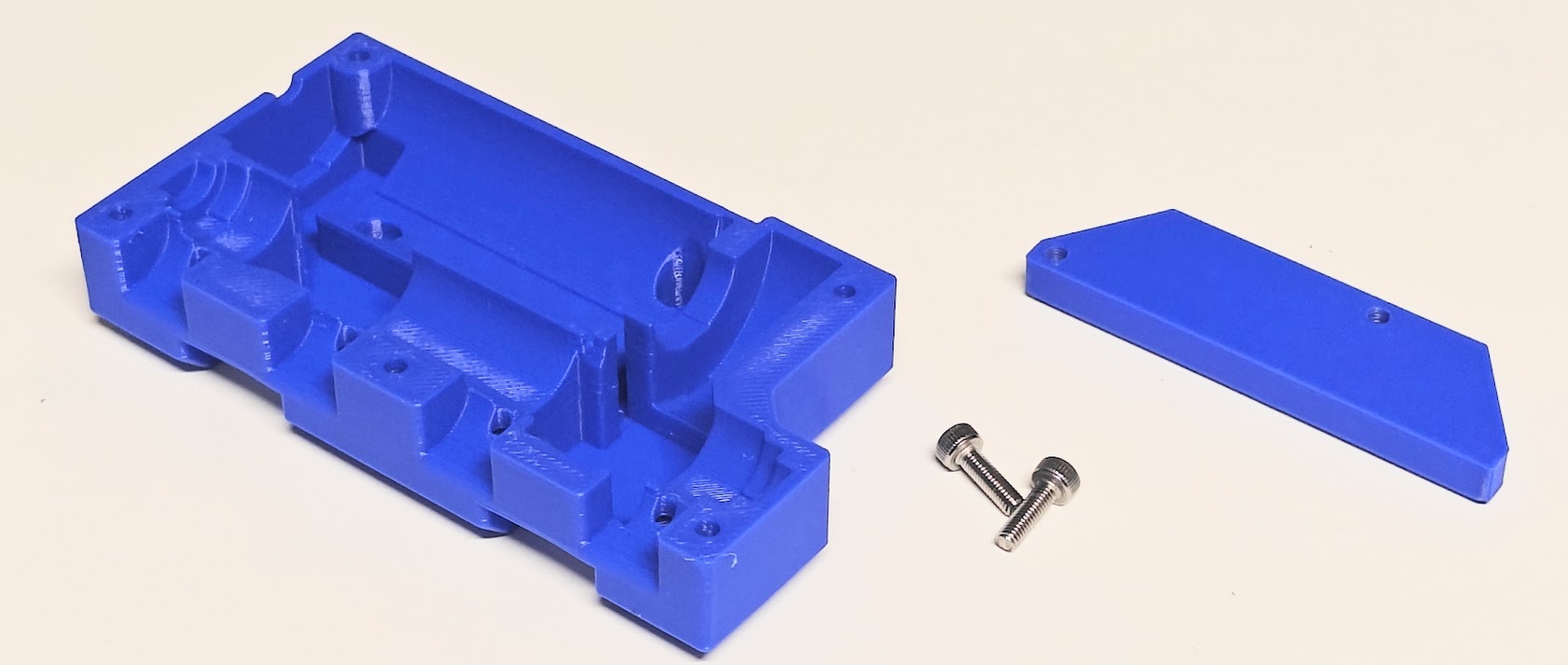
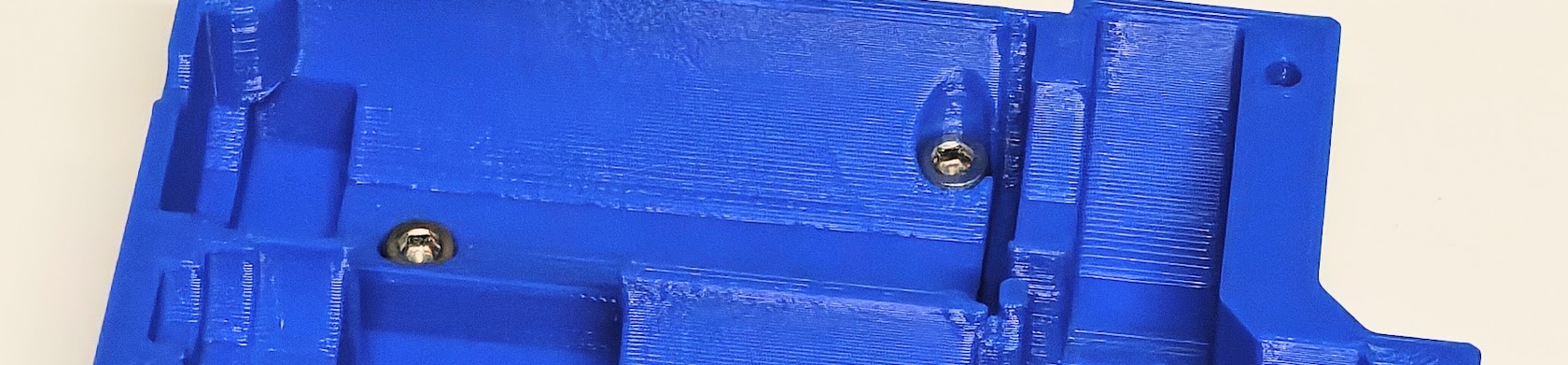
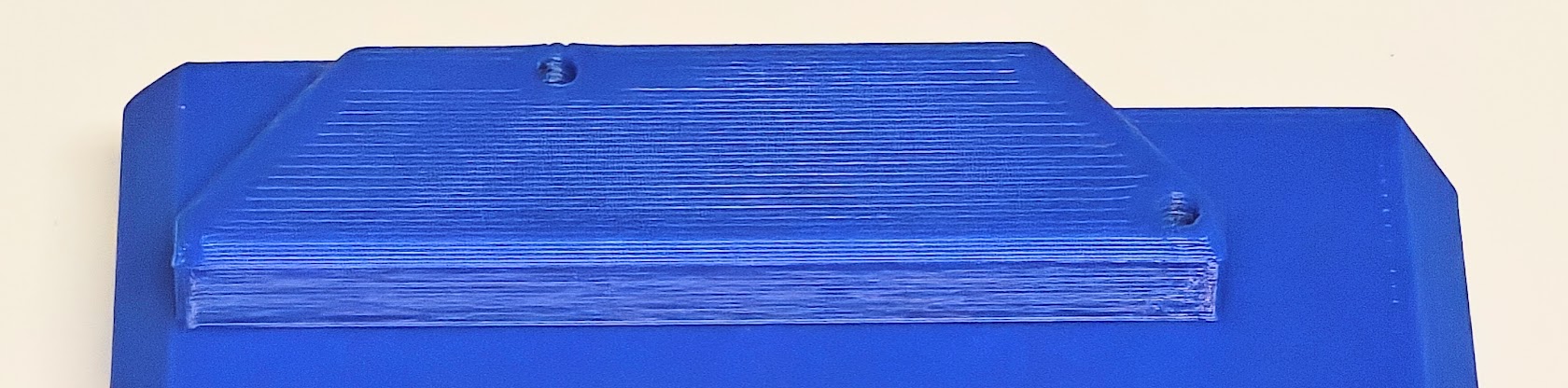
If you are using the optional "Nut Pocket" version of the Main Body Bottom, now would be a good time to install all of the square nuts. Press them into the pockets as far as they will go, and ensure that the threads line up nicely with the hole above them.
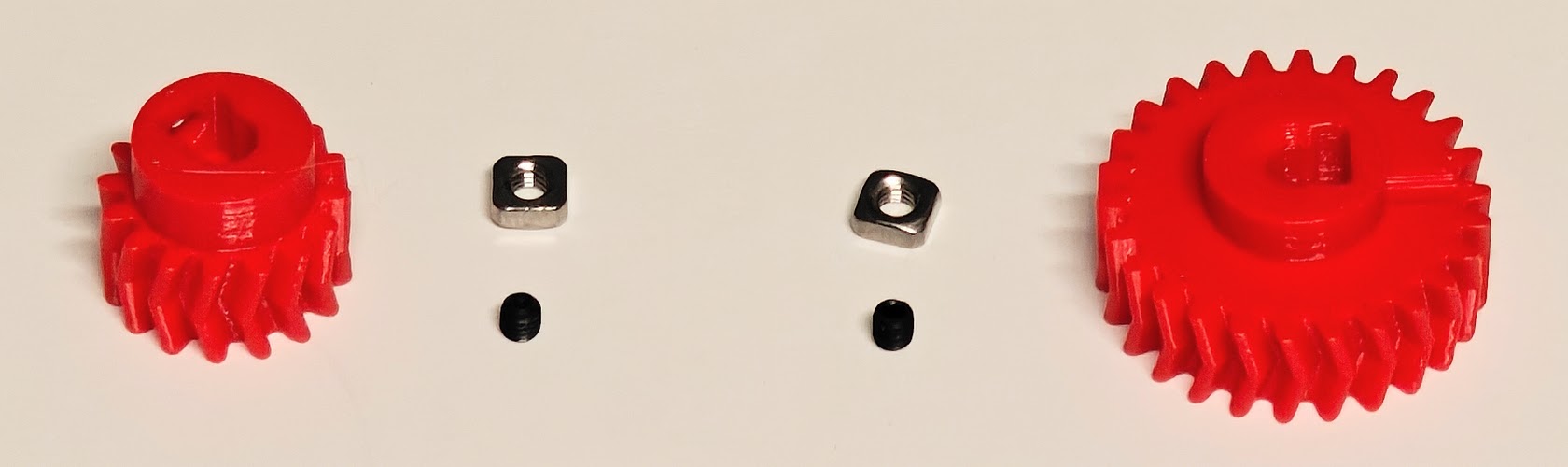
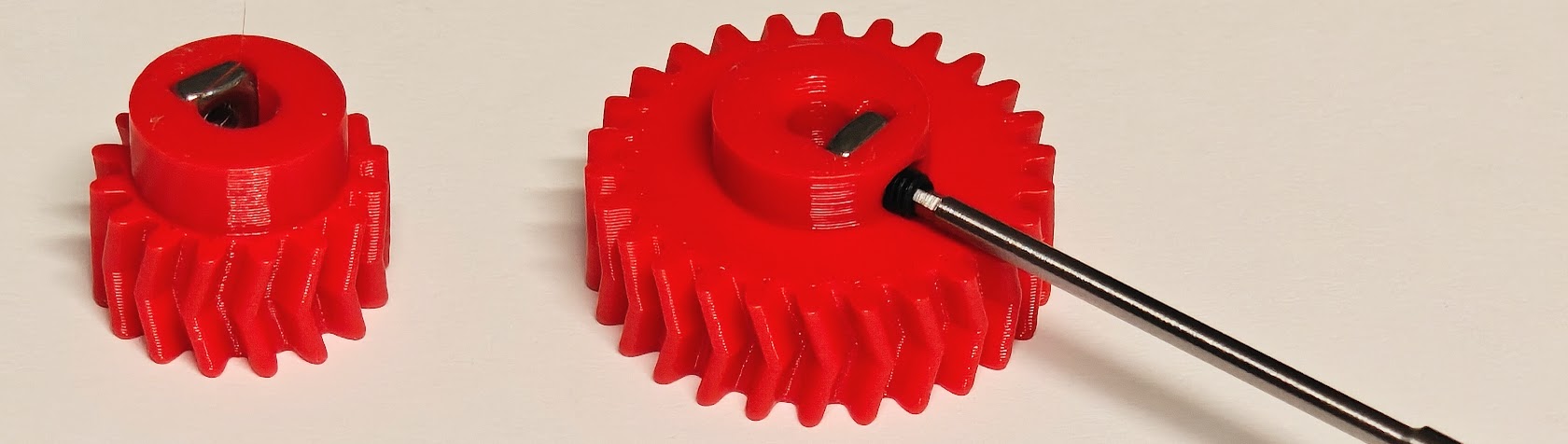
Insert one M3 square nut into the sockets on both herringbone gears and secure with one M3x4mm set screw, but do not go beyond the square nut when installing the set screw.
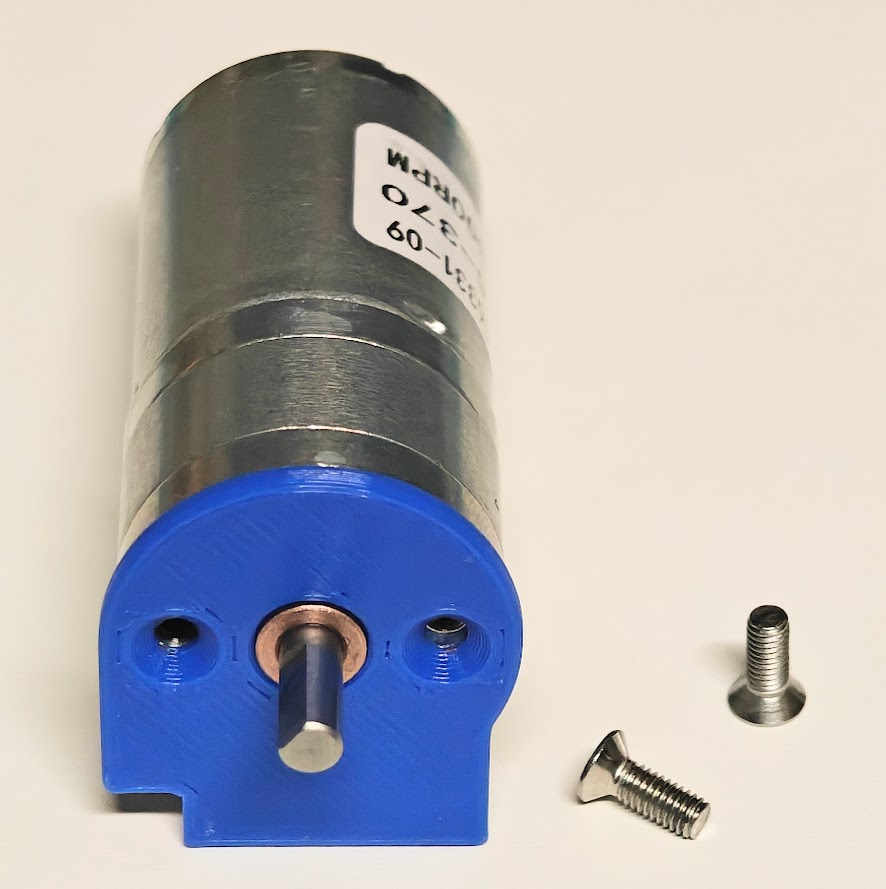
Use the two M3x6mm flat head screws to mount the motor mounting plate to the motor. The heads of the screws should be flush with the plate, or below it, to prevent interference with the drive gear.
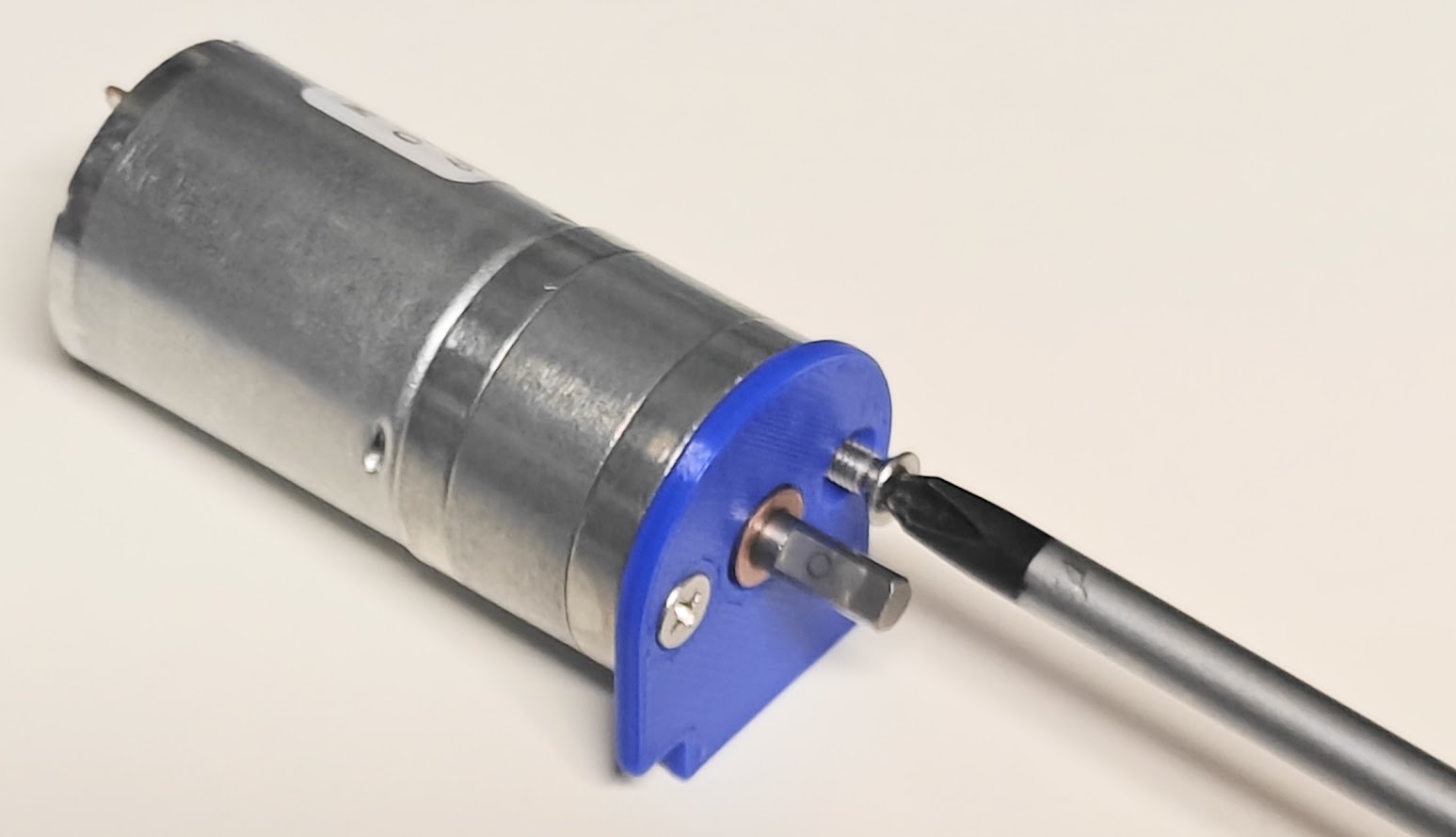
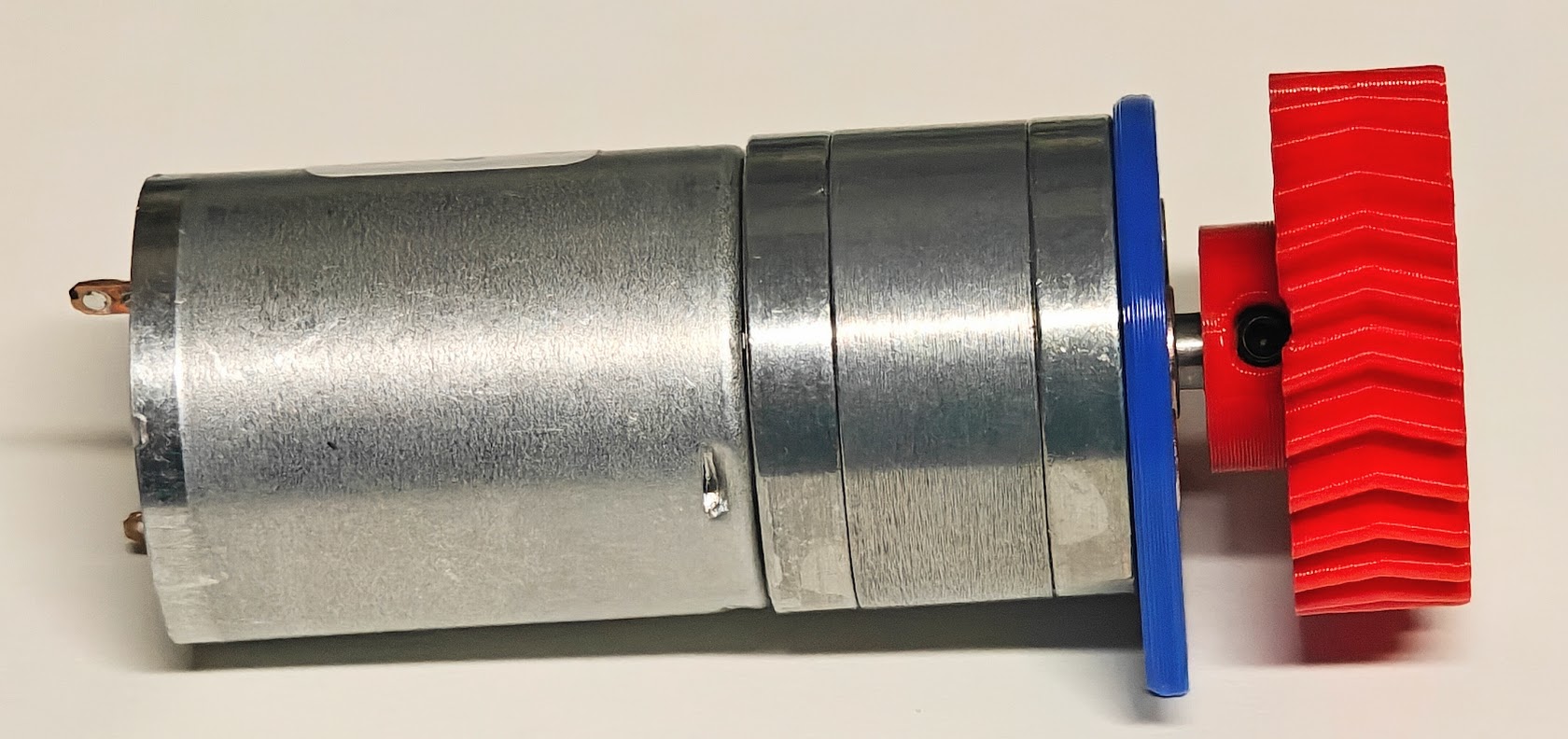
Install the large herringbone gear onto the motor shaft, aligning the set screw with the flat on the motor shaft. Press it onto the motor shaft as far as possible, but do not tighten the set screw yet.
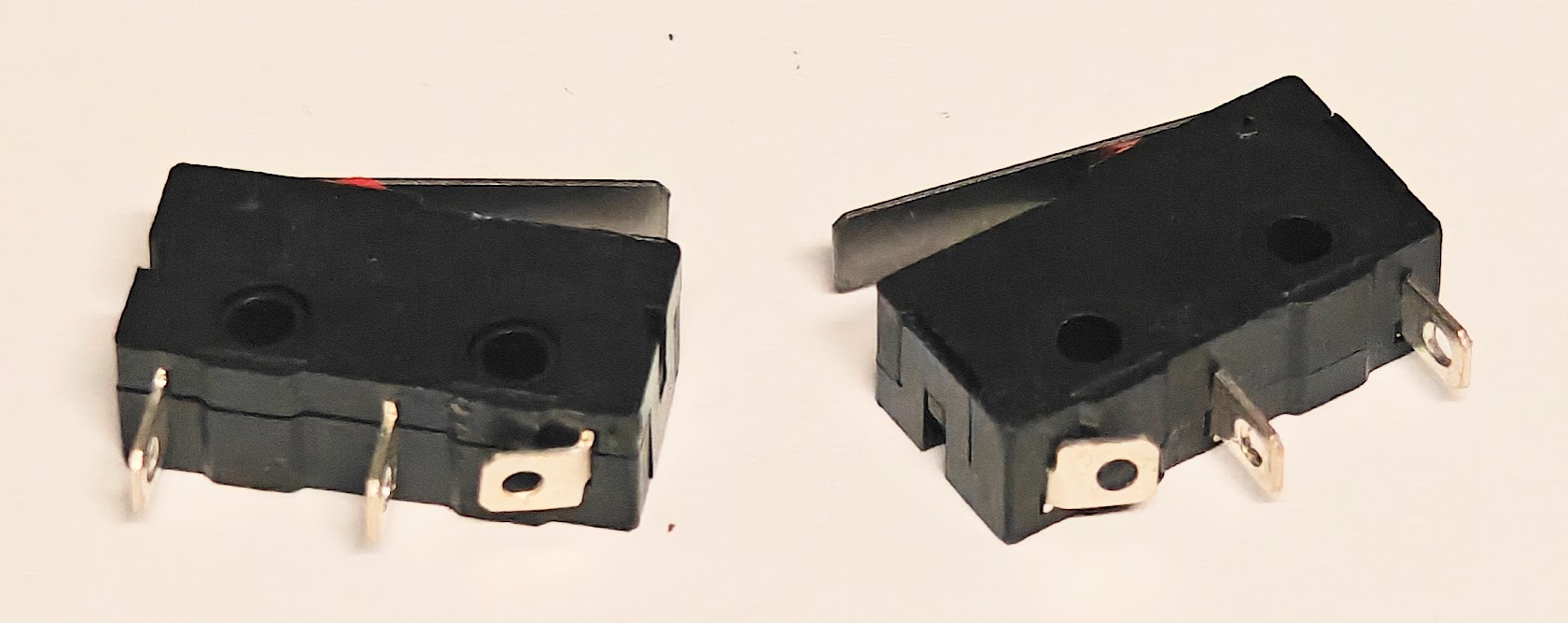
Bend completely over, or clip off the contact opposite the hinge end of the switches. We need the two contacts at the hinge end for our on switches. This assumes the two contacts at the hinge end are the ones we need for power to flow when the switch is pressed. That contact will be in the way of the print, so must be bent or removed.
Cut three lengths of wire about 45mm long and strip a couple mm of both ends on all of them.
Make sure your two limit switches are oriented as shown BELOW, with the hinge ends pointing at each other. You will need to connect/solder the switches in parallel. That really just means to connect the two tabs of one switch to the two tabs of the other switch. They don't even need to be the same tabs, just as long as the third tab, the one that is bent or removed, is unused. Another wire goes from one tab on the left hand switch to the motor, and then your power wires connect to the other tab on that same switch, and the other pole of the motor. This way, pressing either switch will activate the motor.
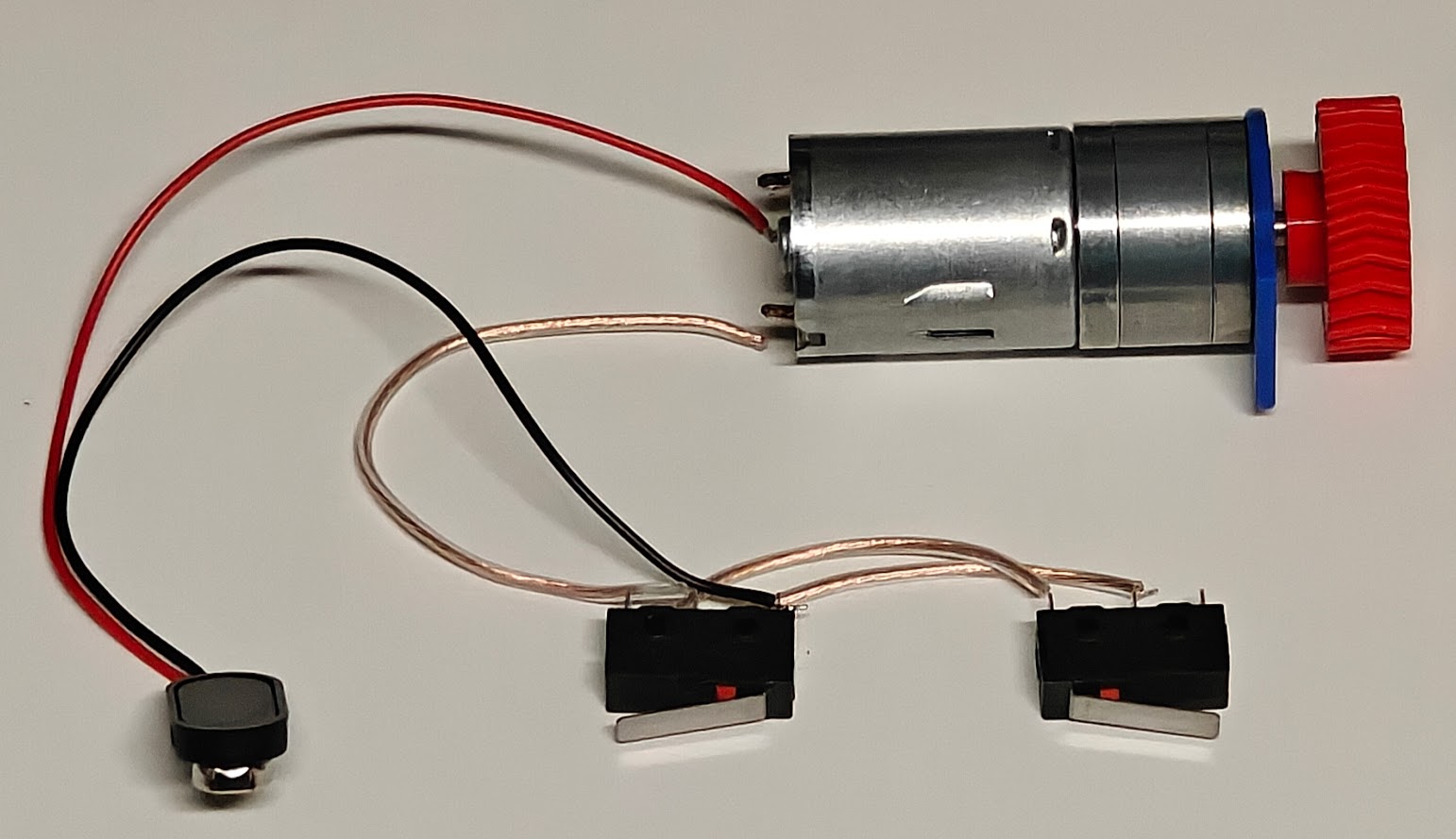
I used a 9v battery connector in the example above, but you can use any power source you want. For polarity, for the left site (1-4) SideKick, you want the motor to spin COUNTER/ANTI clockwise when looking at the gear end of the motor. For the right side (5-8) SideKick, the motor should spin clockwise when looking at the gear end of the motor. These polarities will be opposite if your plan is to mount the SideKick to a wall and for the filament to go DOWN rather than up.
This is a good time to test your wiring to make sure pressing either switch will activate the motor, and that it is spinning the expected direction for the SideKick you are making.
Carefully press the switches into their sockets on the Main Body Bottom part. This will take some pressure and they will need to go in straight down, as any angle my cause it to get stuck. Make sure the wiring goes down into the channel behind the switches so that they are out of the way of everything.
- If your switches are not SNUG in their sockets, then you may want to add a drop of rubberized glue, such as Shoe-Goo, E6000 between the switch and the print to keep it from moving upward during use. You can also use one or two M2x8mm FLAT head screws if you prefer not to use glue.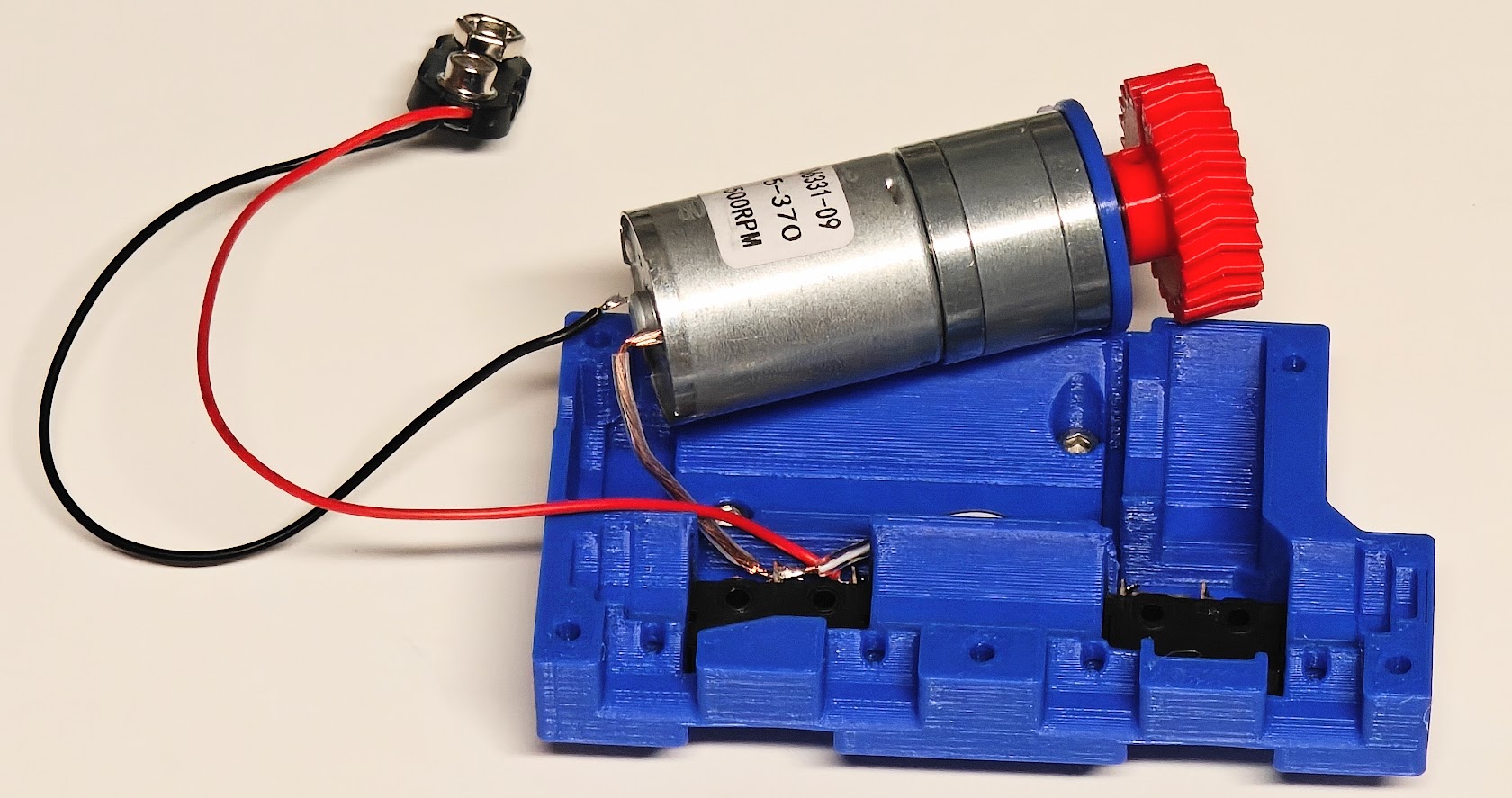
You can now install the motor assembly into the Main Body Bottom by lining up the Motor Mounting Plate with the slot, making sure the flat edge is on the bottom, which should also line up the notch with the wire channel. The large herringbone gear should be approximately centered in its opening.
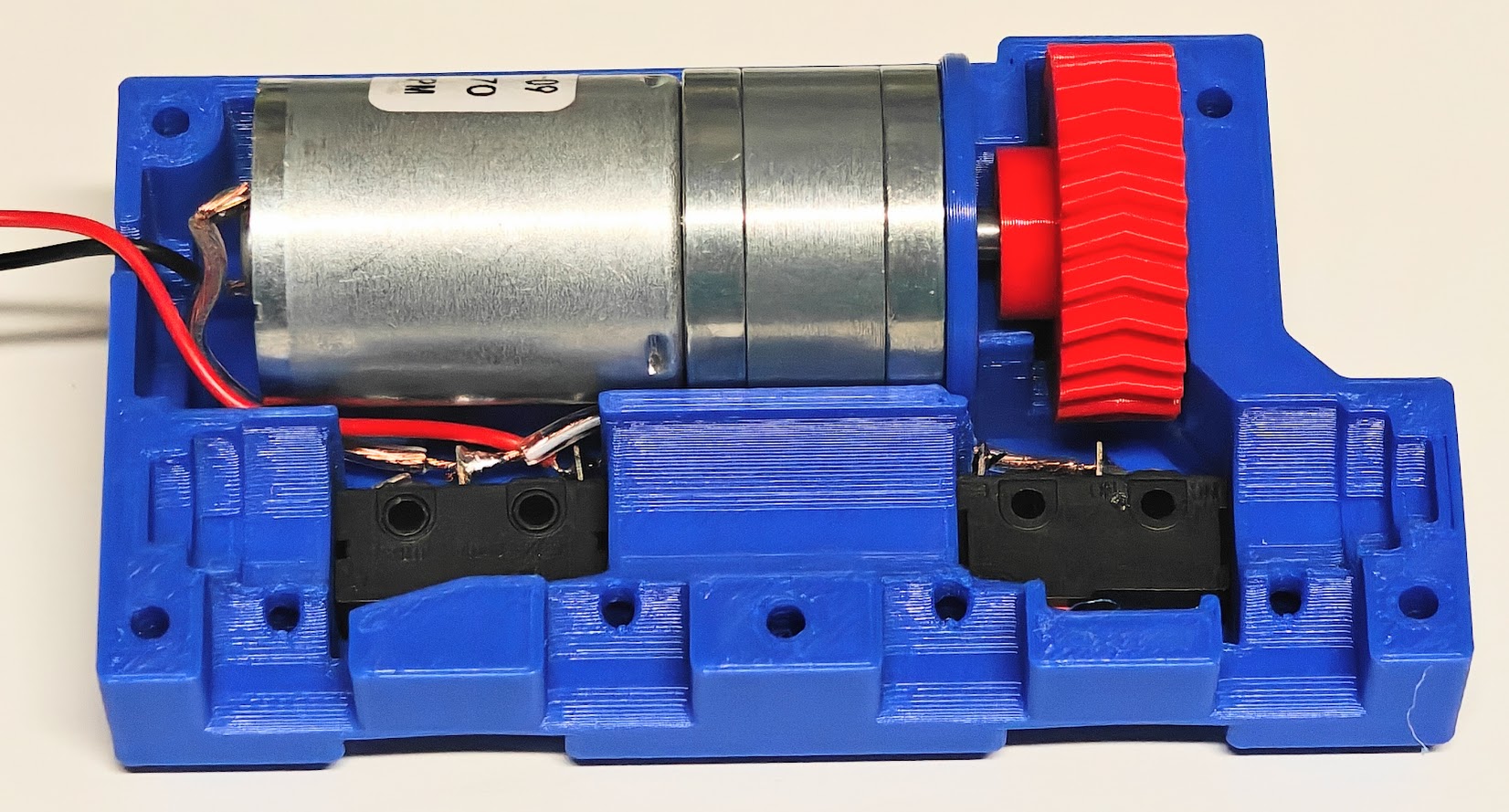
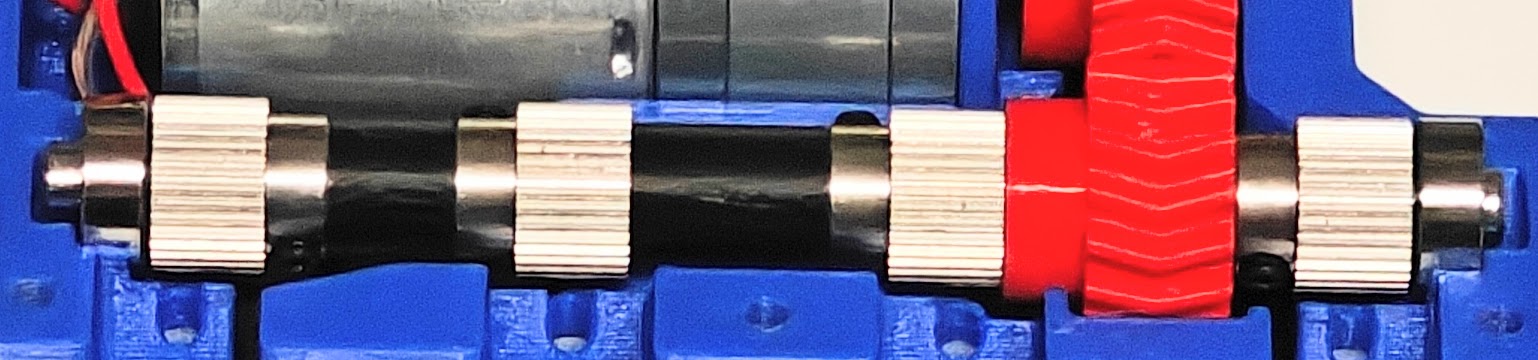
Assemble the drive shaft by putting the components below onto the 5x90mm D-type shaft.
Bearing-flat spcr-ex.gear-short spcr-ex.gear-long spcr-ex.gear-printed gear-ex.gear-flat spcr-bearing
Make sure the spacers are in the correct locations and that each extruder gear is in the correct orientation:
Go ahead and put the assembled drive shaft in place. The herringbone gears should mesh nicely and the bearings should fit snugly at the ends. Turn the motor by hand to make sure everything rotates freely.
The Large Herringbone Gear MAY need to be adjusted to line up and mesh perfectly with the Small Herringbone gear. Adjust as needed and then secure the set screw for the Large Herringbone Gear.
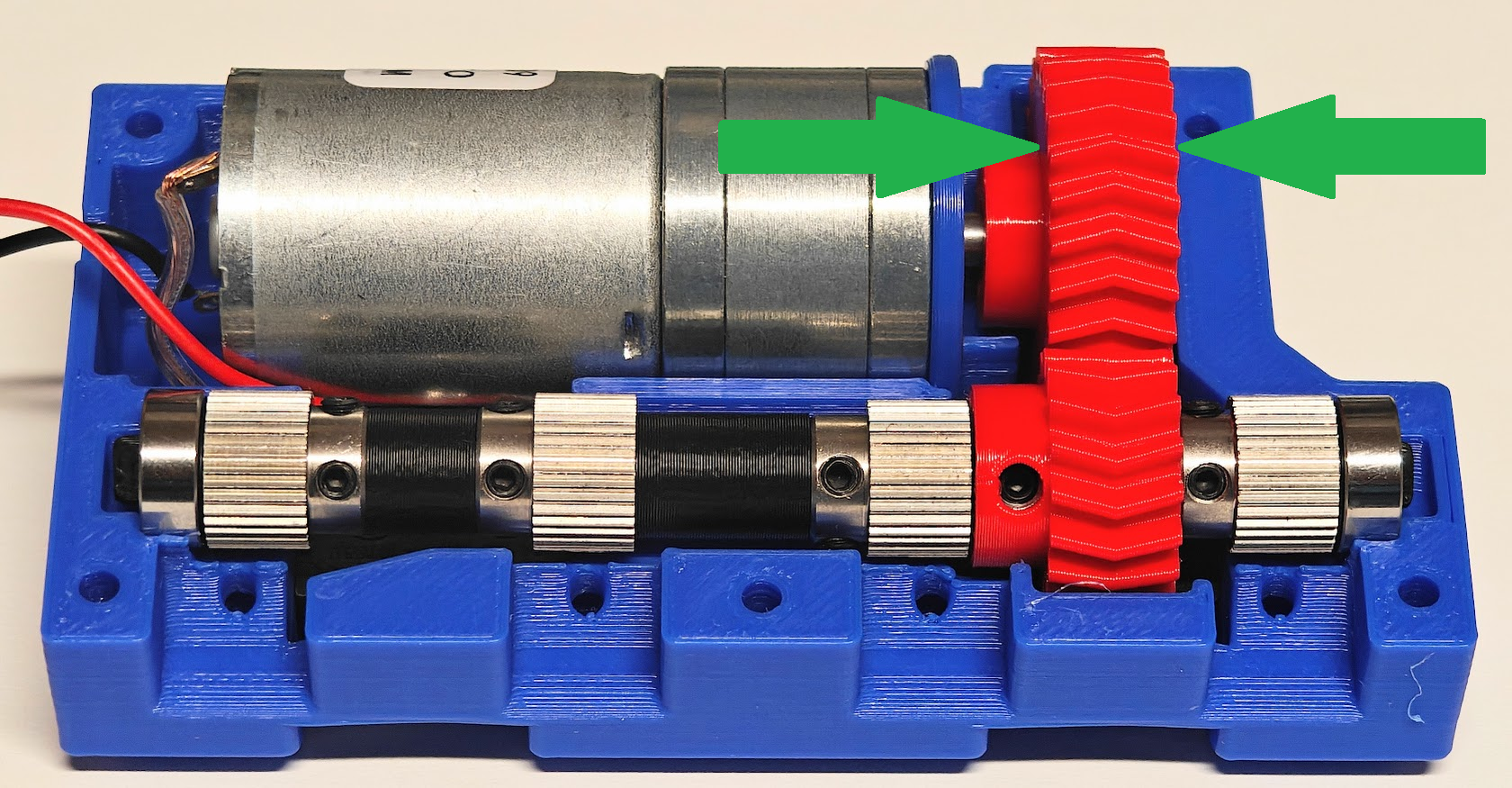
Make sure all of the extruder gears teeth line up nicely with the holes for the filament to pass through. They aren't all perfectly centered, but they should all have teeth where the filament holes are. If there are any that don't look like they'll work, triple check your assembly against the photo above.
Making sure at least one set screw for each part is lined up with the flat on the D profile axle, secure all of the parts in place.
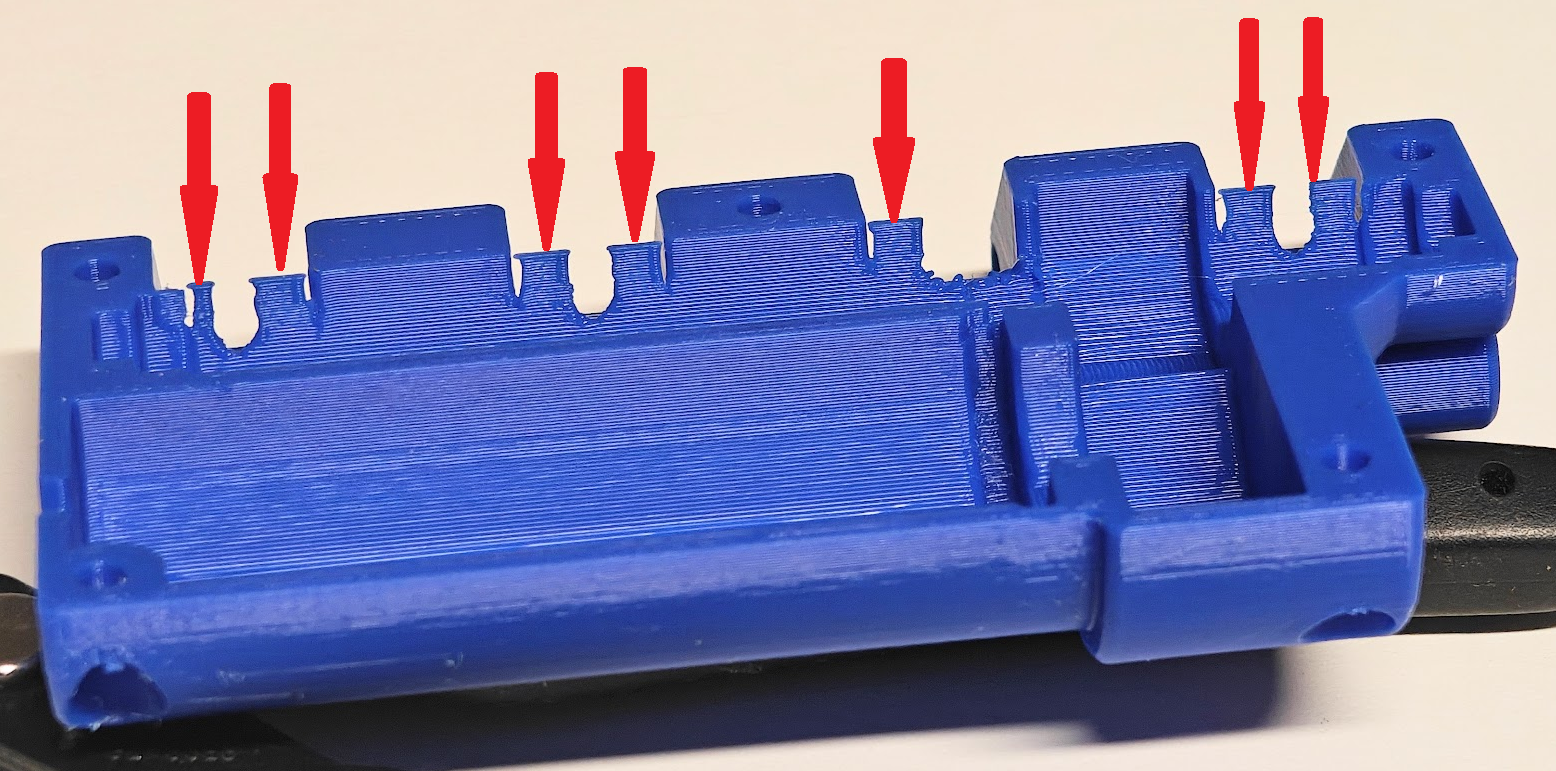
Break off the support wedges from the highlighted areas of the Main Body Top print. These were only for printing purposes, and will get in the way if left in place. You may need to use hand tools to make sure the entire support is removed and no debris is left behind. This is also a good time to fully inspect the print and resolve any printing issues that may cause problems later, such as drooping extrusions here and there.
This is how the part should look after removing the supports.
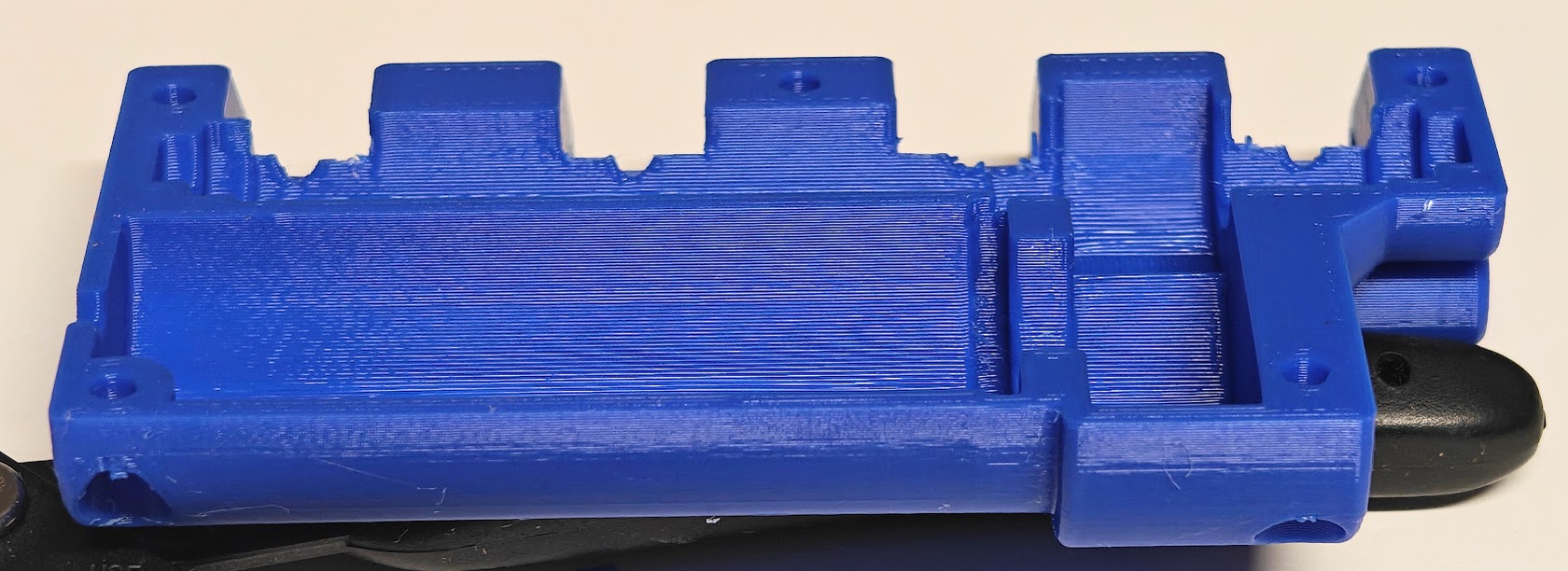
Carefully place the Main Body Top part onto the assembly, making sure that any wires are in their channels, and that your power source wires are lined up with the hole in the side of the Main Body. Clamp it together by hand before using screws, in case things need to be adjusted.
Install the five remaining M3x8mm socket head cap screws through the holes in the Main Body Top as shown, and screw them down until there is no gap between the Main Body Top and Bottom. DO NOT OVERTIGHTEN if the screws are only going into plastic!
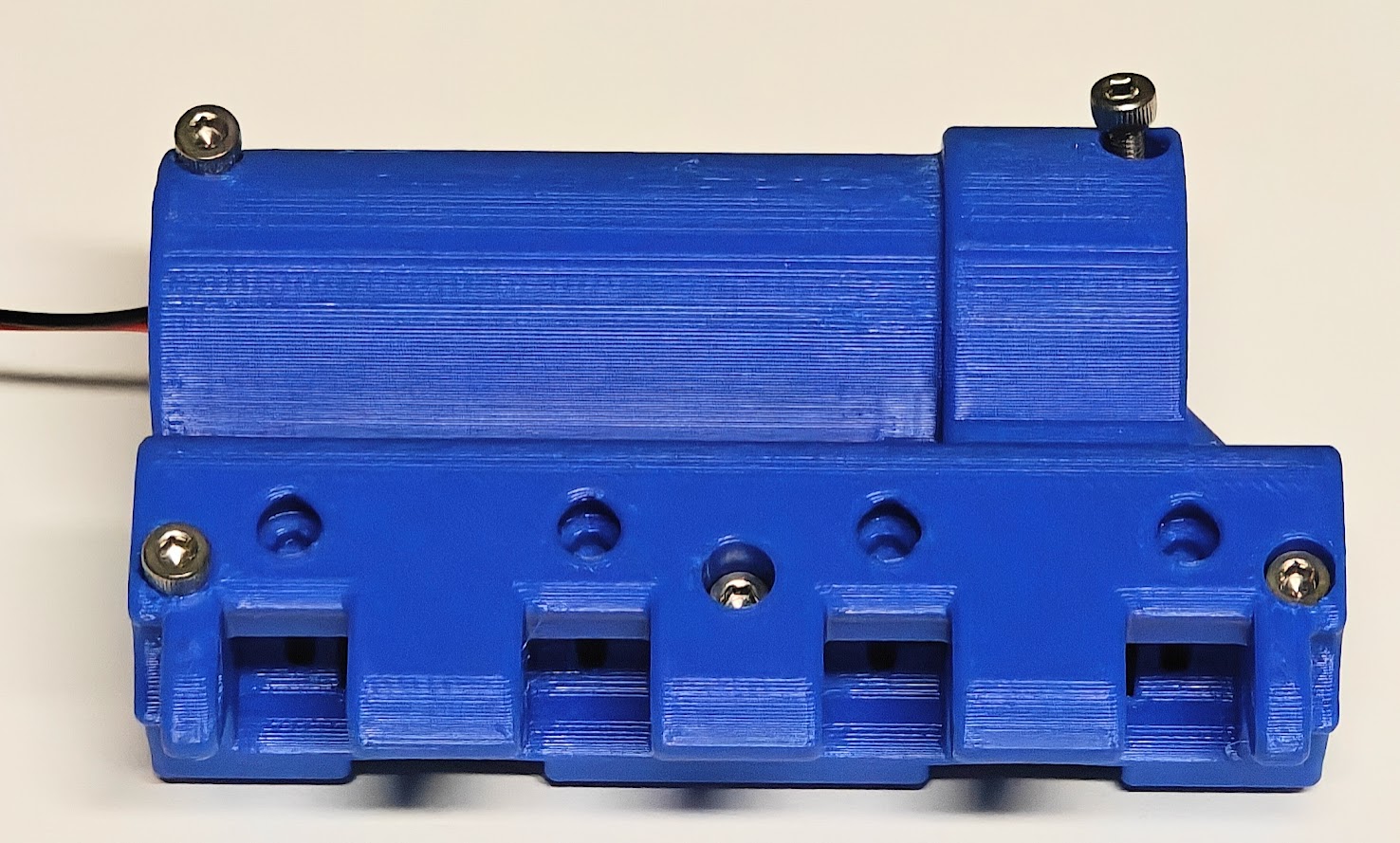
Gather the Paddles and your two M5x45mm bolts to complete the assembly. Line up the top hole of the paddles, number side out, with the line of holes in the Main Body Top part, and slide a bolt into them from the outside. There will one bolt going into each side of the assembly, holding two paddles each. Check the number order before securing the bolts! Since the threaded section is printed threads, you may need to add a little silicone lube to make it easier. Tighten the bolts, but not so hard as to make the paddles anything other than floppy. The paddles should swing freely.
- If your paddles are TOO loose, then you can print some more of the thin spacers from the spacers file to use as shims on one or both sides of each paddle to limit their movement. Just make sure they still can swing freely so that the switches will push them away and not get stuck.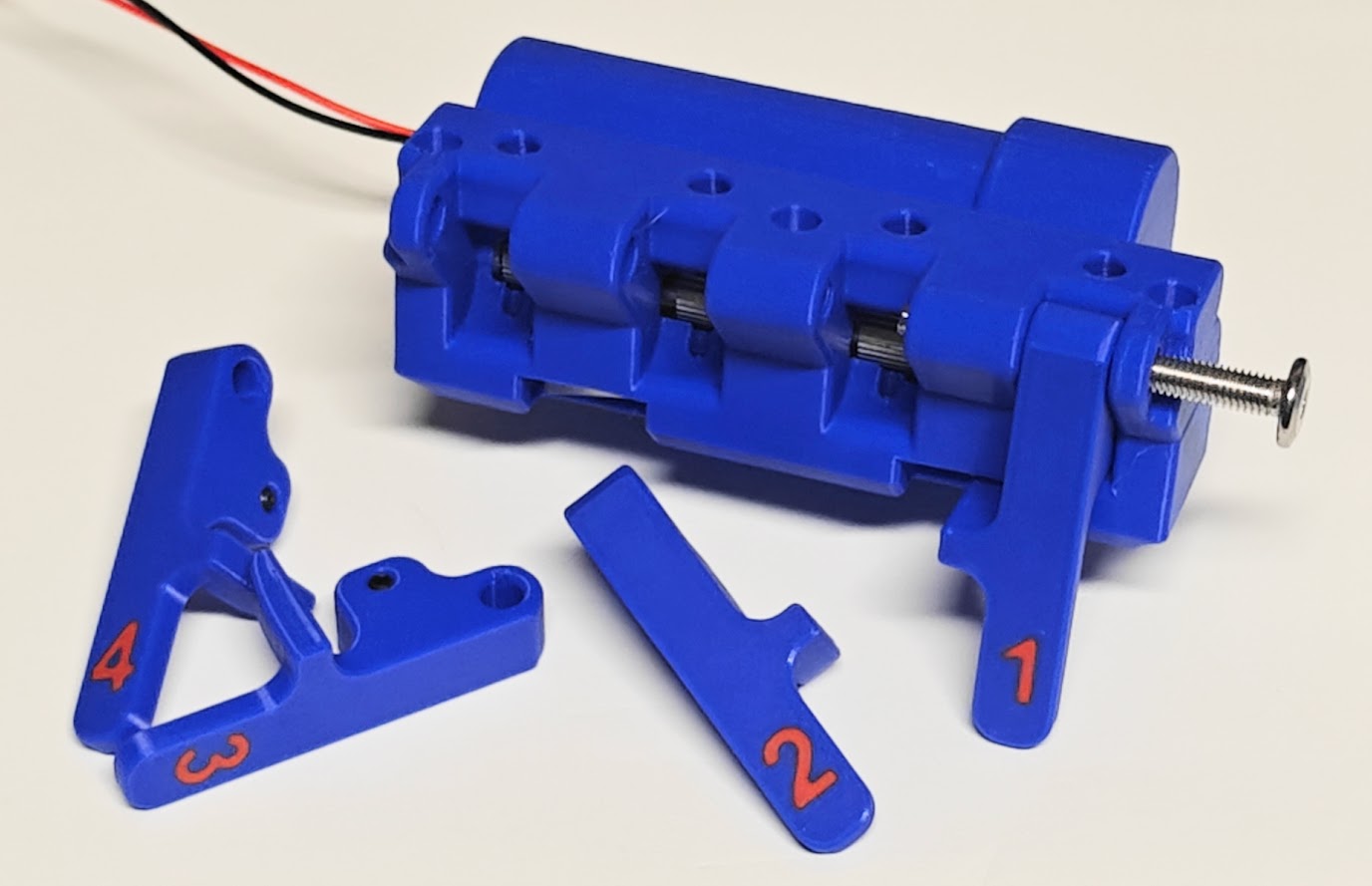
Almost ready to install! Your SideKick should look like this:
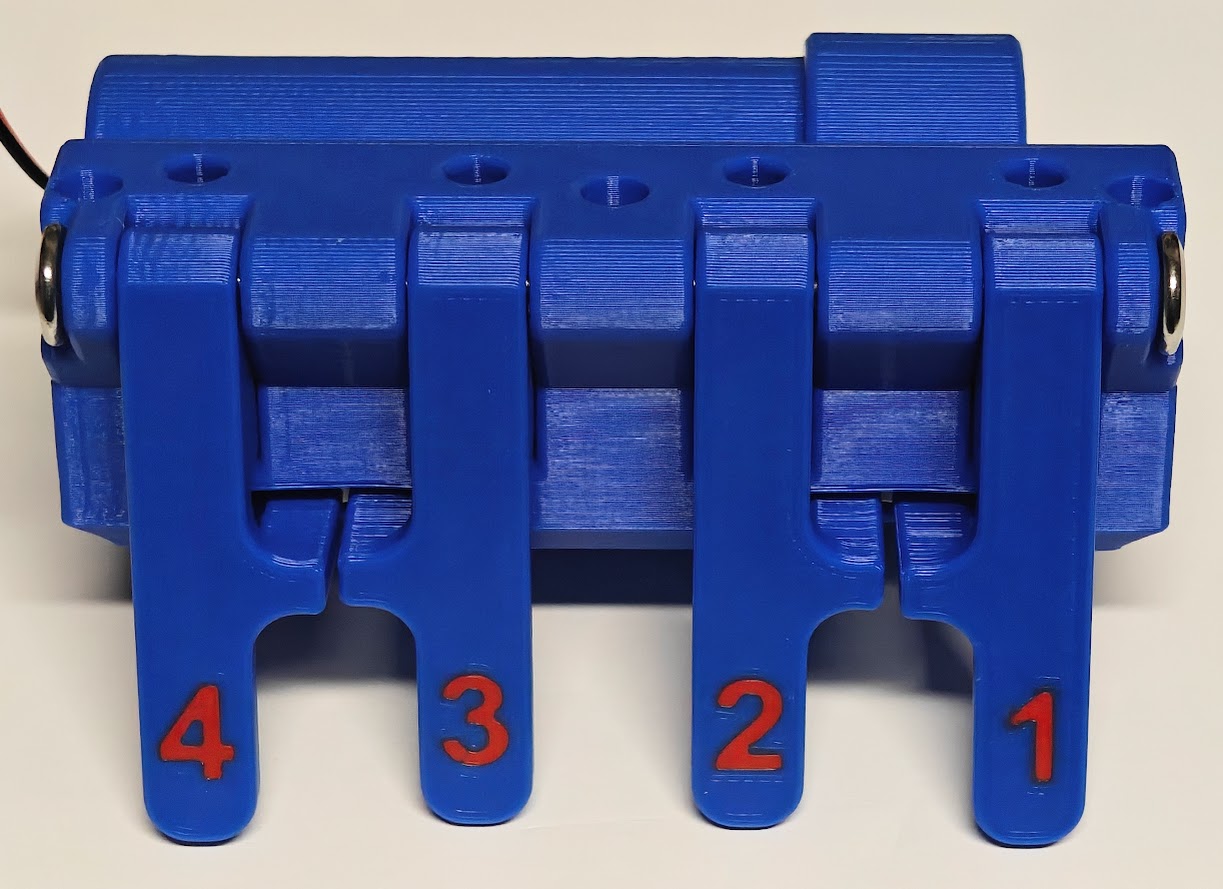
If you haven't already, use the PTFE Jig to cut four 18mm pieces from your PTFE tube.
If you have a countersink bit, use that for the steeper chamfer. Otherwise, a standard drill bit will work to carefully and slowly put a chamfer into one end of the PTFE sections. I used a 1/4" bit, and did use pliers to hold the PTFE from spinning when I actually did the job.

Insert the four pieces of PTFE into the holes on the bottom of the SideKick, making sure the chamfer is on the outside.
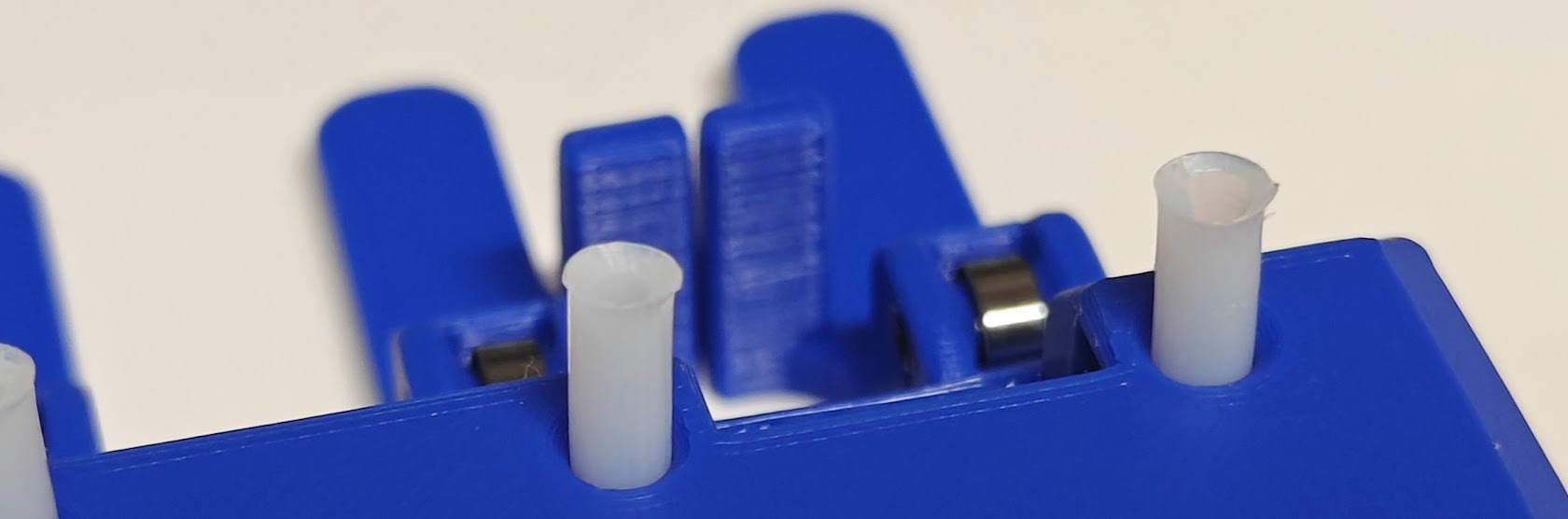
Ready to install!
Installation
Press the collets down and remove the PTFE from the top of the filament sensor.
Carefully remove the collets from the filament sensor.
Insert the collets into the top of the SideKick
Line up the PTFE tubes in the bottom of the SideKick with the holes in the top of the filament sensor and, using your hands to squeeze the SideKick down into the Filament Sensor Holder, bring them together until it is resting on the top of the filament sensor. DO NOT press down on the top of the SideKick without supporting the Filament Sensor print!
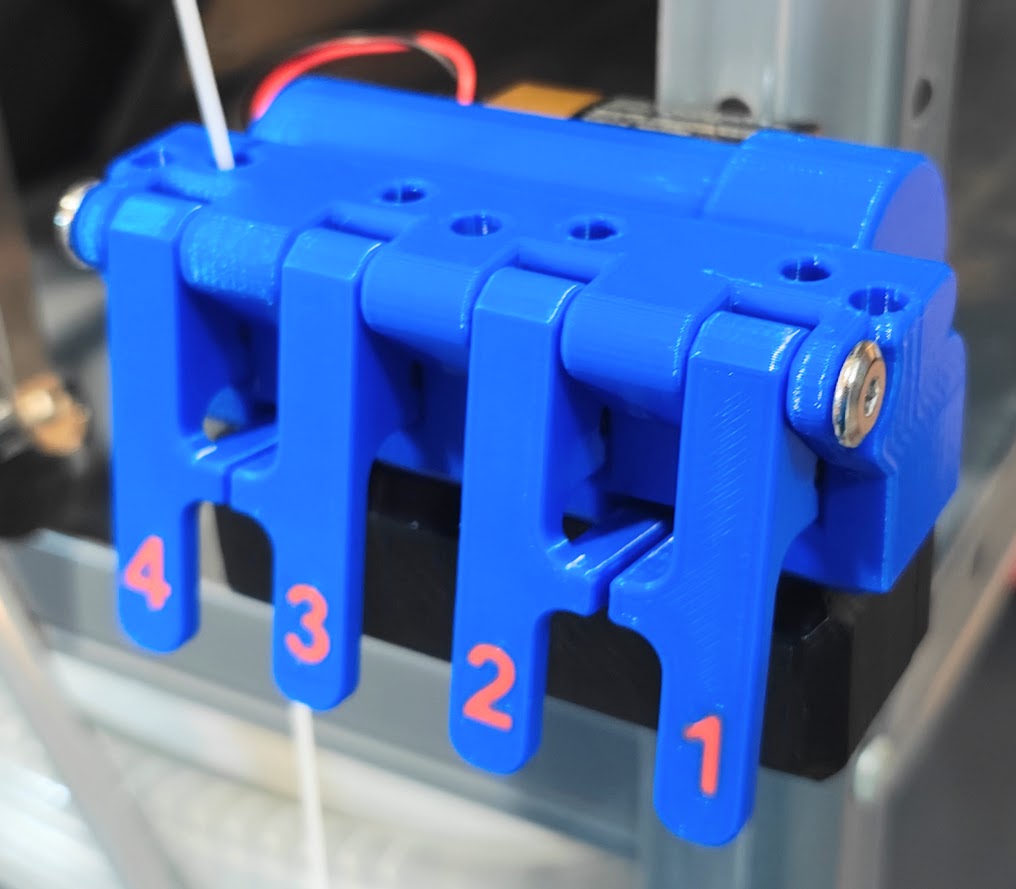
Insert the PTFE for the print heads into the top of the SideKick.
Provide power and use!
Updates
19/08/2026 - Enlarged openings for the paddles; added screw holes in the base for loose switches; added an L bracket for mounting to vertical surfaces/walls; improved breakaway supports; enlarged bearing clamps to reduce binding when assembled;
26/07/2026 - Added "branding" that is subtle and can easily be painted for color. Also improved design of breakaway support for Main Body Top.
28/06/2026 - Added alternate Main Body Bottom parts that have pockets for square nuts, for those who want something more robust than plastic to screw into.
27/06/2026 - Initial Release