Minimalist Creality K1 Bed Fans
Obliczymy ostateczną cenę na podstawie wybranego pliku. Sprawdzisz ją i zaakceptujesz przed płatnością.
Zapisane na tym urządzeniu.

Creality K1 Bed fans to aid in chamber heating for high temp materials like ABS and PC
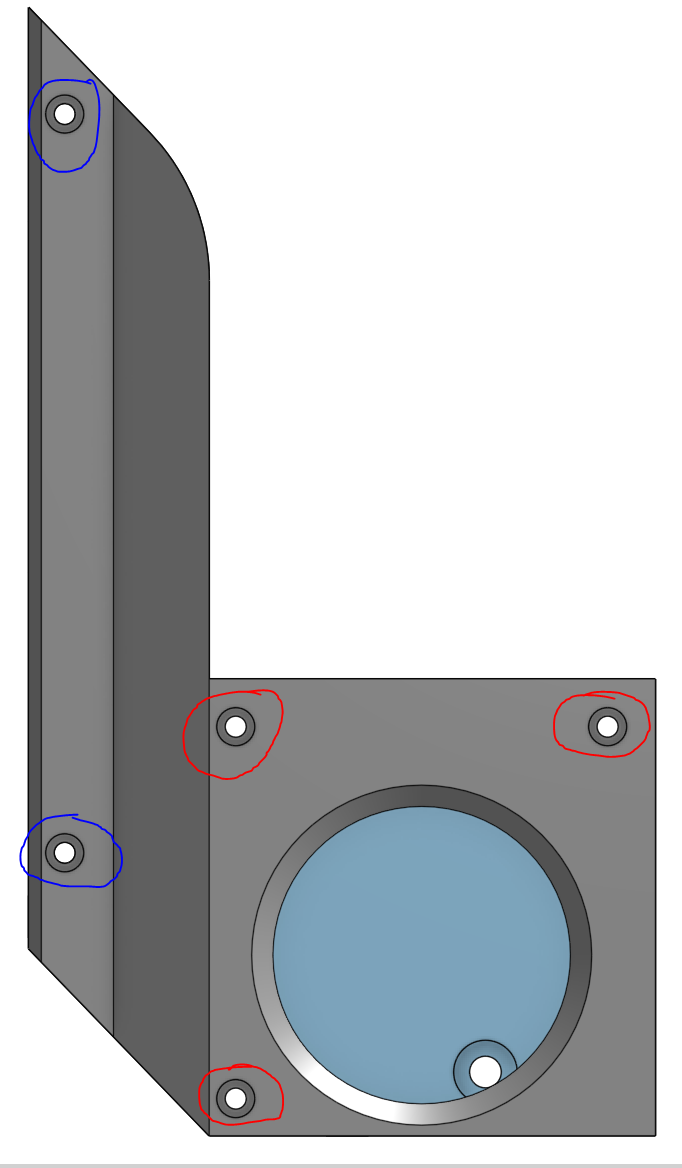
- Ocena
- 4,75 / 5
- Polubienia
- 129
- Pobrania
- 433
- Wydruki
- 5
- Wyświetlenia
- 6571
- Oceny
- 4
Aktualizacja u źródła:
Informacje o modelu
- Źródło
- Printables
- Kategoria
- Creality Parts & Upgrades
- Licencja
- Creative Commons — Attribution — Noncommercial
Minimalist Bed Fans
I have designed minimalist bed fan ducts to help heat the chamber of the Creality K1. These fans sit off to the sides to enable easy bed access and should help speed up and increase chamber temperatures during preheat and printing. The design utilized 4010 blowers and is held together by multiple m2 screws and threaded inserts.
You can mount them by reusing the coarse thread m3 screws on the bed to z rod carriage or thread through with a m3 fine thread and attach a nut on the bottom side. See pictures for mounting details.
Wire both fans in parallel and plug them into the open header on the control board (Pin: PA0). Configure them as desired in your printer.cfg (must be rooted)
With my aftermarket bed (6.5mm) and heater (110V 500W) I can achieve and maintain chamber temps in the 60-70C range depending on material being printed.
All STLs are oriented in the way I found best to print them, but feel free to experiement.
Note: Print in ABS, ASA or PC.
BOM:
6x M2x12mm
4x M2x8mm
4x M3x8mm coarse thread (reuse from printer)
10x M2 threaded inserts (I used these)
2x 4010 blower fans (I used these)
Assembly Instructions:
- Insert m2 threaded inserts here:

2. Mounting Holes to the Z-rod carriage arms:

3. Insert fan into duct and route cables.
4. Attach top cover using the M2x12 (Red) in the 3 housing holes and the M2x8 (Blue) in the 2 holes on the ducting