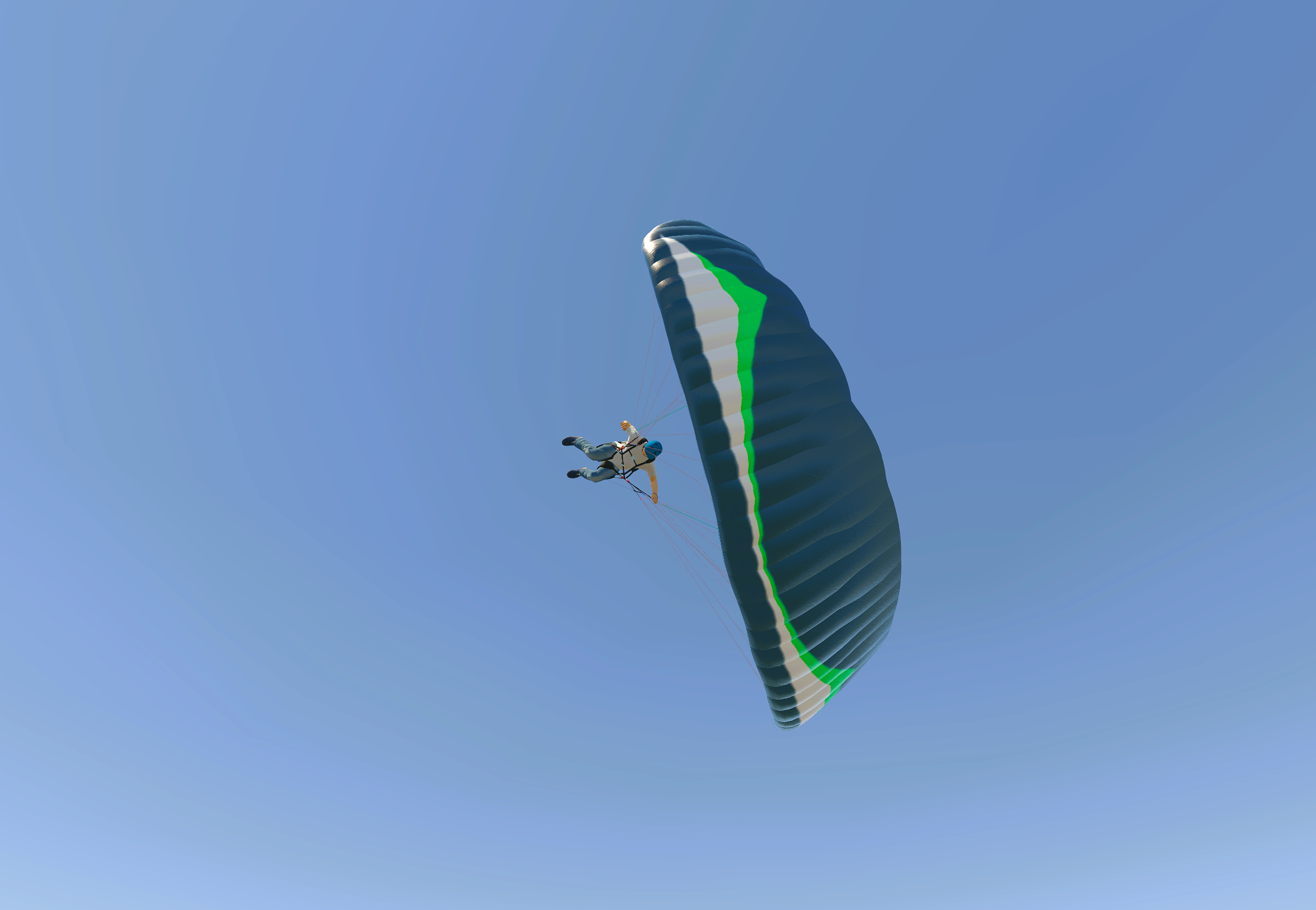
paragliding sim controller
Obliczymy ostateczną cenę na podstawie wybranego pliku. Sprawdzisz ją i zaakceptujesz przed płatnością.
Zapisane na tym urządzeniu.

game controller specially designed for paragliding simulators
- Ocena
- 0 / 5
- Polubienia
- 8
- Pobrania
- 30
- Wydruki
- 0
- Wyświetlenia
- 933
- Oceny
- 0
Aktualizacja u źródła:
Informacje o modelu
- Źródło
- Printables
- Kategoria
- Electronics
- Licencja
- Creative Commons — Attribution
This simple controller consists of two linear potentiometers that can simulate the brakes of a paraglider in a simulator like the one made by Evan Burrows :
https://evan-burrows.itch.io/paragliding-sim
hardware :
- 1x Arduino Leonardo
- 1x printed base
- 2x printed sticks
- 2x rubber bands
- (Arduino Leonardo case https://www.printables.com/model/962844-arduino-leonardo-case )
- 2x linear potentiometers :
Resistance: 10 kOhms
Length: 60mm
Width: 9 mm
Height: 6.5 mm
Model used: PTA4553-2010CIB103 (datasheet available in downloads)
(https://www.mouser.ch/ProductDetail/Bourns/PTA4553-2010CIB103?qs=U%2FacTlguYxYYXugcmg9%252Bcg%3D%3D)
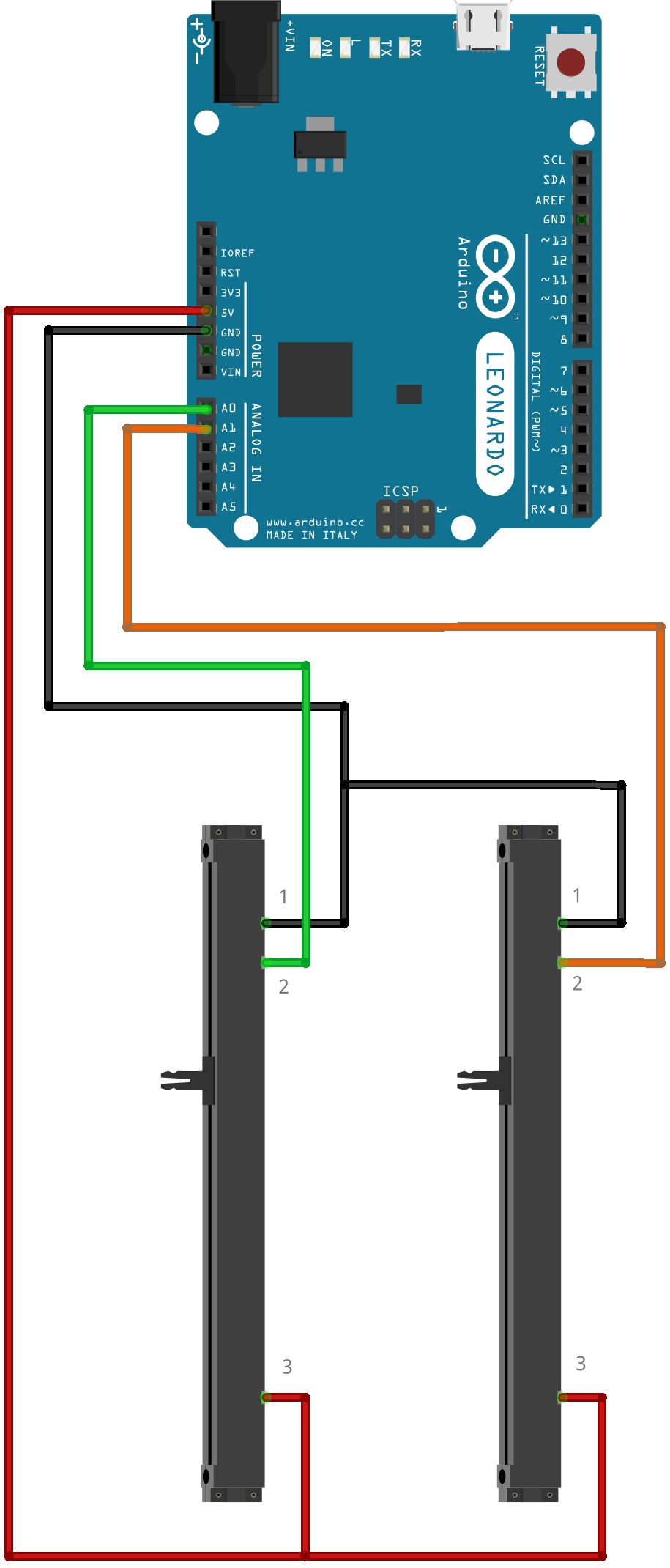
electrical diagram :
code (project file available for download in the "other files" section) :
#include <Arduino.h>
#include <Joystick.h>#define LeftPotentiometer A0
#define RightPotentiometer A1
// Initialize the joystick object with specific parameters
Joystick_ Joystick(JOYSTICK_DEFAULT_REPORT_ID, JOYSTICK_TYPE_JOYSTICK,
  0, 0,                  // No buttons, no hat switches
  true, true, false,     // X and Y axes enabled, no Z axis
  false, false, false,   // No Rx, Ry, or Rz axes
  false, false,          // No rudder or throttle controls
  false, false, false);  // No accelerator, brake, or steering controls
// Variables to store the X and Y axis values
int xAxisValue = 0;
int yAxisValue = 0;
void setup()
{
  Joystick.begin();
}
void loop()
{
  xAxisValue = analogRead(LeftPotentiometer);
  // Optional: Map the X axis value to a different range if needed
  // xAxisValue = map(value, realMinimum, realMaximum, actualMinimum, actualMaximum);
  Joystick.setXAxis(xAxisValue);
  yAxisValue = analogRead(RightPotentiometer);
  // Optional: Map the Y axis value to a different range if needed
  // yAxisValue = map(value, realMinimum, realMaximum, actualMinimum, actualMaximum);
  Joystick.setYAxis(yAxisValue);
  delay(10);
}
in-game configuration :
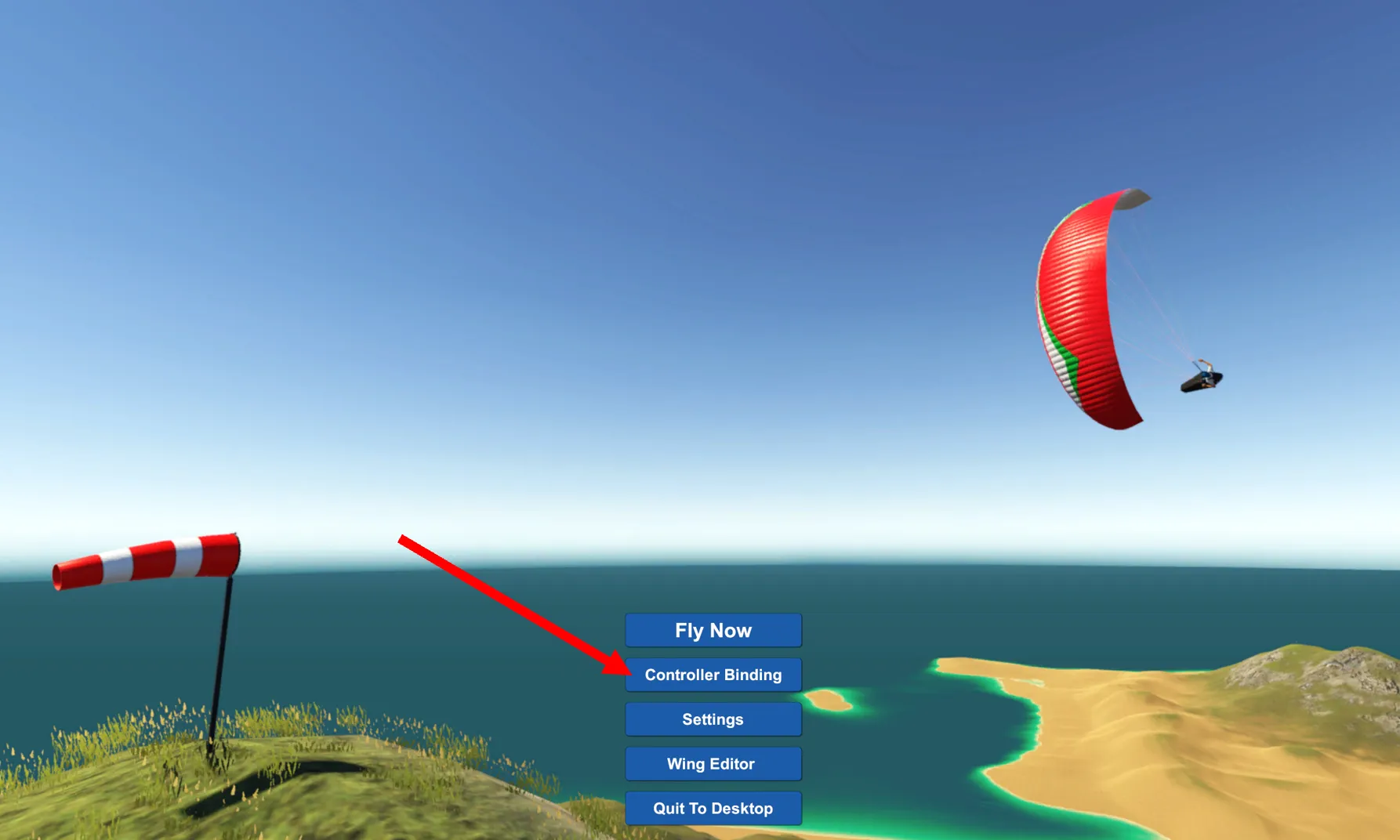
1) in the main menu, go to Controller Binding
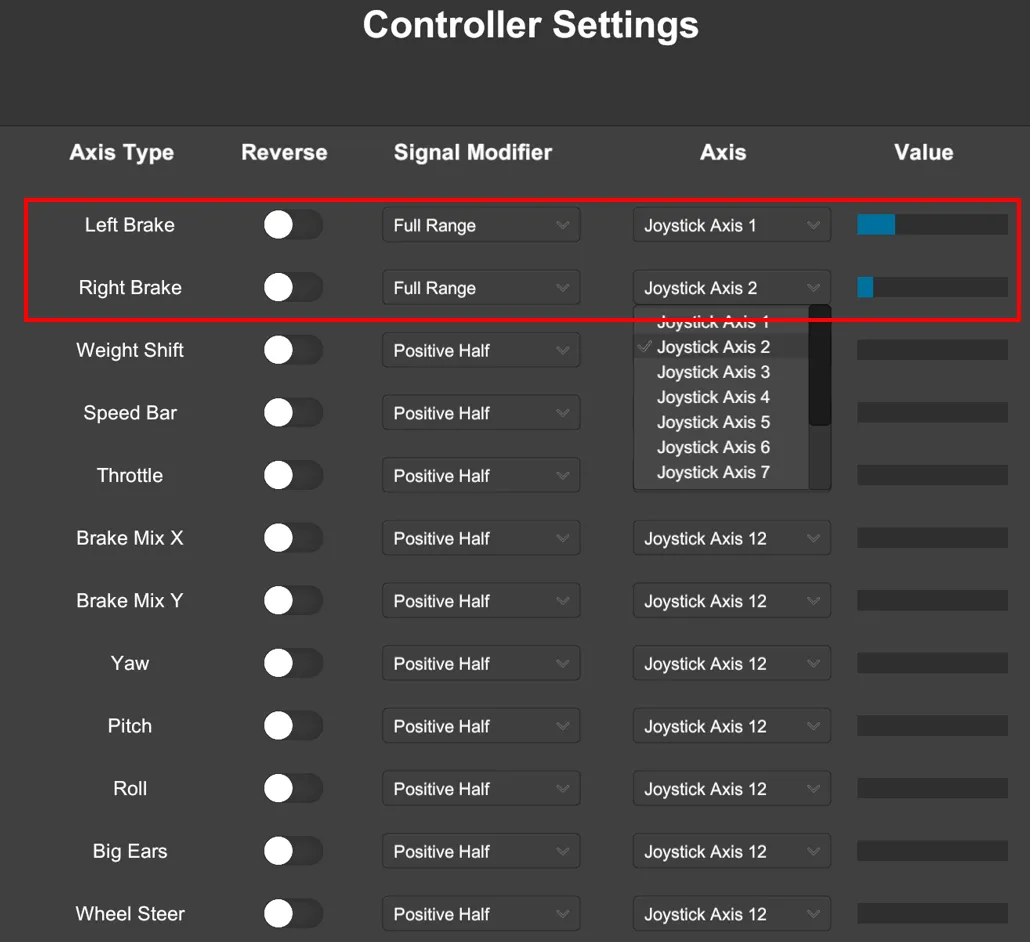
2) identify and select the potentiometers axis as brakes
3) start flying, press escape and go to Controls > Steering ans select Joystick
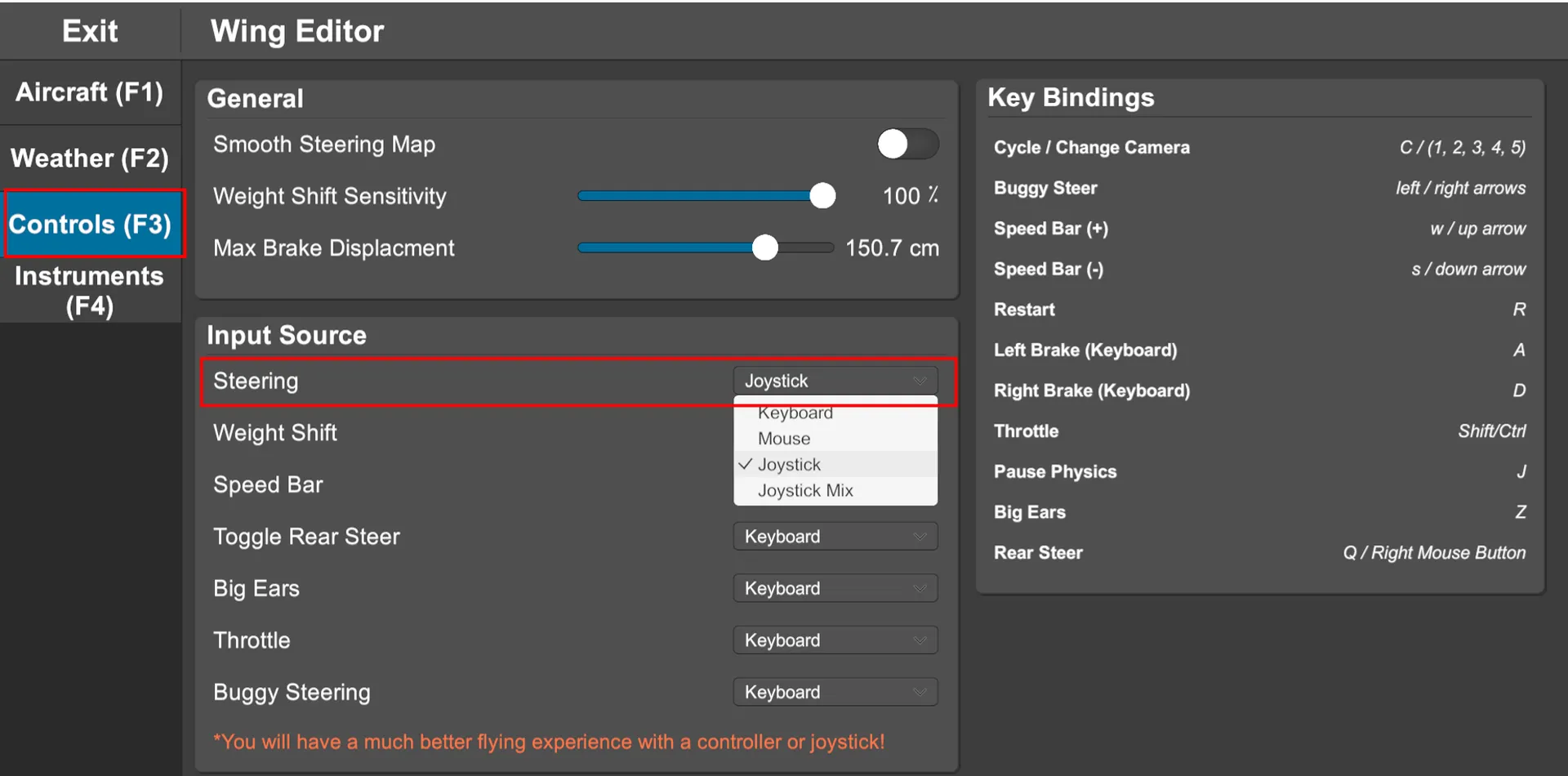
4) fly and ajust your settings as you want