
Snap-lock enclosure template parametric FreeCAD
We calculate the final price from your selected file. You review and accept it before payment.
Saved on this device.

FreeCAD parametric template for Snap-lock enclosure.
- Rating
- 5 / 5
- Likes
- 35
- Downloads
- 604
- Makes
- 0
- Views
- 2,076
- Reviews
- 1
Updated at source:
Model information
- Source
- Printables
- Category
- Organizers
- License
- Creative Commons — Public Domain
What is it?
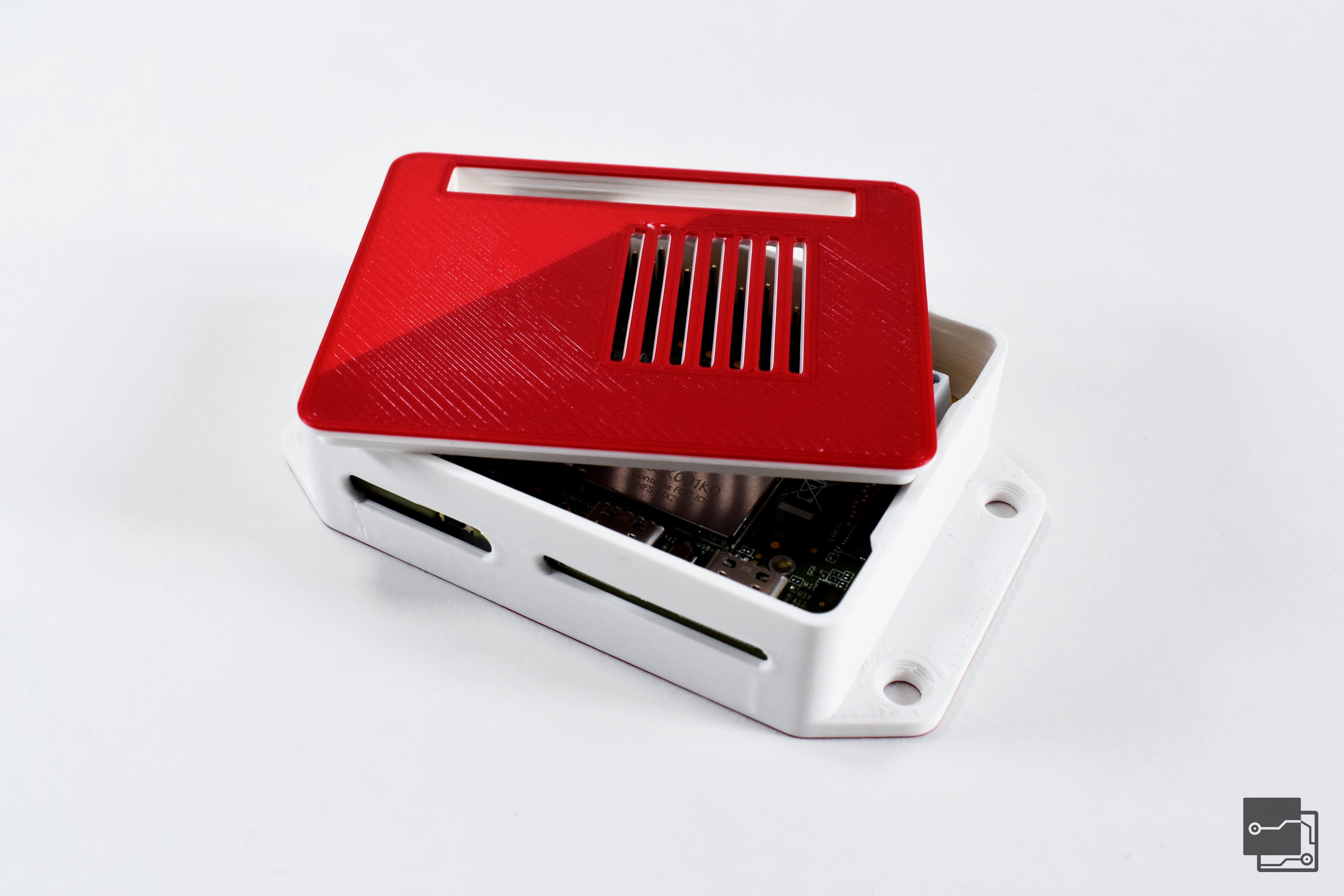
Snap lock enclosure parametric design in FreeCAD.
There are three versions of the enclosure
- Basic
- with corners for Mounting posts
- with corners and flanges for mounting
There is also a flange lid version to easier opening.
Why make it?
What can be more useful than a box? Customize it to your needs.
How to use it
For basic operations.
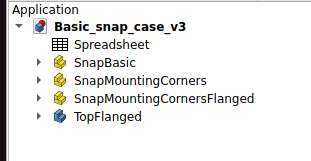
There are 3 Parts in the FreeCAD file.
All contain Base and the Lid of the enclosure and there is an additional part “TopFlanged” for a top with a flange for an easier opening.
Spreadsheet Main parameters are width, length and height.
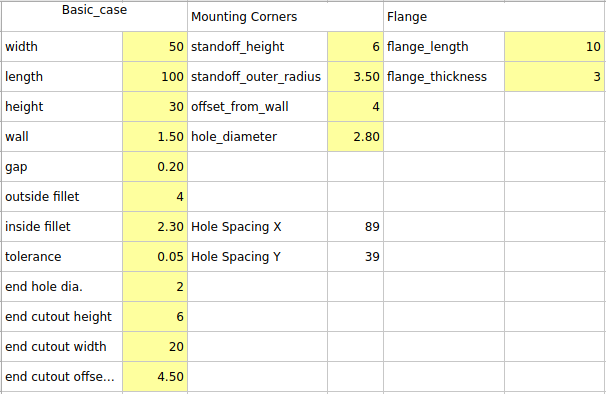
Outside bevel corners are set using outside fillet. Wall thickness also affects lid thickness.
Different materials flex differently. The size of the enclosure also affects how it flexes to it's either easier or harder to open.
Thanks
If you would like any design changes or specific STL files and don't know how to use FreeCAD just let me know. I can upload some STLs too!
Ask any questions if anything is not clear I can add more to documentation.